
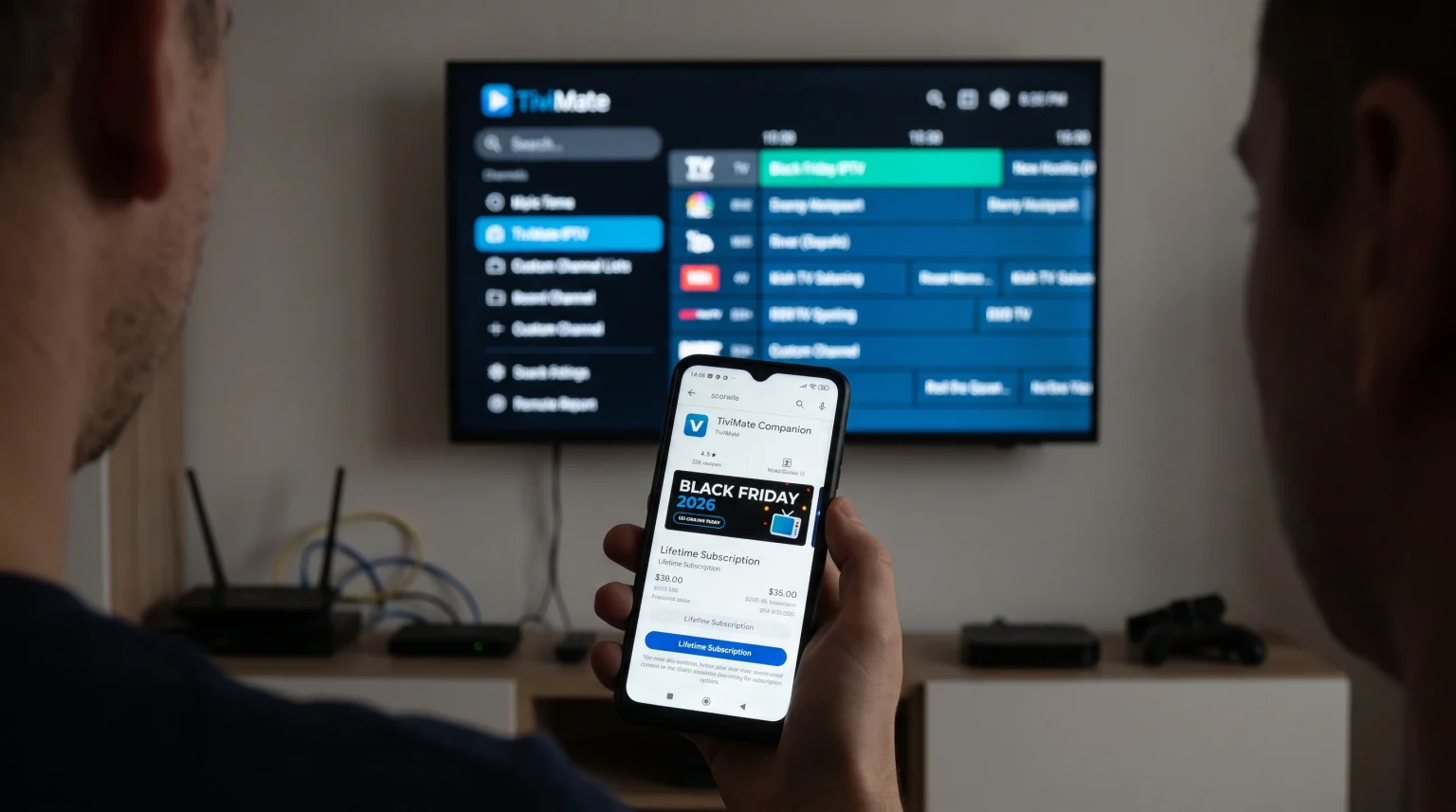
Every November, television viewers search for a TiviMate Black Friday 2026 discount. TiviMate Premium is a highly rated IPTV application. The application is available for devices that use the Android TV or Google TV operating system. Users want to know if the developer will reduce the price of the Lifetime subscription during the Black Friday sales period.
This article explains how to check the current TiviMate Premium price. This article also explains the differences between the Annual subscription and the Lifetime subscription. Furthermore, we will explain which Smart TV operating systems support the application. Finally, we will discuss how to optimize live football streams when using TiviMate Premium on a modern television.
Réponse rapide
The developer of TiviMate occasionally offers Black Friday discounts for the Lifetime subscription. Users can check the current price through the Google Play Store on their Smart TV. Users with Amazon Fire TV devices can check the price using the TiviMate Companion application on an Android mobile phone. For users who want long-term use, the Lifetime subscription provides the best financial value. Users who only want to test the application for a short time should choose the Annual subscription.
How to Check for a TiviMate Black Friday 2026 Discount
Users cannot buy a TiviMate subscription on a normal website. The developer processes all payments through the Google Play Store infrastructure. To find a TiviMate Black Friday 2026 discount, users must check the price inside the official Google payment system.
The developer sometimes reduces the price of the Lifetime subscription during the last week of November. However, the developer does not announce sales in advance. Therefore, users must check the price manually during the Black Friday period.
Checking the Price on Google Play Store
Users with an Android TV device or a Google TV device can check the price directly on their television.
Follow these steps to check the price:
Open the Google Play Store on the television.
Search for the TiviMate application.
Download and open the application.
Select the menu option to unlock TiviMate Premium.
The screen will display the current Annual price and the current Lifetime price.
If a Black Friday discount is active, the Google Play Store will show the reduced price before the user confirms the payment.
Checking the Price with TiviMate Companion
Many users use an Amazon Fire TV Stick. Amazon Fire OS does not include the Google Play Store. Therefore, Fire TV users cannot buy the Premium subscription directly on their television. Fire TV users must use a separate Android application called TiviMate Companion.
Follow these steps to use TiviMate Companion:
Download the TiviMate Companion application on an Android mobile phone or an Android tablet.
Create a TiviMate account inside the TiviMate Companion application.
Log in to the application.
The application will display the available subscription options.
Fire TV users can purchase the subscription on their Android mobile phone. After the purchase, the user can log in to the TiviMate application on their Fire TV device to activate the Premium features.
TiviMate Annual Subscription vs TiviMate Lifetime Subscription
When purchasing TiviMate Premium, users must choose between two payment options.
The Annual subscription requires a yearly payment. The Google Play Store will automatically charge the user every year until the user cancels the subscription. This option is suitable for users who want to test the application.
The Lifetime subscription requires one single payment. The user will never pay again. The Lifetime subscription includes all future software updates. If a user finds a TiviMate Black Friday 2026 discount, the discount normally applies to the Lifetime subscription.
Both subscription types allow the user to activate TiviMate Premium on a maximum of five different devices at the same time.
TiviMate Free vs TiviMate Premium: Feature Comparison
Users can download a free version of TiviMate. However, the free version restricts many important features. Most users upgrade to TiviMate Premium to unlock the full functionality of their IPTV service.
This table explains the differences between the two versions.
| Fonctionnalité | TiviMate Free | TiviMate Premium |
| Multiple playlists | Non | Oui |
| Electronic Program Guide (EPG) update | Manual only | Automatic and manual |
| Catch-up television support | Non | Oui |
| Favorite channels list | Non | Oui |
| Custom channel sorting | Non | Oui |
| Hidden categories | Non | Oui |
| Picture-in-Picture (PiP) | Non | Oui |
TiviMate Free is suitable for basic testing. TiviMate Premium is suitable for daily television viewing.
IPTV Compatibility: Playlists and Electronic Program Guides
Because this article is for TV Shadow IPTV, we must explain how TiviMate connects to an IPTV service.
TiviMate does not provide any television channels. The application is an empty video player. Users must provide their own IPTV subscription. TV Shadow IPTV does not have an official business relationship with the developer of TiviMate. TV Shadow IPTV simply provides the server connection.
TiviMate Premium provides excellent compatibility with modern IPTV protocols. The application supports M3U playlists. The application also supports Xtream Codes login details. Xtream Codes is usually the most stable method for connecting an IPTV service. Xtream Codes allows the application to automatically download the Electronic Program Guide (EPG). The EPG provides the television schedule and program information.
TiviMate Premium allows users to connect multiple IPTV services at the same time. The application merges the different services into one seamless user interface.
Smart TV Operating Systems: Can You Use TiviMate?
TiviMate is not compatible with every Smart TV. The application availability depends on the operating system of the television.
If you are buying a new television in 2026, you must understand these operating system differences. If you want to learn more about television software, our guide to the Meilleur système d'exploitation pour Smart TV dédié à l'IPTV en 2026 explains the specific differences between the major brands.
Google TV et Android TV
TiviMate is built specifically for the Android operating system. Televisions that use Google TV or Android TV offer native support for TiviMate.
Users can find TiviMate directly in the Google Play Store on these televisions. Compatible brands include Sony BRAVIA, Philips, Hisense, and TCL. Sony BRAVIA with Google TV is highly recommended for users who want deep integration with the Google app ecosystem.
Samsung Tizen and LG webOS
Samsung televisions use the Tizen operating system. LG televisions use the webOS operating system.
Samsung Tizen does not support Android applications from Google Play. LG webOS also does not support Android applications from Google Play. Therefore, TiviMate is not available in the Samsung App Store or the LG Content Store.
If you own a Samsung or LG television and you want to use TiviMate, you must purchase an external Android TV streaming device. For example, you can connect a Google Chromecast or an Nvidia Shield to the HDMI port of your Samsung television. To understand this topic better, you can read our detailed article comparing Tizen vs Google TV for IPTV Apps: What’s the Difference?.
Watching Live Football with TiviMate Premium
Many users purchase TiviMate Premium specifically to watch live football and other sports. TiviMate Premium offers excellent video playback capabilities. However, the final picture quality depends heavily on the user’s internet connection and the hardware of the television.
Internet Connection and Streaming Stability
Live football requires a very stable internet connection. When watching live sports, the video stream transfers a large amount of data continuously.
If possible, users should connect their Smart TV or streaming device to the internet router using an Ethernet cable. An Ethernet cable provides a much more stable connection than Wi-Fi. Wi-Fi signals can experience interference from walls and other electronic devices. A stable Ethernet connection prevents the football stream from freezing or buffering during the match.
Traitement des mouvements et fréquences de rafraîchissement
When watching live football, the camera moves rapidly across the field. Televisions must process this fast motion smoothly.
A television with a 120Hz refresh rate can update the image on the screen 120 times per second. A television with a 60Hz refresh rate can update the image 60 times per second. For fast sports, a 120Hz television generally provides a clearer picture with less motion blur. You can learn more about this hardware feature in our article about the Téléviseurs 60 Hz ou 120 Hz pour le football en direct.
Furthermore, users should adjust the picture settings on their television. Many modern televisions have a “Sports Mode” or a “Motion Smoothing” setting. Users should test these settings to see which option provides the most natural movement for the football.
Conclusion
Finding a TiviMate Black Friday 2026 discount requires checking the Google Play Store or the TiviMate Companion application during late November. TiviMate Premium remains one of the best applications for managing an IPTV service. The Premium version provides essential features such as custom channel sorting, multiple playlists, and automatic Electronic Program Guide updates.
While the Annual subscription is good for testing, the Lifetime subscription offers the best value for long-term users. Remember that TiviMate is exclusively an Android application. It works perfectly on Sony Google TV devices, but it requires an external Android streaming stick if you own a Samsung or LG television. By combining TiviMate Premium with a stable Ethernet connection, users can enjoy a high-quality experience when watching live football and movies.
Foire aux questions (FAQ)
Does TiviMate offer a Black Friday discount every year?
No, the developer does not guarantee a Black Friday discount. Historically, the developer has sometimes reduced the price of the Lifetime subscription in November. Users must check the Google Play Store or the TiviMate Companion application to see current prices.
Can I install TiviMate on a Samsung Smart TV?
No, you cannot install TiviMate directly on a Samsung Smart TV. Samsung televisions use the Tizen operating system. TiviMate only works on Android TV, Google TV, and Amazon Fire OS. Samsung owners must use an external Android streaming device to use TiviMate.
Do I get IPTV channels with TiviMate Premium?
No, TiviMate Premium does not include any television channels. TiviMate is only a media player application. Users must purchase a separate subscription from an IPTV service provider to watch television channels.