
Are you tired of clunky menus and buffering when trying to watch your favorite live channels? Choosing the right media player is just as crucial as finding the perfect subscription. For streamers across the États-Unis, the battle between TiviMate vs Smart IPTV ultimately dictates the quality of your home entertainment setup.
Both applications serve as empty vessels for your Liste de lecture M3U or Xtream Codes, transforming raw data into a watchable TV guide. However, they cater to entirely different devices and user preferences. Let’s break down which app deserves a spot on your big screen.
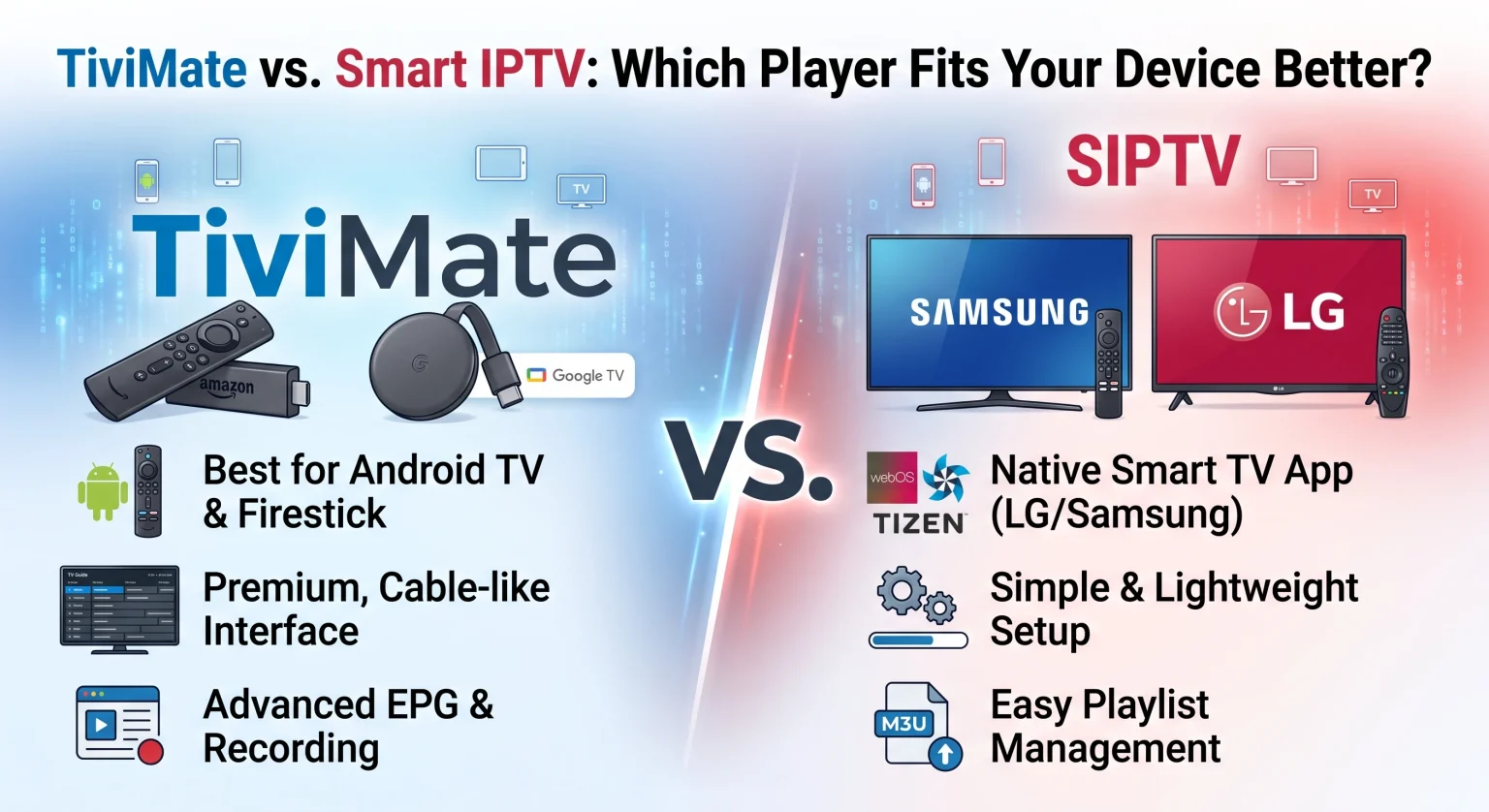
TiviMate vs Smart IPTV: Core Differences for US Viewers
When evaluating this IPTV player comparison, the primary difference lies in device compatibility and user interface. TiviMate is built strictly for the Android ecosystem, while Smart IPTV (SIPTV) offers broad compatibility across major smart TV brands.
Whether you are catching Sunday football in Texas or international news in New York, your choice depends heavily on the hardware sitting in your living room.
What Makes TiviMate a Powerhouse?
TiviMate is widely considered the gold standard for Android-based devices. If you are using an NVIDIA Shield, Chromecast with Google TV, or setting up a Firestick IPTV system, TiviMate delivers an unmatched experience.
Premium Interface: It looks and feels exactly like a high-end, traditional cable box.
Advanced Features: Users get access to multi-view (watching up to 4 screens at once), catch-up TV, and recording capabilities.
Dynamic Guide: Les Guide électronique des programmes (EPG) is lightning-fast and highly customizable, allowing you to hide or rearrange categories effortlessly.
Why Choose Smart IPTV (SIPTV)?
Smart IPTV is a lightweight, widely accessible application de streaming that paved the way for modern viewing. It is the go-to solution for users who want to avoid buying additional streaming dongles.
No Extra Hardware: It runs natively on Samsung (Tizen) and LG (webOS) smart TVs, as well as Android devices.
Simple Setup: You upload your playlist via their website using your TV’s MAC address, making remote management incredibly easy.
Streamlined Usage: It strips away complex menus, making streaming TV en direct straightforward and beginner-friendly.
Head-to-Head Comparison Table
To help you decide instantly, here is how both players stack up across the most important features:
| Fonctionnalité | TiviMate | Smart IPTV (SIPTV) |
| Appareils pris en charge | Android TV, Google TV, Fire OS ONLY | LG, Samsung Smart TVs, Android, Fire OS |
| Interface Design | Modern, premium cable-box style layout | Basic, lightweight, and functional list view |
| Intégration de l'EPG | Highly advanced, customizable, fast-loading | Standard basic EPG, minimal customization |
| Structure tarifaire | ~$33.99 Lifetime (covers 5 devices) | ~€5.49 Lifetime (one-time fee per TV) |
| Idéal pour… | Power users wanting a flawless, premium feel | Smart TV owners avoiding external dongles |
Which Streaming App Wins the Performance Battle?
When it comes to pure speed and channel loading, TiviMate takes the crown on compatible hardware. It handles massive playlists (50,000+ channels) without stuttering or crashing. It also allows you to merge multiple provider subscriptions into one seamless guide.
Smart IPTV, while reliable, can occasionally struggle with excessively large playlists. Because it operates on the limited internal memory of older smart TVs, you may need to filter out unwanted countries from your playlist before uploading to keep the app running smoothly.
Final Verdict: TiviMate vs Smart IPTV for Your Home
Your final decision in the TiviMate vs Smart IPTV debate comes down to the hardware you own. If you live in the États-Unis and already use a Firestick, NVIDIA Shield, or Android TV box, TiviMate Premium is the absolute best investment you can make for your home theater.
If you own an LG or Samsung Smart TV and simply want to watch channels without purchasing a separate streaming stick, Smart IPTV is a highly capable and affordable alternative.
Ready to upgrade your cord-cutting experience? Download your chosen player today, secure a premium channel provider, and transform your living room into the ultimate entertainment hub!
Questions fréquentes (PAA)
Does TiviMate or Smart IPTV come with free channels?
Non. Both applications are simply media players. They do not host, provide, or include any live channels or movies. You must purchase a separate subscription from a provider and input your credentials into the app.
Can I use TiviMate on a Samsung or LG Smart TV?
No, TiviMate is exclusively built for the Android operating system. To use it on a non-Android smart TV, you will need to plug in a compatible device like an Amazon Firestick or a Google Chromecast.
Is it safe to use these IPTV players?
Yes, downloading and using the player applications is completely legal and safe. However, you should always ensure that you are using a secure internet connection or a reliable VPN when streaming content to protect your digital privacy.