
Yonto Player 5.5.8 introduces important software updates for Android TV and Google TV users. This application version improves streaming playback and provides better error handling for personal media servers and IPTV services. Users of Plex, Emby, Jellyfin, and IPTV playlists will experience fewer playback interruptions. This article explains the new technical features in Yonto Player 5.5.8. We will also discuss how this update affects live football streaming and general IPTV compatibility for users of TV Shadow IPTV. The update focuses on providing clear diagnostic information when a video stream fails. This specific error reporting saves users time when troubleshooting network problems or server problems. Additionally, the software processes large channel lists more efficiently.
Réponse rapide
What is the Yonto Player 5.5.8 update?
Yonto Player 5.5.8 is a software update that improves video playback stability and error reporting on Android TV devices. The update provides specific error messages when a video stream fails. This helps users identify connection problems quickly. This application version also improves compatibility with M3U playlists and Xtream Codes. Yonto Player 5.5.8 is suitable for users who stream live sports or use multiple media sources, because the update reduces buffering and network connection failures.
Key Features in Yonto Player 5.5.8
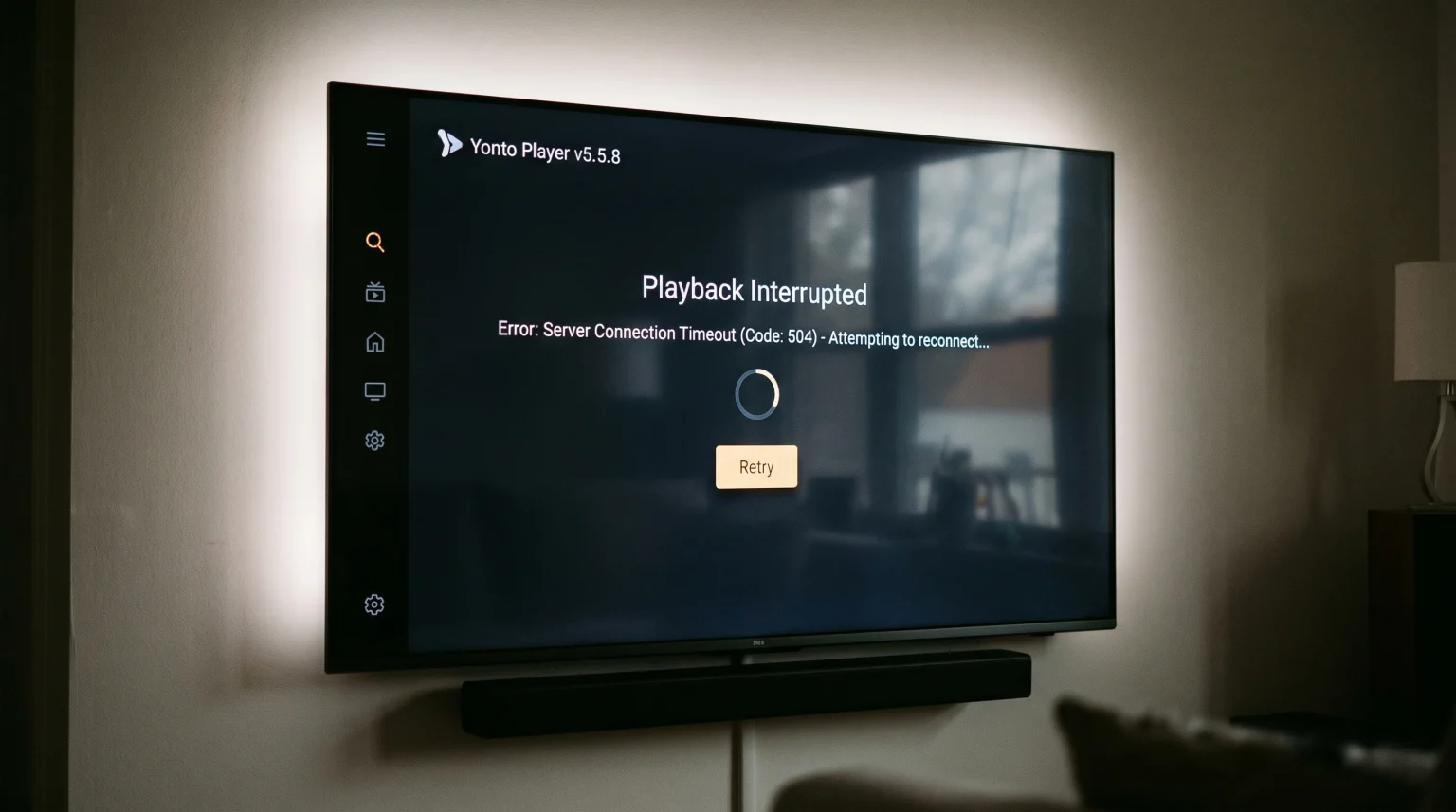
Better Error Handling
In previous versions, a stream failure often showed a generic error screen. Yonto Player 5.5.8 now explains exactly what went wrong during playback. For example, if a server is offline, the application displays a specific server error message. If a video file is missing, the application shows a “not found” error. This change makes troubleshooting much faster for IPTV users and home server owners. You no longer need to guess why the video stopped playing.
Improved Playback Stability
The new software update optimizes video buffering. Yonto Player 5.5.8 manages system memory more efficiently on Google TV and Android TV devices. This improved memory management prevents the application from crashing when it loads large IPTV playlists or high-resolution 4K video files.
Yonto Player 5.5.8 vs Older Versions
Here is a factual comparison of the new update against previous versions of the application.
| Fonctionnalité | Yonto Player 5.5.8 | Older Versions (5.4 and below) |
| Error reporting | Detailed and specific error messages | Generic error screens |
| Playback buffering | Optimized for large playlists and 4K | Standard buffering limits |
| IPTV playlist loading | Fast parsing for M3U and Xtream Codes | Slower loading times for large lists |
| Background performance | Improved memory management | Higher memory usage |
Using Yonto Player 5.5.8 for IPTV
Yonto Player is a versatile media application. It allows users to connect personal servers and IPTV services in one interface. For users of TV Shadow IPTV, understanding application compatibility is very important.
M3U and Xtream Codes Compatibility
Yonto Player 5.5.8 fully supports M3U playlists and Xtream Codes logins. The updated software loads large channel lists quickly. The Electronic Program Guide (EPG) also synchronizes faster in this version. This means you can view your television guide information without long waiting times.
If you are choosing a television specifically for streaming applications, our guide to Les meilleurs téléviseurs connectés pour l'IPTV en 2026 : comparaison entre Samsung, Sony, LG et TCL explains which television brands offer the best application support.
Limites du système d'exploitation des téléviseurs connectés
Yonto Player is designed exclusively for Android TV and Google TV operating systems. You can install Yonto Player on Sony BRAVIA televisions, Chromecast with Google TV, and Nvidia Shield streaming devices. However, you cannot install Yonto Player natively on Samsung Tizen televisions or LG webOS televisions.
If you own a Samsung television, read our guide Le système Tizen de Samsung est-il adapté à l'IPTV en 2026 ? to find alternative applications for your specific device.
Live Football and Sports Streaming
Watching live football requires a stable application and a capable television. Yonto Player 5.5.8 improves the stability of live television streams.
Stream Stability and Buffering
Live sports streams cannot buffer data far in advance like a saved video file. The stream is live. Yonto Player 5.5.8 handles live network fluctuations better than older versions. If the internet connection drops briefly, the player attempts to reconnect smoothly instead of displaying a hard error immediately. For the most stable playback during live football matches, always connect your television to your internet router using an Ethernet cable instead of a Wi-Fi connection.
Traitement des mouvements et fréquences de rafraîchissement
The application software is only one part of the sports viewing experience. Your television hardware controls the picture quality. For fast sports like football, a television with a 120Hz refresh rate and good motion handling will prevent the football from looking blurry. To understand how television hardware specifications affect live sports, read our comparison on Téléviseurs 60 Hz ou 120 Hz pour le football en direct.
Conclusion
The Yonto Player 5.5.8 update brings necessary software improvements to Android TV users. The detailed error handling makes troubleshooting simple and precise. The playback optimization ensures that high-resolution videos and live sports streams remain stable during playback. For users of TV Shadow IPTV and other streaming services, this update makes the viewing experience smoother. Ensure your television device is connected to the Google Play Store to receive this software update automatically.
Foire aux questions (FAQ)
What is Yonto Player 5.5.8?
Yonto Player 5.5.8 is a media player application for Android TV and Google TV devices. It allows users to play videos from personal servers like Plex and Jellyfin, and it also supports standard IPTV playlists.
Does Yonto Player 5.5.8 work on Samsung Tizen televisions?
No, Yonto Player is not available on Samsung Tizen. The application requires the Android TV or Google TV operating system. Samsung users must use different IPTV applications available in the Samsung App Store.
Why is error handling important for IPTV?
Specific error messages tell you if the problem is your internet connection, the remote server, or the application itself. This precise information prevents confusion and helps you fix the issue quickly.