
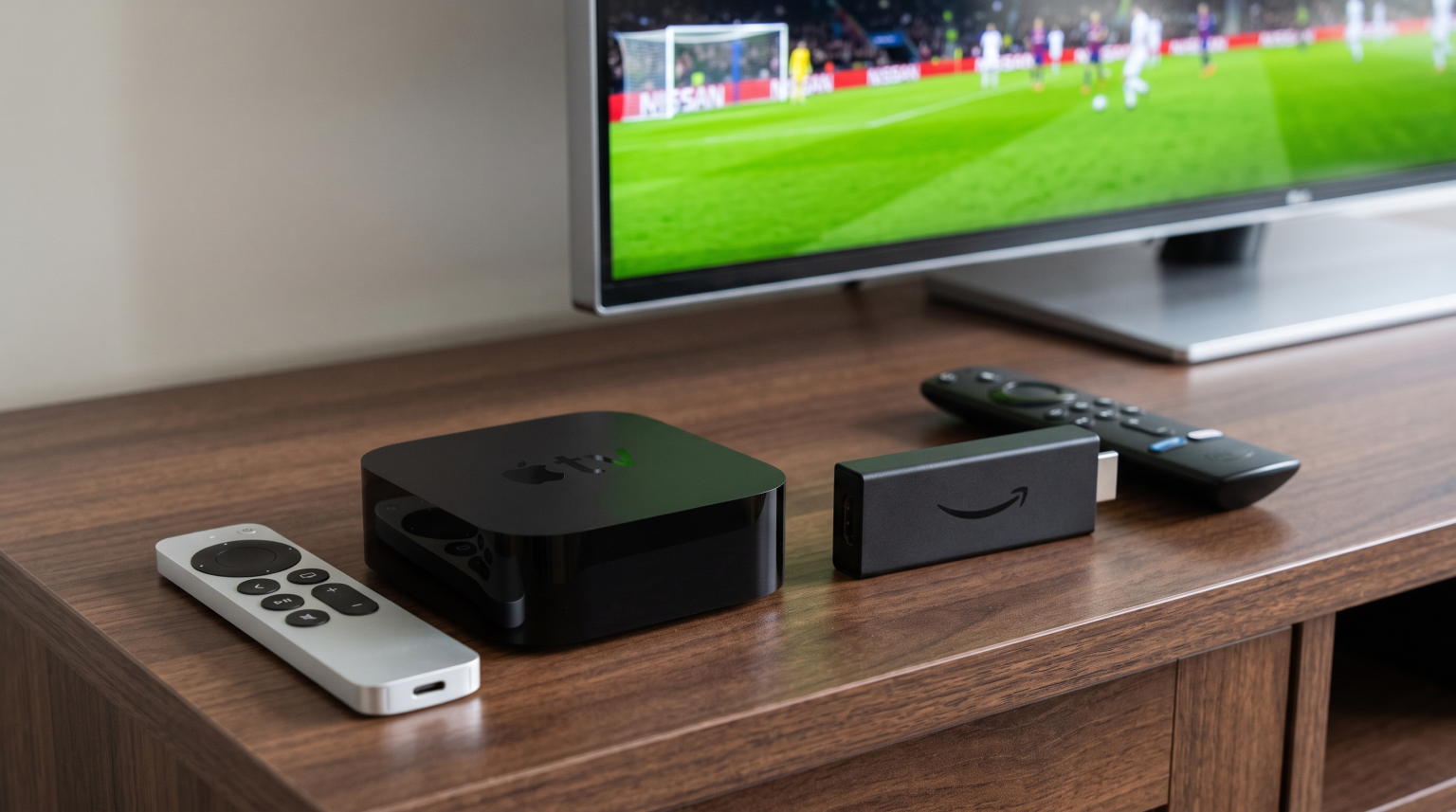
Choosing the right streaming hardware is essential for watching live football without buffering, motion blur, or video stutter. The Apple TV 4K and the Amazon Fire TV Stick 4K are two of the most popular streaming devices on the market. Both streaming players support Ultra HD resolution, High Dynamic Range (HDR), and modern streaming applications. However, both devices handle live sports, video frame rates, network connections, and IPTV applications differently.
When you watch live football on a service like TV Shadow IPTV, screen stability and smooth motion handling are critical. A fast camera pan across a football pitch exposes hardware weaknesses quickly. This detailed guide compares the Apple TV 4K and the Amazon Fire TV Stick 4K to help sports fans select the best streaming device for live football.
Snel antwoord
The comparison between Apple TV vs Fire TV football streaming comes down to hardware power versus software flexibility and budget.
The Apple TV 4K is the superior choice for viewers who want maximum processing speed, flawless system-level frame rate matching (50Hz and 60Hz), and a built-in Gigabit Ethernet port. The Amazon Fire TV Stick 4K is the more cost-effective option. The Fire TV Stick 4K offers wider IPTV application availability, easy sideloading, and excellent performance for its price point. Viewers with premium televisions often prefer the Apple TV 4K, while budget-conscious viewers often prefer the Fire TV Stick 4K.
Hardware Specifications and Processing Power
The physical hardware inside a streaming device determines how quickly applications open, how fast channels switch, and whether the interface remains responsive during heavy tasks.
Processor and General Navigation Speed
The Apple TV 4K uses Apple’s A15 Bionic processor. This processor is significantly more powerful than the mobile chipsets found in standard streaming sticks. Menu navigation on tvOS is fast and fluid. Switching between different streaming apps happens without lag. If you switch channels frequently during a matchday, the Apple TV 4K loads video feeds and Electronic Program Guides (EPG) rapidly.
The Amazon Fire TV Stick 4K uses a quad-core MediaTek processor. This processor is capable of decoding 4K video streams with ease. However, the Fire TV interface displays many sponsored rows and banner advertisements. These elements consume system memory. As a result, navigating the Fire TV interface can sometimes feel slower than navigating tvOS, especially after the device has been running for several days without a reboot.
Storage Capacity and Physical Build
The Apple TV 4K is a dedicated set-top box. Apple offers configurations with 64GB or 128GB of internal storage. This large storage space allows you to install dozens of streaming apps, store video buffers, and download Electronic Program Guide data without running out of space.
The Amazon Fire TV Stick 4K is a compact HDMI dongle that plugs directly into the back of your television. The Fire TV Stick 4K comes with 8GB of internal storage. The Fire TV operating system occupies a large part of this storage. Users must manage their installed applications carefully to ensure the device has sufficient storage space to operate efficiently.
Live Football Motion Handling and Frame Rate Matching
Motion handling is the single most important technical factor when you compare the Apple TV vs Fire TV football viewing experience. Live football contains constant, rapid lateral motion across the pitch.
Refresh Rates and Broadcast Standards (50Hz vs 60Hz)
Live football broadcasts use specific frame rates depending on the country of origin:
European and International Football: Competitions such as the English Premier League, UEFA Champions League, La Liga, and the Bundesliga are produced at 50 frames per second (50 fps) on a 50Hz broadcast standard.
North American Football: Competitions such as Major League Soccer (MLS) are produced at 60 frames per second (60 fps) on a 60Hz broadcast standard.
If a streaming box outputs a 50 fps stream at a fixed 60Hz television refresh rate, a technical issue called judder occurs. The player must duplicate every fifth frame to fit 50 frames into a 60Hz output signal. During a live football match, this causes the football to look like it is vibrating or jumping across the screen during long passes. If you want to understand how display panels handle this movement, read our technical breakdown on Een tv van 60 Hz versus een tv van 120 Hz voor live voetbal.
Auto Frame Rate (AFR) Matching
To eliminate judder, a streaming player must support Auto Frame Rate (AFR) switching. This feature automatically switches your television’s refresh rate to match the frame rate of the video broadcast (for example, switching the TV display to 50Hz for a 50 fps stream).
Apple TV 4K: Apple includes a system-level feature called “Match Frame Rate.” When this setting is enabled, tvOS forces the HDMI output to match the exact frame rate of any incoming stream. This system works reliably across sports streaming apps and third-party IPTV players. European football streams display at true 50Hz, producing perfectly smooth motion.
Amazon Fire TV Stick 4K: Amazon Fire OS includes a “Match Original Frame Rate” setting. However, this feature is not enforced universally across all applications. Many third-party apps on Fire OS do not implement Amazon’s frame rate switching protocol. While dedicated IPTV players like TiviMate can switch frame rates manually or automatically through their own internal software, system-level switching on the Fire TV Stick 4K is less consistent than on the Apple TV 4K.
Network Stability: Wi-Fi vs Gigabit Ethernet
Live sports require an uninterrupted data connection. Unlike on-demand films, a live football stream cannot buffer minutes of video in advance. A momentary network drop causes the stream to freeze or lower its resolution during a critical moment of the match.
Apple TV 4K Connectivity
The Apple TV 4K (Wi-Fi + Ethernet model) features an integrated Gigabit Ethernet port (1,000 Mbps) alongside Wi-Fi 6 support. A physical Ethernet cable provides the lowest possible latency and the highest level of connection stability. If you connect your Apple TV 4K directly to your home router, network jitter and packet loss are virtually eliminated. This makes the Apple TV 4K exceptionally reliable for high-bitrate live football streams.
Fire TV Stick 4K Connectivity
The Amazon Fire TV Stick 4K relies primarily on Wi-Fi 6. If your streaming stick is located near a modern Wi-Fi 6 router, wireless streaming performance is very good. However, television panels contain metal components that can interfere with wireless signals when an HDMI stick is plugged directly behind the screen.
Amazon does not include an Ethernet port on the Fire TV Stick 4K. To connect an Ethernet cable, you must purchase a separate micro-USB or USB Ethernet adapter. These adapters are generally limited to 100 Mbps speeds. While 100 Mbps is fast enough for 4K streaming, the setup requires extra cables behind your television.
IPTV App Ecosystem and Compatibility
For subscribers of TV Shadow IPTV, the availability and functionality of IPTV player applications is an essential consideration. The two devices run entirely different operating systems with distinct software rules.
+-------------------------------------------------------------------+
|                        OPERATING SYSTEMS                          |
+---------------------------------+---------------------------------+
|          Apple tvOS             |         Amazon Fire OS          |
|  - Closed Apple ecosystem       |  - Android-based open system    |
|  - Official App Store only      |  - Amazon Appstore + Sideload   |
|  - Premium dedicated players    |  - Wide variety of IPTV players |
+---------------------------------+---------------------------------+
IPTV Players on Apple tvOS
Apple operates a closed ecosystem. You cannot sideload Android APK files onto tvOS. You must download all applications directly from the official Apple App Store.
Fortunately, several modern IPTV applications are available on tvOS:
UHF: A modern, high-performance IPTV player designed specifically for iOS and tvOS with full iCloud synchronization.
iPlayTV: A popular, stable IPTV application with a clean Electronic Program Guide (EPG) interface.
TiviMax: An IPTV player that mimics the layout of traditional set-top boxes.
IPTV Smarters Pro: A widely used cross-platform player available in the Apple App Store.
These applications support M3U playlists and Xtream Codes API credentials from TV Shadow IPTV. The fast processor on the Apple TV 4K renders large channel lists and multi-day EPG schedules instantly. However, the popular player TiviMate is an Android exclusive and is not available on Apple TV.
IPTV Players on Amazon Fire OS
Amazon Fire OS is built on the Android open-source platform. This architecture gives users immense freedom when selecting media software.
TiviMate IPTV-speler: TiviMate is widely considered one of the best IPTV players available for television screens. It offers advanced multi-view features (watching up to four football matches on one screen), customized recording, fast channel switching, and comprehensive EPG management.
Sideloading Flexibility: If an application is not available in the Amazon Appstore, you can use the free “Downloader” app to install any compatible Android APK file in minutes.
Other Popular Options: Fire OS supports Smarters Pro, XCIPTV, OTT Navigator, and external media players such as VLC.
If software flexibility, customized user interfaces, and multi-screen football viewing are your top priorities, Fire OS provides more options than tvOS.
Picture Quality and Video Processing
Both devices deliver 4K Ultra HD video at up to 60 frames per second. Both players support modern High Dynamic Range formats:
Dolby Vision
HDR10+
HDR10
HLG (Hybrid Log-Gamma)
HLG is particularly important for live football because major international broadcasters use HLG to transmit live 4K sports events. Both the Apple TV 4K and the Fire TV Stick 4K support HLG decoding natively.
Video Upscaling
Most live football streams are broadcast in 1080p (Full HD) or 720p resolution, not native 4K. Your streaming player or television must upscale this incoming video signal to display it across the 8.3 million pixels of a 4K television screen.
The Apple TV 4K features superior internal scaling algorithms. Its A15 Bionic chip cleans up compression artifacts and sharpens lower-resolution streams cleanly without introducing artificial video noise. The Fire TV Stick 4K provides standard upscaling, but fine details such as pitch grass and small jersey numbers can appear slightly softer. If your sports streams appear less sharp than expected, read our guide explaining Waarom ziet IPTV er wazig uit op een nieuwe 4K-tv?. You can also learn how display hardware improves these feeds in our article on Wat is tv-upscaling en helpt het bij IPTV?.
Remote Control Usability During Live Sports
A television remote control significantly impacts daily usability. During a live football match, you regularly check other scores, browse the schedule, or switch audio channels.
Apple TV Siri Remote
The Apple TV 4K comes with the Apple Siri Remote. The remote features an aluminum body, dedicated power and mute buttons, and a touch-enabled directional clickpad. You can click standard directional buttons or swipe your thumb across the trackpad surface to scroll quickly through thousands of channels in your IPTV playlist. The Siri Remote uses a rechargeable battery charged via USB-C.
Fire TV Voice Remote
The Amazon Fire TV Stick 4K includes the Fire TV Voice Remote. This remote is constructed from plastic and uses two AAA batteries. The remote features traditional mechanical buttons, dedicated volume controls, and preset shortcut buttons for mainstream subscription apps. The tactile click of the directional pad is clear, but scrolling through large channel directories takes more time because there is no touch-swipe functionality.
Comparison Table: Apple TV 4K vs Fire TV Stick 4K
The table below provides a direct factual comparison of both devices for live sports and IPTV streaming.
| Functie | Apple TV 4K (3rd Gen) | Amazon Fire TV Stick 4K (2nd Gen) |
| Besturingssysteem | tvOS | Fire OS (gebaseerd op Android) |
| Processor | Apple A15 Bionic | Quad-Core 1.7 GHz MediaTek |
| Interne opslag | 64GB or 128GB | 8GB |
| Native Ethernet Port | Yes (Gigabit on 128GB model) | No (Requires optional USB adapter) |
| Wi-Fi Generation | Wi-Fi 6 | Wi-Fi 6 |
| System Match Frame Rate | Yes (Universal 50Hz / 60Hz) | Yes (Application-dependent) |
| HDR Formats Supported | Dolby Vision, HDR10+, HDR10, HLG | Dolby Vision, HDR10+, HDR10, HLG |
| Android APK Sideloading | Nee | Ja |
| Compatibiliteit met TiviMate | Nee | Ja |
| Remote Construction | Aluminum (Rechargeable USB-C) | Plastic (2x AAA Batteries) |
| Interface Advertisements | None (Curated recommendations) | High (Sponsored banners and rows) |
Which Device Should You Choose for Football and IPTV?
Both devices deliver an enjoyable sports viewing experience, but they serve different user priorities.
Choose the Apple TV 4K If:
You prioritize completely smooth motion and flawless 50Hz/60Hz frame rate matching.
You want a physical Gigabit Ethernet connection for maximum streaming reliability.
You already use Apple devices (iPhone, iPad, Mac) and enjoy the Apple ecosystem.
You want an ad-free, clean television interface that does not lag.
You have a high-end television panel that highlights small video processing defects.
Choose the Amazon Fire TV Stick 4K If:
You want the best possible streaming performance on a budget.
You specifically want to use the TiviMate IPTV Player application.
You want the ability to sideload third-party Android media applications freely.
You travel frequently and need a portable streaming device that plugs directly into any HDMI port.
You are comfortable using Wi-Fi for your streaming connections.
Conclusie
Both the Apple TV 4K and the Amazon Fire TV Stick 4K are capable streaming players for live football. If you want maximum hardware power, an integrated Gigabit Ethernet port, and flawless system-level frame rate matching, the Apple TV 4K provides the most refined sports viewing experience. If you prefer software flexibility, open Android sideloading, access to TiviMate, and an affordable price point, the Amazon Fire TV Stick 4K is an outstanding option.
When configured with an optimized IPTV player and a stable connection from TV Shadow IPTV, both streaming devices allow football supporters to enjoy every match with crisp resolution and reliable playback.
Veelgestelde vragen
Does Apple TV 4K support IPTV playlists from TV Shadow IPTV?
Yes. Apple TV 4K supports IPTV playlists through player applications available in the Apple App Store, such as UHF, iPlayTV, and IPTV Smarters Pro. These apps support M3U playlist URLs and Xtream Codes API login credentials.
Why does live football stutter on my streaming stick?
Live football stutters when the output refresh rate of your streaming stick does not match the broadcast frame rate of the video. European football is broadcast at 50 fps. If your device outputs at 60Hz without frame rate matching, motion judder will occur during fast camera movements.
Can I install TiviMate on the Apple TV 4K?
No. TiviMate is an Android-only application and is not available on Apple tvOS. Apple TV users can use alternative IPTV players such as UHF or iPlayTV, which offer similar modern interfaces and EPG features.
Do I need an Ethernet cable to stream 4K live football?
An Ethernet cable is not strictly required, but it is strongly recommended. Live football streams require consistent data throughput. While fast Wi-Fi can stream 4K sports, a direct Ethernet cable prevents wireless interference and sudden drops in video quality.
Does the Fire TV Stick 4K support 50Hz video output?
Yes. The Fire TV Stick 4K can output video at 50Hz. You can set the display resolution to 50Hz manually in the Fire OS settings, or use an IPTV player application that supports automatic frame rate switching.
Which device switches sports channels faster?
The Apple TV 4K switches channels faster than the Fire TV Stick 4K. The high-performance Apple A15 Bionic processor and fast internal storage decode video streams and load playlist data with lower latency.