
Choosing the right television operating system is an important decision for streaming internet television. The operating system controls how the television functions, which applications you can install, and how smoothly your video streams play.
In 2026, the three most popular television operating systems are Samsung Tizen, Google TV, and LG webOS. Each platform handles IPTV (Internet Protocol Television) differently. Some platforms offer an open ecosystem with many application choices. Other platforms use a closed ecosystem that focuses on security and simplicity.
If you want to use services like TV Shadow IPTV, you need a television that supports the right media player applications. This article compares Samsung Tizen, Google TV, and LG webOS. We will explain how each operating system handles media players, application installation, and live sports streaming to help you find the best Smart TV OS for IPTV.
Snel antwoord
Google TV is the best Smart TV OS for IPTV because it offers the largest selection of media player applications and allows sideloading. Televisions from Sony, TCL, and Hisense use Google TV.
Samsung Tizen and LG webOS are also good choices for IPTV, but they have smaller application stores. These platforms do not allow users to install Android applications. Samsung Tizen is best for users who want a very fast, simple interface. LG webOS is best for users who want easy navigation using a motion-controlled remote.
Uitleg over besturingssystemen
Samsung Tizen-besturingssysteem
Samsung televisions use the Tizen operating system. Tizen is a closed system developed by Samsung. The system is very fast and offers a clean design. Because Tizen is closed, you can only install applications that Samsung approves in the official Samsung application store. You cannot install Android APK files on a Samsung television.
Google TV
Google TV is built on the Android TV operating system. Television brands like Sony, TCL, and Philips use Google TV in 2026. This platform offers the Google Play Store, which contains thousands of applications. Google TV is an open system. This means you can install applications from the official store, and you can also manually install applications from other sources. This manual process is called sideloading.
LG webOS
LG televisions use the webOS operating system. Like Samsung Tizen, webOS is a closed system. LG controls the official application store. You can only download applications that LG approves. The webOS interface uses a horizontal menu at the bottom of the screen. LG also includes the Magic Remote, which lets you control the screen using hand movements. You cannot install Android applications on LG webOS.
Comparison Table: Tizen vs Google TV vs webOS
| Functie | Samsung Tizen | Google TV | LG webOS |
| Operating system type | Gesloten systeem | Open systeem | Gesloten systeem |
| Official application store | Samsung Apps | Google Play Store | LG Content Store |
| Android application support | Nee | Ja | Nee |
| Manual application installation (Sideloading) | Nee | Ja | Nee |
| Default IPTV application availability | Matig | Hoog | Matig |
| User interface style | Full screen | Full screen | Bottom menu |
| Voice assistant | Bixby, Alexa | Google Assistent | LG ThinQ, Alexa |
IPTV App Availability and Installation
To watch internet television, you must install an IPTV player application. This application reads your channel list and plays the video streams.
Installing IPTV Apps on Google TV
Google TV offers the best experience for installing player applications. The Google Play Store includes popular applications like TiviMate, XCIPTV, and OTT Navigator. These applications are designed specifically for internet television and offer advanced features.
If an application is not in the Google Play Store, you can use the “Downloader” application to install it directly from a website. This makes Google TV the most flexible option for users who want to test different media players.
IPTV-apps installeren op Samsung Tizen
Samsung strictly controls the Tizen application store. You cannot use Android applications like TiviMate on a Samsung television. However, the Samsung application store still includes several good options. Popular choices in 2026 include Smart IPTV, IBO Player, and SmartOne IPTV.
Application availability on Samsung televisions can depend on your country. Sometimes, Samsung removes a media player from the store. If this happens, you cannot sideload the application easily.
Installing IPTV Apps on LG webOS
LG webOS offers a similar experience to Samsung Tizen. You must use the official LG Content Store to find media players. You can usually find applications like Smart IPTV, IBO Player, and SS IPTV.
Like Samsung, LG sometimes removes applications from the store. The selection is smaller than on Google TV, but most users can still find a working media player for their television.
TV Shadow IPTV-compatibiliteit
When you use a service like TV Shadow IPTV, you need a player application that supports standard formats.
TV Shadow IPTV uses M3U playlists and Xtream Codes API login methods. These are industry standards. You can use TV Shadow IPTV on Samsung Tizen, Google TV, or LG webOS, provided you download a compatible media player application.
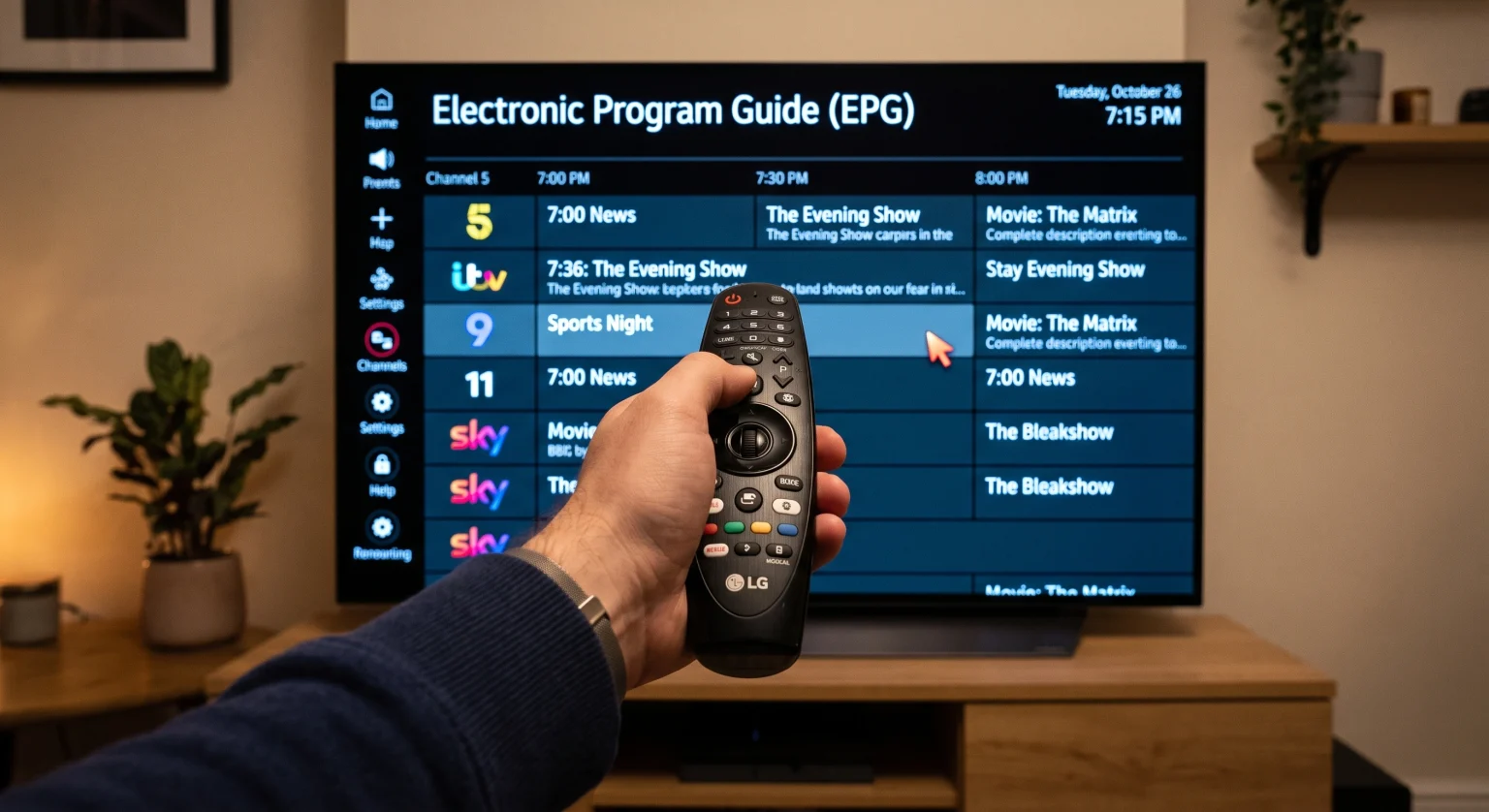
For the best experience, we recommend using a player that supports an Electronic Program Guide (EPG). The EPG shows a schedule of television programs. Google TV applications usually load large EPG files faster than Tizen or webOS applications.
Please note that TV Shadow IPTV provides the television service, but we do not create the television operating systems or the player applications. TV Shadow IPTV does not have an official relationship with Samsung, Sony, LG, or Google.
For more details on choosing the right screen, read our complete guide to the De beste smart-tv's voor IPTV in 2026: Samsung, Sony, LG en TCL vergeleken.
User Interface and Electronic Program Guide (EPG)
The user interface determines how easily you can find channels and movies.
On Google TV, applications like TiviMate offer an interface that looks like traditional cable television. The EPG is very detailed and easy to read. Google TV televisions usually have powerful processors that allow you to scroll through thousands of channels without lag.
Samsung Tizen applications usually have simpler interfaces. Applications like Smart IPTV use a basic grid layout. It works well, but it does not look as modern as the options on Google TV.
LG webOS applications operate similarly to Samsung Tizen. However, the LG Magic Remote makes navigation very fast. You can point the remote at the screen and click exactly where you want to go.
If you are debating between the two largest brands, you can read our specific comparison: Samsung versus LG Smart TV voor IPTV: Tizen versus webOS.
Live Football and Sports Streaming
Watching live sports requires a high-quality television with smooth video processing. Fast camera movements during a football match can look blurry on a cheap television.
Bewegingsverwerking en verversingsfrequenties
When buying a television for live football, the operating system is less important than the hardware specifications.
You should look for a television with a 120Hz refresh rate. The refresh rate determines how many times the screen updates the image per second. A 120Hz television handles fast motion much better than a 60Hz television.
Sony televisions with Google TV are famous for excellent motion processing. Samsung and LG also make excellent 120Hz televisions for sports. To understand this technology better, read our article explaining the difference between a Een tv van 60 Hz versus een tv van 120 Hz voor live voetbal.
Wi-Fi and Ethernet Connections
Live football streams require a stable internet connection. If your internet connection drops, the video will freeze.
All modern televisions from Samsung, Sony, and LG support fast Wi-Fi standards. However, for the most stable sports streaming, you should connect your television directly to your internet router using an Ethernet cable. A wired connection prevents buffering during important matches.
Software Updates and Television Lifespan
The lifespan of your television depends on how long the manufacturer provides software updates.
In 2026, software update policies have improved. Samsung now offers up to seven years of Tizen OS updates for new premium televisions. LG offers a program called “webOS Re:New”, which provides five years of operating system upgrades. Google TV devices also receive regular security and system updates for several years.
Regular updates are important for internet television. Updates ensure that your media player applications continue to work securely.
Conclusie
When choosing the best Smart TV OS for IPTV in 2026, Google TV offers the greatest flexibility. Because it is an open system, Google TV gives you access to the best media player applications and allows manual installation. Televisions from Sony and TCL provide an excellent Google TV experience.
Samsung Tizen and LG webOS are still very capable operating systems. They offer beautiful interfaces and fast navigation. While their application stores are smaller, both platforms support reliable media players that work perfectly with services like TV Shadow IPTV.
If you want total control over your applications, choose a television with Google TV. If you prefer a simple, streamlined television experience, Samsung Tizen or LG webOS will serve you well.
Veelgestelde vragen (FAQ)
What is the best Smart TV OS for IPTV?
Google TV is the best operating system for internet television. It provides access to the Google Play Store and allows you to install thousands of applications, including advanced media players that are not available on other platforms.
Can I install Android applications on a Samsung TV?
No, you cannot install Android applications on a Samsung television. Samsung uses the Tizen operating system. Tizen requires specific applications written for Samsung devices. You cannot use APK files on a Samsung television.
Do I need a separate device if I have a LG webOS TV?
You do not strictly need a separate device. You can download media players directly from the LG Content Store. However, if you want a wider choice of applications, you can connect an Android TV stick or a Fire TV stick to your LG television.
Which television has the best remote control for streaming?
LG televisions offer the best remote control experience with the Magic Remote. It functions like a computer mouse. You point the remote at the screen to select channels, which makes typing passwords and searching very fast.
Why are some IPTV apps removed from Samsung and LG stores?
Samsung and LG strictly control their application stores. They sometimes remove media player applications due to policy changes or regional licensing rules. Because Tizen and webOS are closed systems, you cannot easily reinstall an application after the manufacturer removes it.