
Many households in Sweden want to watch Arabic news, drama series, documentaries, and live sports on a living-room television. Traditional satellite dishes are not always allowed on apartment buildings in Swedish cities. Because of this restriction, most viewers in Sweden now use an internet connection and a Smart TV to watch Arabic television.
Watching Arabic TV Sweden content on a Smart TV depends on two main factors. The first factor is the streaming method you choose, such as official Arabic streaming applications or an Internet Protocol Television (IPTV) player. The second factor is your television operating system, such as Samsung Tizen, LG webOS, or Google TV.
This guide explains how to watch Arabic television channels in Sweden on a Smart TV in 2026. You will learn which Smart TV platforms support Arabic streaming applications, how IPTV players work, and how to improve streaming stability.
Kort svar
To watch Arabic TV channels in Sweden on a Smart TV, you can use official Arabic streaming applications or install a compatible Internet Protocol Television (IPTV) player from your television app store. Viewers who want simple setup with major Arabic drama and news networks may prefer official streaming apps. Viewers who want a wide selection of live channels in one interface often use an IPTV player with an M3U playlist or Xtream Codes login. Google TV televisions generally offer the broadest application selection, while Samsung Tizen and LG webOS offer simpler menus with stricter app-store rules.
Ways to Watch Arabic TV Channels in Sweden
Viewers in Sweden have three primary methods to watch Arabic television on a Smart TV. Each method has different technical requirements and channel availability.
1. Official Arabic Streaming Applications
Several major Middle Eastern and North African broadcasters offer official streaming applications for Smart TVs. These applications provide on-demand series, movies, and selected live news or entertainment channels.
Official applications are easy to install and use with a standard television remote control. However, individual applications usually cover only one media network. Some live broadcasts may also have regional restrictions in Sweden.
2. Internet Protocol Television (IPTV) Players
Internet Protocol Television (IPTV) delivers live television channels and video on demand over a broadband internet connection. To use IPTV on a Smart TV, you install an IPTV player application on the television and connect your playlist or subscription details.
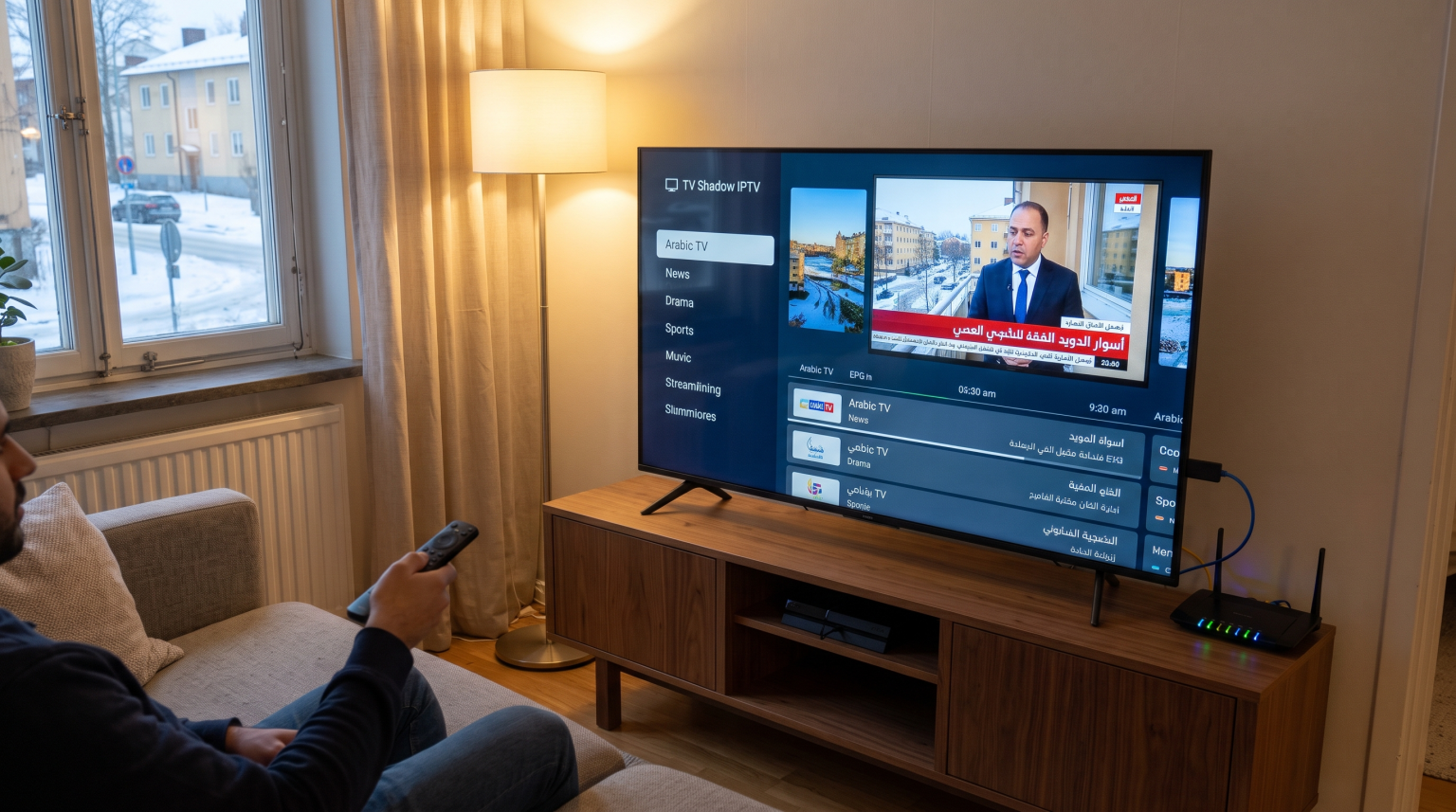
Many households in Sweden choose IPTV because it combines Arabic channels from multiple countries into a single channel list. Services like TV Shadow IPTV are designed to work with standard IPTV player formats, depending on your television model and installed application.
3. External Streaming Devices
Older Smart TVs in Sweden often lose access to new applications or receive fewer software updates. In this situation, you can connect an external streaming device to the television using a High-Definition Multimedia Interface (HDMI) cable.
Popular external devices include Google TV streaming sticks, Android TV boxes, and Apple TV devices. An external streaming device provides a modern operating system and a larger application store without replacing your television.
Smart TV Operating Systems for Arabic TV in Sweden
Your Smart TV operating system determines which applications you can download and how smoothly they run. The three most common Smart TV platforms in Sweden are Samsung Tizen, LG webOS, and Google TV.
App availability always depends on your country, TV model, model year, operating-system version, and current app-store policy. An application that appears on a 2026 television in Sweden may not appear on a 2018 television from the same brand.
If you are comparing television platforms before buying a new screen, our guide to Det beste Smart TV-operativsystemet for IPTV i 2026: Tizen vs Google TV vs webOS explains the technical differences in detail.
Samsung Tizen
Samsung Smart TVs use the Tizen operating system. Samsung Tizen has a clean interface and fast menu navigation.
Samsung Tizen does not support Android applications from Google Play. You must download applications from the official Samsung Apps store. Several IPTV players and international streaming apps are available on Samsung Tizen, though the exact selection changes according to Samsung app-store policies and the television model year.
Samsung Tizen may be suitable for users who already own a Samsung television and prefer a straightforward Smart TV menu.
LG webOS
LG Smart TVs use the webOS operating system. LG webOS is known for its simple bottom menu bar and the LG Magic Remote, which allows pointer-based navigation.
Like Samsung Tizen, LG webOS uses its own official store, called the LG Content Store or Apps menu. LG webOS does not run Android applications natively. IPTV player availability on LG webOS depends on the country setting, the webOS version, and the television model year.
LG webOS may be suitable for users who want an easy-to-navigate interface and comfortable remote-control handling.
Google TV (Sony BRAVIA, TCL, and Philips)
Many televisions from Sony BRAVIA, TCL, and Philips use Google TV, which is built on Android TV. Google TV connects directly to the Google Play Store.
Because Google TV uses the Google Play ecosystem, it generally provides access to a wider range of Arabic streaming apps and IPTV players than Samsung Tizen or LG webOS. Google TV also receives regular app updates from developers.
Google TV may be more suitable for users who want the largest choice of IPTV player applications and flexible software options. For a broader hardware comparison, you can read our overview of Best Smart TVs for IPTV in 2026: Samsung, Sony, LG & TCL Compared.
Comparison Table: Smart TV Platforms for Arabic TV Sweden
The table below compares the main Smart TV operating systems available in Sweden.
| Funksjon | Samsung Tizen | LG webOS | Google TV |
| Operativsystem | Tizen | webOS | Google TV (Android TV) |
| Official app store | Samsung Apps | LG Content Store | Google Play-butikken |
| Støtte for Android-apper | Ingen innebygd støtte for Google Play | Ingen innebygd støtte for Google Play | Native Google TV app support |
| IPTV player availability | Depends on model year and country | Depends on model year and country | Wide selection depending on country |
| Arabic text and EPG support | Depends on the installed player app | Depends on the installed player app | Depends on the installed player app |
| Remote control navigation | Standard directional remote | Directional and pointer remote | Standard directional and voice remote |
IPTV Compatibility on Smart TVs
If you plan to watch Arabic TV Sweden channels using an IPTV player, you should check several technical features before choosing an application. TV Shadow IPTV does not have an official relationship with Samsung, Sony, LG, Google, or any television manufacturer. Not every IPTV application works on every Smart TV model.
IPTV Player Availability
IPTV player applications are empty media players. They do not include television channels by default. You download the player from your Smart TV app store and then load your own playlist or login details.
On Samsung Tizen and LG webOS, some IPTV players require a one-time activation fee paid to the app developer after a short trial period. On Google TV, both free and paid IPTV players are available in the Google Play Store.
M3U and Xtream Codes Compatibility
Most IPTV services use two standard connection formats:
M3U playlist: A Uniform Resource Locator (URL) or file that contains the list of channels and stream addresses.
Xtream Codes: A login method that uses a server address, a username, and a password.
Xtream Codes is often easier to enter with a television remote control than a long M3U link. Many modern IPTV players support both M3U playlists and Xtream Codes. Always check which format your chosen Smart TV app supports before starting setup.
Electronic Program Guide (EPG) and Arabic Script
An Electronic Program Guide (EPG) displays current and upcoming television programs on your screen. When watching Arabic channels in Sweden, two EPG details are important:
Arabic script rendering: The IPTV player must display right-to-left Arabic text clearly without broken characters.
Time zone adjustment: Arabic channels broadcast from different time zones, such as Egypt, Lebanon, Morocco, or the Gulf region. A good IPTV player lets you adjust the EPG time offset to match Central European Time (CET) in Sweden.
Remote-Control Usability
A large Arabic channel list can contain hundreds of news, entertainment, and regional channels. Choose an IPTV player that supports favorites lists, category folders, and quick search. These features make daily navigation much faster with a standard Smart TV remote control.
Smart TV Operating-System Limitations
Smart TVs have less internal storage and memory than dedicated streaming boxes. Very large playlists with tens of thousands of channels and video-on-demand titles can cause older Samsung Tizen or LG webOS televisions to load slowly.
If your television feels slow when opening an IPTV player, ask your provider to remove channel groups you do not watch. Alternatively, use an external Google TV or Android TV streaming device.
Watching Live Football and Sports on Arabic TV Channels
Many viewers in Sweden watch Arabic sports channels for live football matches and international tournaments. Live sports place higher technical demands on a Smart TV and internet connection than standard news or drama programs.
TV Shadow IPTV does not own broadcasting rights for UEFA Champions League or any other sports competition. Always ensure that you access sports broadcasts through authorized and legal sources.
Refresh Rate and Motion Handling
Live football involves fast camera movement and a small moving ball. Televisions with a higher native refresh rate and effective motion processing generally display fast sports action more smoothly than basic entry-level screens.
If you notice blur or stutter during football matches, check your television picture settings. Many Smart TVs include a Sports mode or custom motion settings that reduce motion blur.
Input Signal Quality and 4K Upscaling
Most Arabic live television channels broadcast in Standard Definition (SD) or High Definition (HD), while some sports channels broadcast in 4K Ultra High Definition (UHD). When you watch an HD or SD channel on a modern 4K television, the television processor stretches the image to fill the 4K screen. This process is called upscaling.
If the incoming video stream has a low bitrate, the picture may look soft or blocky on a large 4K screen. You can learn more about this topic in our guide on Hvorfor ser IPTV uskarpt ut på en ny 4K-TV?.
High Dynamic Range (HDR)
High Dynamic Range (HDR) expands contrast and color range on compatible televisions. However, HDR only improves the image when the broadcast itself is produced in HDR. For standard non-HDR Arabic broadcasts, keeping standard picture settings accurate usually produces better results than forcing artificial HDR effects.
Wi-Fi vs. Ethernet for Streaming Stability
Sweden has widespread high-speed fiber internet, yet live streams can still buffer if your home Wi-Fi signal is weak. Walls, distance from the router, and neighboring apartment networks can cause Wi-Fi interference.
For the most stable live football viewing, connect your Smart TV directly to your router with an Ethernet cable. A wired Ethernet connection provides lower latency and more consistent speeds than Wi-Fi.
How to Set Up an IPTV Player on a Smart TV in Sweden
The exact steps vary by television brand, but the general setup process follows five clear stages:
Check your internet connection: Connect your Smart TV to your router using an Ethernet cable or a strong 5 GHz Wi-Fi network.
Open the official app store: Open Samsung Apps on Samsung Tizen, the LG Content Store on LG webOS, or the Google Play Store on Google TV.
Install a compatible IPTV player: Search for an IPTV player application that is available in Sweden for your specific television model.
Add your playlist or login details: Open the IPTV player and enter your Xtream Codes credentials or upload your M3U playlist URL according to the developer instructions. Some Tizen and webOS apps display a Media Access Control (MAC) address that you enter on the app developer website.
Configure EPG and favorites: Allow the Electronic Program Guide to load, check the Swedish time zone offset, and add your favorite Arabic channels to a favorites folder.
Konklusjon
Watching Arabic TV channels in Sweden on a Smart TV is straightforward once you match your viewing method to your television platform. Official Arabic streaming apps work well for viewers who want simple access to specific broadcasters. IPTV players offer a unified way to organize Arabic channels from multiple countries, provided your television supports a reliable player application.
Google TV televisions generally provide the widest app selection, while Samsung Tizen and LG webOS work well when a compatible player is available for your model year. Using a wired Ethernet connection and choosing a player with strong Arabic EPG support will improve daily viewing quality. Hvis du bruker TV Shadow IPTV or another compatible IPTV service, checking your Smart TV operating system and network setup first will help you get the most reliable experience.
Ofte stilte spørsmål (FAQ)
Can I watch Arabic TV channels in Sweden without a satellite dish?
Yes, you can watch Arabic TV channels in Sweden without a satellite dish by using an internet connection and a Smart TV. Official Arabic streaming apps and compatible IPTV players deliver live channels and on-demand programs directly over Swedish broadband internet.
Which Smart TV brand is best for Arabic IPTV in Sweden?
No single Smart TV brand is best for every user. Televisions with Google TV, such as Sony BRAVIA and TCL models, generally offer the largest selection of IPTV player apps through the Google Play Store. Samsung Tizen and LG webOS televisions offer simple interfaces, but their app stores have stricter rules and fewer IPTV player choices.
Why can I not find a specific IPTV app on my Samsung or LG TV?
App availability depends on your country setting, TV model, model year, operating-system version, and current app-store policies. Older Samsung Tizen and LG webOS televisions often lose access to certain applications. If an app is missing, you can check for another compatible player or connect an external Google TV streaming device.