
Google has integrated its artificial intelligence system, Gemini, into the Google TV operating system. This integration changes how users interact with their televisions in 2026. Gemini on Google TV replaces the older Google Assistant. It provides advanced voice recognition, generative artificial intelligence, and smart home controls directly on the television screen.
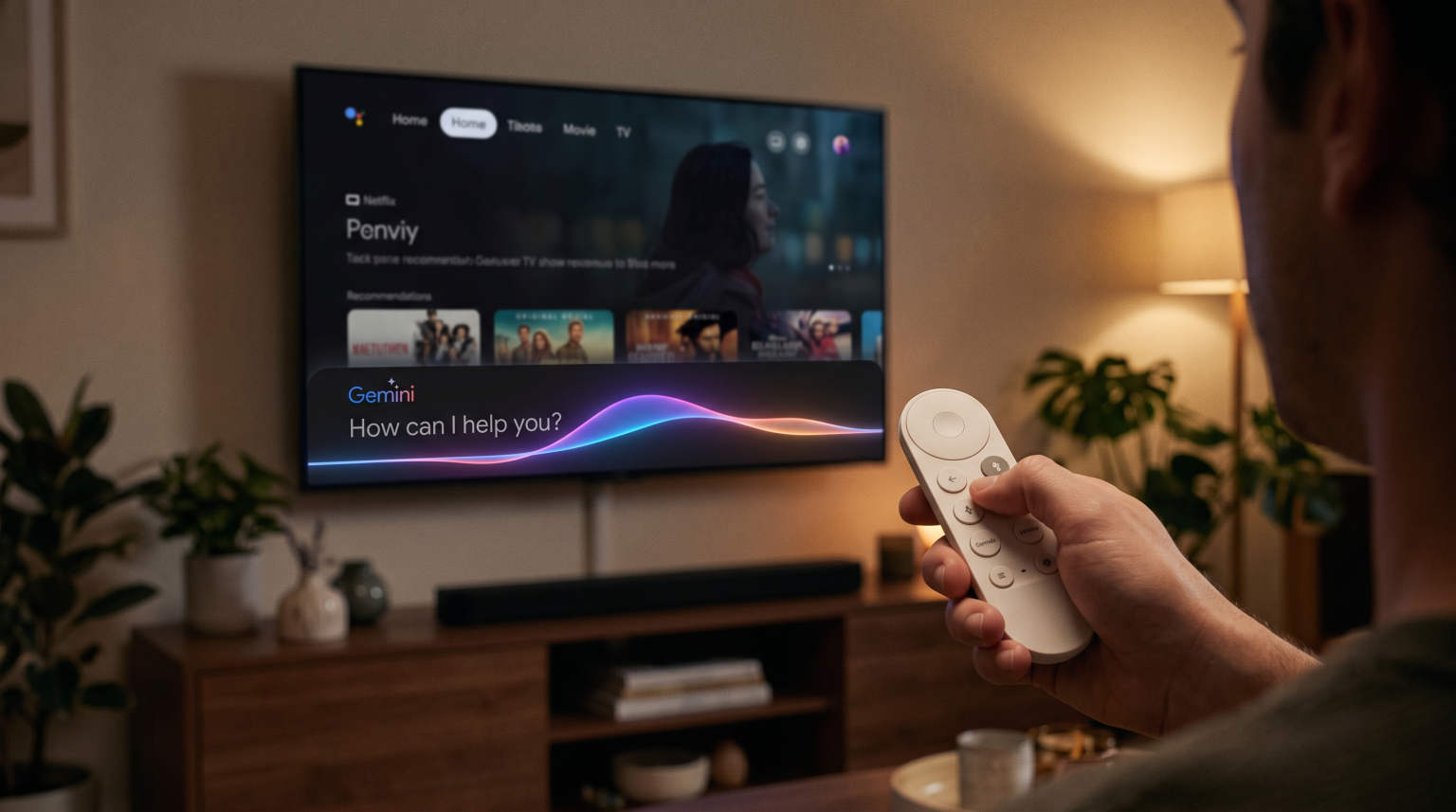
Users can now speak naturally to their television remote control. They can ask complex questions about movies, request personalized recommendations, or instruct the television to adjust picture settings for live football. Gemini also introduces new visual features. Users can create custom screensaver images using artificial intelligence models such as Veo and Nano Banana.
This guide explains how Gemini on Google TV works in 2026. It also explores how these new features affect streaming applications, IPTV compatibility, and live sports viewing.
Kort svar
Gemini on Google TV is an advanced artificial intelligence assistant that replaces the standard Google Assistant on supported televisions and streaming devices in 2026. It allows users to control their television using natural conversational language. Gemini can summarize movie reviews, create custom images, adjust television settings automatically, and control smart home devices. Google TV with Gemini is excellent for users who want deep integration with Google services. However, users who prefer a simpler interface might still prefer alternatives such as Samsung Tizen or LG webOS.
What Is Gemini on Google TV?
Gemini is the primary artificial intelligence model developed by Google. In 2026, Google added Gemini for TV to its television operating system. This update is available on newer devices such as the Google TV Streamer and compatible Smart TVs from brands like Sony and TCL.
For many years, users relied on Google Assistant to perform simple tasks. Google Assistant could turn the television on or open an application. Gemini processes information faster and understands context better than older voice assistants. Instead of using strict voice commands, users can speak in full sentences.
For example, a user can ask, “What are some action movies like Mission Impossible but funnier?” Gemini will analyze the request, search through multiple streaming services, and display accurate recommendations on the screen. It can also organize these results based on user preferences.
Key Features of Gemini on Google TV in 2026
The 2026 version of Gemini on Google TV introduces several new capabilities. These features improve entertainment, education, and device management.
Conversational Voice Search
Users can use the microphone on their remote control to have natural conversations with Gemini. You can interrupt the assistant or ask follow-up questions without repeating the original subject. The system remembers the context of the conversation. If you ask about a specific actor, you can simply follow up by asking, “What was their first movie?” Gemini will understand the pronoun based on the previous question.
AI Image Generation and Video
Google TV now includes experimental generative artificial intelligence features called Veo and Nano Banana. Users can ask Gemini to create custom background images or short videos for the television screen. This allows users to personalize their television display when they are not watching a program. You can ask the television to display a futuristic city or a calm forest. The artificial intelligence will generate a unique image for your screen.
Smart Television Settings Optimization
Adjusting picture settings can be difficult because modern televisions have many complex menus. Gemini simplifies this process. Users can press the microphone button and say, “Optimize the picture quality for live sports” or “Make the screen brighter.” Gemini will automatically adjust the television settings such as brightness, contrast, and motion processing. If the dialog in a movie is too quiet, you can say, “I cannot hear the voices clearly,” and Gemini will enhance the vocal audio frequencies.
Smart Home Integration
Gemini on Google TV connects deeply with Google Home devices. Users can view high-resolution video from their security cameras directly on the television. For example, the television can display a 2K video feed from a Nest Doorbell while summarizing any recorded events outside the house. You can also use Gemini to dim the living room lights or adjust the thermostat without pausing your movie.
Educational Content and Visual Breakdowns
If a user asks a complex factual question, Gemini can create narrated visual breakdowns on the television screen. Users can select a “Dive deeper” option to learn more about educational topics using information from Google Search. This feature turns the television into an interactive learning tool for families and students.
Personal Photo Integration
Gemini can connect to your Google Photos library. You can ask the television to display specific memories. For example, you can say, “Show me photos from my holiday in Spain.” Gemini will find the correct images and display them in high resolution on the television.
How Does Gemini on Google TV Work with IPTV?
Many users want to know if Gemini on Google TV improves the experience with IPTV services. TV Shadow IPTV reminds users that the operating system is a crucial factor for application compatibility. The Google Play Store remains the official application store for Google TV devices.
Appens tilgjengelighet
Google TV supports thousands of applications. Users can install popular IPTV players directly from the Google Play Store. Most modern IPTV players support M3U playlists and Xtream Codes. Because Google TV uses the Android application ecosystem, it generally offers a larger selection of IPTV players compared to closed operating systems.
Det beste Smart TV-operativsystemet for IPTV i 2026 provides more details about application compatibility across different brands.
Voice Control and IPTV Applications
Currently, Gemini voice search works best with large global streaming platforms. Gemini cannot usually search inside third-party IPTV applications. If you ask Gemini to play a specific live television channel, it will usually search official applications such as YouTube TV.
You must still use your remote control to navigate the Electronic Program Guide (EPG) inside your chosen IPTV player. However, you can use Gemini to open the application quickly. You can simply say, “Open my IPTV player,” and Gemini will launch the software.
Remote Control Usability
The Google TV remote control usually includes a dedicated microphone button for Gemini. This remote is generally well-designed for navigating an EPG. It includes a directional pad that makes scrolling through channel lists very easy. Unlike the LG Magic Remote, which uses an on-screen pointer, the standard Google TV remote relies on button presses. Many users find button presses more precise when navigating a long IPTV channel list.
Hardware Performance
The Google TV operating system is fast and features many animations. However, the performance of an IPTV application depends heavily on the television’s internal hardware processor. High-end Sony or TCL televisions will run IPTV applications very smoothly. Cheaper televisions may still experience slow menus or delayed responses, even with the new Gemini features installed.
Gemini on Google TV vs Samsung Tizen and LG webOS
When you buy a Smart TV in 2026, you must choose an operating system. This choice affects which applications you can install and how the television responds to your voice. Tizen vs. Google TV for IPTV-apper: Hva er forskjellen? is an important topic for buyers.
Here is a comparison of the main options.
| Funksjon | Google TV (Gemini) | Samsung Tizen | LG webOS |
| Voice assistant | Gemini | Bixby | LG ThinQ AI |
| App-økosystem | Google Play-butikken | Samsung Apps | LG Content Store |
| Støtte for Android-apper | Ja | Ingen innebygd støtte | Ingen innebygd støtte |
| Voice interaction | Natural conversation | Command-based | Command-based |
| IPTV app selection | Very large | Moderat | Moderat |
Samsung Tizen and LG webOS offer clean interfaces and excellent performance on their respective televisions. Samsung Tizen may be suitable for users who prefer a simple, fast Smart TV interface that does not require a Google account. LG webOS is very popular because of the LG Magic Remote, which operates like a computer mouse.
However, Sony or TCL televisions with Google TV may be more suitable for users who want deeper integration with Google’s application ecosystem and advanced artificial intelligence features. The Google Play Store offers significantly more third-party applications than the Samsung or LG stores.
Is Google TV Good for Live Football?
Watching live football requires specific hardware features for the best experience. The television must process fast motion without making the ball look blurry or distorted.
Motion Handling and Refresh Rate
The television hardware is more important than the operating system. For the best live football experience, choose a Google TV with a 120Hz refresh rate. A 120Hz television displays fast movement much better than a 60Hz television. A 60Hz television may struggle to display a fast-moving football clearly.
60 Hz- og 120 Hz-TV-er til direktesendt fotball to understand these differences perfectly.
Gemini Picture Optimization
Gemini on Google TV provides a major advantage for live sports. Finding the correct picture settings for football can be frustrating. With Gemini, you can press the microphone button and ask the television to “Set picture mode to Sport.” The artificial intelligence will automatically adjust the television to reduce motion blur, increase brightness, and improve color saturation for the green grass.
Upscaling and Picture Processing
Many IPTV streams broadcast in 1080p resolution. Modern televisions use 4K resolution. The television must enlarge the 1080p image to fit the 4K screen. This process is called upscaling. Premium Google TV models from brands like Sony use excellent internal processors to upscale the image. This makes the football match look sharper and clearer.
Hva er TV-oppskalering, og er det nyttig for IPTV? explains this technology in detail.
Internet Connection and Stability
Live football streams require a stable internet connection. If your IPTV stream buffers or stops during a match, your wireless network might be the problem. We recommend connecting your Google TV device directly to your internet router using an Ethernet cable. An Ethernet connection is always more stable than a Wi-Fi connection.
Konklusjon
Gemini on Google TV represents a major improvement for Smart TVs in 2026. The artificial intelligence assistant makes it easier to find movies, control smart home devices, and optimize picture settings for live football. Because Google TV uses the wide Android application ecosystem, it remains an excellent choice for users who want access to many different IPTV players.
While Samsung Tizen and LG webOS are strong competitors with great interfaces, Google TV with Gemini offers the most advanced voice control system available on televisions today. This operating system provides flexibility, high performance, and useful modern features for all types of television viewers.
Ofte stilte spørsmål
Can I install Gemini on an older Smart TV?
No, you cannot install Gemini on an older Smart TV as a simple software update. Gemini requires modern hardware processors to function correctly. You must buy a 2026 television with Google TV, or you must buy a new external streaming device such as the Google TV Streamer.
Does Gemini on Google TV require a paid subscription?
The basic Gemini for TV features are free for users. These free features include voice search, smart home controls, picture adjustments, and personalized recommendations. However, some advanced artificial intelligence features may require a Google One AI Premium subscription.
Does Gemini understand all languages?
In 2026, Gemini on Google TV supports major languages such as English, French, Spanish, German, and several others. Google adds new languages continuously. Check your specific television settings to see the available voice languages in your country.
Will Gemini find live sports on my IPTV app?
Generally, no. Gemini voice search integrates deeply with official streaming services such as YouTube and Netflix. It does not usually index live television channels inside third-party IPTV applications. You must open your IPTV application manually to find live sports and navigate the Electronic Program Guide.
Does Google TV support M3U links?
The Google TV operating system itself does not play M3U links. However, you can download many IPTV player applications from the Google Play Store. These downloaded applications can process M3U links and Xtream Codes to display your content.
Can I turn off Gemini on Google TV?
Gemini is built deeply into the 2026 Google TV operating system. You cannot uninstall the software completely. However, you can disable the hands-free microphone on your television or remote control if you prefer not to use voice features.