
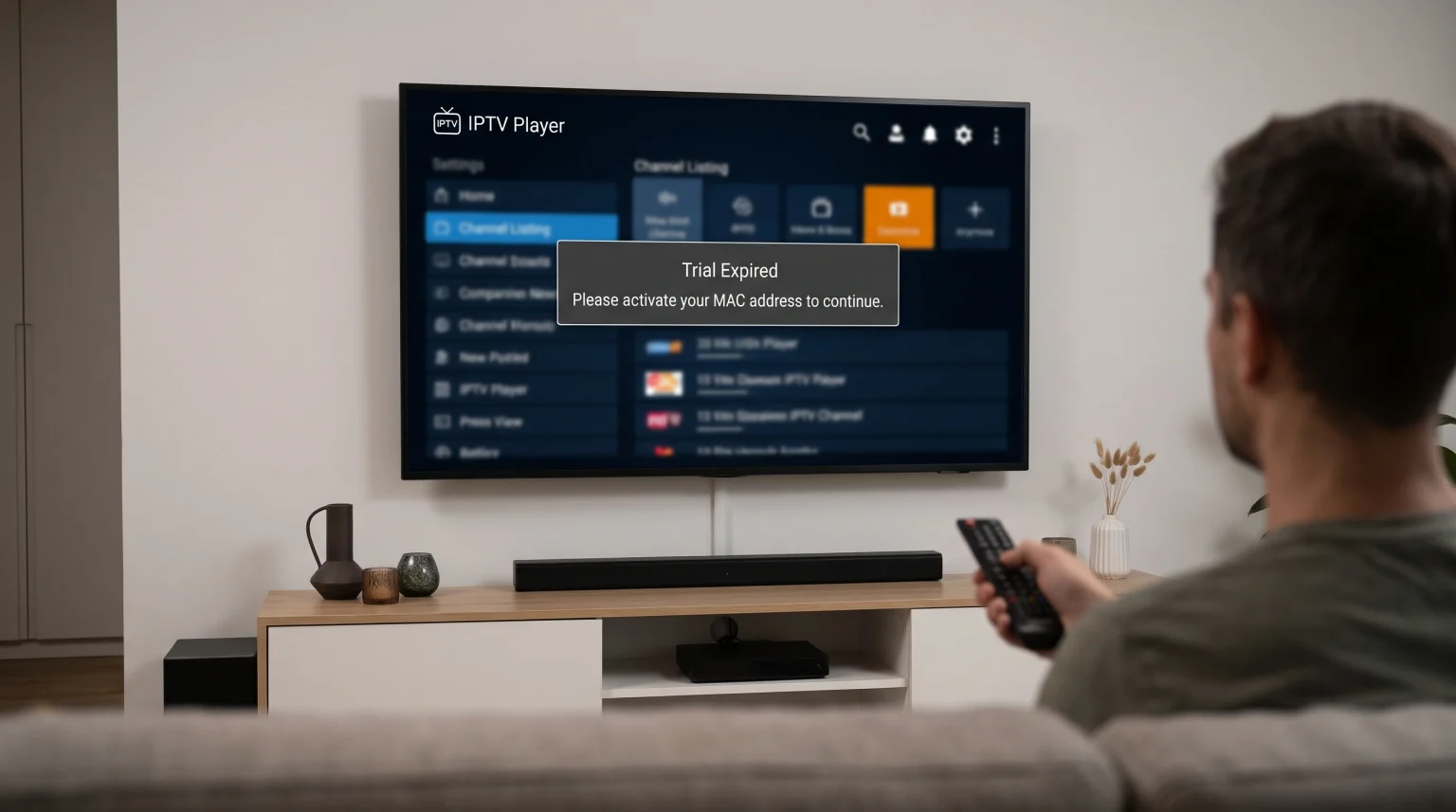
Many users install a new application on their Smart TV and immediately see an error message. The message states that the application trial period has ended. This happens even if the user has never opened the application before. This error prevents the user from testing the IPTV player.
When an IPTV player trial expired immediately, the user cannot add a playlist. The user cannot test the video quality. The user cannot see if the application menu is easy to use. This situation requires specific troubleshooting steps to resolve the problem.
Kort svar
If your IPTV player trial expired immediately after installation, the application developer has likely registered your television’s hardware address before. This happens frequently if you bought a used television. This also happens if someone else in your household installed the application in the past. To fix this problem, you have three options. You can purchase the premium version of the application. You can contact the application developer to reset your device trial. Alternatively, you can install a different IPTV player from your television app store.
Why Does a New IPTV Player Trial Expire Immediately?
Television applications track users differently than mobile phone applications. Most television applications do not ask you to create a user account. Instead, the application identifies your physical television.
The Device MAC Address Is Already Registered
Every Smart TV has a unique hardware code. This code is called a MAC address. When you install an IPTV player, the application sends your television’s MAC address to the developer’s server. The server checks if this MAC address has used a trial before. If the server finds the MAC address in the database, the server blocks a new trial.
You Bought a Used Television
If you purchase a used Smart TV, the previous owner may have installed the same IPTV player. The developer’s server still remembers the television’s MAC address. The server does not know that the television has a new owner. Therefore, the server shows the expired trial message.
A Previous Installation Was Forgotten
You or a family member might have installed the application many months ago. People often download applications, look at them once, and delete them. If you install the application again later, the trial period is already finished.
Factory Resets Do Not Clear Hardware IDs
Many users try to fix the expired trial error by resetting the television to factory settings. A factory reset removes saved passwords and downloaded applications. However, a factory reset cannot change the television’s MAC address. The application developer will still recognize the television after a factory reset.
How IPTV Players Track Trial Periods
Different applications use different methods to track users. You must understand these methods to fix the expired trial error.
| Funksjon | MAC Address Activation | Account Activation |
| Identification method | Hardware MAC address | Email address and password |
| Trial tracking | Locked to the television hardware | Locked to the user account |
| Device sharing | Only works on one specific television | Works on multiple devices |
| Transfer to new TV | Requires contacting the developer | Easy to transfer by logging in |
| Application examples | Smart IPTV, Flix IPTV, SET IPTV | TiviMate, Smarters Pro |
Applications Using MAC Addresses
Most applications on Samsung Tizen and LG webOS use MAC address activation. These applications are very strict. If the IPTV player trial expired on a Samsung television, you cannot create a new email account to get a new trial. The television hardware is permanently recorded. If you are comparing different television platforms, our guide to Det beste Smart TV-operativsystemet for IPTV i 2026: Tizen vs Google TV vs webOS explains how these systems manage applications differently.
Applications Using User Accounts
Applications on Google TV often use user accounts. For example, TiviMate requires a Google account to purchase a premium subscription. If an account-based IPTV player trial expired, the restriction applies to the email address.
Solutions for the Expired Trial Error
You can solve this problem using several different methods. Choose the method that best matches your situation.
Contact the Application Developer
If you recently bought a used television, you can contact the application developer. Visit the official website of the IPTV player. Find the support or contact page. Send an email explaining that you bought a used television. Include your television’s MAC address in the email. Many developers will reset the trial period for a new television owner.
Purchase the Premium Version
If you know the application is high quality, you can skip the trial. You can visit the developer’s website and pay the activation fee. Most IPTV players charge a small, one-time fee for lifetime access. After you pay the fee, restart your television. The application will connect to the server and unlock the premium features.
Install an Alternative IPTV Player
The television app store contains many different IPTV players. If one application does not work, you can simply install a different application. Every application has a separate developer and a separate trial period.
Choosing a Replacement IPTV Player
If you decide to install a different application, you must find an application that supports your playlist format. When you use a service like TV Shadow IPTV, you need an application that can read your provider’s data correctly.
M3U Playlist Compatibility
An M3U playlist is a long text file containing video links. Almost every IPTV player supports M3U playlists. You usually type the M3U link on the developer’s website to load the channels onto your television.
Xtream Codes API Compatibility
The Xtream Codes API is a modern login system. Instead of a long link, you enter a server URL, a username, and a password directly into the television application. This method is faster and easier. Ensure your new IPTV player supports the Xtream Codes API.
Electronic Program Guide Support
The Electronic Program Guide (EPG) shows the television schedule. Good applications load the EPG quickly. Cheap or free applications often struggle to display the schedule correctly.
Why Premium IPTV Players Improve Live Football
Many users stream live sports. Live football requires a very stable video connection. If you want to watch live football, using a high-quality IPTV player is highly recommended.
Free applications often have basic video players. Basic video players can cause the video to buffer or stutter during fast motion. Premium applications include advanced video decoding software. This software helps the television process the video signal smoothly.
Live football also requires a good television. If you notice motion blur during a football match, the problem might be your television hardware, not your application. Some older televisions struggle with fast sports broadcasts. If your video quality is low, read our guide exploring Hvorfor ser IPTV uskarpt ut på en ny 4K-TV? to understand picture processing.
Smart TV Operating System Differences
The television you own determines which applications you can install.
Samsung Tizen
Samsung televisions use the Tizen operating system. The Samsung app store has many dedicated IPTV players. Most of these applications use MAC address activation. Samsung restricts the installation of external applications. You must use the official Samsung app store.
Sony BRAVIA and Google TV
Sony BRAVIA televisions use Google TV. Google TV allows you to access the Google Play Store. The Google Play Store contains hundreds of IPTV players. Google TV also allows users to install applications from unknown sources. This means you have many alternative options if one IPTV player trial expired.
LG webOS
LG televisions use the webOS system. Similar to Samsung, LG has a closed app store. You will find popular applications like SET IPTV and Flix IPTV in the LG content store. These applications also rely heavily on MAC address tracking.
Konklusjon
Seeing an “IPTV player trial expired” message immediately after installation is frustrating. However, the explanation is simple. The application developer uses your television’s permanent hardware code to track trial periods. Because this hardware code cannot change, the server remembers if the application was installed previously.
To solve this problem, you can contact the developer to request a trial reset. You can also pay the one-time activation fee to unlock the premium application. If you prefer not to pay, you can search your television’s app store for a completely different IPTV player. A good Smart TV always offers multiple application choices for streaming video.
Ofte stilte spørsmål (FAQ)
Why does the application say my MAC address is already in use?
Your television’s MAC address is recorded in the developer’s database. This means the application was installed on this specific television in the past, and the free trial period was completed.
Can I change my television MAC address to get a new trial?
No. A factory reset deletes software settings, but the television hardware remains the same. The developer server will still recognize your television.
Will a factory reset give me a new trial period?
No. The MAC address is a permanent hardware code assigned by the factory. You cannot change the MAC address on a standard Smart TV.