
Are you frustrated to find your IPTV timeshift not working right when you want to replay a crucial moment in a big game? You aren’t alone. For many cord-cutters in the USA, realizing this feature works flawlessly on certain networks but disappears on others is incredibly confusing. Let’s explore exactly why this happens and how to fix it.
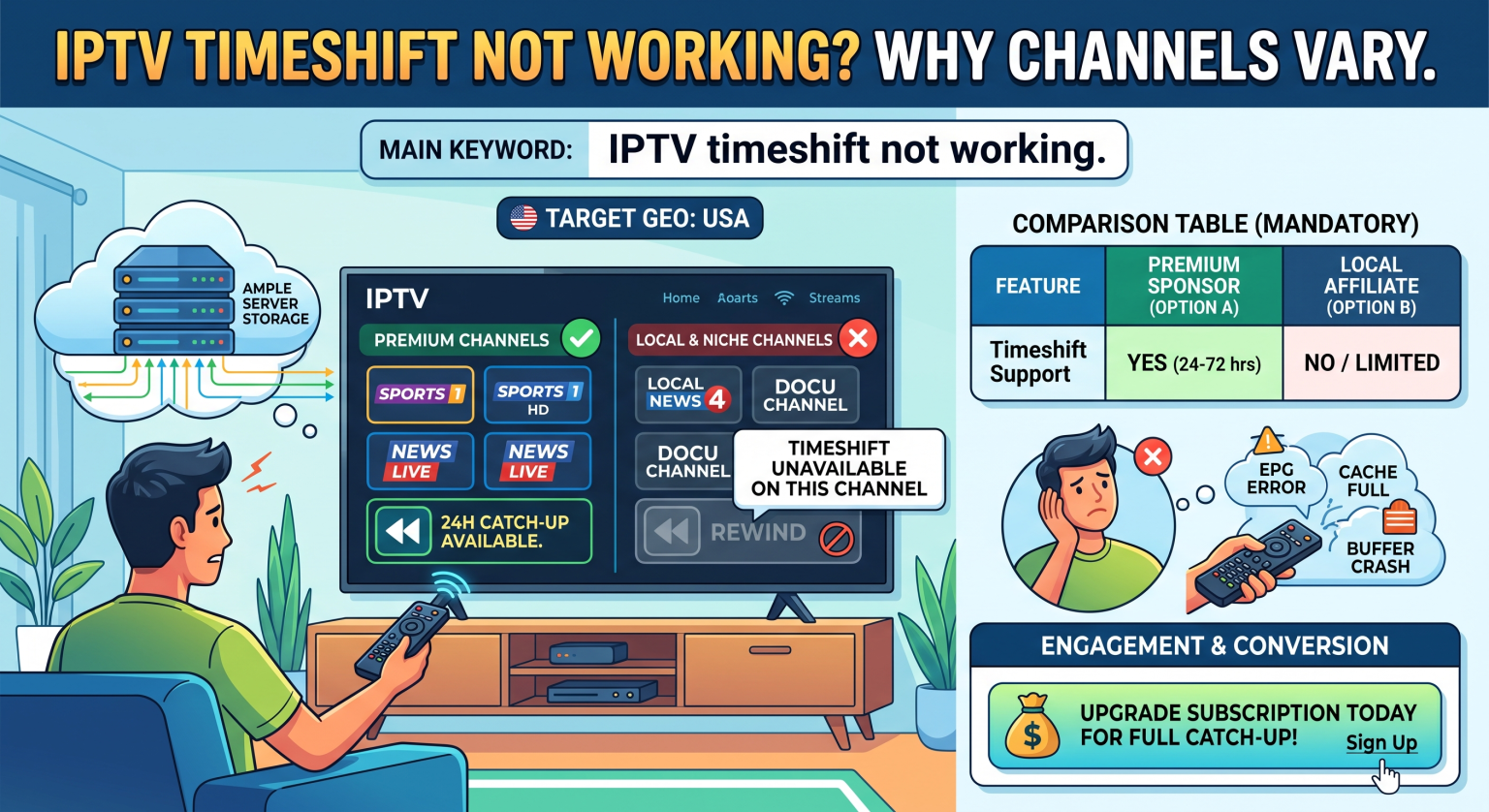
The Main Reason Behind IPTV Timeshift Not Working on All Channels
Many users assume that pausing or rewinding live television happens locally on their device. In reality, cloud-based timeshifting relies entirely on the provider’s TV på opptak servers. When you see your IPTV timeshift not working, it’s usually because the provider hasn’t allocated server space to record that specific broadcast.
Server Capacity and Storage Limits
Storing days worth of high-definition video for thousands of channels requires massive amounts of data storage. IPTV-leverandører must pay for this server capacity out of pocket. To keep subscription costs affordable, they only enable timeshift functionality for their most popular streams.
How Do Providers Choose Which Channels Get Timeshift?
Providers analyze viewer habits to decide where to allocate their expensive server resources. High-demand broadcasts get priority, while niche content is often left strictly as a live TV stream.
Here is a breakdown of how channel types compare regarding Catch-up and timeshift support:
| Channel Category | Timeshift Availability | Why It’s Enabled or Disabled |
| Premium Sports & Networks | High (24 to 72 hours) | High viewer demand easily justifies the premium server storage costs. |
| Local & Regional Stations | Low to None | Smaller audiences mean server space is better spent on popular content. |
| 24/7 Movie Channels | Ingen | This content already loops continuously or is available on VOD, making timeshifting redundant. |
Troubleshooting: Is It Server Limitations or App Glitches?
Sometimes, a lack of rewind capabilities isn’t the provider’s fault. If you frequently experience your IPTV timeshift not working even on premium channels, your software might be the culprit. A corrupted or missing Elektronisk programguide (EPG) will prevent your app from matching recorded video files to specific time blocks.
Quick Fixes for Common Catch-Up Errors
To rule out technical glitches, try these simple troubleshooting steps:
Force update your EPG: Timeshift relies heavily on accurate guide data to function.
Check your app settings: Apps like TiviMate or Smarters require you to correctly configure the Catch-up format (e.g., XC, Append, or Shift).
Tøm hurtigbufferen: Overloaded device memory can cause the video streaming buffer to crash upon rewinding.
Finding the Best Catch-up TV Experience in the USA
Not all services are created equal, especially when it comes to regional server infrastructure. If you want seamless timeshifting, you need a provider with dedicated Catch-up TV hardware located close to you. Ask potential providers how many days of server storage they offer before committing to a plan.
Also, look for services that officially support robust streaming protocols like HLS or Dash, which handle rewinding and fast-forwarding live video much better than older formats.
Conclusion: Maximizing Your USA Streaming Setup
Understanding why Catch-up TV is limited helps you set realistic expectations for your home entertainment setup. Next time you find your IPTV timeshift not working on an obscure channel, remember that it’s simply a matter of resource allocation. To get the most out of your viewing experience in the USA, always prioritize services built on premium server networks.
Ready to upgrade your entertainment system with flawless timeshifting and an massive Catch-up library? Check out our top-rated premium pricing plans and sign up today for an uninterrupted streaming experience!
Ofte stilte spørsmål (FAQ)
Why does my stream freeze when I try to use timeshift?
This usually happens because your device’s video buffer is overloaded or your app’s Catch-up settings are configured incorrectly. Clearing your IPTV app’s cache or switching the Catch-up type in your settings can often resolve the freezing issue.
What is the difference between Catch-up TV, Timeshift, and VOD?
Timeshift allows you to pause and rewind a live broadcast in real-time. Catch-up TV actively stores aired programs on a server for a few days so you can replay them later. VOD (Video on Demand) is a separate, permanent library of movies and TV shows.
Can I set up my own timeshift to bypass provider limits?
Yes, but it requires additional hardware. By using compatible apps paired with a large external USB drive, you can record the live stream locally (known as a memory buffer), bypassing the provider’s cloud server restrictions entirely.