
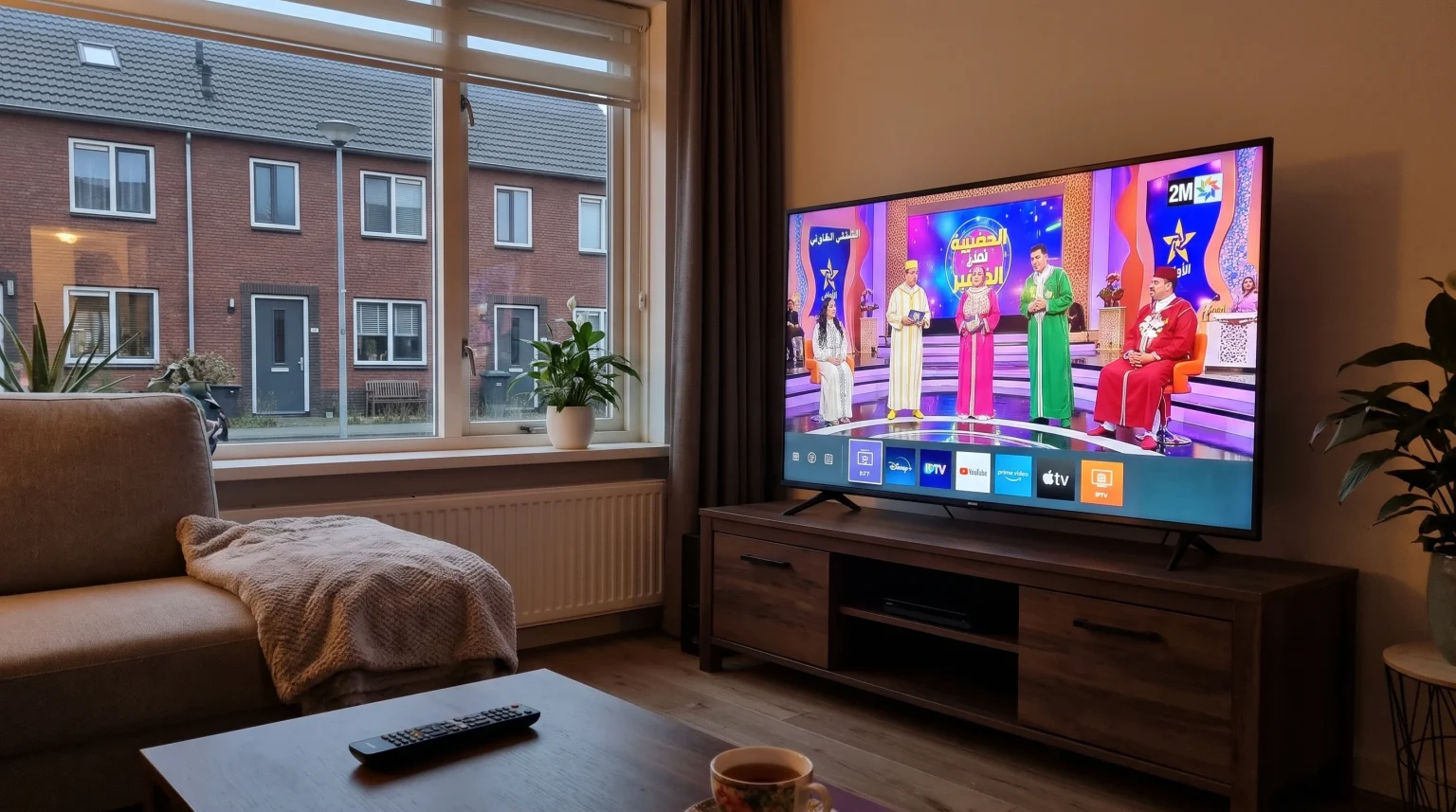
Watching Moroccan channels in the Netherlands requires the right Smart TV. Many viewers want to watch national channels like Al Aoula, 2M, and Arryadia. Standard Dutch cable providers rarely offer a complete Moroccan channel package. Therefore, many viewers use IPTV services to stream Moroccan television over the internet.
Your Smart TV operating system determines which IPTV applications you can install. Samsung Tizen, LG webOS, and Google TV each have different app stores. Some operating systems support many IPTV players. Other operating systems have strict restrictions.
This guide explains how to choose the best Smart TV for streaming Moroccan channels. We compare Samsung, LG, and Sony televisions. We also explain how to set up IPTV applications for the best viewing experience in 2026.
Kort svar
You can watch Moroccan channels in the Netherlands using an IPTV player on a Smart TV. Sony BRAVIA televisions with Google TV offer the largest selection of IPTV applications through the Google Play Store. This availability makes Google TV suitable for users who want maximum flexibility. Samsung Tizen and LG webOS offer fewer native IPTV applications. However, Samsung and LG televisions provide stable performance for popular apps like SmartOne IPTV and IBO Pro Player. Choose Google TV for application variety. Choose Samsung or LG if you prefer their specific user interfaces.
Comparing Smart TV Operating Systems for IPTV
When you buy a Smart TV, you also choose an operating system. The operating system controls the app store. The app store controls which video players you can use.
Google TV (Sony BRAVIA)
Sony BRAVIA televisions use the Google TV operating system. Google TV includes the Google Play Store. The Google Play Store contains hundreds of IPTV applications. You can easily find applications that support M3U playlists and Xtream Codes.
Google TV allows users to install applications from outside the official store. This manual installation process is called sideloading. Sideloading is very useful if an application is removed from the official store. Google TV organizes applications clearly on the home screen. You can use the voice search button on the remote control to find IPTV applications quickly. Google TV is highly suitable for viewers who frequently test different IPTV players. If you want to understand these operating systems in detail, our guide to Det beste Smart TV-operativsystemet for IPTV i 2026 forklarer forskjellene mellom Tizen, Google TV og webOS.
Samsung Tizen (Samsung Smart TVs)
Samsung Smart TVs use the Tizen operating system. You must download applications directly from the Samsung Apps store. Samsung Tizen does not support Android applications. You cannot use the Google Play Store on a Samsung television.
The Samsung Apps store offers popular IPTV players. You can find reliable applications such as IPTV Smarters Pro and SmartOne IPTV. However, application availability depends heavily on your specific television model and your country settings. A specific IPTV app might be available in the Netherlands but unavailable in France. Samsung Tizen offers a quick menu bar at the bottom of the screen. You can switch between live television and IPTV applications very quickly.
LG webOS (LG Smart TVs)
LG Smart TVs use the webOS operating system. You download applications from the LG Content Store. Similar to Samsung Tizen, LG webOS does not support Android applications.
The LG Content Store provides a good selection of IPTV players. Many users install Easy IP TV or SmartOne IPTV on LG televisions. The LG Magic Remote works very well with webOS IPTV applications. The LG Magic Remote acts like a computer mouse. A cursor appears on the television screen. You move the remote control in the air to move the cursor. This function makes typing passwords for Xtream Codes much faster. If you are deciding between Samsung and LG specifically, read our direct comparison: Samsung vs. LG Smart-TV for IPTV: Tizen vs. webOS.
Sammenligningstabell for funksjoner
This table compares the three main operating systems for IPTV users.
| Funksjon | Samsung Tizen | LG webOS | Sony Google TV |
| Operativsystem | Tizen | webOS | Google TV |
| App-butikk | Samsung Apps | LG Content Store | Google Play-butikken |
| Støtte for Android-apper | Nei | Nei | Ja |
| IPTV app variety | Middels | Middels | Høy |
| Sideloading support | Nei | Nei | Ja |
| Remote control style | Standard button remote | Magic Remote (pekepenn) | Standard button remote |
Using IPTV Players on Your Smart TV
IPTV stands for Internet Protocol Television. IPTV allows you to stream live television through your internet connection. TV Shadow IPTV provides the television service, but you need a software application to play the video.
Playlist Formats: M3U and Xtream Codes
To watch Moroccan channels, you must connect your IPTV service to your IPTV application. Most providers use an M3U playlist or Xtream Codes.
An M3U playlist is a long web address. An M3U playlist contains all the channel names and video links. Your television downloads this list from the internet.
Xtream Codes require a username, a password, and a server address. Xtream Codes use an API system. The API system updates the channel list automatically. Most users prefer Xtream Codes because the automatic updates work better than M3U playlists. Ensure that your chosen Smart TV application supports your provider’s login method.
Elektronisk programguide (EPG)
An Electronic Program Guide shows the TV schedule. A good EPG shows you exactly when the Moroccan evening news or a football match starts.
The EPG data requires television memory. Google TV applications generally handle large EPG files very well. Samsung Tizen and LG webOS applications sometimes load large EPG files more slowly because the televisions process the data differently.
Watching Live Football and Moroccan Sports
Sports fans frequently watch the Moroccan national football team or the Botola Pro league. Live football requires a fast television and a stable internet connection.
Bevegelseshåndtering og oppdateringsfrekvens
When a football moves quickly across the screen, the image can become blurry. Televisions with a 120Hz refresh rate display fast motion more smoothly than televisions with a 60Hz refresh rate. The screen refreshes the image 120 times every second.
For example, the LG C4 OLED and the Samsung S90D OLED have a 120Hz refresh rate. These specific models display live football very clearly. If you watch a lot of sports, a 120Hz television is a strong choice. Learn more about this technology in our guide: 60 Hz- og 120 Hz-TV-er til direktesendt fotball.
Wi-Fi vs Ethernet Connections
Streaming live high-definition sports requires a stable internet connection. Wi-Fi signals can fluctuate due to physical walls or distance from the router. This signal fluctuation causes the video to pause or buffer.
For the best IPTV experience, connect your Smart TV directly to your internet router. Use a physical Ethernet cable. An Ethernet cable provides a constant data connection. This direct connection prevents video freezing during important football matches.
Konklusjon
Watching Moroccan channels in the Netherlands is easy when you choose the right Smart TV. Sony BRAVIA televisions with Google TV provide the most options. Google TV allows you to install many different IPTV players from the Google Play Store. Samsung Tizen and LG webOS limit your application choices. However, Samsung and LG still support reliable IPTV players. For the best experience with TV Shadow IPTV, connect your television to the internet using an Ethernet cable. This guarantees a stable stream when watching your favorite Moroccan programs and sports.
Ofte stilte spørsmål (FAQ)
Can I watch 2M and Al Aoula without a satellite dish in the Netherlands?
Yes, you can watch these channels without a satellite dish. You can use an IPTV application on your Smart TV and a working internet connection.
Which Smart TV brand has the most IPTV apps?
Sony BRAVIA televisions have the most IPTV applications. Sony televisions use Google TV, which provides access to the large Google Play Store.
Can I install Android apps on a Samsung Smart TV?
No, you cannot install Android applications on a Samsung Smart TV. Samsung uses the Tizen operating system. Tizen requires specific Tizen applications.