
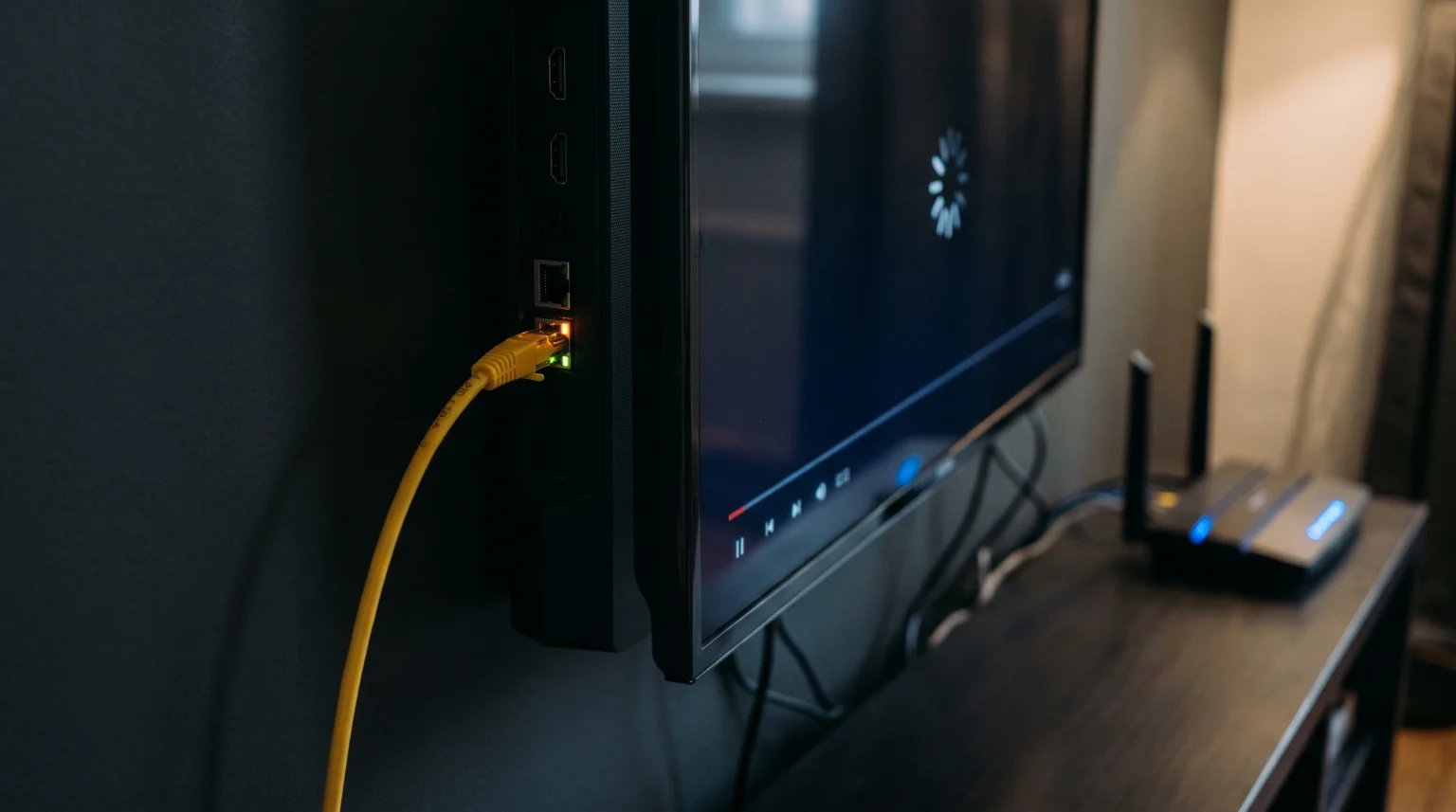
Many users connect their Smart TV directly to a router using an Ethernet cable. They do this to create a stable internet connection. However, users often discover a frustrating problem. A streaming application works perfectly when the television uses a Wi-Fi connection, but the same application fails, buffers, or crashes when the television uses an Ethernet connection.
This situation confuses many people because a wired connection should normally provide better performance than a wireless connection. When comparing a Smart TV app WiFi vs Ethernet, the problem is usually caused by the physical hardware inside the television, a faulty cable, or a network configuration error.
This article explains the technical reasons why this internet connection problem happens. This article also provides practical solutions to fix your Smart TV network connection.
Kort svar
A Smart TV app often works on Wi-Fi but fails on Ethernet because most Smart TV manufacturers use slow 100 Mbps Ethernet ports to reduce manufacturing costs. Modern Wi-Fi 5 and Wi-Fi 6 hardware inside the same television can reach speeds over 300 Mbps. If a streaming application requires a very fast connection, the slow Ethernet port creates a speed limit. This speed limit causes the application to buffer or fail completely. Faulty Ethernet cables and router IP address conflicts can also cause the Ethernet connection to stop working.
The Hardware Problem: 100 Mbps Ethernet Ports
The most common reason for this problem involves the internal hardware of the Smart TV.
Almost all modern televisions include advanced wireless technology. Manufacturers install Wi-Fi 5 (802.11ac) or Wi-Fi 6 (802.11ax) wireless chips inside the television. These modern wireless chips can process large amounts of internet data very quickly.
However, these same manufacturers want to save money when building the television. Because of this, they install very old wired technology. Most new televisions from major brands use a “Fast Ethernet” port. A Fast Ethernet port has a maximum physical speed limit of 100 Megabits per second (Mbps). They do not use modern “Gigabit Ethernet” ports, which can reach 1,000 Mbps.
When you stream high-quality video, the application downloads large amounts of data. If the application requests data faster than 100 Mbps, the Ethernet port cannot process the data fast enough. The application stops working properly. When you disconnect the Ethernet cable and use the fast Wi-Fi chip instead, the application receives the data quickly and works perfectly.
Comparison: Smart TV app WiFi vs Ethernet
This comparison table explains the technical differences between the two connection types on a standard Smart TV.
| Funksjon | Wi-Fi Connection (5 GHz) | Ethernet Connection (Smart TV Port) |
| Maximum speed capacity | High (often 300+ Mbps) | Low (maximum 100 Mbps) |
| Connection stability | Variable (can have interference) | High (very stable signal) |
| Latency and delay | Higher | Lower |
| Hardware technology | Modern (Wi-Fi 5 or Wi-Fi 6) | Old (Fast Ethernet 10/100) |
| Cable requirement | No cable required | Network cable required |
Other Reasons Your App Fails on Ethernet
If your internet speed is low, the 100 Mbps Ethernet port might not be the only cause of the problem. Other network issues can cause a Smart TV application to fail on a wired connection.
Damaged Ethernet Cables
Network cables can become damaged easily. If you bend the Ethernet cable too sharply, the internal wires can break. A broken wire might allow a basic internet connection, but the connection will drop data packets. When a streaming application loses data packets, the application stops working. Always test your connection with a new, undamaged Cat 6 Ethernet cable.
Router and DHCP Configuration Errors
Your internet router assigns a unique IP address to your Smart TV. This process is called DHCP. Sometimes, the router becomes confused. The router might assign the same IP address to the Smart TV Wi-Fi chip and the Smart TV Ethernet port. This IP address conflict will block the Ethernet connection from accessing the internet. Restarting your router usually fixes this specific problem.
MAC Address Blocking
Every network port has a unique hardware identification number called a MAC address. The Wi-Fi chip has one MAC address. The Ethernet port has a completely different MAC address. If your internet service provider or your router has a security rule that blocks unknown MAC addresses, the system might block the Ethernet port but allow the Wi-Fi port.
How This Affects IPTV Applications
Internet Protocol Television (IPTV) applications require a continuous and steady download of data. When you use TV Shadow IPTV, the television must maintain a constant connection to the server.
Many IPTV services offer high-quality channels using M3U playlists or Xtream Codes API. High-quality channels send large amounts of uncompressed data to the television. If you use a Smart TV Ethernet port, the 100 Mbps speed limit might restrict the video data. This restriction will cause the IPTV application to freeze or display an error message.
If you experience these problems, switching to a 5 GHz Wi-Fi connection often provides the extra speed necessary for the IPTV application to function correctly. If you want to understand more about video quality issues, you can read our guide explaining Hvorfor ser IPTV uskarpt ut på en ny 4K-TV?.
Which Connection is Better for Live Football?
Watching live sports requires excellent television performance. Live football features fast camera movements and rapidly changing pixels.
For live football, connection stability is usually more important than maximum speed. A standard 4K live football stream only requires about 25 Mbps to 35 Mbps. The Smart TV 100 Mbps Ethernet port is fast enough to handle this requirement. The Ethernet cable prevents wireless interference from mobile phones or microwaves in your home. This stable wired connection stops the live football stream from buffering during important moments.
However, if your specific Smart TV has a faulty Ethernet port, the live football video will stutter. In this situation, the Wi-Fi connection is the better choice.
To improve your sports viewing experience further, you must also consider the television screen technology. For example, a faster screen refresh rate improves fast-moving football images. You can learn more by reading our comparison of a 60 Hz- og 120 Hz-TV-er til direktesendt fotball.
How to Fix Smart TV Ethernet Problems
If you prefer to use a wired connection, you can try several methods to fix the Ethernet problems.
1. Use a USB Gigabit Ethernet Adapter
This is the most effective solution for many users. Many modern Smart TVs have USB 3.0 ports. You can buy a USB-to-Gigabit Ethernet adapter. You plug the adapter into the television USB port, and you plug the network cable into the adapter. This bypasses the slow internal Ethernet port. This method often provides speeds over 300 Mbps through a wired connection. Note: You must check if your specific television operating system supports USB network adapters. LG webOS and Sony Google TV often support this, but Samsung Tizen often does not support this.
2. Connect to a 5 GHz Wi-Fi Network
If you cannot use an Ethernet cable successfully, use the best possible wireless connection. Modern routers offer two wireless bands: 2.4 GHz and 5 GHz. The 2.4 GHz band travels far but is very slow. The 5 GHz band is very fast but must be close to the router. Connect your Smart TV to the 5 GHz Wi-Fi network for the best application performance.
3. Clear the Application Cache
Sometimes the Smart TV application stores corrupted data from the failed Ethernet connection. When you switch between Wi-Fi and Ethernet, you should clear the cache of the specific application. Go to your Smart TV settings, find the application menu, select the application, and click “Clear Cache”.
If you are currently choosing a new television and want to avoid these network problems, read our guide on the De beste smart-TV-ene for IPTV i 2026: Sammenligning av Samsung, Sony, LG og TCL.
Konklusjon
Understanding the debate between a Smart TV app WiFi vs Ethernet helps you solve frustrating streaming problems. In most cases, your Smart TV application fails on an Ethernet connection because the television uses a slow 100 Mbps network port. When high-quality streaming applications demand data faster than 100 Mbps, the Ethernet port creates a bottleneck.
Switching to a 5 GHz Wi-Fi connection usually fixes the problem because modern Smart TV wireless chips can process data much faster. If you require the stability of a wired connection for services like TV Shadow IPTV, you should check your cables, configure your router correctly, or test a USB Gigabit adapter if your television software supports it. By choosing the correct connection method, you will enjoy stable video and uninterrupted live sports.
Ofte stilte spørsmål (FAQ)
Why is my Smart TV Wi-Fi faster than my Ethernet?
Your Smart TV Wi-Fi is faster because the television uses modern wireless technology (Wi-Fi 5 or 6). The television uses old wired technology (100 Mbps Fast Ethernet). The wireless chip simply has a higher maximum speed limit than the wired port.
Do any Smart TVs have Gigabit Ethernet ports?
Very few televisions have Gigabit Ethernet ports. Most manufacturers, including Samsung, Sony, and LG, still use 100 Mbps ports on almost all models to save money. A few premium models from specific brands occasionally include Gigabit ports, but this is rare.
How much internet speed do I need for 4K streaming?
You need approximately 25 Megabits per second (Mbps) of stable internet speed for standard 4K streaming. High-bitrate 4K streaming might require 50 Mbps to 80 Mbps.