
Amazon is replacing its traditional Fire OS with a completely new operating system called Vega OS. Many users currently use Amazon Fire TV Sticks for streaming. These older devices run on Fire OS. Fire OS is a modified version of the Android operating system. The new Vega OS does not use Android technology. This major change affects how software applications work.
Users often want to know if they can transfer their existing IPTV applications from an old Fire Stick to a new Vega OS device. This article explains the technical differences between these two operating systems. It also explains how this software change affects your television setup and your streaming experience.
Kort svar
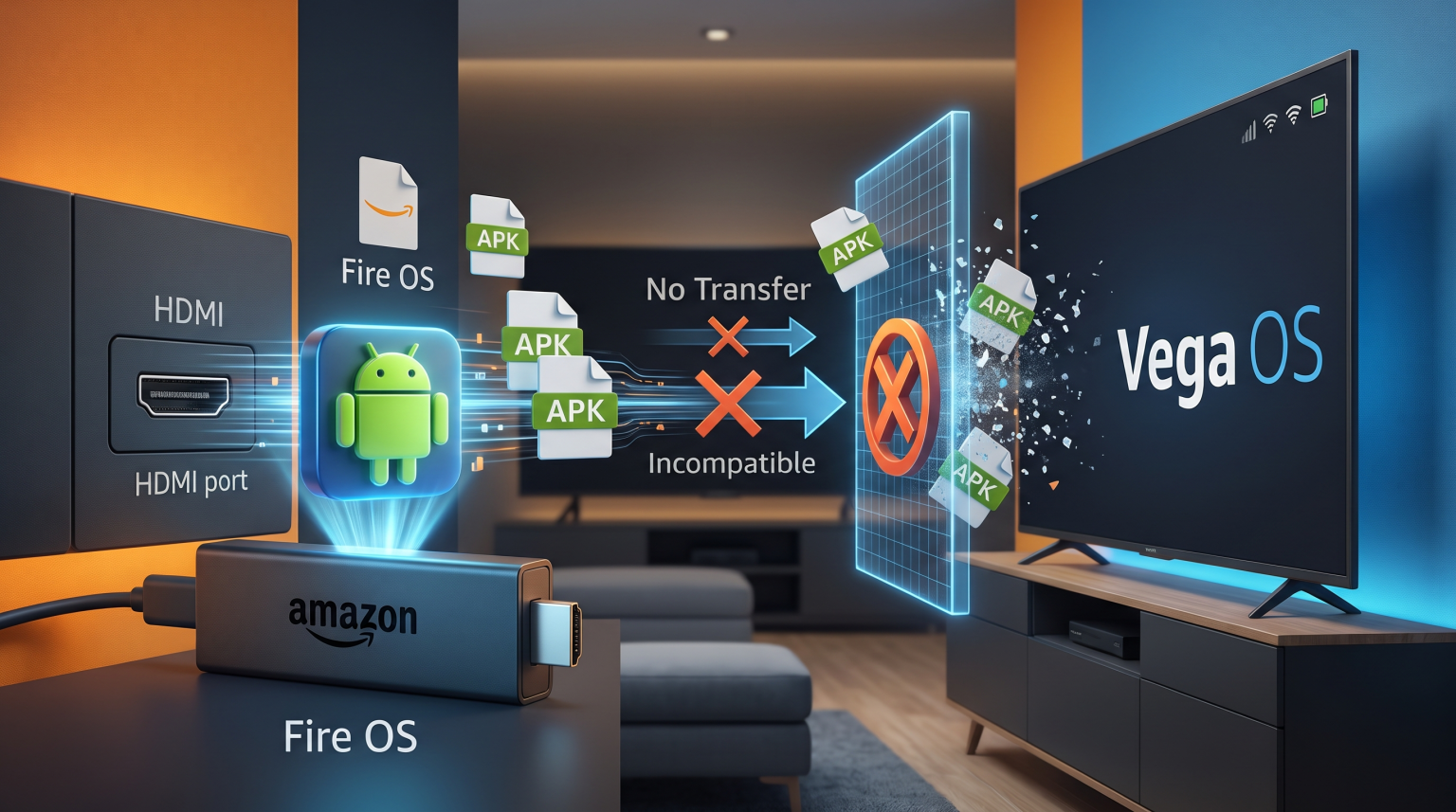
No, you cannot directly transfer IPTV apps from an old Amazon Fire Stick to a new Vega OS device. Older Fire TV Sticks use Fire OS. Fire OS runs Android application files, which are called APKs.
Vega OS is a completely new operating system built by Amazon. Vega OS does not support Android APK files. Because the file formats are completely different, a direct transfer is technically impossible. To watch television on a Vega OS device, you must download a new, compatible application directly from the official Vega OS app store.
What Is Vega OS?
For many years, Amazon Fire TV devices used Fire OS. Fire OS is based on the open-source Android operating system. Because Fire OS uses Android technology, it easily supports thousands of Android applications. Users can install Android apps directly from the Amazon Appstore. Users can also install Android apps from external sources using a method called sideloading.
Vega OS is Amazon’s new internal software platform. Amazon built Vega OS to replace Fire OS on new streaming devices and smart displays. Vega OS is a web-based operating system. It relies heavily on web technologies like React Native. It does not use the Android operating system code. Amazon created Vega OS to make devices run faster and to control the software ecosystem more strictly.
Why Android APKs Do Not Work on Vega OS
Every operating system uses specific file types for software applications. Windows computers use EXE files. Apple iPhones use IPA files. Android devices and older Fire TV Sticks use APK files.
Because Vega OS is not based on Android, it cannot read or process APK files. If you copy an APK file from an old Fire Stick and move it to a Vega OS device, the new device will not know how to open it. The underlying software code is entirely different. Application developers must rewrite their software specifically for Vega OS.
If you are researching different television platforms, our guide to Det beste Smart TV-operativsystemet for IPTV i 2026] explains how other systems like Tizen and webOS handle software applications.
Comparing Fire OS and Vega OS
This table explains the main technical differences between the older Fire OS and the new Vega OS platform.
| Funksjon | Fire OS (Old Devices) | Vega OS (New Devices) |
| Underlying technology | Android open-source project | Web-based system (React Native) |
| Application file format | APK (Android Package) | Vega OS specific format |
| Sideloading support | Yes, users can install external APKs | Very limited or completely restricted |
| IPTV app compatibility | High compatibility with Android apps | Requires new Vega-specific applications |
How to Watch TV Shadow IPTV on Vega OS
TV Shadow IPTV provides the streaming connection, but you need a compatible media player application to watch the content. Because you cannot transfer your old Android applications to Vega OS, you must find a new solution.
When you purchase a new Vega OS device, you must open the official Amazon app store on that device. Search for IPTV player applications available in that specific store. If a developer has created a Vega OS version of their media player, you can download it.
Once you install a compatible player, you can connect your TV Shadow IPTV service. You will enter your M3U playlist link or your Xtream Codes login details into the new application. The interface of the new application might look different, but the TV Shadow IPTV channel list and Electronic Program Guide (EPG) will function normally.
Will Popular IPTV Players Be Available?
Many users currently rely on popular Android applications like TiviMate or IPTV Smarters Pro on their older Fire Sticks. These applications were built specifically for the Android operating system.
For these applications to work on Vega OS, the original developers must rebuild the software from the beginning. This process takes time. Some developers might choose not to rebuild their applications for Vega OS. If your favorite media player is not available in the Vega OS app store, you must choose a different player.
If you decide to avoid Vega OS completely, you might consider televisions that use Google software. You can read our comparison of Tizen vs. Google TV for IPTV-apper: Hva er forskjellen?] to understand how Google TV supports Android applications.
Live Football on New Amazon Devices
Many users buy new streaming devices specifically to watch live football and other fast-moving sports. When watching live football, the hardware capabilities of your device are very important.
A new Vega OS device may offer better internal hardware than an old Fire Stick. Faster processors help the device load live video streams more quickly. Better Wi-Fi receivers, such as Wi-Fi 6 or Wi-Fi 6E, provide a more stable connection. A stable connection reduces buffering during important football matches.
However, the streaming device is only one part of the system. The television screen is also important for live sports. To understand how television hardware affects sports viewing, read our guide explaining 60 Hz- og 120 Hz-TV-er til direktesendt fotball.
Alternative Solutions for Android Apps
If you absolutely must use your specific Android IPTV applications, a Vega OS device might not be the right choice for you right now.
You have two main alternatives:
Keep using your old Amazon Fire Stick. Your old Fire Stick will continue to run Fire OS and support Android APK files.
Purchase a Google TV or Android TV streaming device. Devices like the Google Chromecast or the NVIDIA Shield use the Android operating system. These devices fully support Android APK files.
Konklusjon
The transition from Fire OS to Vega OS represents a major change for Amazon streaming devices. Because Vega OS uses completely new internal technology, it does not support Android applications. You cannot transfer your old Android APK files from a Fire Stick to a Vega OS device.
To continue watching TV Shadow IPTV on a new Vega OS device, you must download a new, compatible media player directly from the official store. If you prefer to keep using your current Android applications, you should continue using your older Fire OS device or switch to a dedicated Google TV streaming player.
Ofte stilte spørsmål
Can I use Downloader to install APKs on Vega OS?
No. Even if the Downloader application is available on Vega OS, the operating system cannot install Android APK files. The system will simply reject the file format.
Will TV Shadow IPTV work on a new Vega OS device?
Yes, but you must use a compatible media player application. TV Shadow IPTV provides the video feed. You must find an IPTV player in the Vega OS app store that supports M3U links or Xtream Codes.
Why is Amazon changing from Fire OS to Vega OS?
Amazon wants complete control over its software ecosystem. By building its own system, Amazon no longer relies on Google’s Android technology. This change allows Amazon to optimize performance and control advertising more closely.