
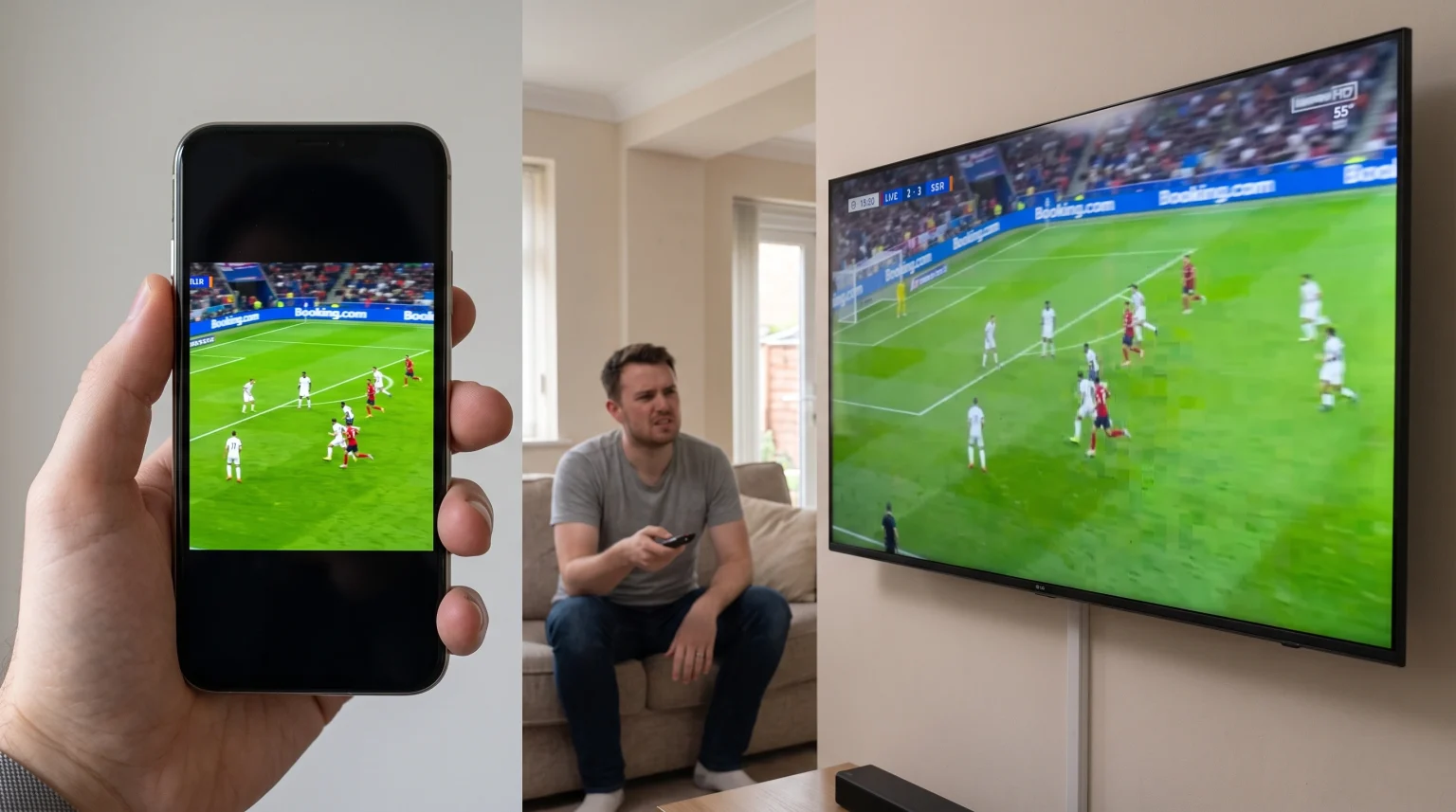
Many sports fans experience a frustrating problem during live football matches. You open a video stream on your smartphone, and the picture quality looks perfect. Then, you open the same stream on your television, and the video looks blurry, pixelated, or stops frequently. This difference does not mean your television is broken. Instead, smartphones and televisions process video signals in very different ways.
The physical size of the screen, the internet connection hardware, and the video processing technology all change how a stream looks. This article explains why a Champions League stream can look bad on a television and explains how you can improve the video quality on your large screen.
Snabbsvar
A Champions League stream often looks bad on a TV because a large television screen stretches a low-resolution video over a very large area. A small smartphone screen easily hides low video quality and low bitrates. Furthermore, televisions require advanced motion processing to display fast football action smoothly. Finally, smartphones usually contain faster Wi-Fi receivers and more powerful processors than standard Smart TVs. This hardware advantage helps smartphones download and play video streams without buffering.
Screen Size and Pixel Density
The most common reason a stream looks different on a television is the physical size of the screen.
A modern smartphone screen usually measures between 6 inches and 7 inches diagonally. A modern Smart TV typically measures between 55 inches and 75 inches. Both screens might display the exact same 1080p video resolution. However, the television must stretch those video pixels across a massive surface area.
When you watch a video on a small screen, the pixels are packed very closely together. This high pixel density makes the image look sharp. When you send the same stream to a 65-inch television, the pixels spread far apart. This low pixel density reveals every flaw, blur, and visual error in the video stream. If you want to know more about this effect on new televisions, read our guide on Varför ser IPTV suddigt ut på en ny 4K-TV?.
Video Bitrate and Compression
Video bitrate measures how much video data transfers from the internet to your device every second. Higher bitrates provide better picture quality but require a faster internet connection.
Live football requires a very high bitrate. The camera constantly moves from one side of the pitch to the other. The green grass contains complex visual details. When a stream has a low bitrate, the video encoder must compress the image heavily.
On a smartphone, your eyes cannot easily see this heavy compression. On a large television, the heavy compression looks like large square blocks on the screen. This problem is called macroblocking. Macroblocking happens frequently during fast camera movements in a Champions League match. The television cannot fix a low-bitrate stream.
Comparison: Smartphone vs Smart TV for Streaming
| Funktion | Smartphone | Smart-TV |
| Screen size | Small (6 to 7 inches) | Large (43 to 85 inches) |
| Pixel density | Very high | Låg |
| Visual errors | Hidden by small screen | Highly visible on large screen |
| Wi-Fi hardware | Usually premium and fast | Often basic and slower |
| Wired connection | Not possible | Possible via Ethernet cable |
TV Upscaling and Image Processing
Most new televisions feature a 4K resolution screen. Most live sports streams broadcast in 720p or 1080p resolution. Because the stream resolution is smaller than the screen resolution, the television must invent new pixels to fill the screen. This process is called upscaling.
If you are interested in how televisions process this data, read our explanation of Vad är TV-uppskalning och är det till hjälp för IPTV?.
Smartphones usually have smaller screen resolutions and require less upscaling. Furthermore, premium smartphones contain very powerful processors. Many budget televisions contain weak processors that struggle to upscale fast-moving sports images quickly. If the television processor is slow, the football match will look soft and blurry.
Motion Handling for Live Football
Football matches contain constant, fast movement. The ball moves quickly, the players sprint, and the camera pans horizontally.
Televisions must update the image very fast to keep the movement looking smooth. The refresh rate measures how many times the screen updates every second. For live sports, a 120Hz television generally displays smoother motion than a 60Hz television. We compare these technologies directly in our article about TV med 60 Hz jämfört med 120 Hz för direktsänd fotboll.
Smartphones often feature 120Hz screens and powerful software that prevents the video from stuttering. Some televisions try to smooth the motion using a feature called motion interpolation. However, cheap televisions often process this poorly. This poor processing creates a blurry halo effect around the football players when they move across the screen.
Internet Connection: Wi-Fi vs Ethernet
Your local network hardware strongly affects stream stability.
Modern smartphones cost a lot of money and include expensive, highly advanced Wi-Fi antennas. They can capture weak Wi-Fi signals easily. Smart TVs often use cheaper Wi-Fi components. A Smart TV might struggle to receive a strong wireless signal, especially if the television is in a different room than the internet router.
When the television receives a weak Wi-Fi signal, the video player will automatically lower the video quality to prevent buffering. This makes the picture look bad. The smartphone in the same room might receive a strong signal and play the video in maximum quality.
To solve this problem, you should connect your Smart TV directly to your internet router using an Ethernet cable. An Ethernet cable provides a stable, fast connection that prevents buffering during important Champions League matches.
Using TV Shadow IPTV for Live Sports
When using an IPTV service like TV Shadow IPTV, the hardware and software you use will influence your viewing experience.
TV Shadow IPTV provides access to high-quality streams, but your television must be able to process those streams correctly. Ensure you use a reliable IPTV player application. Some Smart TV operating systems have better IPTV applications than others.
You should also check your television’s network connection. Because live sports streams transfer a large amount of data, a stable network connection is necessary. We recommend using an Ethernet cable for the best experience with TV Shadow IPTV. Also, ensure your IPTV player application is updated to the latest version. Please note that TV Shadow IPTV does not host broadcasting rights for specific competitions, but provides the technical infrastructure for your compatible stream sources.
Slutsats
A Champions League stream often looks different on a television compared to a smartphone because the hardware is different. A smartphone uses a small screen to hide low video quality, and it uses powerful Wi-Fi hardware to prevent buffering. A large Smart TV stretches the video image, which reveals low bitrates and compression errors.
To get the best picture quality on your television, you should connect the television directly to your router with an Ethernet cable. You should also use high-quality IPTV applications compatible with your specific TV operating system. By ensuring your network connection is stable, you can enjoy a much better experience when using TV Shadow IPTV on your large screen.
Vanliga frågor och svar
Why is the football stream buffering on my TV but not my phone?
Your smartphone likely has a better Wi-Fi antenna and a more powerful processor than your television. The smartphone downloads the video data faster. Connecting your television to the router with an Ethernet cable usually solves this buffering problem.
Can a faster internet speed improve my TV picture?
Yes. If your internet connection is slow, the streaming application will automatically lower the video resolution so the video does not stop. A faster, more stable internet connection allows the application to play the video in maximum quality.
Should I use Wi-Fi or an Ethernet cable for my Smart TV?
You should always use an Ethernet cable for your Smart TV when watching live sports. An Ethernet cable provides a stable connection without wireless interference. This prevents buffering and quality drops.
Does casting from my phone to my TV reduce quality?
Yes, casting can sometimes reduce quality. When you cast a video, the signal travels from the router to your phone, and then from your phone to the television. This extra step can cause data loss and buffering. Using a native application on the Smart TV is usually better.
Why does the football look blurry during fast movement?
Blurry movement happens when the television processor cannot update the image fast enough. This is common on older televisions or cheap televisions with weak motion processing capabilities.
Will changing my TV picture settings help?
Yes. Many televisions have a specific “Sports Mode” that increases screen brightness and adjusts motion smoothing. You can also manually turn off noise reduction settings, which sometimes make fast movement look artificially blurry.