
Is your television buffering right in the middle of a tense Netflix thriller? If you are wondering whether you should delete unused Smart TV apps, the answer is a resounding yes. Cluttered interfaces severely slow down performance and drain precious internal storage.
In the Netherlands, where high-speed fiber internet is the norm, a lagging TV is almost always a hardware or storage issue, not a network problem. Getting rid of digital clutter is the fastest way to get your television running smoothly again.
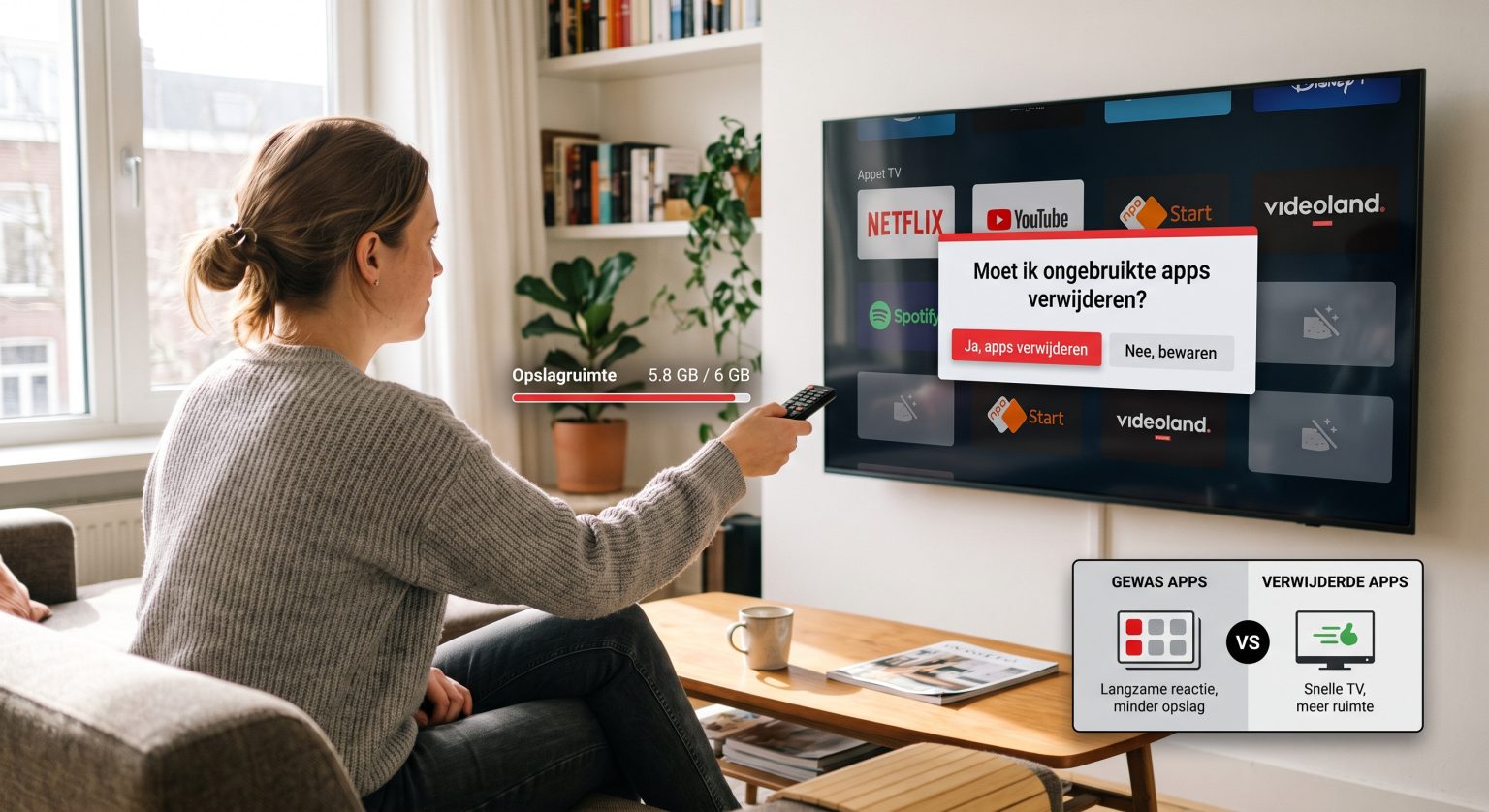
Why You Must Delete Unused Smart TV Apps
When you uninstall television applications that you never watch, you instantly regain valuable system memory. Most modern televisions only come with 8GB to 16GB of total space.
When that drive fills up, the system cannot process background tasks efficiently. You must remove unused streaming services to prevent freezing menus and delayed remote responses. The benefits of routine maintenance include:
Faster boot times: Your TV won’t struggle to load dozens of background widgets on startup.
Fewer app crashes: More available memory means the apps you actually use run flawlessly.
More room for updates: System firmware updates require empty space to download and install.
To properly optimize TV storage, make it a habit to audit your digital library every few months. If you haven’t opened a platform in six months, it is time to let it go.
How Popular Operating Systems Compare
Different televisions handle memory management in unique ways. Here is a breakdown of how the major systems operate when you need to clear smart TV cache and free up space:
| Operativsystem | Storage Management Approach | Ease of App Removal |
| Android TV / Google TV | Heavy cache buildup over time; requires frequent clearing. | Simple: Long-press the app icon and select uninstall. |
| Samsung Tizen | Efficient background management, but pre-installed bloatware is common. | Moderate: Requires navigating to the dedicated “Apps” settings menu. |
| LG WebOS | Very lightweight; relies heavily on cloud data rather than local storage. | Simple: Edit mode allows one-click deletion from the home bar. |
A Guide for Viewers in the Netherlands
Local viewing habits often lead to cluttered screens. You might have downloaded Dutch streaming apps like NPO Start, Videoland, or Ziggo GO during a free trial.
If you have since switched exclusively to global platforms, these local apps are quietly eating up your bandwidth through background updates. Taking a few minutes to improve TV speed by removing them ensures your main entertainment hubs run without a hitch.
Conclusion:
Keeping your digital ecosystem clean is the ultimate trick to extending the lifespan of your expensive electronics. If you are ready to master your home entertainment setup and learn more insider tricks, subscribe to our premium tech newsletter today and get expert optimization guides sent straight to your inbox!
Vanliga frågor (FAQ)
Does deleting apps make my Smart TV faster?
Yes. Removing software frees up RAM and storage space, which allows the television’s processor to allocate resources to the programs you are actively running.
Can I delete pre-installed apps on my TV?
It depends on the manufacturer. Many brands lock core apps (like Netflix or YouTube) so they cannot be removed, but you can usually clear their cache to save space.
Will I lose my account if I delete an app?
No. Your account information is stored on the service’s cloud servers. If you reinstall the app later, you simply need to log back in.