
Google has integrated the Gemini AI assistant into the Google TV operating system. This technology changes how users search for movies and television shows. When users type “Gemini Google TV where to watch” in search engines, they want to know if the AI can locate their favorite content automatically.
The answer depends on the streaming service. The answer also depends on broadcasting rights in your country. This article explains how Gemini searches across applications to find entertainment. The article also explores whether Gemini works with third-party IPTV providers like TV Shadow IPTV.
Snabbsvar
Yes, Gemini on Google TV can find where a movie or live sport is streaming. You can use your voice to ask Gemini for a specific movie or sports event. Gemini scans supported official applications like Netflix, Amazon Prime Video, and YouTube TV. Gemini then shows you which streaming service offers the broadcast. However, Gemini cannot search inside private IPTV playlists. For services like TV Shadow IPTV, you must use the Electronic Program Guide (EPG) located inside your chosen IPTV player application.
How Gemini Finds Movies Across Applications
Gemini uses natural language processing. This means users can ask complex questions using normal speech. For example, a user can say, “Show me action movies from the 1990s.” Gemini processes the request and displays a list of matching movies on the television screen.
Search Across Multiple Services
Gemini searches across many popular streaming applications at the same time. The AI checks your installed applications on Google TV. If a specific movie is available on Max and Disney+, Gemini will show both options on the screen. This feature saves time. The user does not need to open each application separately to check availability.
Using the Remote Control
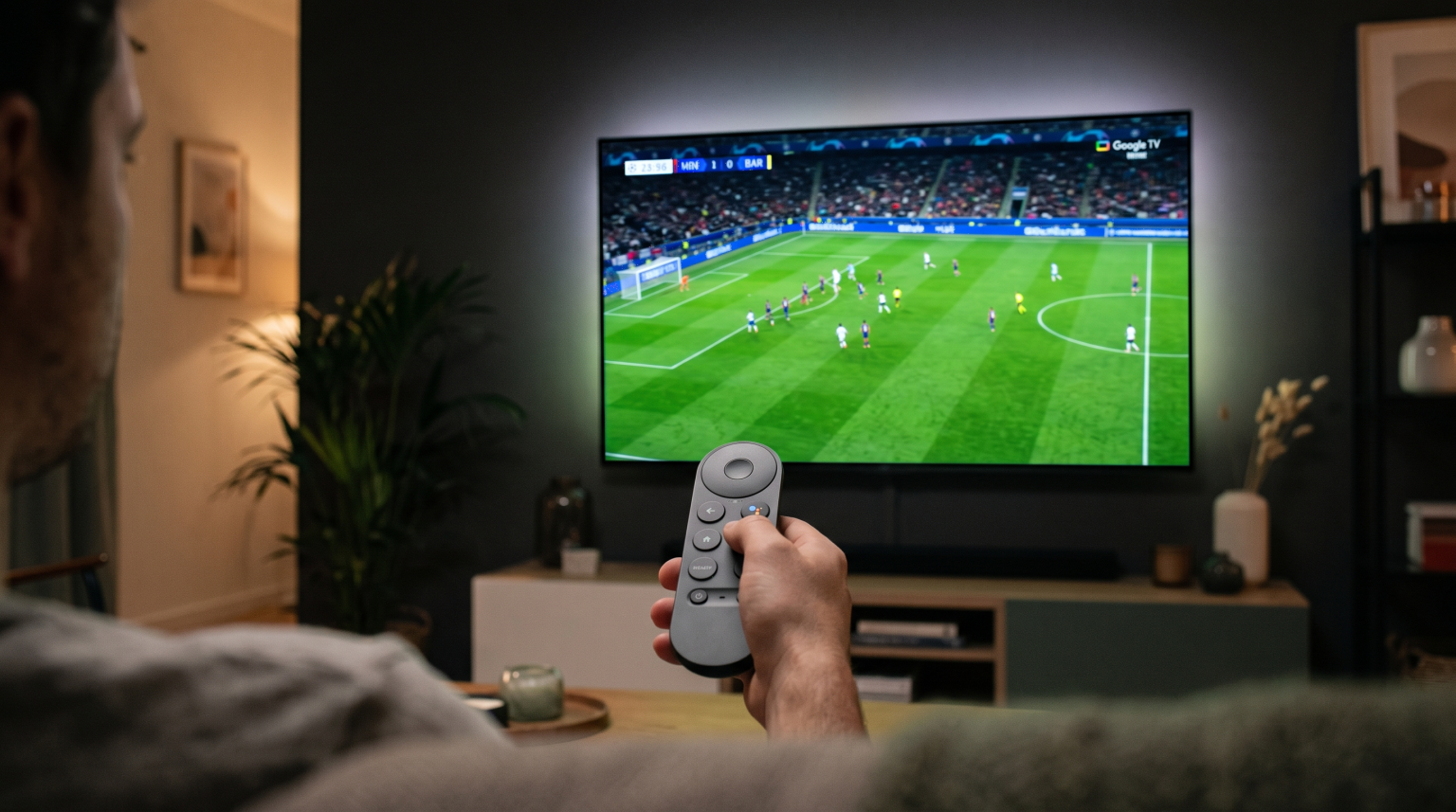
To use Gemini, the user must press the microphone button on the Google TV remote control. The user then speaks into the remote control. Gemini processes the voice audio. The television displays the text on the screen. Then, the AI provides the results. This voice search is much faster than typing letters with an on-screen keyboard. Some high-end televisions also feature a hands-free microphone built directly into the television frame.
The Universal Watchlist
Users can also add movies to a universal watchlist. When Gemini finds a movie, the user can save the movie for later. The watchlist synchronizes across different devices. A user can add a movie using the Google TV application on a mobile phone. The movie will then appear on the Google TV screen at home.
Regional Limitations
Streaming availability changes based on the country. Gemini uses your Google account location. If a movie is not available in your region, Gemini will state that the movie is unavailable. Application store policies also affect which official applications Gemini can search.
Finding Live Sports and Football Broadcasts
Sports broadcasting rights change frequently. This makes finding live football difficult for many users. Gemini can help users locate live games across official streaming platforms.
Sports Discovery on Google TV
Google TV includes a dedicated Sports page in specific regions, including the United States. Gemini connects directly to this Sports page. A user can ask the television, “Where can I watch the UEFA Champions League today?” Gemini checks supported official providers. If the match is broadcasting on a supported application like YouTube TV, Gemini provides a direct link to the stream.
Live Football Display Quality
Finding the match is only the first step. The television hardware determines the final picture quality. When you watch live football, motion handling is very important. A television with a 120Hz refresh rate provides smoother motion than a television with a 60Hz refresh rate. Smooth motion prevents blurry pictures when the camera moves quickly. To learn more about television hardware, read our guide on TV med 60 Hz jämfört med 120 Hz för direktsänd fotboll.
4K Resolution and HDR
A 4K television provides four times the resolution of a standard Full HD television. Live sports look much sharper on a 4K television. High Dynamic Range (HDR) improves color and contrast. Formats like Dolby Vision and HDR10+ make the grass on a football pitch look more realistic. However, the streaming application must support HDR broadcasting for these features to activate.
Wi-Fi vs Ethernet Connection
Live sports require a highly stable internet connection. A wireless Wi-Fi connection can experience interference from other devices in the house. Interference causes the video stream to buffer or stop. A wired Ethernet connection connects the television directly to the internet router with a cable. An Ethernet cable provides maximum streaming stability for live football.
Smart TV Operating Systems Compared
Different television brands use different operating systems. These operating systems handle AI search and IPTV applications differently. Sony uses Google TV. Samsung uses Tizen. LG uses webOS.
| Funktion | Sony Google TV | Samsung Tizen | LG webOS |
| Operativsystem | Google TV | Tizen | webOS |
| Application ecosystem | Google Play-butiken | Samsung Apps | LG Content Store |
| AI search assistant | Gemini | Bixby | ThinQ AI |
| Search across apps | Utmärkt | Bra | Bra |
| Tillgänglighet för IPTV-appar | Hög | Medium | Medium |
Sony BRAVIA with Google TV provides deep integration with the Google ecosystem. Samsung Tizen provides a different Smart TV interface featuring the Bixby voice assistant. LG webOS uses a pointer remote control and the ThinQ AI system.
Users who want the Gemini AI experience must choose a Google TV device. You can read our detailed comparison in Samsung Tizen vs Sony BRAVIA Google TV: Vilket är bäst för IPTV år 2026?.
Can Gemini Search Inside TV Shadow IPTV?
Many users watch live television using IPTV services. TV Shadow IPTV is a popular option. However, Smart TV operating systems have technical limitations regarding third-party IPTV integration.
How AI Interacts with IPTV Applications
Gemini cannot search inside an M3U playlist. Gemini cannot search inside Xtream Codes databases. AI assistants only search official streaming applications that share catalog data directly with Google.
An M3U file is a text file that contains web links to live video streams. Xtream Codes is a login system where users enter a username, password, and server URL. Gemini does not have access to these files or login systems. Therefore, Gemini does not know which movies or live channels are available on your IPTV service.
Finding Content on TV Shadow IPTV
To find live television or movies on TV Shadow IPTV, you cannot use Gemini voice search. Instead, you must open your installed IPTV player application. Then, you use the Electronic Program Guide (EPG).
The EPG is a digital menu. The menu shows a grid of television channels and broadcast times. When you use TV Shadow IPTV, the IPTV player application downloads the EPG data. You must navigate the EPG manually using the directional buttons on your remote control. For on-demand movies, you must use the internal search function located inside the specific IPTV player application.
TV Shadow IPTV provides an excellent viewing experience when using a dedicated IPTV player. For a wider view of television software, see our comparison of Bästa operativsystemet för smart-tv för IPTV år 2026: Tizen vs Google TV vs webOS.
Slutsats
Gemini on Google TV is a powerful tool for finding movies and live sports. The AI scans official streaming applications quickly. The AI understands natural language well. This technology saves users time because they do not need to open every application manually.
However, Gemini cannot scan third-party IPTV services. If you use TV Shadow IPTV, you must rely on the EPG inside your chosen IPTV player application. Gemini cannot read M3U playlists or Xtream Codes login data.
For users who watch official streaming applications, Gemini is very useful. For users who watch TV Shadow IPTV, a dedicated IPTV player application is required. A television running Google TV provides an excellent platform for running both official applications and IPTV player applications smoothly.
Vanliga frågor och svar
1. Can Gemini find where to watch live football?
Yes. Gemini can find live football on official supported applications like YouTube TV. However, Gemini cannot find live football inside private IPTV applications.
2. Does the Gemini search feature work globally?
No. The Gemini search features and the Google TV Sports page are limited by region. Availability depends on local broadcasting rights and Google software updates in your specific country.
3. Can I use Gemini to install TV Shadow IPTV?
No. Gemini is a search assistant. You must install an IPTV player application manually from the Google Play Store on your Google TV device.
4. Which TV brands include Google TV with Gemini?
Sony and TCL use Google TV as their main operating system. Other brands like Samsung use Tizen, and LG uses webOS.
5. Does Gemini require a microphone?
Yes. You must use the microphone on the Google TV remote control to speak to Gemini. Some high-end televisions also have built-in hands-free microphones in the television screen frame.
6. Can Gemini change the television picture settings?
Yes. Gemini can adjust basic television settings. You can ask Gemini to turn on sports mode or movie mode using your voice.
7. Can Gemini search Netflix and Amazon Prime Video at the same time?
Yes. Gemini scans multiple official streaming applications simultaneously. The AI will show you all available viewing options for the requested movie.