
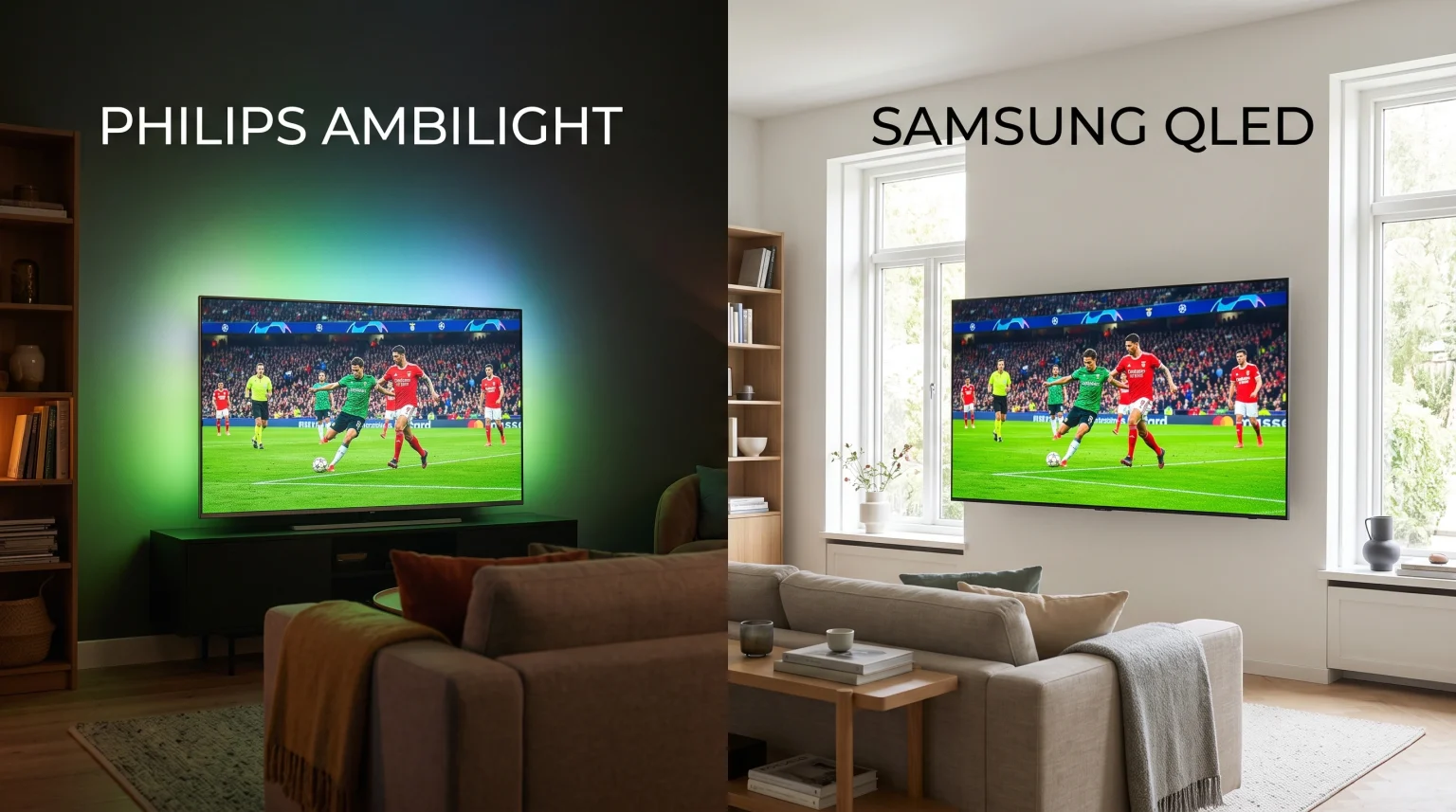
When you buy a new television for sports, you must choose the right screen technology. Football matches require televisions with clear motion, bright colors, and good software. Two popular choices are Philips Ambilight and Samsung QLED. Philips Ambilight projects colored light onto the wall behind the television. Samsung QLED uses special materials to create a very bright picture. Both televisions offer unique benefits for football fans. This article compares Philips Ambilight and Samsung QLED to help you decide which television is better for watching live football and using IPTV services like TV Shadow IPTV.
Snabbsvar
Philips Ambilight and Samsung QLED both provide excellent experiences for watching live football. Philips Ambilight is better for users who watch football in dark rooms or during the evening. The colored lights create an immersive atmosphere. Samsung QLED is better for users who watch football in bright rooms during the daytime. The QLED screen technology provides higher peak brightness to fight sun glare. For the best motion handling, buyers should choose a Philips or Samsung television that features a 120Hz refresh rate.
Understanding the Technologies
Before comparing the televisions for football, it is important to understand how Philips and Samsung build these screens.
What Is Philips Ambilight?
Philips Ambilight is a lighting system built into the back of Philips televisions. The television has rows of LED lights around the edges. A computer chip analyzes the colors on the television screen in real time. The LED lights project these exact colors onto the wall behind the television. When you watch a football match, the Ambilight system projects the green color of the grass onto your wall. This makes the television screen feel larger.
What Is Samsung QLED?
Samsung QLED stands for Quantum Dot Light Emitting Diode. Samsung QLED televisions use a traditional LED backlight, but they add a layer of microscopic quantum dots. When light hits these quantum dots, the dots create very pure and bright colors. This technology allows Samsung QLED televisions to reach very high brightness levels. Samsung QLED televisions produce vibrant colors even in rooms with large windows.
Picture Quality for Live Football
When watching live football, picture quality depends heavily on brightness and color accuracy.
Viewing in Bright Rooms
Many football matches happen during the afternoon. If your living room receives a lot of sunlight, you need a bright television. Samsung QLED is generally the better choice for bright rooms. The quantum dot technology creates enough brightness to prevent reflections on the screen. You can easily see the players and the ball, even when the sun shines directly into the room.
Viewing in Dark Rooms
If you watch evening matches like the UEFA Champions League, room lighting is different. Philips Ambilight provides a unique advantage in dark rooms. The light on the wall behind the television reduces strain on your eyes. The green glow of the football pitch creates a stadium atmosphere in your room. Philips also sells OLED televisions with Ambilight, which provide perfect black colors for night viewing
Motion Handling and Refresh Rates
Football involves fast movement. A television must process this movement without creating a blurry picture.
Uppdateringsfrekvenser på 60 Hz jämfört med 120 Hz
The refresh rate measures how many times the television updates the picture every second. Cheaper Philips and Samsung televisions use a 60Hz refresh rate. Premium models use a 120Hz refresh rate. For live football, a 120Hz television is much better. The faster refresh rate keeps the football sharp when the camera moves quickly across the pitch. If you want to learn more about this, read our guide comparing TV med 60 Hz jämfört med 120 Hz för direktsänd fotboll].
Picture Processing
Both brands use computer processors to improve the picture. Philips uses the P5 Picture Engine. Samsung uses the Quantum Processor. Both processors effectively clean low-quality broadcast signals. If you stream football through an IPTV application, the processor will try to make the picture look like 4K resolution. However, a slow internet connection can still cause a blurry picture. If you experience this issue, you can read our article explaining Varför ser IPTV suddigt ut på en ny 4K-TV?].
Operating Systems: Google TV vs Tizen
The operating system controls how you use applications and navigate menus. Philips and Samsung use different operating systems.
Philips and Google TV
Most modern Philips Ambilight televisions use the Google TV operating system. Google TV gives you access to the Google Play Store. The Google Play Store contains thousands of applications. This operating system is very flexible. You can easily connect a Google account and download many different media players.
Samsung and Tizen
Samsung QLED televisions use the Tizen operating system. Tizen is a closed system built by Samsung. It is fast and easy to use. The Samsung App Store includes popular streaming applications like Netflix and YouTube. However, Tizen does not support Android applications. You cannot install applications from the Google Play Store on a Samsung television. If you want a deeper comparison of television software, check out our guide covering the Bästa operativsystemet för smart-tv för IPTV år 2026: Tizen vs Google TV vs webOS.
IPTV Compatibility
If you use services like TV Shadow IPTV, television software is a critical factor. You need an application to connect your M3U playlist or Xtream Codes.
IPTV on Philips Ambilight
Philips televisions are excellent for IPTV. Because Philips uses Google TV, you can access the Google Play Store. The Google Play Store offers many popular IPTV applications, such as TiviMate, Smarters Pro, and XCIPTV. If an application is not in the store, you can side-load the application file (APK) using a USB drive. This makes Philips a very flexible choice for IPTV users.
IPTV on Samsung QLED
Samsung QLED televisions also support IPTV, but the options are more limited. The Samsung App Store does have several good IPTV players, including IBO Player and Smarters Player Lite. However, because Tizen is a closed system, you cannot side-load Android APK files. If Samsung removes an IPTV application from its store, you cannot easily install that application again.
Comparison Table
| Funktion | Philips Ambilight | Samsung QLED |
| Operativsystem | Google TV (on most modern models) | Samsung Tizen |
| Appbutik | Google Play-butiken | Samsung App Store |
| Brightness | Medium to High | Mycket hög |
| Special feature | Rear LED wall lighting | Quantum Dot color technology |
| Best environment | Dark rooms and evening viewing | Bright rooms and daytime viewing |
| Tillgänglighet för IPTV-appar | High (supports side-loading) | Medium (no Android side-loading) |
Internet Connection for Live Sports
Live football requires a stable internet connection. If your connection drops, the match will buffer or stop.
Both Philips Ambilight and Samsung QLED televisions include Wi-Fi and Ethernet ports. For live sports, you should always use an Ethernet cable. An Ethernet cable connects your television directly to your internet router. This physical connection prevents wireless interference. A stable Ethernet connection ensures that your IPTV stream remains clear and smooth during the entire football match.
Slutsats
Both Philips Ambilight and Samsung QLED are excellent televisions for watching live football. Your choice depends on your room environment and your software preferences.
Samsung QLED is the best choice if you watch football in a bright living room during the afternoon. The quantum dot screen fights glare and produces vibrant colors. Philips Ambilight is the best choice if you prefer an immersive atmosphere. The Ambilight LEDs make evening matches feel spectacular. For IPTV users, Philips offers an advantage because the Google TV operating system supports more applications than Samsung Tizen.
VANLIGA FRÅGOR
Can I turn off the Ambilight feature on a Philips television?
Yes. You can disable the Ambilight feature completely using the television remote control. You can also adjust the brightness or change the colors to remain static.
Do Samsung QLED televisions support Android applications?
No. Samsung QLED televisions use the Tizen operating system. Tizen does not support Android application files (APK). You can only install applications from the official Samsung App Store.
Which television handles fast football movement better?
Motion handling depends on the refresh rate of the specific model, not just the brand. For the best motion handling, buy a Philips or Samsung television that features a 120Hz refresh rate.
Do I need a separate box for IPTV with these televisions?
No. Both Philips Google TV and Samsung Tizen have IPTV applications available in their official app stores. You can install an IPTV player directly on the television without an extra device.
Why does my live football stream look blurry on my new 4K TV?
Blurry pictures often happen because the source broadcast is in a lower resolution, such as 1080p or 720p. A slow internet connection can also force an IPTV application to lower the video quality.