
Many users want to play Xbox video games without buying a physical video game console. Microsoft offers a service called Xbox Cloud Gaming directly on modern Smart TVs. Samsung televisions use the Tizen operating system. This operating system supports the Xbox application on specific television models. However, Samsung TV Xbox app compatibility depends on the specific year Samsung manufactured the television. This article explains how to verify if your television supports the Xbox application. It also explains the difference between the modern Samsung Gaming Hub and the standalone Xbox application.
Snabbsvar
Samsung TV Xbox app compatibility depends on the television manufacturing year. Samsung Smart TVs from 2022, 2023, 2024, 2025, and 2026 support the full Samsung Gaming Hub. The Samsung Gaming Hub includes the Xbox application by default. Samsung Smart TVs from 2021 do not have the Samsung Gaming Hub, but users can download the standalone Xbox application from the Samsung App Store. Samsung Smart TVs from 2019 and older do not support the Xbox application natively. Users with older televisions must connect an external streaming device or a real video game console.
Samsung TV Xbox App Compatibility by Year
Samsung changes the Tizen operating system features every year. Therefore, app availability changes depending on the television generation.
2022 to 2026 Samsung Smart TVs
Samsung Smart TVs manufactured between 2022 and 2026 include the Samsung Gaming Hub. The Samsung Gaming Hub is a dedicated menu interface for video games. It groups different cloud gaming services together. The Xbox application is installed inside the Samsung Gaming Hub automatically. Users do not need to download the Xbox application manually on these newer televisions.
2021 Samsung Smart TVs
Samsung Smart TVs manufactured in 2021 do not include the Samsung Gaming Hub. However, these televisions still support Xbox Cloud Gaming. Users must download the standalone Xbox application manually. You must open the Samsung App Store on the television, search for the word “Xbox”, and install the application to the home screen.
2020 Samsung Smart TVs
Microsoft previously provided the Xbox application for some 2020 Samsung Smart TVs. However, Microsoft ends Xbox Cloud Gaming support for all 2020 Samsung television models on November 3, 2026. The Tizen operating system version on 2020 models is too old to support new Xbox software updates. If you own a 2020 Samsung television, you must connect an external device to play Xbox games after this date.
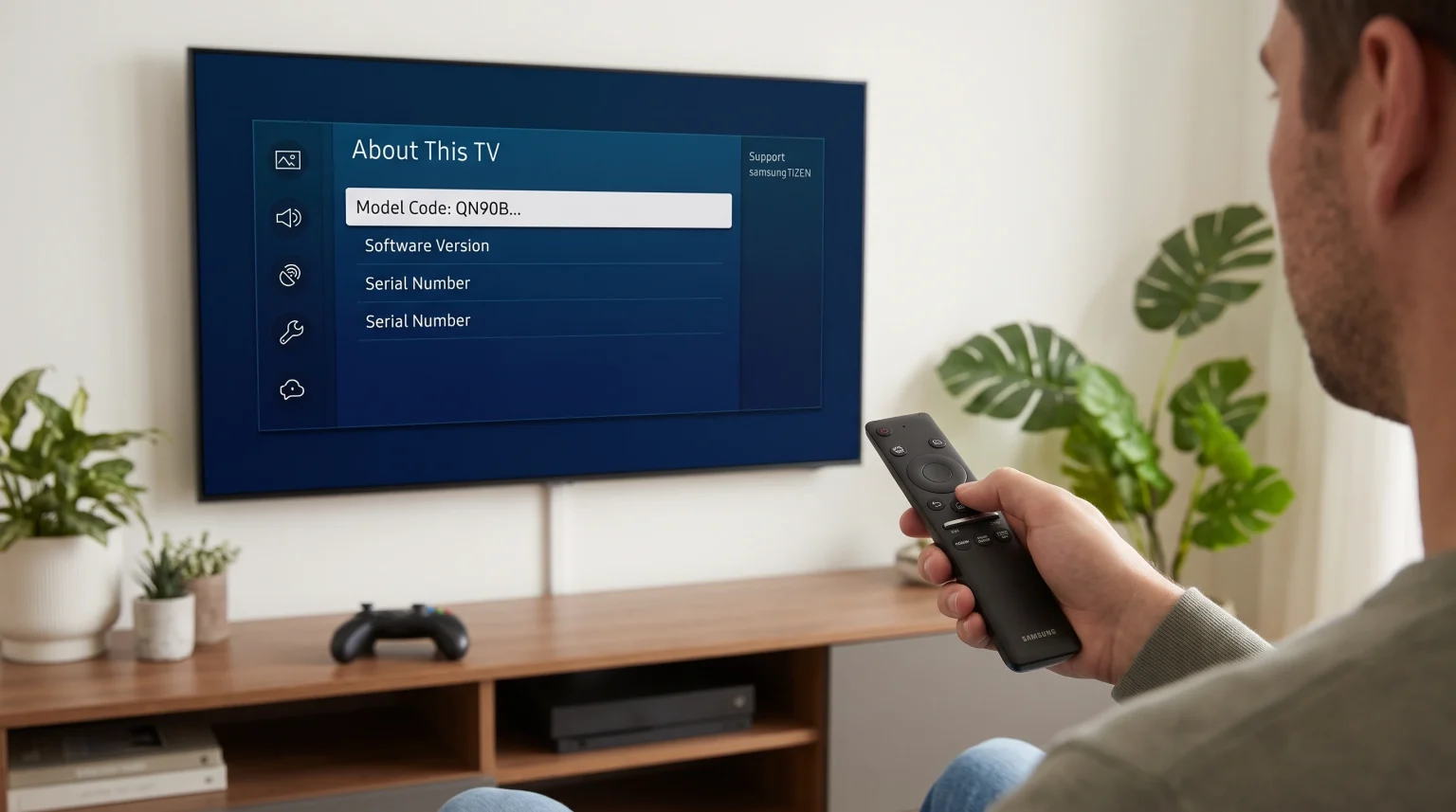
How to Find Your Samsung TV Model Year
You must know your exact television model year to check Samsung TV Xbox app compatibility. You can find this information easily in the television system menu.
Follow these steps using your Samsung remote control:
Press the Home button on the remote control.
Navigate to the left and select the Settings menu.
Scroll down and select the Support menu.
Select About This TV.
Find the text labeled Model Code.
The Model Code contains specific letters that indicate the manufacturing year.
The letter “A” indicates a 2021 model (Example: QN90A).
The letter “B” indicates a 2022 model (Example: QN90B).
The letter “C” indicates a 2023 model (Example: QN90C).
The letter “D” indicates a 2024 model (Example: QN90D).
Requirements for Xbox Cloud Gaming on Samsung TVs
You need three specific things to use the Xbox application on a Samsung television. The television alone is not enough.
1. Xbox Game Pass Ultimate Subscription
You must purchase an Xbox Game Pass Ultimate subscription from Microsoft. Microsoft offers different subscription levels, but only the “Ultimate” level includes cloud gaming. You must log into the Xbox application on the television using your Microsoft account details.
2. Fast Internet Connection
Cloud gaming requires a very fast and stable internet connection. The game runs on Microsoft servers and sends the video signal to your television over the internet. Microsoft recommends a minimum internet download speed of 20 Megabits per second (Mbps). A 5GHz Wi-Fi connection is mandatory for wireless setups. However, connecting an Ethernet cable from the internet router directly to the television provides a better and more stable experience.
3. Compatible Bluetooth Controller
You cannot play modern video games using a standard television remote control. You must connect a wireless video game controller to the Samsung television using Bluetooth. The Samsung television supports official Xbox Wireless Controllers. The television also supports PlayStation DualSense controllers and specific third-party controllers like the PDP Replay.
Tizen OS vs Google TV for Cloud Gaming
Different television brands use different operating systems. Samsung televisions use Tizen. Sony televisions use Google TV. Both operating systems support the Xbox application. However, the user interface is different.
Om du jämför operativsystem för tv-apparater kan vår guide till Det bästa operativsystemet för smart-tv för IPTV år 2026 explains the differences between Tizen, Google TV and webOS in detail.
| Funktion | Samsung Tizen | Sony Google TV |
| Operativsystem | Tizen | Google TV |
| App-ekosystem | Samsung Apps | Google Play |
| Xbox app support | Supported on 2021+ models | Supported on compatible models |
| Gaming interface | Samsung Gaming Hub (2022+) | Standard Android app menu |
| Tillgänglighet för IPTV-appar | Beror på modell och land | Depends on app and country |
Using TV Shadow IPTV on Samsung Smart TVs
Many users who play video games also want to watch live television. Samsung Tizen supports various IPTV player applications. TV Shadow IPTV provides an IPTV subscription service. You need a compatible IPTV player application to watch TV Shadow IPTV on a Samsung television.
IPTV Player Availability
The Samsung App Store offers several popular IPTV players. Common options include IBO Player, IPTV Smarters Pro, and SET IPTV. App availability depends on your specific country region. You can search for these players in the standard Samsung App Store.
M3U and Xtream Codes Compatibility
You can connect TV Shadow IPTV to these player applications easily. You will use an M3U playlist link or Xtream Codes API details. TV Shadow IPTV provides these connection details to all customers. You enter these details into the IPTV player application to load the live television channels.
Elektronisk programguide (EPG)
High-quality IPTV player applications support an Electronic Program Guide (EPG). The EPG shows the live television schedule on the screen. TV Shadow IPTV provides an EPG link for the television schedule.
Smart TV Operating System Limitations
Samsung Tizen uses a closed application ecosystem. Samsung Tizen does not support Android applications. You cannot install Google Play applications on a Samsung television. If a specific IPTV player is only available on Android, you cannot use that player on Samsung Tizen.
To understand how this software limitation affects different television brands, read our direct comparison: Samsung Tizen vs Sony BRAVIA Google TV: Vilket är bäst för IPTV år 2026?.
Watching Live Football on Samsung TVs
Sports fans require high television performance for live football. Live football broadcasts involve fast camera movement across a green field.
Refresh Rate Differences
A 120Hz television displays fast movement better than a 60Hz television. A 120Hz screen refreshes the digital image 120 times every second. This high refresh rate makes the moving football look smooth and clear. A 60Hz television can sometimes make the moving football look blurry. Learn more about screen specifications in our guide: TV med 60 Hz jämfört med 120 Hz för direktsänd fotboll.
Picture Motion Handling
Samsung televisions include special picture processing software to improve motion handling. You can adjust these motion settings in the main television picture menu. Good motion handling stops the players and the football from looking blurry during fast camera panning.
Wi-Fi vs Ethernet for Streaming
Live football streams require continuous data transfer. Wi-Fi signals can drop temporarily due to distance or thick walls. A dropped Wi-Fi signal causes the video stream to pause and buffer. An Ethernet cable connects the television directly to the internet router. An Ethernet cable provides the most stable connection for both live football streaming and Xbox Cloud Gaming.
Troubleshooting the Xbox App on Samsung TVs
Sometimes the Xbox application fails to connect. You can fix most problems using four simple steps.
Update the Television Software: The television requires the newest Tizen software version to run the Xbox application correctly. Open the Settings menu, select Support, select Software Update, and select Update Now.
Test the Internet Speed: The television needs at least 20 Mbps to stream video games. Use the television web browser to run a free internet speed test.
Restart the Internet Router: If the internet speed is slow, disconnect the power cable from your internet router. Wait 30 seconds. Reconnect the power cable and test the television again.
Reconnect the Bluetooth Controller: If the video game character does not move, the television might have lost the Bluetooth connection. Open the television Bluetooth menu. Delete the controller from the list. Pair the controller to the television again.
Slutsats
Samsung TV Xbox app compatibility is excellent on modern television models. If you own a Samsung Smart TV from 2022 or newer, you already have the Samsung Gaming Hub built into the system. If you own a 2021 model, you can download the standalone Xbox application easily. Older televisions require an external streaming device. Whether you want to play cloud video games or watch TV Shadow IPTV using a compatible player, a modern Samsung television offers great entertainment options. Always ensure you use a fast internet connection and an Ethernet cable for the most reliable streaming experience.
Vanliga frågor (FAQ)
Can I play Xbox games on a Samsung TV without a console?
Yes, you can play Xbox games without a console on compatible Samsung televisions. You need the Xbox application, a compatible Bluetooth controller, and an active Xbox Game Pass Ultimate subscription.
Is Samsung TV Xbox app compatibility the same in every country?
No, the Xbox application is not available in every country. Microsoft restricts Xbox Cloud Gaming to specific regions. You must check the official Microsoft website to verify availability in your specific country.
Do I need a specific controller for the Samsung Gaming Hub?
No, you do not need one specific controller brand. The Samsung Gaming Hub supports many different Bluetooth controllers. You can use official Xbox controllers, PlayStation controllers, and compatible third-party controllers.