
Samsung Tizen and Google TV are two of the most common operating systems found on modern Smart TVs. When you want to use IPTV player applications, the choice between Samsung Tizen and Google TV has a direct effect on your daily viewing experience. These two platforms use different software architectures, provide access to different application stores, and offer different levels of user flexibility.
Samsung develops the Tizen operating system specifically for Samsung Smart TVs and connected hardware. Google develops Google TV as an interface layer that runs on top of the Android TV operating system. While both systems allow you to watch live streams and video-on-demand content, the methods for installing and configuring IPTV applications differ significantly. This guide examines the technical differences, application selection, hardware performance, and setup processes for Samsung Tizen and Google TV.
Snabbsvar
The main difference between Samsung Tizen and Google TV for IPTV is application flexibility. Google TV runs on Android TV OS, which gives users access to a large selection of specialized IPTV player applications through the Google Play Store and allows manual application installation (sideloading). Samsung Tizen uses a closed proprietary software system with a curated application store. Tizen supports established commercial IPTV players like IBO Player and Smart IPTV, but Tizen does not support Android applications or manual APK installation. Google TV offers greater customization, while Samsung Tizen offers a stable, integrated television experience.
Understanding the Two Operating Systems
To understand how each platform manages IPTV applications, you must first understand the software foundations of Samsung Tizen and Google TV.
What Is Samsung Tizen?
Samsung Tizen is an open-source, Linux-based operating system developed primarily by Samsung Electronics. Samsung uses Tizen across its entire television lineup, from entry-level 4K LED models to premium Neo QLED and OLED televisions.
Tizen is designed specifically for television displays and Samsung home appliances. The system focuses on hardware optimization, menu responsiveness, and deep integration with Samsung television hardware. Because Samsung controls both the hardware and the software, Tizen operates efficiently with lower memory requirements. However, Tizen is a closed ecosystem from the user perspective. You can only install applications that Samsung has officially approved and published in the Samsung App Store.
What Is Google TV?
Google TV is not an independent operating system. Google TV is a user interface and content-aggregation software layer built directly on top of the Android TV operating system (Android TV OS). Sony, TCL, Hisense, Philips, and the Google Chromecast streaming device use Google TV.
Because Google TV is based on Android, it inherits the open architecture of the Android ecosystem. Google TV connects directly to the Google Play Store for televisions. In addition, Google TV allows users to enable developer options and install third-party application packages (APKs). This architectural difference gives Google TV an advantage in software versatility and IPTV application development.
IPTV App Availability and App Stores
The application store determines which media player applications you can install directly on your television display without buying extra hardware.
IPTV Apps on Samsung Tizen
The Samsung App Store provides a selected catalog of media applications. Because Tizen applications must be programmed using web standards (such as HTML5 and JavaScript) or the native Tizen Software Development Kit (SDK), developers must build dedicated versions for Samsung televisions.
Popular IPTV applications available on Samsung Tizen include:
Smart IPTV (SIPTV): One of the oldest media players for Smart TVs, operated by MAC address activation.
IBO-spelare: A modern media player that supports multi-playlists and clear category organization.
Nanomid Player: A reliable media player with advanced video buffer controls.
Bay TV: A straightforward playlist player designed for simple remote-control navigation.
Smartone IPTV: A lightweight player designed for live channels and video libraries.
Samsung regularly reviews applications in the Samsung App Store. Some IPTV applications may appear or disappear based on your geographic region, television model year, or store policy changes. For a comprehensive overview of how Samsung handles these applications, read our detailed guide on Är Samsungs Tizen ett bra val för IPTV år 2026?.
IPTV Apps on Google TV
The Google Play Store for Google TV contains a broad selection of dedicated IPTV players. Because many developers build media software primarily for Android, Google TV receives frequent application updates and new features.
Popular IPTV applications available natively on Google TV include:
TiviMate IPTV-spelare: Widely considered the standard for interface design, offering modern Electronic Program Guide (EPG) views, multi-screen viewing, and recording support.
IPTV Smarters Pro: A widely used application with support for user authentication and multi-screen layouts.
Sparkle TV: A media player that integrates directly into the Google TV system channel guide.
Televizo: A clean, lightweight media player optimized for low-memory devices.
XCIPTV Player: A customizable media player with built-in media codecs and an intuitive touch-and-remote layout.
Developers update Android-based media players frequently. Google TV devices also receive global application updates simultaneously, meaning your physical location rarely prevents you from accessing software updates.
The Question of Sideloading and APK Installation
Application sideloading means installing an application from an external file rather than an official application store.
On Google TV: Sideloading is fully supported. You can use file manager applications or browser utilities (such as Downloader) to install Android APK files directly onto your television. If an application is unavailable in the Google Play Store, you can download the installation file directly from the developer’s official website.
On Samsung Tizen: Traditional sideloading is not supported for normal users. Tizen does not use Android APK files; Tizen uses .tpk or .wgt files. Installing an unofficial application on Samsung Tizen requires activating developer mode, connecting a computer on the same local network, and using the Tizen Studio developer environment. This process is complex for most television owners.
IPTV Protocol and Feature Support
An IPTV application is simply a media player. The player requires a content stream from a provider such as TV Shadow IPTV. To evaluate both platforms, you must examine how well their applications handle playlists, program data, and audio-video streams.
M3U Playlists and Xtream Codes API
IPTV providers generally deliver access details through two standard methods:
M3U / M3U8 Playlist URLs: A long web address that points to an index file containing channel names, stream links, and media categories.
Xtream Codes API: A login system that uses a server web address, a username, and a password to authenticate the user and sort live channels, movies, and series automatically.
Both Samsung Tizen and Google TV support M3U playlists and the Xtream Codes API through their respective applications. However, applications on Google TV (such as TiviMate and Sparkle TV) parse large playlists significantly faster than older Tizen applications. When a playlist contains thousands of live international channels and on-demand movies, a Google TV device with sufficient RAM can load the playlist data smoothly. On older Samsung Tizen televisions, very large M3U playlists can cause the media player to freeze or crash during loading.
Integration av elektronisk programguide (EPG)
An Electronic Program Guide (EPG) displays current and upcoming program schedules in a grid format. The EPG uses XMLTV data files provided by your IPTV service.
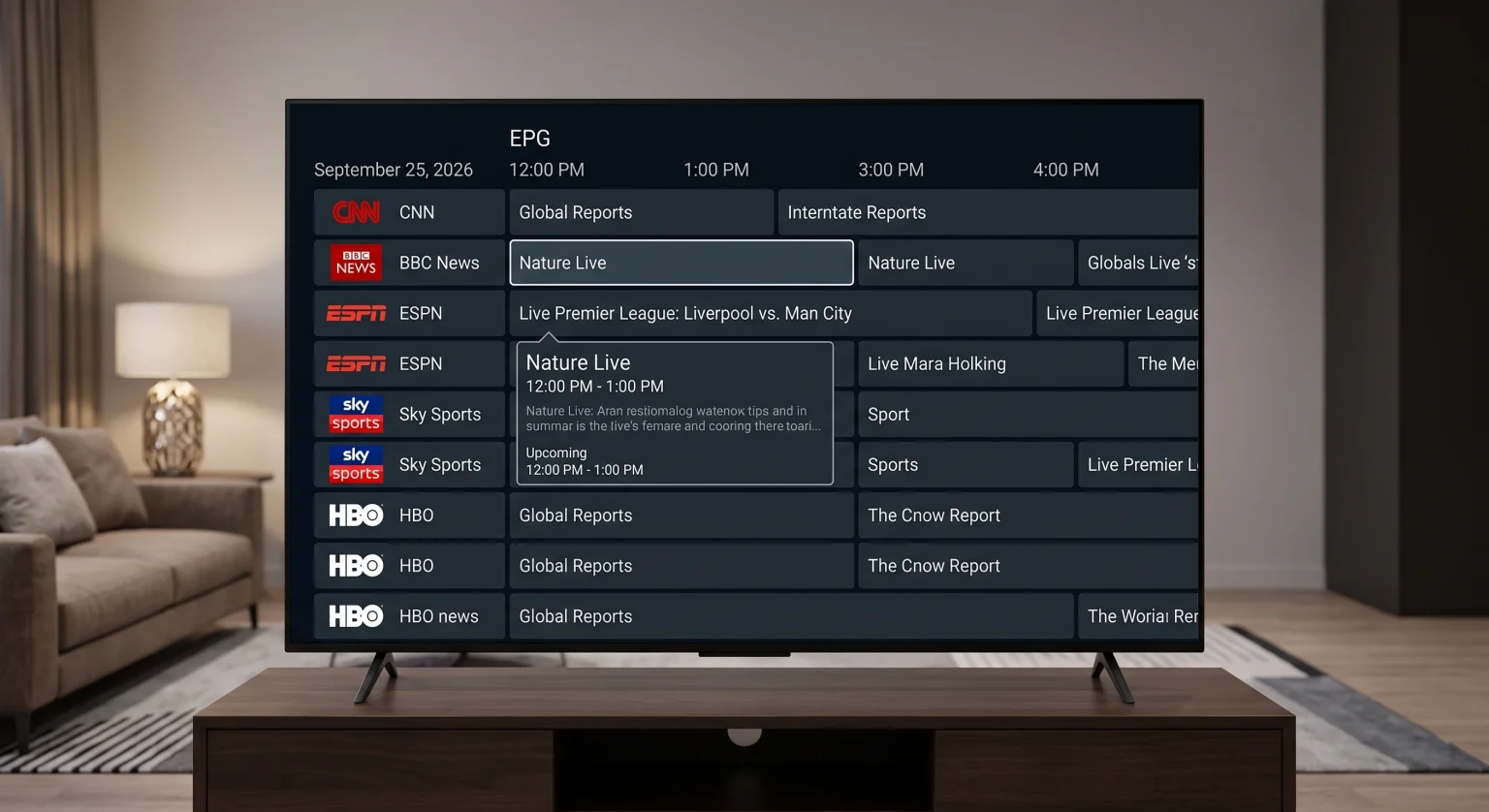
Google TV Players: Applications like TiviMate and Sparkle TV allow you to assign multiple EPG sources, map channel IDs manually, adjust time-offset parameters down to the minute, and store program schedules locally. This produces an experience identical to a traditional satellite or cable television box.
Samsung Tizen Players: Applications like IBO Player and Smart IPTV display EPG data reliably, but customization options are limited. If a channel lacks automatic EPG matching, you rarely have the option to manually map the XMLTV program guide using the TV remote.
User Interface and Remote Control Usability
The physical remote control influences your television navigation every day.
Samsung Smart TVs use the compact Samsung Smart Remote (SolarCell Remote). This remote has very few physical buttons. It lacks dedicated numerical buttons (0–9), channel up/down rocker switches on some budget models, and colored function buttons (Red, Green, Yellow, Blue). Navigating an IPTV application with thousands of channels requires using on-screen virtual menus.
Google TV devices—such as Sony BRAVIA televisions or the Chromecast with Google TV—offer different remote styles:
Sony BRAVIA Remotes: Include traditional numerical keys, playback controls, and specialized navigation buttons that integrate smoothly with IPTV player shortcuts.
Streaming-enheter: Use minimalist remotes similar to Samsung, but Google TV software allows users to remap remote buttons using applications from the Google Play Store.
Comparison: Tizen vs Google TV for IPTV
The table below summarizes the key technical and functional differences between Samsung Tizen and Google TV when running IPTV software.
| Funktion | Samsung Tizen | Google TV (Android TV OS) |
| Underlying Operating System | Linux-based Tizen OS | Android TV-operativsystemet |
| Primary Television Brands | Samsung | Sony, TCL, Hisense, Philips |
| Official Application Store | Samsung App Store | Google Play-butiken |
| Android APK Sideloading | Nej | Yes (via file managers or tools) |
| Top IPTV Players | IBO Player, Smart IPTV, Nanomid | TiviMate, Sparkle TV, IPTV Smarters |
| EPG Customization | Basic to Moderate | Highly Advanced |
| Playlist Loading Speed | Moderate (depends on TV processor) | Fast (optimized memory caching) |
| External Video Player Support | Limited to built-in Tizen player | Wide (VLC, MX Player, ExoPlayer) |
| Audio Format Support | Dolby Digital, Dolby Atmos (no DTS) | Dolby Atmos, DTS:X (hardware dependent) |
| System Update Support | Up to 7 years on newer models | Regular security and system updates |
If you are evaluating different television operating systems beyond Samsung and Google, explore our comprehensive comparison of the Best Smart TV OS for IPTV in 2026: Tizen vs Google TV vs webOS.
Watching Live Football and Sports
Live sports broadcasting requires exceptional video processing, smooth motion handling, and reliable network throughput. When streaming live football on TV Shadow IPTV, hardware performance and operating-system optimization work together.
Refresh Rate and Motion Handling
Live football broadcasts typically stream at 50 frames per second (fps) in Europe and 60 frames per second in North America. Rapid camera panning across a football stadium exposes motion blur and stutter if the television cannot process frames quickly.
Samsung Tizen Televisions: Samsung mid-range and high-end televisions feature Picture Clarity settings (Motion Xcelerator). Samsung processors smooth out camera pans effectively. However, entry-level Tizen models with 60Hz panels can exhibit small motion artifacts during fast ball movement.
Sony and TCL Google TV Televisions: Sony Google TV models (such as the Sony BRAVIA XR series) use Sony’s cognitive processing engines. Sony motion handling (Motionflow) is widely recognized in independent television testing for preserving fine detail during fast sports broadcasts without introducing artificial smoothing errors.
To understand why panel speed matters for sports, read our technical breakdown on TV med 60 Hz jämfört med 120 Hz för direktsänd fotboll.
Network Stability: Wi-Fi vs Ethernet
A stable network connection is required to prevent buffering during live sports events.
Both Samsung Tizen televisions and Google TV devices support dual-band Wi-Fi (2.4 GHz and 5 GHz) and physical Ethernet cables. However, users should note a technical limitation present across modern televisions from both platforms: built-in Ethernet ports on almost all televisions are limited to 100 Mbps (Fast Ethernet).
Because high-bitrate live 4K streams can experience bandwidth spikes, a strong 5 GHz Wi-Fi connection often provides higher peak download speeds than the physical television Ethernet port. On Google TV devices, you have the option to connect a USB Gigabit Ethernet adapter to achieve speeds up to 1,000 Mbps. Samsung Tizen generally does not support third-party USB network adapters.
Bildbearbetning och uppskalning
Many live sports channels broadcast in 720p or 1080i high definition. When you display a 1080p stream on a 4K television display, the television processor must upscale the image to fill the 3840 x 2160 screen resolution.
Samsung uses Neural Quantum processors to analyze and sharpen low-resolution streams.
Sony Google TV models use XR Clear Image technology to reduce noise in compressed sports feeds.
Both platforms execute upscaling at the hardware level. The IPTV application passes the raw video stream directly to the television’s internal video scaler. To learn how resolution processing impacts stream clarity, see our guide explaining Vad är TV-uppskalning och är det till hjälp för IPTV?.
Which Operating System Should You Choose?
Neither operating system is universally superior for every user. The correct choice depends on your technical preferences and how you intend to watch television.
When Samsung Tizen Is the Right Choice
Samsung Tizen is recommended if:
You already own or prefer Samsung hardware: Samsung televisions offer excellent bright-room screen performance, bright Mini-LED displays, and thin industrial designs.
You want a simple, turn-key IPTV setup: Applications like IBO Player or Smartone IPTV can be installed directly from the Samsung App Store in under two minutes without modifying device settings.
You prefer a unified smart-home interface: Tizen integrates directly with the Samsung SmartThings ecosystem, allowing you to manage home appliances directly from the television dashboard.
When Google TV Is the Right Choice
Google TV is recommended if:
You want the best IPTV applications: If you want to use TiviMate, Sparkle TV, or other advanced players with multi-screen viewing, Google TV is required.
You need application sideloading: If your preferred player is not available in an official application store, Google TV allows you to install application files manually.
You want advanced audio and video control: Google TV applications allow you to switch hardware decoders (such as VLC or ExoPlayer), select alternative audio tracks, and add subtitle files from external network folders.
Slutsats
Samsung Tizen and Google TV approach IPTV streaming from two distinct perspectives. Samsung Tizen provides an integrated, stable, and user-friendly platform. It handles basic IPTV streaming through popular players like IBO Player, but its closed software ecosystem prevents advanced customization and application sideloading.
Google TV provides an open media environment built on Android TV OS. It gives users complete access to premier IPTV player software like TiviMate, supports manual application installation, and offers comprehensive settings for audio-video playback. For general viewers who prefer simple navigation on a Samsung television, Tizen is completely functional. For media enthusiasts who demand powerful customization, flexible EPG handling, and broad application support, Google TV remains the more capable platform for IPTV streaming.
Vanliga frågor (FAQ)
Can I install Android applications (APKs) on a Samsung Tizen TV?
No, you cannot install Android APK files on Samsung Tizen. Samsung Tizen uses an independent operating system that is not compatible with Android application packages. You can only install applications designed for Tizen through the official Samsung App Store.
Is TiviMate available on Samsung Tizen?
No, TiviMate is not available on Samsung Tizen. TiviMate is developed exclusively for Android TV OS and Google TV devices. If you want to use TiviMate on a Samsung television, you must connect an external Google TV streaming stick or an Android media box via HDMI.
Which IPTV player is best for Samsung Tizen?
IBO Player and Smart IPTV are among the most popular IPTV players for Samsung Tizen. Both applications are available in the Samsung App Store, support M3U playlists and Xtream Codes credentials, and offer dependable playback controls for live television.
Can I use TV Shadow IPTV on both Tizen and Google TV?
Yes, you can use TV Shadow IPTV on both operating systems. TV Shadow IPTV delivers standard playlist connections (M3U links and Xtream Codes API credentials) that work seamlessly across supported player applications on both Samsung Tizen and Google TV platforms.
Does Google TV provide better picture quality than Samsung Tizen?
Operating systems do not determine picture quality directly. Picture quality depends on the television panel technology (OLED, Mini-LED, or LED), the backlighting system, and the video processing hardware. A high-end Samsung Tizen television and a high-end Sony Google TV television both produce clear 4K images.
Do I need to buy a streaming stick if I have a Samsung Smart TV?
You do not need to buy a streaming stick if you are satisfied with the IPTV players available in the Samsung App Store. However, if you want advanced features like recording live streams, automatic multi-screen displays, or access to Android-exclusive players like TiviMate, adding an inexpensive Google TV streaming stick is a practical solution.