
Apple released tvOS 27 in September 2026. This major software update introduces new features for the Apple TV platform, including a redesigned Podcasts application and a faster Control Center. However, Apple changed the hardware requirements for tvOS 27. Older television boxes no longer receive this software update.
If you use an Apple TV for streaming or watching TV Shadow IPTV, you must know if your device is compatible. This article explains exactly which Apple TV 4K models support tvOS 27. It also explains how to identify your current Apple TV model easily. We will compare the supported models and discuss their performance for IPTV applications and live football broadcasts.
Snabbsvar
Apple tvOS 27 officially supports the Apple TV 4K (3rd generation, 2022) and the Apple TV 4K (2nd generation, 2021). These models receive the full software update. Apple no longer supports the Apple TV 4K (1st generation, 2017) or the Apple TV HD (2015) with tvOS 27. If you own a first-generation Apple TV 4K, it will continue to work normally on tvOS 26. However, you must upgrade to a newer television box to use the new tvOS 27 features.
tvOS 27 Compatible Apple TV Models
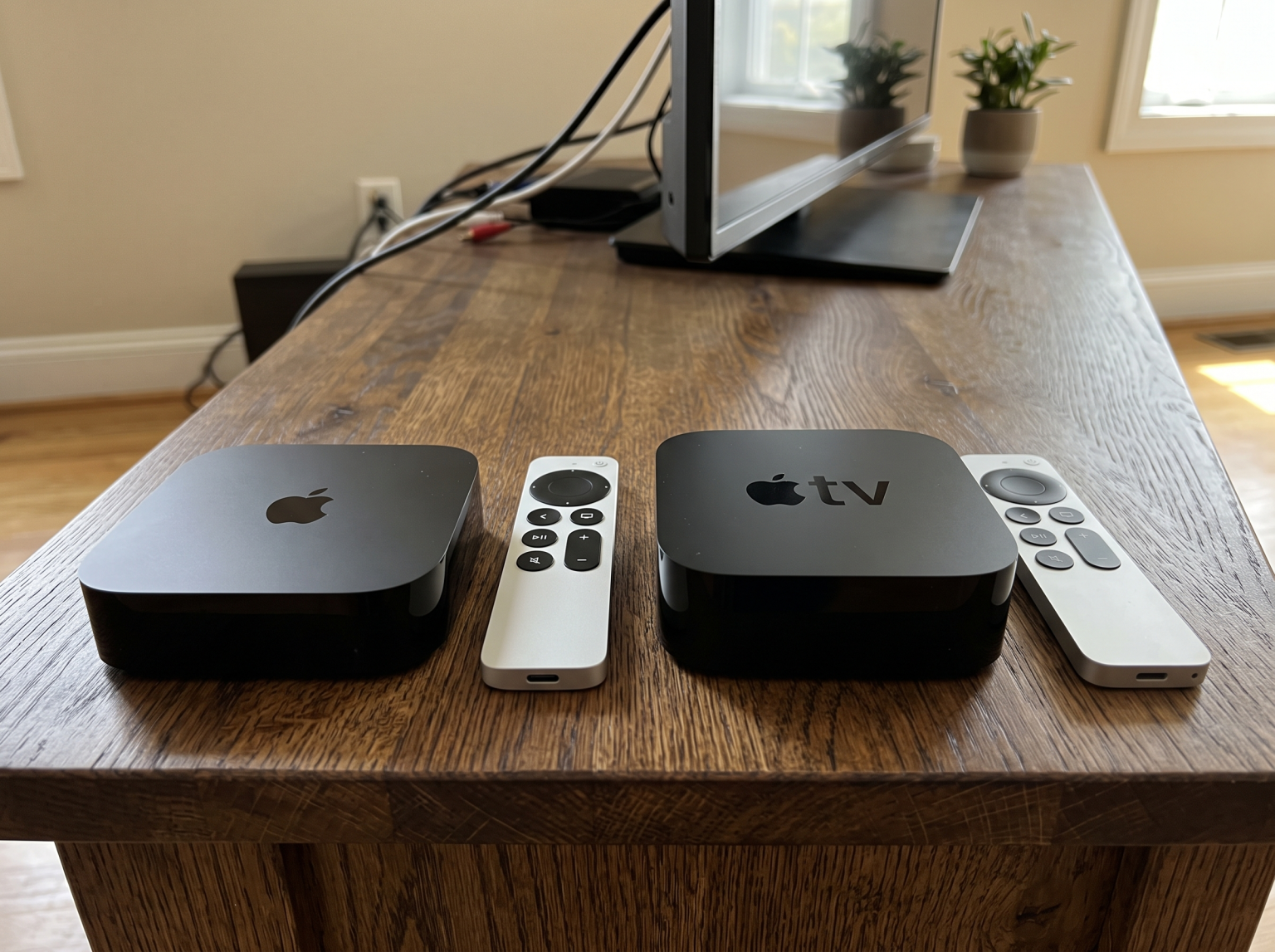
The third-generation Apple TV 4K is fully compatible with tvOS 27. Apple released this model in 2022. This device uses the A15 Bionic processor. This processor is very fast and provides excellent performance for the new tvOS 27 interface. The third-generation model supports all new tvOS 27 features. This model is available in two versions. One version offers Wi-Fi only. The second version offers Wi-Fi and an Ethernet port for wired internet connections.
Apple TV 4K (2nd Generation, 2021)
The second-generation Apple TV 4K also supports tvOS 27. Apple released this model in 2021. This device uses the A12 Bionic processor. This model receives the tvOS 27 update, but it may not support every advanced hardware feature. However, the general interface, new Control Center, and updated applications work smoothly. The second-generation Apple TV 4K includes an Ethernet port on all versions.
Apple TV Models That Do Not Support tvOS 27
Apple removed software support for older television boxes in 2026. These devices remain on tvOS 26.
Apple TV 4K (1st Generation, 2017)
The first-generation Apple TV 4K does not support tvOS 27. Apple introduced this model in 2017. This television box uses the older A10X Fusion processor. This hardware is now too old for the newest Apple software. If you own this model, your device is not broken. Your streaming applications will continue to work on tvOS 26. However, you will not receive the redesigned applications or faster AirPlay features included in tvOS 27.
Apple TV HD (2015)
The Apple TV HD also does not support tvOS 27. This device only provides 1080p video resolution. Apple released this model in 2015. It will remain on tvOS 26 permanently.
How to Find Your Apple TV 4K Model Number
You must check your model number to see if you have a tvOS 27 compatible Apple TV.
Turn on your Apple TV.
Öppna Inställningar application.
Välj General.
Välj Om.
Look at the Model avsnitt.
Compare your model number to this official list:
A2737: Apple TV 4K (3rd generation, Wi-Fi) – Supported
A2843: Apple TV 4K (3rd generation, Wi-Fi + Ethernet) – Supported
A2169: Apple TV 4K (2nd generation) – Supported
A1842: Apple TV 4K (1st generation) – Not supported
A1625: Apple TV HD – Not supported
You can also find the model number printed on the bottom surface of the Apple TV device.
Comparison: Apple TV 4K 2nd Gen vs 3rd Gen
This table compares the two tvOS 27 compatible Apple TV models.
| Funktion | Apple TV 4K (3rd Gen, 2022) | Apple TV 4K (2nd Gen, 2021) |
| tvOS 27 Support | Ja | Ja |
| Processor | A15 Bionic | A12 Bionic |
| HDR-stöd | HDR10, HDR10+, Dolby Vision | HDR10, Dolby Vision |
| Ethernet Port | Only on 128GB version | Included on all versions |
| Storage Options | 64GB or 128GB | 32GB or 64GB |
| Remote Control | Siri Remote (USB-C) | Siri Remote (Lightning) |
The Apple TV 4K (3rd generation) provides a faster processor and supports HDR10+. This makes it a great choice for new buyers. The Apple TV 4K (2nd generation) remains very capable for daily streaming and IPTV applications, so current owners do not need to upgrade immediately.
Is a tvOS 27 Compatible Apple TV Good for IPTV?
A tvOS 27 compatible Apple TV is an excellent device for watching TV Shadow IPTV. The Apple tvOS operating system is very stable. It handles live video streams efficiently.
The Apple App Store offers many premium IPTV player applications. These applications support M3U playlists and Xtream Codes API. Because the Apple TV 4K has a powerful processor, the Electronic Program Guide (EPG) loads quickly. The channel interface remains fast even with large IPTV playlists.
However, Apple enforces strict rules on the App Store. Some IPTV applications may be removed if they violate App Store policies. For this reason, we recommend using reputable, generic IPTV players available in the official store. Our guide to De bästa smart-tv-apparaterna för IPTV år 2026: Jämförelse mellan Samsung, Sony, LG och TCL explains more about different operating systems. An Apple TV provides a premium alternative to built-in television software.
The Siri Remote is easy to use for navigating IPTV menus. The touch-enabled clickpad allows fast scrolling through television channels. You can easily switch between live television broadcasts and video-on-demand content.
Watching Live Football on an Apple TV 4K
Live football requires good hardware to display fast motion clearly. A tvOS 27 compatible Apple TV handles live sports very well.
The Apple TV 4K outputs a 60Hz signal to your television. This signal matches the frame rate of high-quality sports broadcasts. The A15 Bionic processor or A12 Bionic processor easily decodes high-definition sports streams without visual stuttering. This ensures the football moves smoothly across the television screen.
For the best live football experience, internet stability is very important. Wireless Wi-Fi connections can sometimes cause video buffering during a live match. We recommend connecting your Apple TV directly to your internet router using an Ethernet cable. An Ethernet cable provides a constant data connection.
If you own the Apple TV 4K (3rd generation, 64GB), you do not have an Ethernet port. You must use a Wi-Fi connection. Ensure your wireless router is close to the Apple TV for live sports. Our article about TV med 60 Hz jämfört med 120 Hz för direktsänd fotboll provides more information about watching fast-moving sports.
What Are the New Features in tvOS 27?
Apple included several useful improvements in the tvOS 27 update. These features enhance the daily user experience.
Redesigned Podcasts App: The Podcasts application now supports video podcasts directly on the television. The navigation menu is also improved.
Faster AirPlay: Sending video from an Apple iPhone or Apple iPad to the Apple TV is now faster. The connection process is more stable.
Improved Control Center: The on-screen Control Center responds more quickly to the remote control. This makes changing settings much faster.
Larger Text Options: Users can increase the text size across the entire operating system. This makes menus easier to read from a distance.
Hi-Res Lossless Audio: Apple Music now supports higher audio quality for compatible speaker systems.
These features make the television experience more enjoyable. However, they do not change the core video streaming functions of the Apple TV.
Slutsats
Apple changed its software compatibility in 2026. A tvOS 27 compatible Apple TV must be a newer model. The Apple TV 4K (3rd generation) and Apple TV 4K (2nd generation) receive the full update. Older models, including the first-generation Apple TV 4K, stay on tvOS 26.
If you stream high-quality video or watch live football with TV Shadow IPTV, a modern Apple TV 4K provides excellent performance. The processors are fast, and the operating system is very stable. You do not need to replace an older Apple TV immediately if it still works. However, upgrading guarantees access to Apple’s latest software features and maximum application compatibility.
Vanliga frågor (FAQ)
Does the Apple TV 4K 1st generation get tvOS 27?
No, the Apple TV 4K (1st generation) does not get tvOS 27. Apple ended software updates for this model in 2026. The device remains on tvOS 26.
Will my old Apple TV stop working without tvOS 27?
No, your old Apple TV will not stop working. The device will continue to stream video, play music, and run applications on tvOS 26. However, you will not receive new features.
Which Apple TV models support tvOS 27?
The Apple TV 4K (2nd generation) and Apple TV 4K (3rd generation) support tvOS 27. These are the only models eligible for the 2026 software update.
Is it worth upgrading my Apple TV for tvOS 27?
It depends on your current device and your needs. If your current Apple TV 4K works perfectly, an upgrade may not be necessary yet. If you want the new features or a faster processor for IPTV applications, the 3rd generation model is a good choice.
Can I watch TV Shadow IPTV on tvOS 27?
Yes, you can watch TV Shadow IPTV on tvOS 27. You need to download a compatible IPTV player application from the Apple App Store and enter your playlist details.