
Many people buy a new 4K television and expect a perfect picture for live sports. However, a football match can look sharp on one Smart TV and blurry on another. The screen resolution is only one part of the television system.
True football picture quality on a Smart TV depends on motion handling, the screen refresh rate, and the internal image processor. When you watch a fast-moving football, the television must update the image very quickly. If the television processor is slow, the football will look like a blurry streak. The camera movements across the green grass will also stutter.
This guide explains the exact technical differences that change how live football looks on your screen.
Snabbsvar
Football looks better on some Smart TVs because premium televisions have a 120Hz refresh rate and superior motion processing. A 120Hz television refreshes the screen image 120 times per second. This high speed keeps the football and the players sharp during fast camera movements. Premium televisions also use advanced image processors. These processors clean up low-quality video signals and reduce pixel blur. A basic 60Hz television with a weak processor will often show motion blur and visual artifacts during a fast football match.
The Importance of Refresh Rates for Live Sports
The refresh rate is the most important specification for watching live football. The refresh rate measures how many times the television updates the picture every second. Manufacturers measure this speed in Hertz (Hz).
Most standard Smart TVs have a 60Hz refresh rate. These televisions update the picture 60 times per second. Premium Smart TVs have a 120Hz refresh rate. These televisions update the picture 120 times per second.
When a television broadcasts a football match, the camera pans quickly from one side of the stadium to the other. On a 60Hz television, this fast camera movement can look choppy. The human eye notices that the television cannot update the image fast enough. On a 120Hz television, the exact same camera movement looks smooth. The television displays twice as many image frames every second.
If you want the best visual experience, you must choose the correct hardware. You can learn more about this specific hardware difference in our guide to choosing a TV med 60 Hz jämfört med 120 Hz för direktsänd fotboll.
Motion Handling and Pixel Response Time
A high refresh rate is not the only requirement for clear football matches. The television must also have a fast pixel response time.
What is Pixel Response Time?
The television screen contains millions of small pixels. The response time is the time it takes for one pixel to change from one color to another color.
When a football flies through the air, the pixels behind the football must change from the color of the football back to the color of the green grass. If the pixels change color slowly, the television leaves a blurry trail behind the football. This visual problem is called “ghosting”.
Rörelseinterpolering
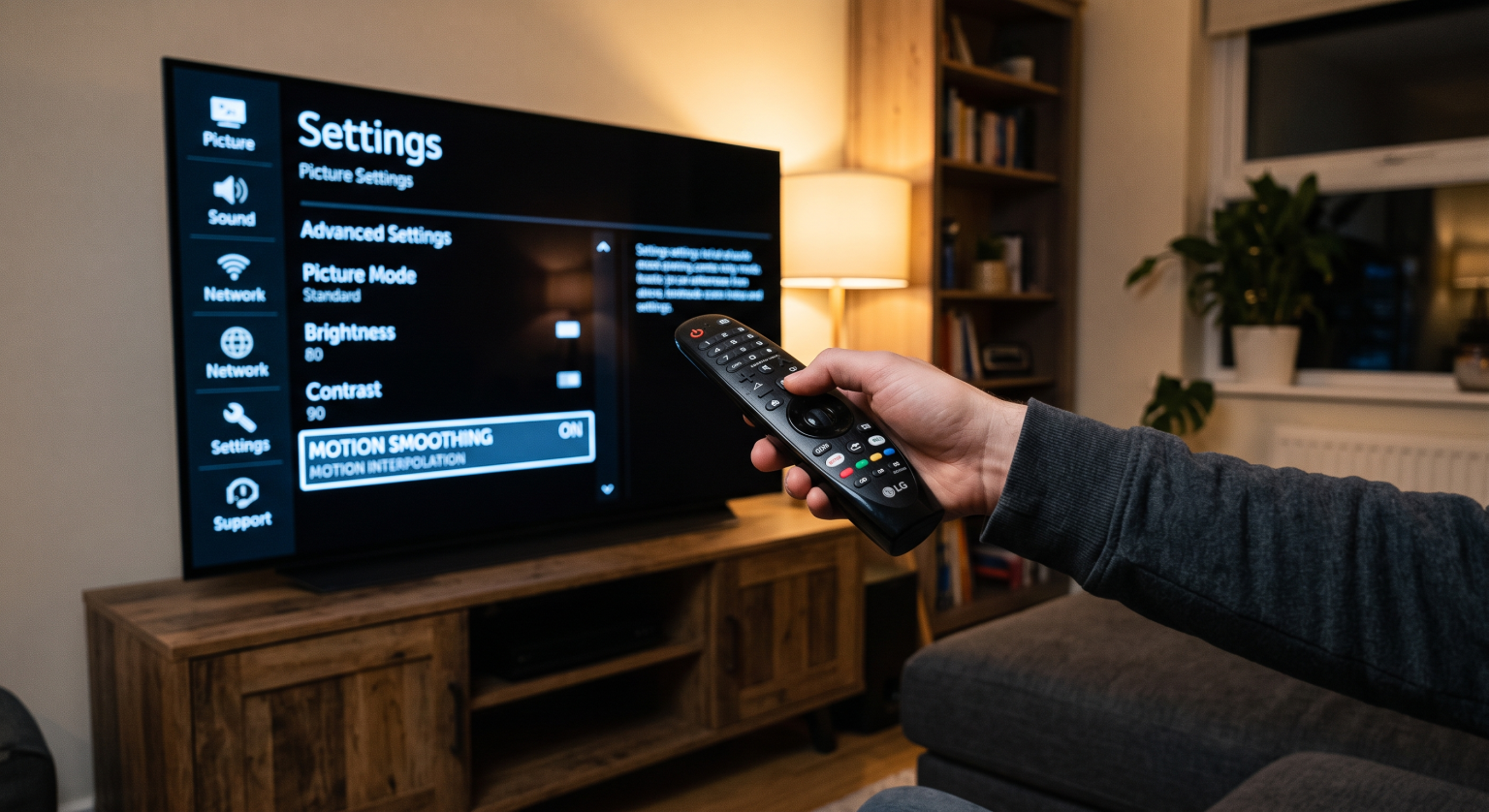
Television manufacturers use software to improve motion handling. This software technique is called motion interpolation. Television brands use different marketing names for this feature, such as “Motionflow” (Sony) or “TruMotion” (LG).
The television processor analyzes the live video stream. The processor then generates new, artificial image frames and inserts these new frames between the original frames. This software process makes the camera movements appear smoother. However, if the processor applies too much motion interpolation, the players can look unnatural.
The Role of the Picture Processor
Every Smart TV contains a computer chip called a picture processor. This processor is the brain of the television.
When you watch a live football match, the original video signal is often compressed. Television networks and streaming services compress the video to send the data over the internet or via satellite. This compression reduces the video quality.
A high-quality picture processor analyzes the compressed video signal in real-time. The processor removes visual noise, corrects the colors, and sharpens the edges of the players. A weak picture processor cannot clean the image fast enough. This is why a cheap 4K television and an expensive 4K television will display the exact same video signal very differently.
The processor also handles upscaling. Upscaling is a process where the television converts a low-resolution video into a 4K video. If you want to understand how this technology improves standard broadcasts, read our complete explanation of Vad är TV-uppskalning och är det till hjälp för IPTV?.
Panel Technology: OLED vs Mini-LED
The physical screen technology also changes how football looks on a Smart TV. The two best screen technologies for sports are OLED and Mini-LED.
OLED Televisions
OLED stands for Organic Light-Emitting Diode. In an OLED television, every individual pixel creates its own light.
OLED televisions have an almost instant pixel response time. Because the pixels change color instantly, OLED televisions display zero motion blur. The football remains perfectly sharp even during the fastest kicks. OLED televisions also have perfect viewing angles. If you watch a football match with many friends in a wide room, the people sitting on the sides will see the exact same colors as the people sitting in the middle.
The main disadvantage of OLED technology is the maximum brightness. OLED televisions are not as bright as Mini-LED televisions.
Mini-LED Televisions
Mini-LED televisions use thousands of tiny LED lights behind the screen to create brightness.
Mini-LED televisions are significantly brighter than OLED televisions. If you watch weekend football matches in a very bright room with large windows, a Mini-LED television will overcome the sunlight easily. However, Mini-LED televisions have a slightly slower pixel response time compared to OLED televisions.
You can compare these two popular technologies directly in our detailed guide comparing OLED kontra Mini-LED för direktsänd fotboll.
Feature Comparison for Football Viewing
This table shows the general differences between a basic 60Hz television and a premium 120Hz television for watching live football.
| Funktion | Basic 60Hz Smart TV | Premium 120Hz Smart TV (OLED / Mini-LED) |
| Refresh rate | 60 updates per second | 120 updates per second |
| Camera pan smoothness | Noticeable stuttering | Very smooth and fluid |
| Pixel response time | Slow (creates motion blur) | Fast (keeps the ball sharp) |
| Picture processor | Basic (minimal image cleanup) | Advanced (cleans compressed signals) |
| Betraktningsvinklar | Narrow (colors fade on sides) | Wide (good for large groups) |
How IPTV Streaming Affects Football Picture Quality
Om du använder TV Shadow IPTV to watch football, the picture quality depends on both the television hardware and the internet connection.
IPTV services deliver live television channels over the internet. These internet streams use data compression. When you watch a fast football match, the stream requires a high data rate (bitrate) to keep the green grass and the fast players sharp.
If the television has a powerful picture processor, the television will clean up the compression artifacts in the IPTV stream. If the television has a weak processor, the IPTV stream may look blocky or blurry during fast camera movements.
The Smart TV operating system also matters for the IPTV experience. Different television brands use different operating systems:
Samsung: Uses the Tizen operating system.
LG: Uses the webOS operating system.
Sony and Philips: Use the Google TV or Android TV operating systems.
The operating system determines which IPTV player applications you can install. The application does not usually change the video quality, but the application controls the Electronic Program Guide (EPG) and the channel navigation speed. For a complete list of recommended televisions, review our guide to the De bästa smart-tv-apparaterna för IPTV år 2026: Jämförelse mellan Samsung, Sony, LG och TCL.
Wi-Fi vs Ethernet for Live Football
To get the best football picture quality through IPTV, you need a stable internet connection.
A wireless Wi-Fi connection can experience interference from other devices in your home. This interference causes the video stream to buffer or drop in resolution. For live sports, you should always connect your Smart TV directly to your internet router using an Ethernet cable. An Ethernet cable guarantees a stable data connection, which ensures the highest possible video quality.
The Best Smart TV Settings for Live Football
You can improve the football picture quality on any Smart TV by changing the television settings.
When you buy a new television, the default settings are often designed for a brightly lit retail store. You should adjust these settings for your living room.
Adjust the Motion Interpolation: Go to the television picture settings. Find the motion smoothing feature (Motionflow, TruMotion, or Auto Motion Plus). Reduce the setting to a low level. If you use the maximum level, the football may disappear or flicker when it moves quickly across the screen.
Turn Off Noise Reduction: Modern televisions have “Digital Noise Reduction” settings. This setting removes film grain from old movies. However, this setting can make the green grass on a football pitch look like a flat, blurry carpet. Turn this setting off for live sports.
Be Careful with Sports Mode: Most televisions have a dedicated “Sports Mode” or “Football Mode”. This mode increases the brightness and makes the colors very vibrant. Often, this mode makes the grass look unnaturally neon green. You will usually get a more realistic picture by using the “Standard” or “Cinema” mode and adjusting the brightness manually.
Slutsats
Den football picture quality on a Smart TV is the result of several different hardware technologies working together. A television with a 4K resolution is not enough. To watch a football match without motion blur, you need a television with a 120Hz refresh rate and a fast pixel response time.
Furthermore, the internal picture processor plays a critical role. A strong processor will upscale the image and remove visual artifacts from compressed IPTV streams. Whether you choose an OLED television for perfect motion clarity or a Mini-LED television for maximum brightness, choosing a television with excellent motion handling will completely transform how you watch live sports.
Vanliga frågor och svar
Why is the football blurry when the camera moves quickly?
The blur happens because the television has a slow pixel response time or a low refresh rate. The screen pixels cannot change color fast enough to keep up with the fast-moving ball.
Does a 4K television guarantee a good football picture?
No. The 4K resolution only controls the number of pixels on the screen. The motion handling and the picture processor are much more important for fast-moving sports than the resolution.
Why does my IPTV football stream look worse than a traditional satellite broadcast?
Internet streams often use higher data compression than satellite broadcasts to save bandwidth. This compression can cause visual artifacts during fast camera movements. A premium Smart TV processor will reduce these artifacts.
Does my internet speed affect the Smart TV picture quality?
Yes. If your internet speed drops, streaming applications will automatically reduce the video resolution to prevent buffering. This makes the football match look blurry. Always use an Ethernet cable for a stable connection.
Should I buy an OLED television for watching football during the day?
OLED televisions have perfect motion handling, which is excellent for sports. However, if your living room has direct sunlight hitting the screen, a brighter Mini-LED television may be a better choice for daytime viewing.
Can I install the same IPTV apps on any Smart TV?
No. Samsung Tizen, LG webOS, and Google TV have different application stores. You must check which IPTV applications are available in your specific country for your television’s operating system.