
Lorem ipsum dolor sit amet, consectetur adipiscing elit. Ut elit tellus, luctus nec ullamcora
Are you struggling to install your favorite streaming apps on a brand-new Amazon Firestick? You are not alone. The recent shift in Amazon’s operating systems has left many US cord-cutters scratching their heads. If you want seamless streaming without frustrating restrictions, understanding the Fire OS vs Vega OS IPTV battle is absolutely mandatory.
For years, Americans have relied on the flexibility of Amazon devices to customize their home entertainment. However, recent updates have drastically changed what you can and cannot install. Let’s dive into which Fire TV models still support your favorite streaming setups.
per mattis, pulvinar dapibus leo.
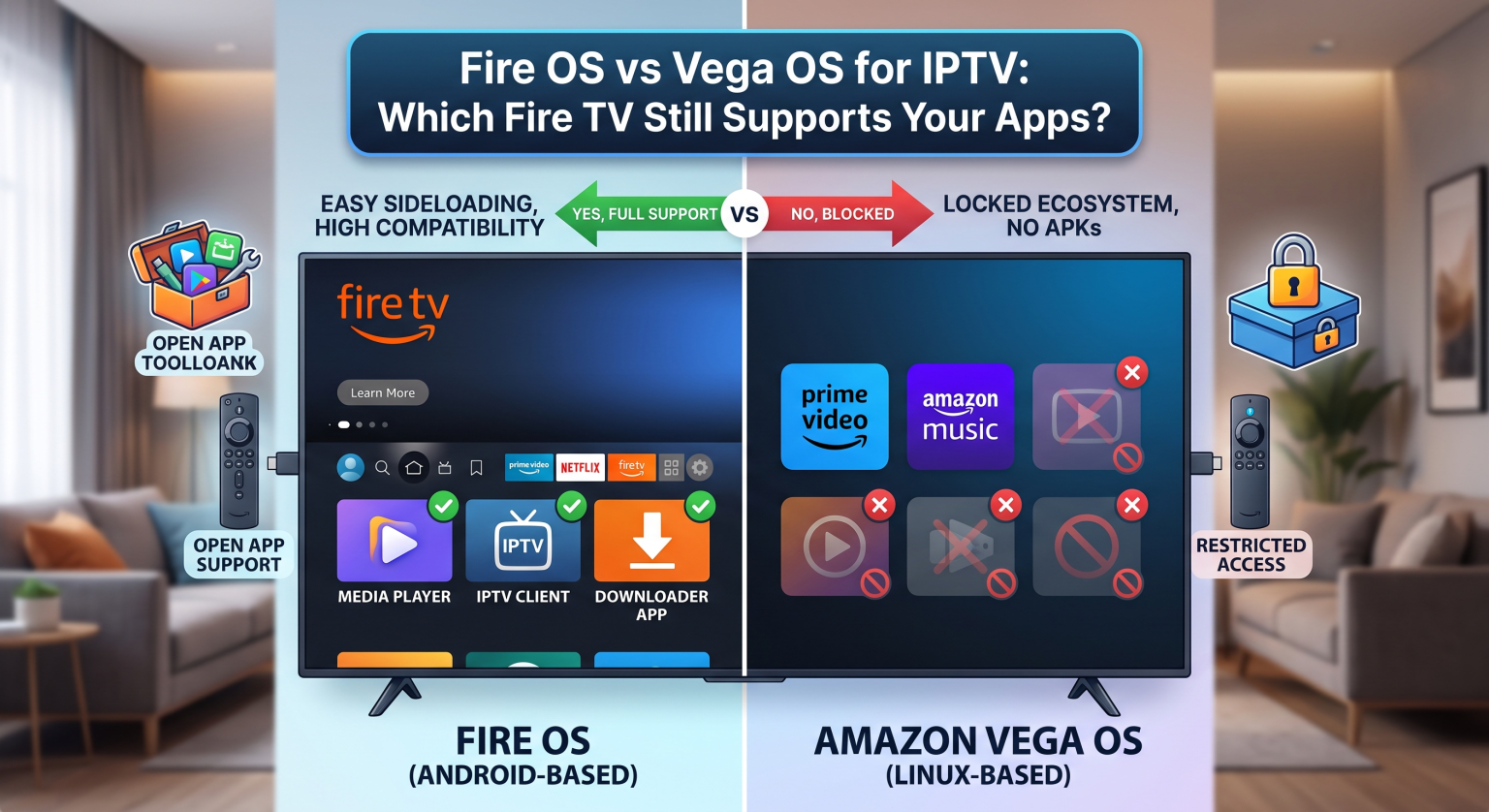
Why the US Streaming Market is Shifting to Amazon Vega OS
Amazon recently introduced Amazon Vega OS, a brand-new Linux-based operating system designed to replace their older Android framework. Devices like the new Fire TV Stick 4K Select now ship exclusively with this streamlined software.
According to Amazon, the switch was made to improve performance on low-end hardware and tighten user security. While this means faster menus and less lag, it comes with a massive hidden cost for tech-savvy viewers. The transition completely eliminates the Android ecosystem that made Fire TV so popular in the first place.
For US users who heavily rely on third-party streaming tools, this OS update is a major roadblock. Amazon is actively trying to lock down its ecosystem to promote its official Appstore and curb unauthorized media access.
Fire OS vs Vega OS IPTV: What Changed for Sideloading?
The biggest difference in the Fire OS vs Vega OS IPTV debate comes down to one crucial feature: sideloading APKs on Firestick. Pre-2024 devices running Fire OS allowed users to easily enable “Developer Options”. From there, you could install almost any Android app using the popular Downloader-app.
On Vega OS, this freedom is entirely gone. Because Vega is not based on Android, it simply cannot read or install Android APK files. Even if you manage to access developer tools, your favorite third-party media players will not install or run on the new system.
This means the days of easily setting up a jailbroken Fire Stick on the newest budget models are over. If you want to use customized media players, you must be incredibly careful about which specific hardware model you purchase.
Head-to-Head Comparison: Android vs. Linux Fire TV Devices
To make the best buying decision, you need to know exactly how these two platforms stack up. Here is a quick breakdown of what to expect:
| Funktion | Fire OS (Older/Plus Models) | Vega OS (4K Select/New Models) |
| Operativsystemgrundlag | Android-based OS | Proprietary Linux-based OS |
| Sideloading af APK-filer | ✅ Fully Supported | ❌ Completely Blocked |
| IPTV App Compatibility | ✅ High (Custom players work perfectly) | ❌ Low (Limited to official Appstore) |
| Udviklerindstillinger | ✅ Easily Accessible | ❌ Removed/Restricted for average users |
How to Check Which OS Your Fire TV Uses
If you already own a device and are worried about losing access, checking your software version is incredibly simple. Grab your remote and navigate to Indstillinger > Min Fire TV > Om. Look at the listed software version on the right side of the screen.
If your device displays Fire OS 7 (or earlier), you are safe to continue using standard Android-based streaming devices features. If it displays Vega OS (or version 8.x and higher), sideloading is permanently disabled.
Always verify the exact model name before checking out online or at a local US retailer like Best Buy or Walmart. Look specifically for the Fire TV Stick 4K Plus or older generation models to retain full app flexibility.
Best Alternatives for US Users Losing APK Support
If you accidentally purchased a Vega OS device, you might be searching for a TiviMate alternative in the official Amazon Appstore. Unfortunately, finding high-quality, uncensored media players within Amazon’s walled garden is incredibly difficult.
Your best option is to pivot to a different streaming device entirely. The ONN 4K Pro box (widely available at Walmart) or the Chromecast with Google TV offer the exact same Android freedom you are used to. They remain excellent, budget-friendly choices for US residents who refuse to be locked down.
Secure Your Streaming Freedom Today!
Sådan navigerer du i Fire OS vs Vega OS IPTV landscape in the US doesn’t have to be a headache. As long as you stick to older Fire OS models or pivot to unrestricted Android TV boxes, you can keep your home entertainment running flawlessly.
Don’t let corporate updates ruin your viewing experience! Subscribe to our premium weekly newsletter today to get the latest streaming device reviews, exclusive app setup tutorials, and instant alerts whenever major software changes happen. [Click Here to Subscribe and Stay Unrestricted!]
Ofte stillede spørgsmål (FAQ)
Can I still sideload apps on the newest Fire TV Sticks?
No, if you purchase a new model running Vega OS (like the Fire TV Stick 4K Select), sideloading Android APKs is completely blocked. You must buy older Fire OS models or a different brand to sideload.
Will my current IPTV apps stop working on Fire OS?
If you are using an older Firestick running Fire OS, your installed apps will continue to work normally. However, you will not be able to transfer those Android apps if you upgrade to a Vega OS device.
What is the best streaming device for IPTV in the US right now?
Due to Amazon’s restrictive updates, many US cord-cutters are switching to the Walmart ONN 4K Pro or NVIDIA Shield. These are true Android TV devices that fully support third-party application installations.