
You launch the app, eager to watch your favorite show. Your channels populate perfectly, but the TV guide is completely blank. If your TiviMate playlist loads but EPG missing issues are ruining your streaming experience, you aren’t alone and it’s easier to fix than you think.
Whether you are tuning in locally or streaming from international servers, an empty Electronic Program Guide (EPG) is a common hurdle. Let’s dive into exactly how to restore your TV guide data quickly and easily.
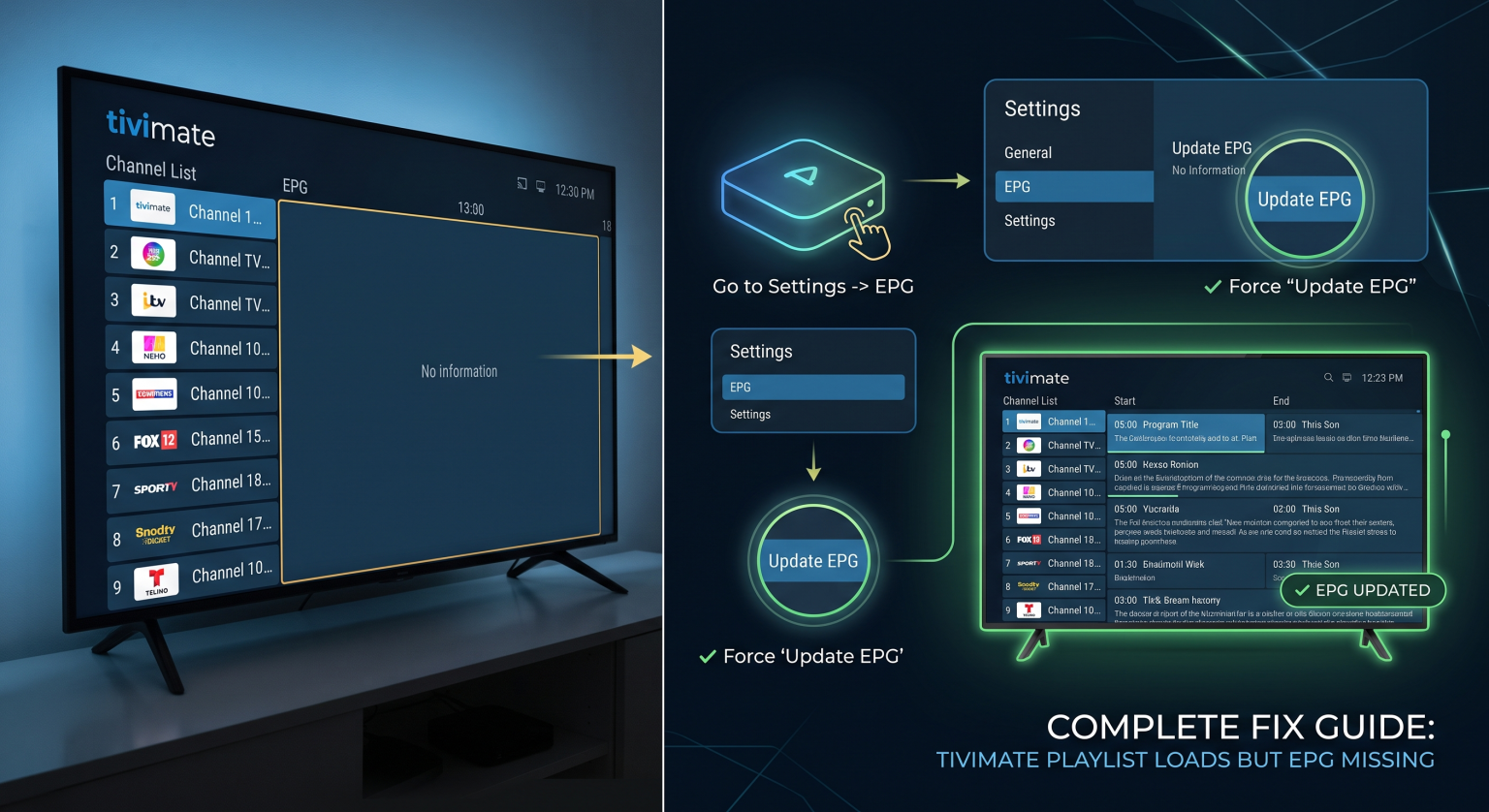
Why Is Your TiviMate EPG Not Working?
Understanding the root cause is the first step to troubleshooting your IPTV guide. The EPG relies on a specific data link provided by your IPTV-tjeneste.
When your channels show up but the schedule remains blank, it usually points to a synchronization error. The app can read the video feed, but it cannot fetch the textual scheduling data. This typically happens due to an outdated XMLTV link, a typo in your EPG URL, or a heavy cache buildup within the app itself.
Step-by-Step Fix: When TiviMate Playlist Loads But EPG Missing
Don’t let a blank guide force you into blind channel surfing. Follow these targeted steps to force your Electronic Program Guide to update.
Step 1: Verify Your EPG URL Gå til Settings > EPG > EPG Sources. Ensure your URL is typed exactly as your provider gave it to you. A single missed character will break the sync process.
Step 2: Force an EPG Opdatering Sometimes the app just needs a nudge. Go to Settings > EPG and click Opdater EPG. Wait for the progress bar to complete before backing out.
Step 3: Clear App Cache If the update fails, your device might be holding onto corrupt data. Go to your Android device’s main settings, find the TiviMate app, and click Ryd cache. Restart your device and try the update again.
Step 4: Manually Assign the Guide If only some channels are missing data, long-press a channel, select Assign EPG, and manually link it to the correct channel ID from your source list.
EPG Formats vs. App Performance
Not all guide data is created equal. Your IPTV provider might offer different file formats for your program guide. Here is a breakdown of how they impact your TiviMate setup:
| Funktion | XMLTV Format | GZIP (Compressed) | M3U Embedded |
| Load Speed | Moderat | Fastest | Slow |
| Data Accuracy | Meget nøjagtig | Meget nøjagtig | Often Incomplete |
| TiviMate-kompatibilitet | Fremragende | Fremragende | Gennemsnit |
| Bedst egnet til | Standard setups | Large playlists | Quick testing |
If your provider offers a .gz (GZIP) link, use it! It reduces download times and prevents timeout errors during updates.
Pro Tips for a Seamless Electronic Program Guide
To ensure you never face the “TiviMate playlist loads but EPG missing” error again, consider upgrading your setup. Managing multiple playlists can confuse the app’s internal database.
Make sure to delete old, expired EPG sources from your settings. If you use TiviMate Premium, take advantage of the auto-update feature. You can set the app to refresh your TV guide automatically every time the app launches, or on a set daily schedule.
Stop guessing what’s on TV. If you’re tired of manually updating your guides and dealing with sync errors, it’s time to unlock the full potential of your streaming setup. [Opgrader til TiviMate Premium i dag] to enable auto-updates and multi-source EPG mapping for a flawless, set-it-and-forget-it viewing experience!
Andre spørger også (PAA)
Why does my IPTV have no guide?
Your IPTV has no guide because the EPG source link is either broken, typed incorrectly, or your provider’s server is temporarily down. It can also occur if your playlist doesn’t have an EPG link embedded.
How do I manually update the EPG in TiviMate?
Open the app, pull up the main menu, and navigate to Settings > EPG. Rul ned og vælg Opdater EPG to manually force the app to download the latest channel schedules.
Does TiviMate Premium fix EPG errors?
While Premium doesn’t fix a broken link from your provider, it does offer advanced tools. You can map multiple EPG sources to a single playlist and enable automatic background updates, drastically reducing missing guide errors.