
Wenn Sie sich gelegentlich in Heimkino-Foren oder Streaming-Communities umsehen, ist Ihnen wahrscheinlich ein wiederkehrendes Thema aufgefallen: Jemand bittet um eine Empfehlung für ein Streaming-Gerät, und innerhalb weniger Minuten lautet die Hälfte der Antworten: “Hol dir einfach ein Nvidia Shield!“
Mit einem Preis von rund $200 ist das Nvidia Shield TV Pro im Vergleich zu der Vielzahl an $40-Streaming-Sticks auf dem Markt extrem teuer. Noch verrückter ist, dass die Hardware selbst seit 2019 keine nennenswerte Aktualisierung mehr erfahren hat. Lohnt es sich also im Jahr 2026 tatsächlich noch, Premium-Preise für veraltete Technik zu zahlen, insbesondere wenn Ihr Hauptziel darin besteht, Live-Fernsehen und Sport zu streamen oder IPTV-Apps?
Die kurze Antwort lautet: Ja, aber nur, wenn Sie das, was es zu bieten hat, auch wirklich brauchen. Schauen wir uns einmal genauer an, warum dieses Gerät einfach nicht vom Markt verschwindet und ob es einen Platz in Ihrem Wohnzimmer verdient.
Das Tabuthema: Alter vs. Leistung
Wenn man sich das Datenblatt ansieht, läuft das Shield TV Pro mit einem Nvidia Tegra X1+-Prozessor und 3 GB RAM. In Smartphone-Jahren ist das schon uralt. Aber Streaming-Boxen funktionieren nicht wie Smartphones.
Der Tegra X1+ basiert auf derselben Chip-Architektur, die auch in der Nintendo Switch zum Einsatz kommt. Sie war bereits 2019 für die einfache Videowiedergabe so lächerlich überdimensioniert, dass sie in Benchmarks immer noch besser abschneidet als die Prozessoren, mit denen die meisten modernen Streaming-Sticks ausgestattet sind. Während sich ein Standard-Firestick manchmal etwas träge anfühlt, wenn man zwischen ressourcenintensiven Apps hin- und herspringt oder umfangreiche Programmführer lädt, läuft die Benutzeroberfläche des Shield weiterhin butterweich.
Warum Live-Streaming mehr Leistung erfordert
Wenn Sie lediglich Netflix oder Prime Video schauen, brauchen Sie kein Shield. Ein günstiges Roku- oder Firestick-Gerät reicht für normales On-Demand-Streaming völlig aus.
Live-Streaming, insbesondere über Apps von Drittanbietern wie Tivimate oder andere ressourcenintensive IPTV-Clients, ist jedoch eine ganz andere Sache. Diese Apps verarbeiten riesige, unkomprimierte Wiedergabelisten, ständige EPG (Elektronischer Programmführer) sowie Live-Übertragungen mit hoher Bitrate. Hier macht das Shield Pro seinen Preis recht:
1. Gigabit-Ethernet (Der Puffer-Killer)
WLAN ist toll – bis sich alle in deinem Haushalt damit verbinden und dein Live-Sport-Stream im vierten Viertel anfängt zu ruckeln. Das Shield Pro verfügt über einen integrierten Gigabit-Ethernet-Anschluss. Die meisten billigen Sticks sind entweder vollständig auf WLAN angewiesen oder erfordern einen separaten, klobigen Adapter, der auf 100 Mbit/s begrenzt ist. Wenn du über eine Gigabit-Internetverbindung verfügst, kannst du diese mit dem Shield tatsächlich nutzen, sodass es auf deiner Seite praktisch keine Pufferung mehr gibt.
2. Die Magie des KI-Upscalings
Das ist die Funktion, die das Shield im Alleingang relevant hält. Ein Großteil der Live-Fernseh- und Sportübertragungen wird nach wie vor in 720p oder 1080p ausgestrahlt. Wenn Sie einen riesigen 65-Zoll- oder 77-Zoll-4K-OLED-Fernseher besitzen, wird ein Fußballspiel in 720p verschwommen und pixelig aussehen.
Nvidia nutzt künstliche Intelligenz, um das Videomaterial Bild für Bild zu analysieren und es in Echtzeit auf 4K hochzuskalieren. Dabei werden Kanten geschärft, Texturen verbessert und ein Standard-HD-Stream sieht tatsächlich deutlich mehr wie natives 4K aus. Für Fans von Live-Sportübertragungen ist das eine bahnbrechende Neuerung.
3. Erweiterbarkeit und Speicherplatz
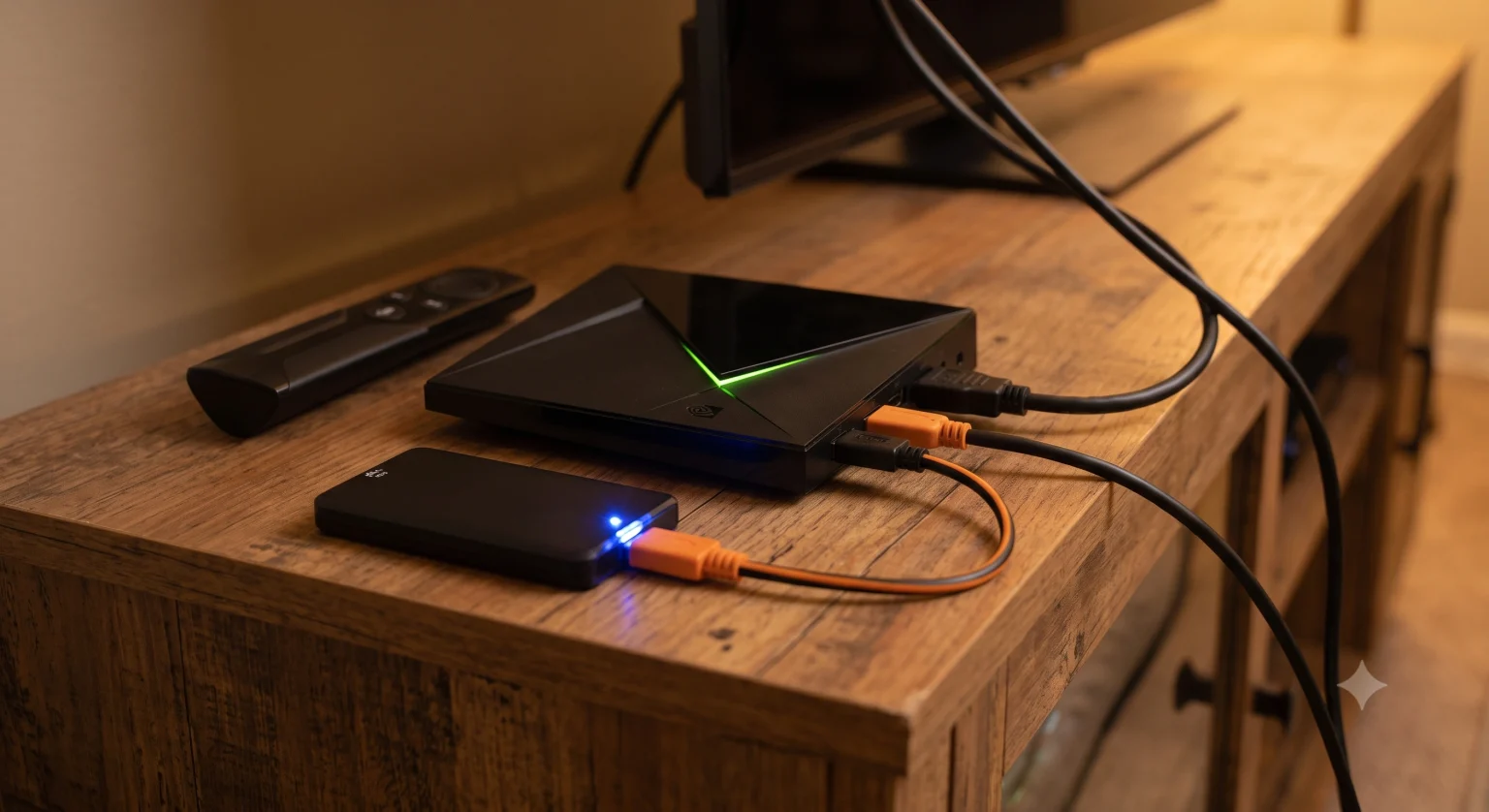
USB-Sticks bieten in der Regel nur magere 8 GB Speicherplatz, der unglaublich schnell voll ist, sobald man ein paar speicherintensive Apps installiert. Das Shield Pro verfügt über 16 GB integrierten Speicher sowie zwei USB-3.0-Anschlüsse. Sie können ganz einfach einen USB-Stick anschließen, um Ihren App-Speicher zu erweitern, eine Festplatte anschließen, um Live-Fernsehen aufzunehmen, oder sogar einen Plex Media Server direkt über das Gerät betreiben.
Hier können Sie sehen, wie sich das Shield im Vergleich zu den aktuellen preisgünstigen Alternativen schlägt:
Wichtigste Erkenntnis: Zwar haben die neueren Geräte in puncto Speicherkapazität und moderne WLAN-Standards aufgeholt, doch fehlt ihnen nach wie vor die erforderliche Rechenleistung für fortschrittliches KI-Upscaling und komplexe Aufgaben im lokalen Netzwerk.
Wie sieht es mit den Alternativen aus?
Falls Ihnen $200 einfach zu viel ist, ist noch nicht alles verloren. Die Lage hat sich in letzter Zeit verändert und bietet nun einige solide Kompromisslösungen:
Amazon Fire TV Stick 4K Max ($59): Es ist günstig und unterstützt Wi-Fi 6E. Allerdings schaltet Amazon in großem Umfang Werbeanzeigen in der Benutzeroberfläche und schränkt das Betriebssystem stark ein, was für Nutzer, die Apps aus anderen Quellen installieren oder ihren Startbildschirm anpassen möchten, zunehmend nervig wird.
Google TV Streamer ($99): Googles neuestes Nachfolgemodell für den Chromecast. Es verfügt über einen Ethernet-Anschluss und eine übersichtliche Benutzeroberfläche, doch sein Prozessor ist im Vergleich zum Shield immer noch recht einfach gehalten. Es ist eine großartige Option im mittleren Preissegment, allerdings lässt es sich bei der Hochskalierung von 720p-Streams nicht ganz so gut schlagen.
Walmart Onn 4K Pro (~$50): Dies ist derzeit der Liebling der preisgünstigen Streaming-Welt. Es läuft mit einer übersichtlichen Version von Google TV, kommt mit den meisten Apps hervorragend zurecht und ist wohl das Gerät mit dem besten Preis-Leistungs-Verhältnis auf dem Markt, wenn man die Preise für das Shield scheut.
Das endgültige Urteil
Lohnt sich der Nvidia Shield TV Pro heute also trotz seines hohen Preises?
Ja, wenn: Sie sind ein Power-User. Wenn Sie zum Streamen von Live-Sportübertragungen stark auf IPTV-Apps angewiesen sind, wenn Sie Pufferzeiten hassen und eine kabelgebundene Ethernet-Verbindung bevorzugen, wenn Sie Streams auf einem USB-Stick aufzeichnen möchten oder wenn Sie möchten, dass Sendungen mit niedrigerer Auflösung auf Ihrem High-End-4K-Fernseher gestochen scharf aussehen.
Nein, wenn: Du willst einfach nur Netflix, YouTube und Disney+ schauen. Wenn deine Anforderungen eher einfach sind, ist das Shield absoluter Overkill. Schnapp dir lieber einen Walmart Onn 4K Pro oder einen Google TV Streamer und behalte die zusätzlichen $100+ in deinem Portemonnaie.
Der Shield Pro mag zwar langsam in die Jahre kommen, aber solange kein anderer Hersteller beschließt, echte Rechenleistung in eine Streaming-Box zu stecken, anstatt nur auf den Preiskampf zu setzen, behält der König seine Krone.