
Many users experience motion blur when watching IPTV on a Smart TV. Fast movements on the screen can appear soft, fuzzy, or unclear. A common question is whether buying a new, premium television will fix this problem.
The answer depends on two different factors. First, the television hardware affects motion clarity. Second, the original IPTV video signal controls the basic image quality.
This article explains how television hardware, refresh rates, and video streams interact. You will learn if buying a new television is the right solution to fix your IPTV motion blur TV problems.
Quick Answer
Does a better Smart TV reduce IPTV motion blur? Yes, a better television can reduce motion blur, but it cannot remove the blur completely.
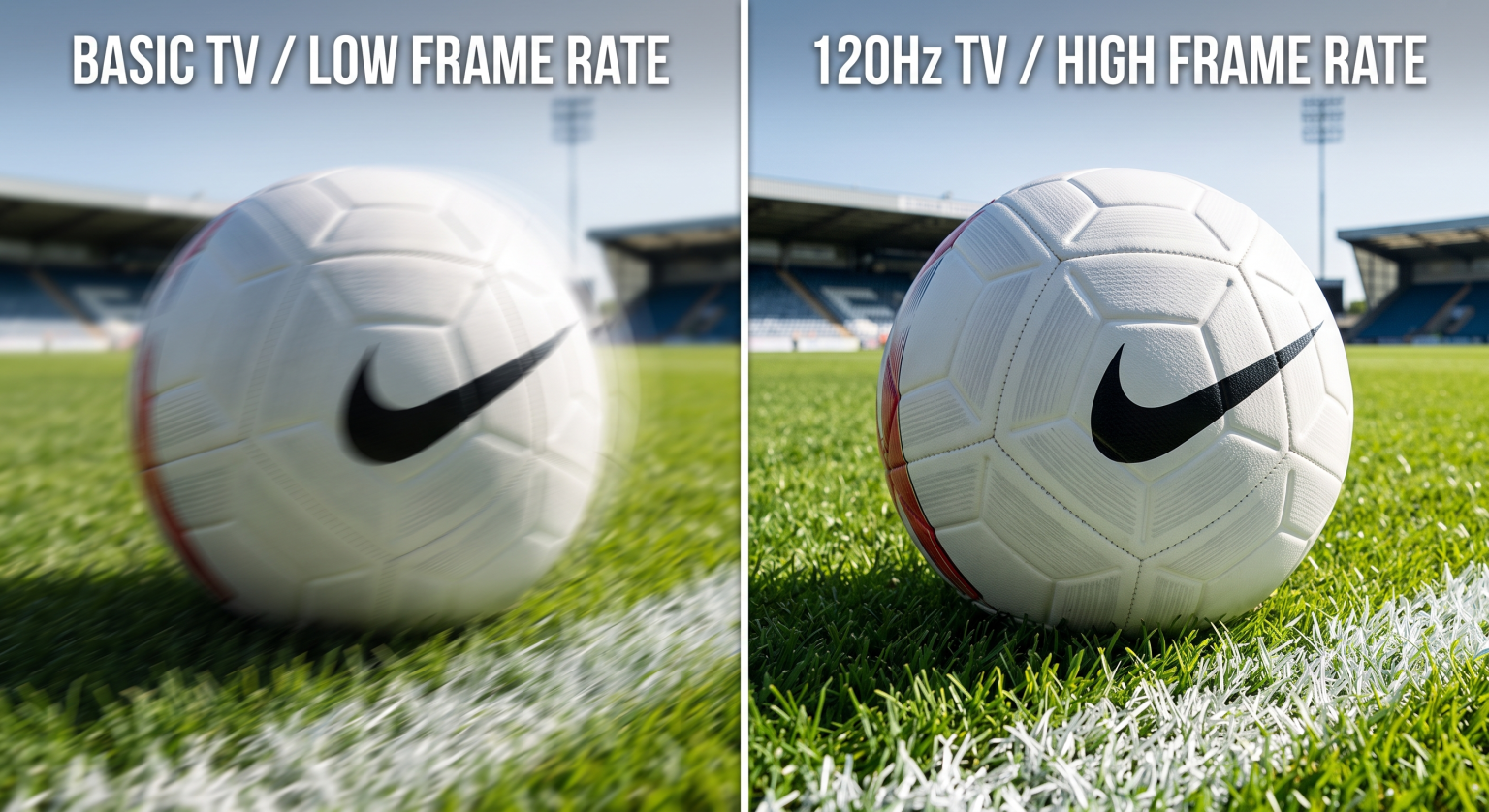
Premium Smart TVs use 120Hz display panels and fast image processors. These components handle fast movement better than basic televisions. However, the original IPTV stream is equally important. If the IPTV stream uses a low bitrate or a low frame rate, the video will still look blurry on an expensive television. To remove motion blur entirely, you need both a high-quality television and a high-quality video stream.
What Causes Motion Blur on IPTV?
To understand how a television affects picture quality, you must understand what causes motion blur. Motion blur happens when an object on the screen moves faster than the screen or the video file can update.
There are two main causes of motion blur in IPTV:
1. The IPTV Video Stream
The video source is the most common cause of poor picture quality. Video files are made of individual images called frames. If an IPTV stream sends only 25 or 30 frames per second (fps), fast movement will look unnatural. The television receives too little visual information to display a smooth moving image. A low video bitrate also creates digital artifacts, which look like moving blocks or blur. If you want to understand this specific issue more deeply, read our guide explaining Why Does IPTV Look Blurry on a New 4K TV?.
2. The Television Hardware
The television display panel takes time to change colors. This is called “response time”. If the pixels in the display change color slowly, the old image stays on the screen while the new image appears. This overlap creates a visual blur behind moving objects. Cheap televisions usually have slower response times than premium televisions.
How Television Hardware Affects Motion Clarity
When you buy a better television, you usually get three hardware improvements that help reduce motion blur.
Refresh Rate: 60Hz vs 120Hz
The refresh rate measures how many times the television updates the screen per second. Basic televisions have a 60Hz refresh rate. Premium televisions have a 120Hz refresh rate. A 120Hz television updates the screen twice as fast. This faster update speed creates smoother motion during fast scenes. For a complete comparison, you can read our guide comparing 60Hz vs 120Hz TV for Live Football.
Image Processors and Motion Interpolation
Modern Smart TVs use computer processors to improve the video picture. Premium televisions from brands like Sony, LG, and Samsung have very powerful processors. These processors use a technology called motion interpolation.
Motion interpolation creates fake video frames. The processor looks at frame one and frame two. Then, the processor calculates what a middle frame should look like and inserts it. This process can make a 30fps video stream look like a 60fps video stream. This reduces motion blur. However, some people dislike this feature because it makes movies look unnatural.
TV Upscaling
If you watch a 1080p high-definition (HD) IPTV stream on a 4K television, the television must stretch the image to fit the screen. This is called upscaling. Better televisions have better upscaling technology. Good upscaling keeps edges sharp during movement. Poor upscaling makes moving objects look soft. You can learn more about What Is TV Upscaling and Does It Help IPTV?].
Comparison: Basic TV vs Premium TV for Motion
This table shows the general differences between a standard budget television and a premium television regarding motion handling.
| Feature | Basic Smart TV | Premium Smart TV |
| Panel Refresh Rate | 60Hz | 120Hz |
| Pixel Response Time | Slow (creates more blur) | Fast (creates less blur) |
| Motion Interpolation | Basic (often causes visual errors) | Advanced (smooths movement accurately) |
| Upscaling Quality | Basic (moving edges look soft) | Advanced (moving edges look sharp) |
| Processor Speed | Slower | Faster |
Watching Live Football on IPTV
Live football is the most difficult content for an IPTV service and a television to display. This is because the camera constantly moves left and right across a green field. This horizontal movement is called panning.
Camera panning exposes every weakness in a television and a video stream. If you experience IPTV motion blur TV problems, you will notice it most during live football or other fast sports.
To get the best live football experience, the IPTV stream must be at least 50 frames per second (fps) or 60 fps. If the stream is only 25 fps or 30 fps, the football will look like a blurry line when the player kicks it. No television can perfectly fix a 25 fps sports stream.
Additionally, internet stability is very important for live sports. A dropping internet connection lowers the video bitrate. A low bitrate causes the grass on the football pitch to look like green blocks. Always connect your Smart TV directly to your internet router using an Ethernet cable instead of Wi-Fi. An Ethernet cable provides the stable data connection required for live football.
IPTV App Performance and Smart TV Systems
The operating system inside your Smart TV also affects your IPTV experience. Different television brands use different operating systems. Samsung uses Tizen. LG uses webOS. Sony uses Google TV.
Premium televisions have stronger internal computer processors. A stronger processor opens IPTV applications faster. It also loads the Electronic Program Guide (EPG) faster. A fast processor prevents the IPTV app from freezing when you scroll through large channel lists.
However, the television operating system does not change the video stream quality. An IPTV app on a Samsung television will show the exact same video stream as the same IPTV app on a Sony television. To explore how different operating systems handle IPTV applications, see our comparison of Tizen vs Google TV for IPTV Apps: What’s the Difference?.
When using TV Shadow IPTV, we recommend using a premium IPTV player application. Good player applications handle video decoding better, which can sometimes provide a smoother picture.
How to Optimize Your Current Smart TV
Before you buy a new television, you should adjust the settings on your current television. Many default television settings actually cause motion blur.
Follow these steps to improve motion clarity:
Turn off Noise Reduction: Noise reduction tries to remove grain from old video signals. On modern digital video, noise reduction makes moving faces and objects look like plastic. Turn this setting off.
Adjust Motion Smoothing: Find the motion smoothing setting in your television menu (manufacturers call this by different names, such as TruMotion or Motion Plus). Test different levels. A low setting can help reduce blur. A high setting can cause visual errors around moving objects.
Turn on Game Mode: If you experience delay or severe blur, try activating “Game Mode”. Game Mode turns off extra video processing. This gives the television the fastest possible response time.
Change Sharpness: Do not set sharpness to the maximum level. High sharpness creates white lines around moving objects. Set sharpness to a low or medium level.
Conclusion
Upgrading to a better Smart TV will reduce IPTV motion blur, but it is only half of the solution.
Premium televisions offer 120Hz panels, faster response times, and powerful motion processors. These hardware improvements keep the picture sharp during fast camera movements and live sports.
However, television hardware cannot create perfect video from a bad source. If your IPTV provider delivers streams with low bitrates and low frame rates, you will still see motion blur on a premium television. To achieve the best possible picture quality, you must combine a high-quality television with a stable, high-quality IPTV video stream. Ensure you connect your television via Ethernet and adjust your picture settings to optimize your viewing experience.
Frequently Asked Questions (FAQ)
Can a new 4K TV fix a bad IPTV stream?
No. A new 4K television will accurately display the bad quality of the stream. If the IPTV stream has a low bitrate or low frame rate, it will still look blurry on a new television.
What is the best television refresh rate for IPTV?
A 120Hz refresh rate is best. A 120Hz panel handles fast movement, like live football, much better than a standard 60Hz panel.
Does internet speed cause motion blur?
Yes. If your internet speed drops, the IPTV stream will automatically lower its video quality to stop the video from pausing. This lower video quality looks like motion blur or pixelation.
Is Wi-Fi or Ethernet better for preventing blur?
Ethernet is always better. An Ethernet cable provides a constant, stable data connection. Wi-Fi signals can fluctuate, which causes the video quality to drop temporarily.
Why does live football look more blurry than movies?
Movies are recorded at 24 frames per second with slow camera movements. Football involves very fast camera panning across a bright green field. Fast panning requires higher frame rates and faster television response times to remain clear.
Do all IPTV apps provide the same picture quality?
No. Different IPTV apps use different video decoding software. Some premium apps decode the video signal more efficiently, which can result in slightly smoother playback.