
Did you just miss the biggest football derby because your screen went dark? If you are incredibly frustrated because your IPTV recording stops app closed, you are certainly not alone. Many streaming fans in Romania face this exact issue when trying to capture their favorite live TV broadcasts.
Understanding how your device handles background data can save you from missing out on crucial moments. Let’s dive into why this happens and how you can permanently fix this annoying problem.
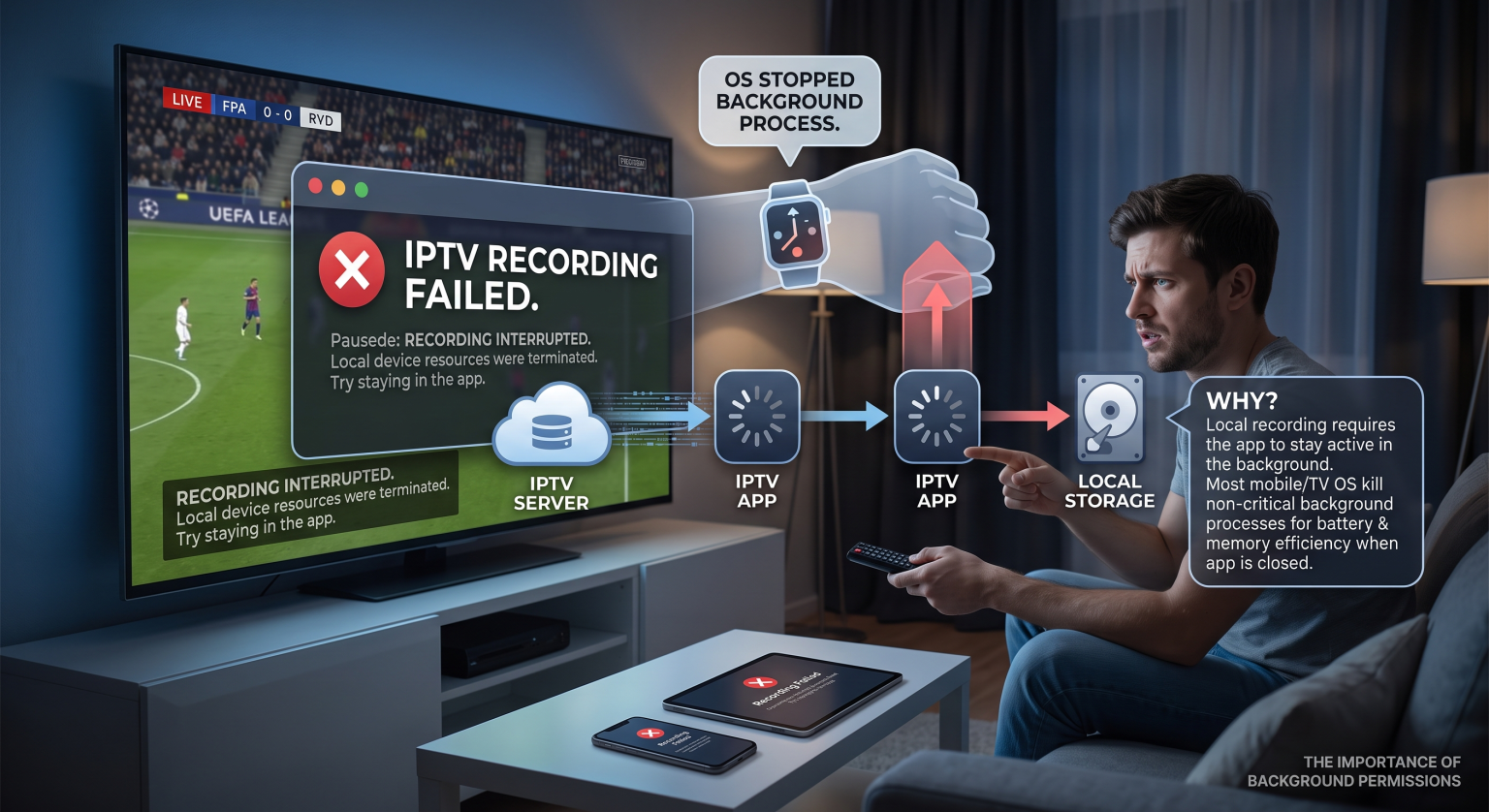
The Main Reason Your Background Recording Fails
Most modern smartphones and smart TVs aggressively manage their memory to save battery life. When you minimize or exit your streaming player, the operating system instantly kills the background process. Therefore, your local recording fails because the software is no longer actively receiving the video feed.
Unlike traditional cable boxes, standard streaming applications rely on continuous, active internet connections on the host device. If the application isn’t awake and actively prioritized by the device, the data stream breaks instantly.
How Battery Optimization Kills Your Stream
Mobile and smart TV operating systems have strict rules regarding background tasks. If you don’t specifically grant the app unrestricted battery and background data permissions, it will shut down.
To fix a recording failed error, you must dive into your device’s advanced battery settings. However, even with the right permissions, some basic players simply aren’t coded to pull data without the screen being on.
Comparing Your Live TV Capture Options
Before you spend hours tweaking your settings, it is vital to understand the different ways you can record live television. Here is a quick breakdown of your options:
| Recording Method | App Must Stay Open? | Reliability & Storage |
| Local Device Storage | Yes (Usually) | Low; fills up phone/TV storage very quickly. |
| Cloud DVR (Server-side) | No | High; records directly on the provider’s remote servers. |
| Dedicated Set-Top Box | No | Very High; built specifically for continuous background tasks. |
Upgrade to Cloud DVR and Catch-up TV
The ultimate workaround for a failing local capture is to switch to a provider that offers a robust cloud DVR feature. Because the recording happens on remote servers, it completely bypasses your local hardware limits.
Additionally, premium providers often offer catch-up TV. This automated feature archives broadcasts for a few days, eliminating the need to manually schedule or record anything at all. You can turn off your TV, close the app, and still watch your show later.
Optimizing Your IPTV Player Settings for Romanian Networks
Internet routing and ISP traffic shaping can sometimes interrupt your stream, especially during peak evening hours across Romania. Local ISPs may briefly drop idle connections, which immediately kills the active stream if your player isn’t configured correctly.
To combat this, ensure your IPTV player settings are optimized for maximum stability. Try applying these quick fixes:
Increase your buffer size: This helps smooth out minor network drops and micro-stutters.
Disable battery optimization: Whitelist your streaming app in your device’s battery settings to prevent the OS from closing it.
Use a wired connection: Hardwiring your TV or box with Ethernet is always more stable than relying on Wi-Fi.
Never Miss a Moment Again
Dealing with broken media files is a massive headache, but it doesn’t have to be your reality. Now that you know exactly why your IPTV recording stops app closed, you can take the right steps to upgrade your entertainment setup. Whether you tweak your device’s battery permissions or invest in better hardware, you have the power to fix this issue.
Stop relying on basic apps that crash when you need them most. Upgrade to a premium streaming service featuring reliable Cloud DVR today, and enjoy your favorite live events entirely on your schedule! Click here to view our top-rated premium subscription plans.
People Also Ask (FAQ)
Why does my stream pause when I switch apps?
Your device’s operating system pauses background applications to save memory and battery life. Unless your specific player supports picture-in-picture or background audio play, switching apps will sever the connection.
Can I record live streams without keeping my TV on?
Yes, but only if your service provides a server-side cloud DVR, or if you utilize a dedicated hardware box (like an Enigma2 receiver) that runs independently of your television’s display.
What is the best app for background capturing?
Premium apps like TiviMate (for Android environments) offer advanced features that attempt to maintain background connections. However, they still require the host device itself to remain powered on and connected to the internet.