
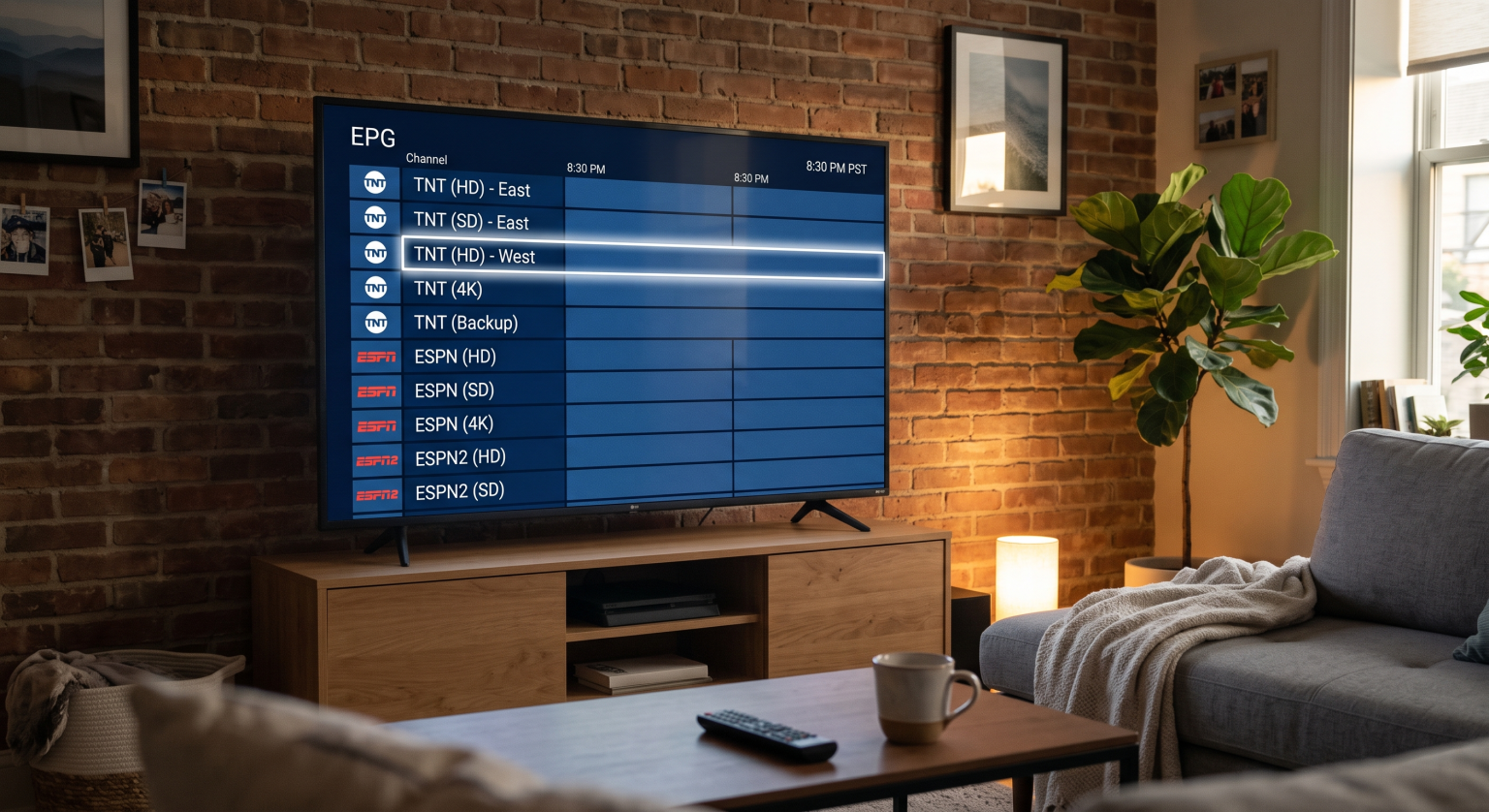
If you find yourself endlessly scrolling through your TV guide only to see the exact same network listed three or four times, you are definitely not alone. Many viewers in the United States wonder why IPTV duplicate streams constantly clutter up their user interface. Instead of a clean, organized broadcast list, you are forced to sift through confusing, repeating channel names just to watch a simple show.
This visual clutter isn’t actually a glitch or a sign that your device is broken. In fact, seeing the same channel on IPTV multiple times is typically an intentional feature designed to improve your streaming experience. Let’s break down exactly why these multiple IPTV listings occur and how you can easily fix them.
The Core Reasons Behind IPTV Duplicate Streams
To effectively organize your television guide, you first need to understand why providers push overlapping channels to your device. Here are the primary culprits.
1. Different Video Resolutions
One of the most common reasons you see M3U playlist duplicates is because of video quality variations. Not everyone has the same internet speed, so providers offer options. You will frequently see the same broadcast labeled multiple times as SD, HD, FHD, and 4K to accommodate different bandwidth capabilities.
2. Regional US Broadcasts and Time Zones
In the United States, television programming is heavily dependent on time zones and local markets. You might see two versions of TNT or TBS because one is the East Coast feed and the other is the West Coast feed. This ensures you can catch prime-time premieres at the correct hour, no matter where you live.
3. Built-In Backup Streams
Live streaming can occasionally be unpredictable. To prevent you from missing a big game, many premium providers include fallback feeds. If the primary server goes down, having a backup allows you to quickly switch over and continue watching without interruption.
4. Overlapping M3U Playlists
Many advanced users combine multiple subscriptions into a single player (like TiviMate or Smarters) to maximize their viewing options. When you merge services, IPTV overlapping feeds are inevitable because both providers naturally carry major networks like ESPN or CNN.
Comparing Multiple IPTV Listings: Why They Matter
When evaluating your channel guide, it helps to understand what each duplicate actually offers. The table below breaks down the different variations you might encounter.
| Type of Duplicate | Primary Purpose | How to Identify in Your Guide |
| Resolution Variations | Prevents buffering on slower internet connections | Labeled directly as SD, HD, FHD, or 4K |
| Regional / Local Feeds | Adjusts for United States time zones | Marked with “East”, “West”, or local city names |
| Backup / Failover | Ensures uninterrupted viewing during server outages | Often numbered (e.g., Channel 1, Channel 2) |
| Merged Playlists | Combines content from multiple different providers | Shows identical EPG data across multiple categories |
How to Manage and Clean Up Duplicate IPTV Channels
You don’t have to live with a hopelessly cluttered interface. Most modern applications offer built-in tools to help you hide or merge redundant feeds.
First, take advantage of the “Hide Channel” feature found in almost all major streaming apps. Simply long-press the channels you don’t need like standard definition feeds if you have fast internet and remove them from your primary view.
Second, utilize TiviMate channel grouping or similar custom favorites lists. By creating a personalized “Favorites” category, you can cherry-pick the highest quality, most reliable stream for each network. This entirely bypasses the cluttered master list, giving you a customized United States TV guide that loads exactly the way you want it.
Take Control of Your Streaming Experience
Understanding why IPTV duplicate streams happen is the first step toward building the ultimate home entertainment setup. By taking a few minutes to hide lower-quality links, filter out unnecessary local US regions, and build a dedicated favorites list, you can transform a messy guide into a premium viewing experience.
Ready to upgrade your viewing setup? Sign up for our premium newsletter today to get the latest tips, tricks, and app recommendations delivered straight to your inbox!Fixing IPTV Stream Looping and Playback Errors This video is highly relevant because it explains how server caches and segment failures can cause live streams to repeatedly loop the same scene, which is another frequent playback anomaly that users managing complex, overlapping IPTV setups often experience.
People Also Ask (PAA)
Why does my IPTV show the same movie multiple times?
Similar to live TV, video-on-demand (VOD) sections often display duplicate movies due to varying resolutions (1080p vs 4K) or differing metadata sources from combined M3U playlists.
Can I automatically delete duplicate IPTV channels?
While most players require manual sorting, some advanced playlist editors and management portals allow you to filter and strip out duplicate channel names before they ever load into your streaming app.
Does having duplicate channels slow down my IPTV app?
Yes, loading massive playlists with thousands of unnecessary, redundant streams can slow down the Electronic Program Guide (EPG) and cause lag on older streaming devices. Hiding or deleting them will improve app performance.