
If you’ve been paying attention to how people watch television lately, you’ve probably noticed that traditional cable boxes are quietly disappearing from living rooms. They are being replaced by smart apps, streaming sticks, and a technology that has completely reshaped the entertainment landscape: IPTV.
Whether you are looking to cut your monthly cable bill in half, find reliable streams for live sports, or simply want access to international channels, understanding how IPTV services work is your first step.
Here is a comprehensive breakdown of everything you need to know about IPTV in 2026, how to choose a reliable provider, and the features that actually matter for a buffer-free viewing experience.
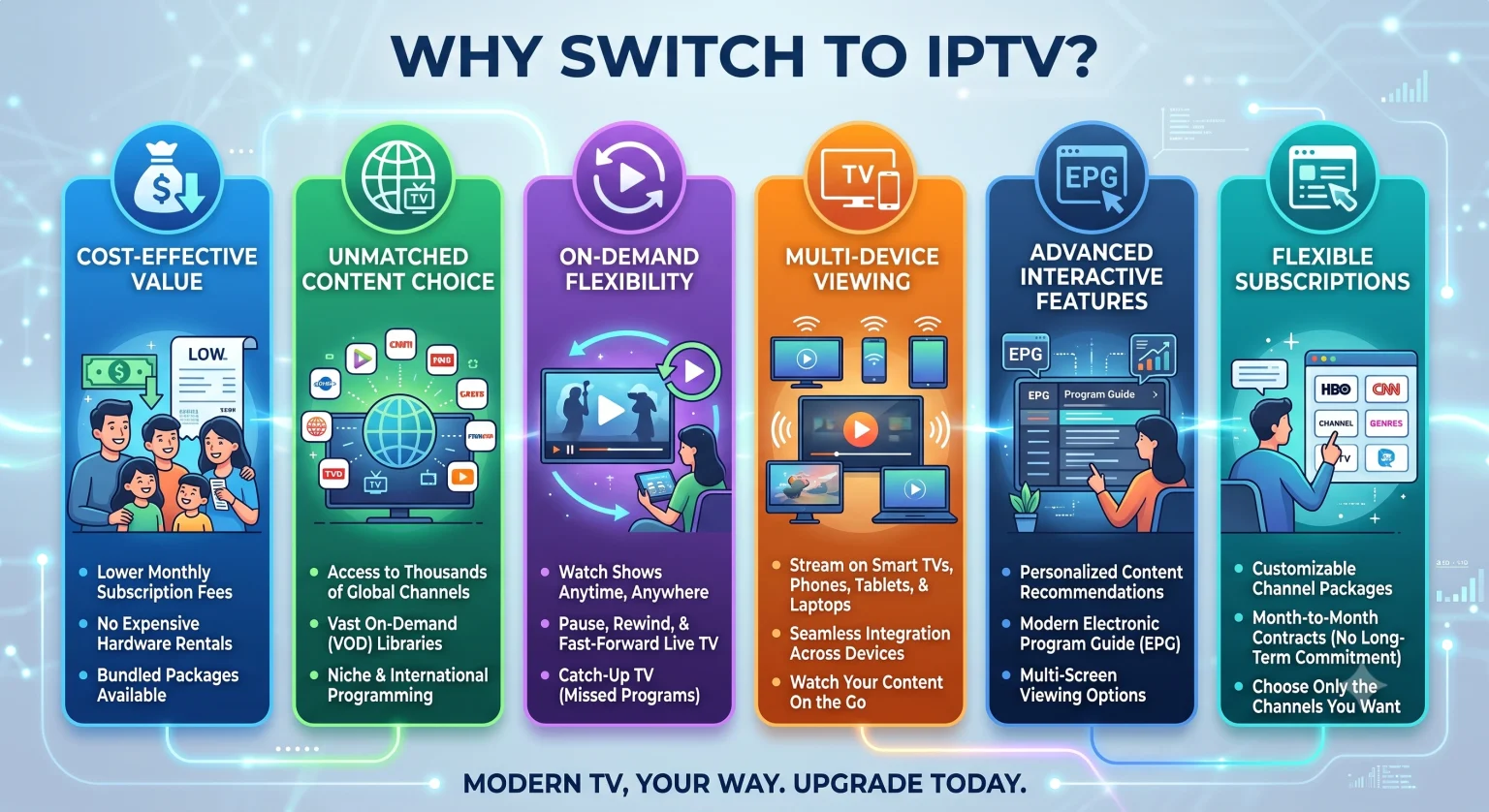
What Exactly is IPTV?
IPTV stands for Internet Protocol Television. Instead of receiving television signals through a satellite dish on your roof, a fiber-optic cable from a local provider, or radio waves from an antenna, you stream live TV and on-demand content directly over your broadband internet connection.
If you’ve ever watched a live football match on a streaming app on your phone, you have already used a form of IPTV. The difference with dedicated IPTV subscription services is the sheer scale. A typical provider might offer anywhere from 10,000 to 20,000 live channels globally, plus massive libraries of movies and TV series, all routed through a single interface.
How the Technology Works Behind the Scenes
Traditional television broadcasts all channels simultaneously; you simply tune your TV to intercept a specific frequency.
IPTV is different. It relies on a two-way connection. Your streaming device (like a Firestick or Smart TV) sends a request to the provider’s server for a specific channel or movie. The server then breaks that video down into tiny data packets, compresses them, and sends them over the internet to your device, where they are reassembled into smooth video in real-time. This method is incredibly efficient and allows you to access virtually unlimited content without needing physical infrastructure in your home.
The Core Types of IPTV Services
Not all IPTV delivery methods are the same. When you sign up for a service, you are generally getting a mix of three different formats:
Live Television: This mimics traditional TV broadcasts. You are watching events, news, or sports exactly as they happen in real time.
Video on Demand (VOD): A library of movies and TV shows stored on the provider’s server. You pick what you want to watch and hit play much like Netflix or Hulu.
Time-Shifted TV (Catch-Up): Missed a live broadcast? Many premium providers record major channels and hold the footage for 3 to 7 days, allowing you to rewind and watch shows you missed without needing to set up a DVR.
Cable TV vs. IPTV: Why the Shift is Happening
The cord-cutting trend has reached a tipping point this year. As 5G networks expand and fiber-optic internet becomes standard in more neighborhoods, the infrastructure required to handle high-bandwidth 4K streaming is finally universal.
Here is a quick look at why users are leaving traditional setups behind:
| Feature | Traditional Cable/Satellite | Premium IPTV Services |
| Average Cost | High (often bundled with hidden fees) | Low to Medium (flat monthly/yearly rates) |
| Channel Availability | Region-locked, limited to package tiers | Global access, often 10,000+ channels |
| Hardware Required | Leased set-top boxes, physical wiring | Any internet-connected smart device |
| Contracts | Usually 12-24 month lock-ins | Month-to-month flexibility |
How to Choose the Best IPTV Service Provider
A quick Google search for “best IPTV services” will return thousands of results, but the quality varies wildly. If you are shopping for a provider, ignore the marketing hype and look for these specific features before handing over your credit card:
1. Server Stability and Uptime
A provider can boast 50,000 channels, but if the server crashes during a major UFC pay-per-view or the Super Bowl, the service is useless. Look for providers that advertise anti-freeze technology and boast a 99% uptime. The best way to verify this is by utilizing a 24-hour trial before committing to a long-term plan.
2. High-Quality Streaming Resolutions
Standard definition (SD) shouldn’t be acceptable in 2026. A quality provider will offer the majority of its premium sports and entertainment channels in Full HD (1080p) or 4K UHD. Keep in mind that streaming 4K live TV requires a stable internet connection ideally 25 Mbps or higher.
3. Electronic Program Guide (EPG) Integration
An EPG is the digital menu that tells you what is playing on each channel and what is coming up next. A robust IPTV service will have a fully populated, constantly updating EPG so you can browse intuitively, just like you would on a traditional cable box.
4. Multi-Device Compatibility and Connections
Check how many concurrent screens the provider allows. If you want to watch a football game in the living room while someone else watches a movie on a tablet in the bedroom, you need a subscription that supports at least two simultaneous connections.
The Software: Apps You Need to Connect
Your IPTV provider simply supplies the content feed (usually via an M3U link or Xtream Codes API). To actually watch it, you need a dedicated media player app installed on your Smart TV, Android Box, or Amazon Fire Stick.
Some of the most reliable and popular IPTV players include:
TiviMate: Widely considered the gold standard for Android and Fire TV devices. It has a polished, highly customizable interface.
IPTV Smarters Pro: Excellent cross-platform compatibility (works on mobile, Smart TVs, and PCs) and a very user-friendly layout.
XCIPTV: Known for being lightweight and fast, making it great for older or less powerful streaming devices.
Pro Tips for a Buffer-Free Experience
Once you have chosen a service and installed your app, use these network tweaks to guarantee smooth playback:
Use an Ethernet Cable: Wi-Fi is incredibly convenient, but it is prone to packet loss and latency spikes. If your router is near your TV, hardwire your streaming device with an Ethernet cable. It drastically reduces buffering on live streams.
Employ a Reliable VPN: Some Internet Service Providers (ISPs) intentionally throttle bandwidth when they detect heavy streaming traffic from unverified IPTV servers. Routing your connection through a reputable VPN encrypts your traffic, stops ISP throttling, and protects your privacy.
Curate Your Channel List: Loading 20,000 channels every time you open your app will slow down your device. Spend 15 minutes setting up your “Favorites” list or hiding countries and categories you will never watch.
Navigating the world of IPTV requires a bit of initial research and setup, but the tradeoff is complete control over your entertainment, access to global content, and significant savings on your monthly bills. Always start with a short-term monthly subscription to test the waters, ensure your internet speeds are up to the task, and you’ll easily find a setup that works perfectly for your household.