
Many television owners want to hide their electrical cables. You can hide cables by connecting the Amazon Fire TV Stick directly to a television USB port. However, you must know if your television provides enough electrical power.
This article explains how to power Fire TV Stick from USB. We will discuss television power limits, device power requirements, and common performance problems. We will also explain how USB power affects IPTV applications and live sports streaming.
Not all televisions provide the same amount of power. Not all Fire TV Stick models require the same amount of power. Understanding these differences will help you maintain a stable streaming experience and avoid hardware damage.
Respuesta rápida
Can you power Fire TV Stick from USB? Yes, but it depends on your television model and your Fire TV Stick model.
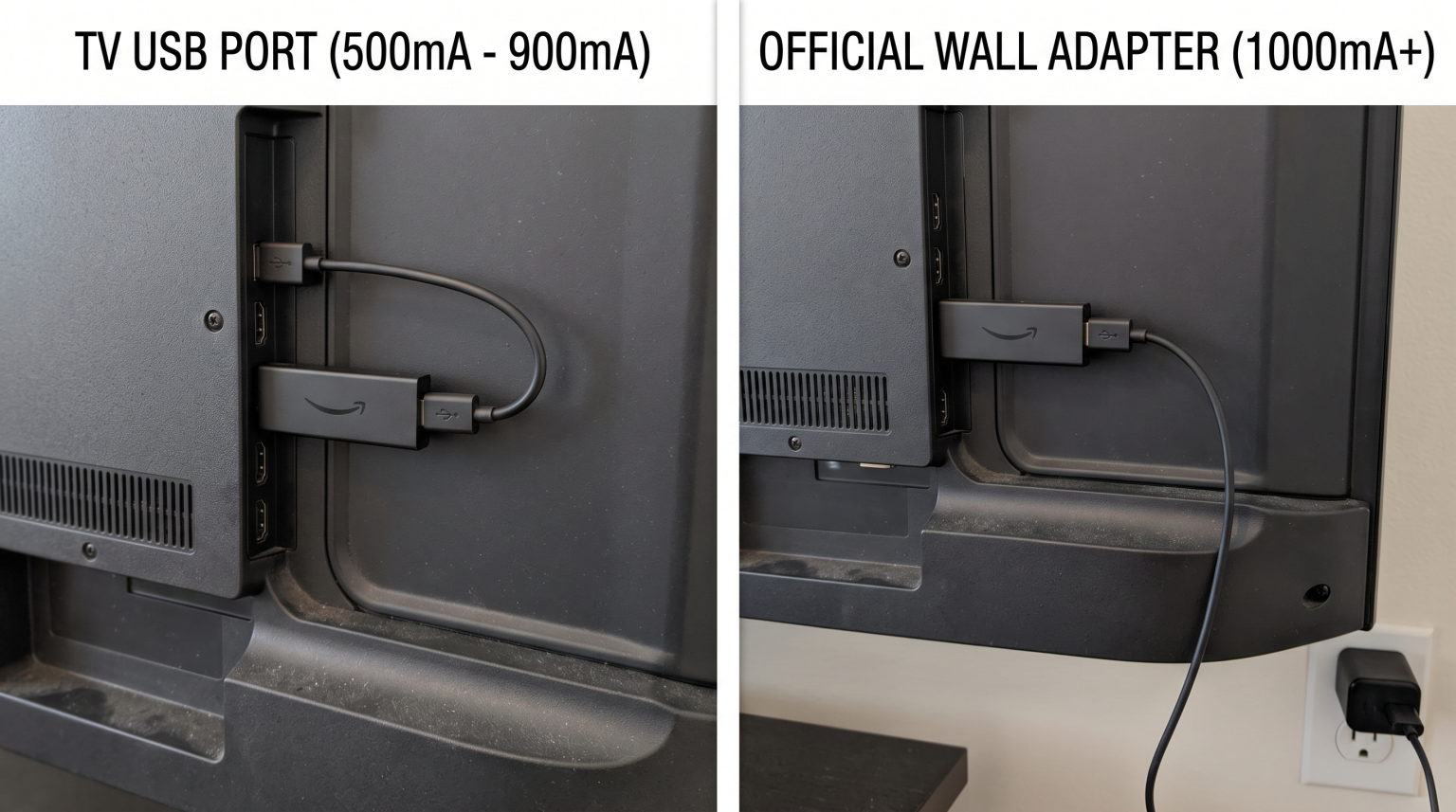
Most standard television USB ports provide 500mA of electrical power. A standard Fire TV Stick requires 1000mA (1A) for stable operation. A Fire TV Stick 4K requires even more power. If you use a standard television USB port, the device may restart constantly. For the best performance, you should use the official wall adapter. If you must use a USB port, you should purchase a specialized USB power booster cable.
Understanding Television USB Power Output
To understand if you can power Fire TV Stick from USB, you must look at the USB specifications of your television.
Televisions usually have two types of USB ports:
USB 2.0 Ports: These are the most common ports. They usually have a black inner plastic piece. A standard USB 2.0 port provides a maximum of 500mA (0.5A) of power.
USB 3.0 Ports: These ports are faster. They usually have a blue inner plastic piece. A standard USB 3.0 port provides a maximum of 900mA (0.9A) of power.
You can often find the power output written next to the USB port on the back of the television. For example, the text might say “USB 5V 0.5A” or “USB 5V 1A”. If your television port says “5V 1A”, it has a better chance of powering a basic Fire TV Stick.
If you want to read more about different television hardware, you can read our guide comparing the Los mejores televisores inteligentes para IPTV en 2026: comparación entre Samsung, Sony, LG y TCL.
Power Requirements for Fire TV Stick Models
Different Fire TV Stick models require different amounts of power. The processor speed and the video resolution affect the power demand.
Fire TV Stick Lite: This model requires the least amount of power. It can sometimes work on a 500mA television port, but this is not guaranteed.
Fire TV Stick (Standard): This model works best with a 1000mA (1A) power supply.
Fire TV Stick 4K and 4K Max: These models require significantly more power. They process high-resolution video and use advanced Wi-Fi connections. You should provide at least 1000mA (1A) to 1500mA (1.5A) of power.
Amazon includes a 5-watt (1A) wall adapter in the box with standard models. Amazon includes a more powerful wall adapter with 4K models. This shows that the manufacturer does not expect a standard television USB port to provide enough power.
Symptoms of Low Power on Fire TV Stick
If you try to power Fire TV Stick from USB and the port does not provide enough power, you will see performance problems.
The Fire TV Stick will not explode, but it will fail to operate correctly. Look for these common symptoms:
On-Screen Warning: The Fire TV Stick may show a warning message on the television screen. The message usually says: “Insufficient USB power detected. Use the original power cable and plug into an outlet.”
Constant Restarts (Boot Loops): The Fire TV Stick may restart repeatedly. This happens because the device tries to load the operating system, demands more power, fails to receive the power, and shuts down safely.
Optimization Screen: The screen may show the message “Optimizing system storage and applications” every time you turn on the television.
Wi-Fi Disconnections: The internal Wi-Fi antenna requires a lot of power. If power is low, the Fire TV Stick will disconnect from your Wi-Fi router to save energy.
Comparison: TV USB Port vs. Wall Adapter
This table shows the differences between using a television USB port and the official wall adapter.
| Característica | Television USB 2.0 Port | Television USB 3.0 Port | Official Wall Adapter |
| Power output | 500mA (0.5A) | 900mA (0.9A) | 1000mA (1.0A) or higher |
| Cable management | Excellent (no visible wires) | Excellent (no visible wires) | Poor (requires wall socket) |
| System stability | Bajo | Medio | Alto |
| 4K streaming support | Pobre | Medio | Excelente |
| Device lifespan | May cause software errors | Usually safe | Optimal |
How to Power Fire TV Stick from USB Safely
If you do not have an electrical socket near your television, you still have one safe option to power Fire TV Stick from USB.
You can purchase a “USB power booster cable” or a “USB power cable with battery storage”. Mission Cables is a popular brand that makes these products.
These specialized cables contain a small internal battery. The cable connects to the television USB port. The television slowly charges the internal battery in the cable. When the Fire TV Stick requires extra power for heavy tasks (such as starting up or loading a 4K video), the cable battery provides the extra power. This prevents the Fire TV Stick from restarting.
IPTV Performance and Fire TV Stick Power
Using an IPTV service requires consistent processing power. If you use TV Shadow IPTV on a Fire TV Stick, the power supply is very important.
IPTV applications must download large amounts of data continuously. The application must also download the Electronic Program Guide (EPG). The EPG is a large text database containing television schedules.
If the Fire TV Stick does not receive enough power, the processor will slow down. You will experience the following IPTV problems:
The Electronic Program Guide (EPG) will fail to load or update.
The IPTV application will freeze when you change channels.
The video stream will pause or buffer because the Wi-Fi antenna loses power.
If you experience bad video quality, power might be the problem. You can learn more about video quality in our guide explaining ¿Por qué se ve borrosa la IPTV en un televisor 4K nuevo?.
Live Football Streaming on Fire TV Stick
Live sports streaming demands the highest performance from your hardware. Live football features fast camera movements and high framerates.
When you watch live football on TV Shadow IPTV, the Fire TV Stick processor must decode the video instantly. This process consumes the maximum amount of electrical power. If you try to power Fire TV Stick from USB during a football match, the television port may fail to provide enough electricity.
When the power drops during live football, the video will stutter. The motion will look unnatural. The Wi-Fi connection may drop exactly when a player scores a goal. To prevent this, you should always use the wall adapter when watching live sports.
If you want to improve your live sports experience further, you should also consider your television hardware. Read our article comparing Televisores de 60 Hz frente a 120 Hz para ver el fútbol en directo.
Conclusión
You can power Fire TV Stick from USB, but it is rarely the best choice for system stability. Most television USB ports simply do not provide enough electrical current to support modern streaming devices.
If you use a basic Fire TV Stick and have a powerful USB 3.0 port, it might work normally. However, if you use a Fire TV Stick 4K, or if you watch high-demand content like TV Shadow IPTV and live football, you need maximum power stability.
For the best experience, fewer software crashes, and stronger Wi-Fi performance, you should use the official power adapter connected directly to a wall socket. If you strictly need to hide cables, invest in a specialized USB power booster cable with internal battery storage.
Preguntas frecuentes
Can a low power supply damage the Fire TV Stick?
Usually, low power will not cause physical hardware damage. However, sudden power losses can corrupt the operating system software. If the software becomes corrupted, you must perform a factory reset.
Why does my Fire TV Stick restart constantly?
Constant restarts are the primary symptom of low electrical power. The device attempts to perform a task, fails to draw enough electricity from the USB port, and automatically restarts to protect itself.
Which TV USB port should I use for a Fire TV Stick?
If you must use a television USB port, look for a port labeled “USB 3.0”, “HDD”, or “5V 1A”. These ports provide more electrical current than standard USB 2.0 ports.
Does the Fire TV Stick 4K Max require more power?
Yes. The Fire TV Stick 4K Max has a faster processor and a more powerful Wi-Fi antenna (Wi-Fi 6 or Wi-Fi 6E). It demands more electrical current than the standard Fire TV Stick. You should always use the official wall adapter for 4K models.
Is it better to leave the Fire TV Stick plugged in?
Yes. When you use the official wall adapter, the Fire TV Stick remains in “Sleep Mode” when you turn off the television. In Sleep Mode, the device downloads software updates automatically. If you power the device from the television USB port, the device loses power completely when you turn off the television.