
On October 27, 2026, Tele2 implemented a major update to the Tele2 Play streaming platform. Many users noticed that specific premium sports channels disappeared from the Tele2 Play application.
This change affects users who watch live sports using the Tele2 Play application on mobile phones, tablets, computers, and Smart TVs.
However, customers who pay for these sports channels do not lose access to the sports content. The channels remain available through alternative viewing methods. Customers must now use different hardware or a different application to watch the premium sports broadcasts.
This guide explains why the Tele2 Play Viaplay channels are missing. This guide also explains exactly how you can continue watching your sports content on your television or mobile device.
Réponse rapide
Are you searching for why the Tele2 Play Viaplay channels are missing?
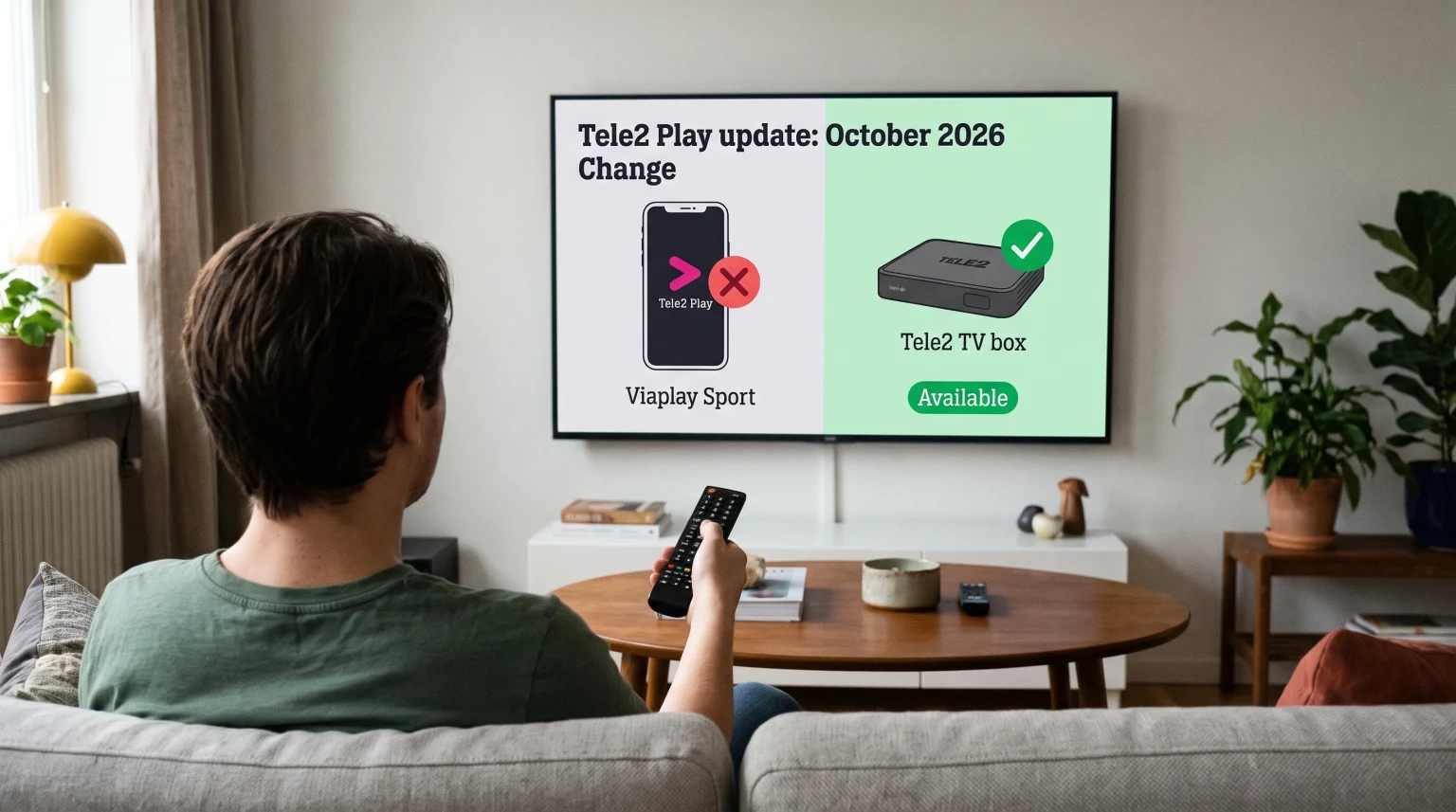
On October 27, 2026, Tele2 removed seven premium Viaplay sport channels from the Tele2 Play streaming application. Tele2 made this change because of broadcasting rights limitations.
However, your subscription remains active. You can still watch the missing Viaplay channels by using a physical Tele2 TV box, such as the Tele2 Tv Hub. Alternatively, you can download the official Viaplay application and log in using your Tele2 customer details. The Viaplay application is available for most modern Smart TVs, including Samsung, LG, and Sony models.
Which Viaplay Channels Are Missing?
The October 2026 update specifically affects the premium sports channels from Viaplay. General entertainment channels and basic channels remain inside the Tele2 Play application.
The following seven channels are no longer available inside the Tele2 Play application:
Viaplay Sport 1 HD
Viaplay Sport Extra HD
Viaplay Sport Fotboll HD
Viaplay Sport Golf HD
Viaplay Sport Motor HD
Viaplay Sport Premium HD
Viaplay Sport Vinter HD
If you search for these specific channels inside the Tele2 Play application on your Smart TV or smartphone, the application will not display the channels.
Why Are the Channels Removed From the Tele2 Play App?
Tele2 removed the Viaplay premium sports channels because of digital broadcasting rights.
Television networks and sports organizations sign strict contracts regarding how streaming platforms can distribute live sports content. These digital rights dictate which applications are allowed to broadcast specific football matches, motor racing events, and winter sports.
Because of these rights limitations, Tele2 can no longer broadcast the seven premium sports channels through the digital Tele2 Play streaming platform.
This limitation only applies to the digital streaming platform. The physical television broadcast rights remain unchanged.
How to Watch the Missing Viaplay Channels Now
If you have a Tele2 subscription that includes the Viaplay premium sports channels, you have two primary methods to continue watching the channels.
Option 1: Use a Physical Tele2 TV Box
The broadcasting rights limitation only affects the Tele2 Play streaming application. The limitation does not affect physical cable boxes or physical digital receivers.
You can watch all seven missing Viaplay channels if you use one of these devices:
Tele2 Tv Hub
Tele2 Tv Hub 2
Tele2 Tv Hub Mini
Compatible Arris television box
Traditional program card module
You do not need to change any settings on your physical television box. You only need to use the television remote control to select the correct channel number in your traditional channel list.
Option 2: Use the Official Viaplay Application
If you prefer to stream content without a physical television box, you must use the official Viaplay application.
You can download the official Viaplay application on your Smart TV, smartphone, or tablet.
Because you already pay for the channels through your Tele2 subscription, you do not need to pay Viaplay for a second subscription. You must connect your Tele2 account to Viaplay.
Follow these steps to connect your accounts:
Open a web browser on your computer or smartphone.
Go to the official Viaplay activation webpage for partner customers.
Select “Tele2” as your television provider.
Enter your Tele2 customer details to verify your subscription.
Create a Viaplay login or use an existing Viaplay login.
Open the Viaplay application on your television.
Log in using your Viaplay account details.
After you complete these steps, you can stream the premium sports channels directly inside the Viaplay application.
Comparison: Tele2 Play App vs Viaplay App vs TV Box
This comparison table explains the differences between the three viewing methods.
| Fonctionnalité | Tele2 Play Application | Viaplay Application | Tele2 TV Box |
| Viaplay Sport Channels | No longer available | Disponible | Disponible |
| Configuration matérielle requise | Smart TV, phone, tablet, computer | Smart TV, phone, tablet, computer | Physical television box |
| Login method | Tele2 Play account | Viaplay account (linked to Tele2) | Physical connection or card |
| Recording function | Yes, for standard channels | No, the application uses an internal video archive | Yes, depending on the box model |
| Internet connection | Required | Required | Required for Hub models |
Smart TV Operating Systems and App Availability
If you choose to use the official Viaplay application, you must download the application from your television’s application store.
Different television manufacturers use different operating systems. The installation process depends on which television brand you own. If you are comparing new televisions, our guide to Les meilleurs téléviseurs connectés pour l'IPTV en 2026 : comparaison entre Samsung, Sony, LG et TCL provides a detailed overview of television brands.
Samsung Tizen
Samsung televisions use the Tizen operating system. Samsung Tizen does not support Google Play applications. However, Samsung has an official partnership with Viaplay. You can find the Viaplay application directly inside the Samsung App Store. Samsung Tizen is a closed operating system, meaning you cannot easily install unapproved third-party applications.
Sony Google TV
Modern Sony BRAVIA televisions use the Google TV operating system. Google TV includes the official Google Play Store. You can search for the Viaplay application in the Google Play Store and install the application easily. Google TV provides excellent compatibility for streaming applications.
LG webOS
LG televisions use the webOS operating system. Similar to Samsung Tizen, LG webOS is a closed operating system. You must use the LG Content Store to download applications. The official Viaplay application is available in the LG Content Store for European users.
For users who want to understand the technical differences between these operating systems, you can read our detailed comparison of Samsung Tizen ou Sony BRAVIA Google TV : lequel est le meilleur pour l'IPTV en 2026 ?.
Compatibilité IPTV et TV Shadow IPTV
Many users watch international sports and entertainment using IPTV (Internet Protocol Television) services.
An IPTV service delivers live television channels over the internet. To use an IPTV service, you need an IPTV player application. Popular IPTV player applications accept an M3U playlist file or Xtream Codes login details.
TV Shadow IPTV is an independent IPTV service. TV Shadow IPTV is not affiliated with Tele2, Viaplay, Samsung, Sony, or LG.
If you use TV Shadow IPTV, you must install a compatible IPTV player application on your television.
The availability of IPTV player applications depends on your television’s operating system:
Google TV and Android TV: These systems offer the widest selection of IPTV player applications. You can download applications directly from the Google Play Store.
Samsung Tizen : The Samsung App Store offers several popular IPTV player applications. However, Samsung sometimes removes specific IPTV applications without warning.
LG webOS : The LG Content Store also includes reliable IPTV player applications, but the selection is smaller than the Google Play Store selection.
Lorsque vous utilisez TV Shadow IPTV, a wired Ethernet internet connection provides the best stability for streaming live television channels.
Watching Live Football on Smart TVs
Sports channels require excellent picture processing because cameras pan quickly across the football pitch. If your television has poor motion handling, the football or the players may look blurry during fast movements.
When you stream live football through the Viaplay application or an IPTV application, the picture quality depends on several hardware factors.
Traitement des mouvements et fréquence de rafraîchissement
The television refresh rate indicates how many times the screen updates the picture every second. A 60Hz television updates 60 times per second. A 120Hz television updates 120 times per second.
A 120Hz television generally provides smoother motion handling for fast sports broadcasts. The football will travel across the screen with less motion blur. You can learn more by reading our guide about Téléviseurs 60 Hz ou 120 Hz pour le football en direct.
Internet Connection Quality
Streaming high-definition live sports requires a stable internet connection. Live football broadcasts demand continuous data.
If possible, connect your Smart TV directly to your internet router using an Ethernet cable. An Ethernet cable provides a constant data stream. A Wi-Fi connection can suffer from wireless interference, which causes the broadcast to pause or lower the picture resolution automatically.
Picture Settings
Most Smart TVs include a specific “Sports Mode” in the picture settings menu. Sports Mode usually increases the screen brightness and saturates the green colors of the grass. However, Sports Mode can sometimes make the picture look artificial. You may achieve a better picture by selecting the “Standard” or “Movie” picture mode and manually adjusting the motion smoothing settings.
Conclusion
The October 2026 update caused confusion when the Viaplay premium sports channels disappeared from the Tele2 Play application. Fortunately, customers have not lost their sports content.
If you encounter the Tele2 Play Viaplay channels missing problem, the solution is simple. You can continue to watch your favorite sports by using a physical Tele2 television box. If you prefer to stream content without a physical box, you can download the official Viaplay application on your Smart TV or mobile device and log in using your Tele2 subscription credentials. Both Samsung Tizen and Google TV provide easy access to the necessary Viaplay application.
Foire aux questions (FAQ)
1. Why are the Tele2 Play Viaplay channels missing?
Tele2 removed seven premium Viaplay sports channels from the Tele2 Play application on October 27, 2026. Tele2 removed the channels because digital broadcasting rights limit how Tele2 can distribute the sports content online.
2. Do I need to pay extra money to watch the missing channels?
No. If your current Tele2 television subscription includes the Viaplay premium sports channels, you do not need to pay extra money. You only need to change how you watch the channels.
3. Can I still watch the channels on my television?
Yes. You can watch the missing channels using a physical Tele2 Tv Hub box. You can also watch the missing channels by downloading the official Viaplay application on your Smart TV.