
Many users want to know if the Apple TV 4K is a good device for IPTV streaming. Specifically, users ask about compatibility with common playlist formats. This article answers the question: does Apple TV 4K support M3U and Xtream Codes? We explain how tvOS handles IPTV applications, which streaming applications are available, and how the Apple TV 4K performs for live football. This guide will help you understand the technical capabilities of the Apple TV 4K and compare it to alternatives like Google TV.
Snel antwoord
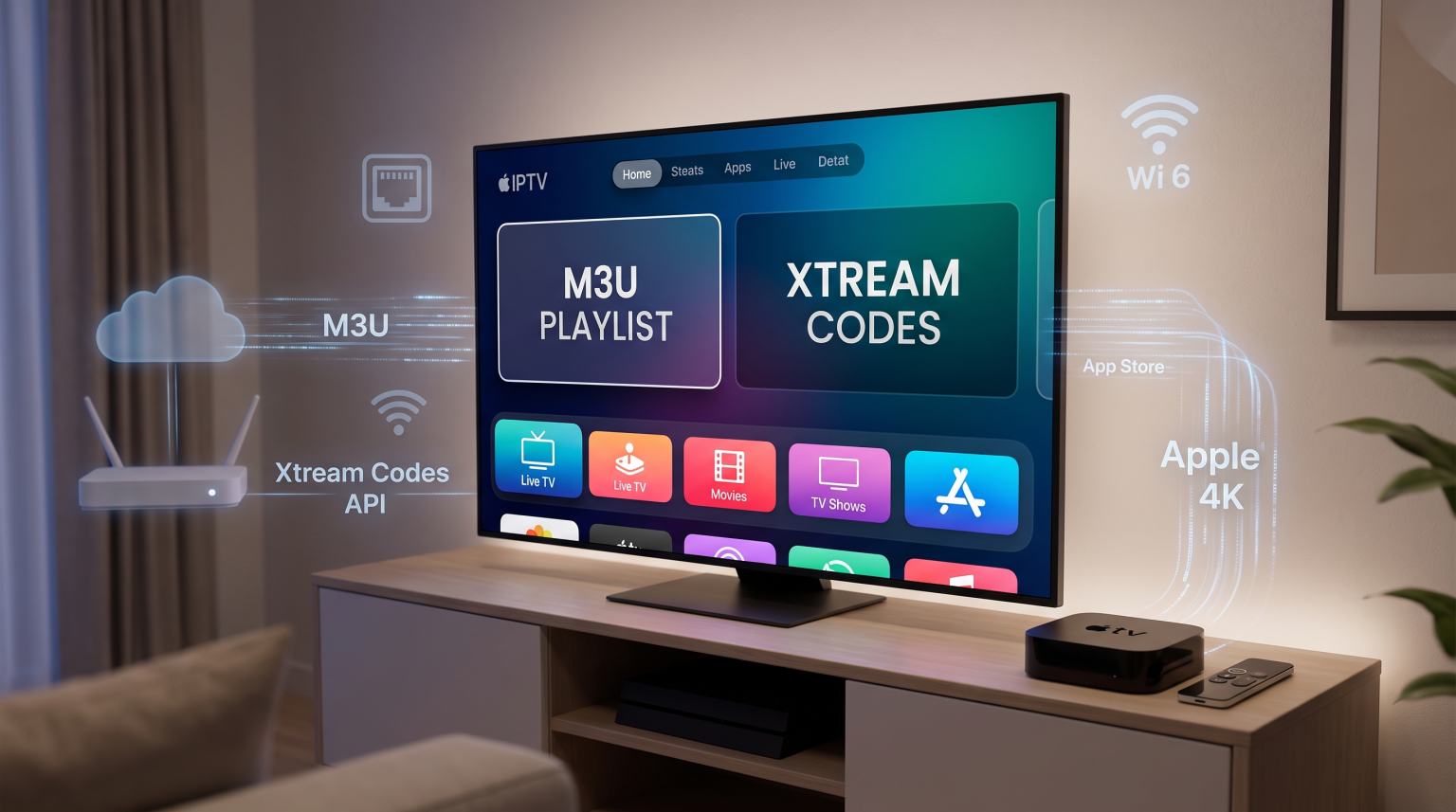
Yes, the Apple TV 4K supports M3U playlists and Xtream Codes API. However, Apple tvOS does not have native IPTV support built into the operating system. You must download a third-party IPTV application from the Apple App Store. Many excellent applications, such as UHF, iPlayTV, and IPTV Smarters Player Expert, are available for Apple TV. The Apple TV 4K is highly suitable for users who want premium hardware and a fast interface. However, users who want to sideload unverified applications from outside the official store may prefer an Android TV or Google TV device.
How Apple TV 4K Works with IPTV
The Apple TV 4K runs on the tvOS operating system. This system is closed. This means you cannot easily install applications from outside the official Apple App Store. This installation process is called sideloading. Sideloading is very simple on Android TV devices, but it is difficult on Apple TV.
Fortunately, you do not need to sideload applications to watch IPTV on Apple TV. The official Apple App Store contains many high-quality IPTV applications. These applications act as media players. They do not contain content themselves. You must provide your own playlist to watch television.
Understanding M3U and Xtream Codes Compatibility
When you use an IPTV service, you usually receive a playlist format. The two most common formats are M3U and Xtream Codes API.
M3U: This is a text-based file or URL. It contains a list of media links. Apple TV IPTV applications download this list and display the channels.
Xtream Codes API: This is a login system. You enter a server URL, a username, and a password. The application connects to the server and organizes the live TV, movies, and series.
Almost all premium IPTV applications on the Apple TV support both M3U and Xtream Codes API. Xtream Codes API is usually faster and provides a better Electronic Program Guide (EPG).
Best IPTV Applications for Apple TV 4K
If you want to use Apple TV M3U Xtream Codes integration, you must choose a good player. The Apple App Store offers several excellent options.
UHF: UHF is a modern IPTV player for tvOS. It supports M3U, Xtream Codes, and local network files. The interface is clean and works well with the Apple TV remote.
iPlayTV: iPlayTV is a dedicated Apple TV application. It organizes live television, video on demand, and TV series into separate categories. It fully supports Xtream Codes API and M3U playlists.
IPTV Smarters Player Expert: This application is available across many platforms. The Apple TV version allows you to log in using Xtream Codes API easily. It includes a built-in EPG and a multi-screen function.
GSE Slimme IPTV: GSE is an older but reliable application. It supports many playlist formats, including M3U URLs.
These applications regularly receive software updates through the App Store.
Apple TV 4K tvOS vs Android TV for IPTV
Many users compare the Apple TV 4K to Android TV devices like the NVIDIA Shield or Chromecast with Google TV. Both platforms are excellent for IPTV, but they have different strengths. If you are researching televisions, our guide to Het beste besturingssysteem voor smart-tv's voor IPTV in 2026 explains the differences between Tizen, Google TV and webOS.
Comparison Table
| Functie | Apple TV 4K (tvOS) | Android TV / Google TV |
| Besturingssysteem | tvOS | Android TV / Google TV |
| App Store | Apple App Store | Google Play Store |
| Sideloading apps | Very difficult | Very easy |
| M3U support | Yes (via apps) | Yes (via apps) |
| Xtream Codes support | Yes (via apps) | Yes (via apps) |
| Hardware performance | Very high | Varies by device |
| Interface speed | Very fast | Good to very fast |
The Apple TV 4K provides a smoother interface and a more powerful processor. Android TV provides more freedom to install applications from outside the official store. For example, popular applications like TiviMate are only available on Android TV. If you prefer Android TV applications, you might also consider a Sony television. Read Is Sony BRAVIA Good for IPTV in 2026? for more information.
Apple TV 4K Performance for Live Football
The Apple TV 4K is one of the best devices for watching live football and other sports. Live football requires excellent motion handling and high processing speed.
Motion Handling and Match Frame Rate
Football broadcasts usually transmit at 50 frames per second (fps) in Europe or 60 fps in North America. The Apple TV 4K includes a feature called “Match Frame Rate”. When you enable this feature, the Apple TV adjusts its output refresh rate to match the original video stream. This prevents motion judder and makes the football look smooth. Many IPTV applications on tvOS support this feature. If you want a television that handles motion well, you should understand television refresh rates. Our article about Een tv van 60 Hz versus een tv van 120 Hz voor live voetbal explains this in detail.
Ethernet vs Wi-Fi Connection
For the best live football experience, network stability is critical. The premium version of the Apple TV 4K includes a Gigabit Ethernet port. Connecting your Apple TV directly to your internet router with an Ethernet cable will reduce video buffering. If you must use Wi-Fi, the Apple TV 4K supports Wi-Fi 6. Wi-Fi 6 provides a fast wireless connection if your router also supports Wi-Fi 6.
4K Upscaling
When you stream a standard HD football match, the Apple TV 4K uses its powerful processor to upscale the image to 4K resolution. The Apple TV processor is often better at upscaling than standard Smart TV processors. This results in a sharper and cleaner image on your television screen. If you experience poor image quality, our guide explaining Waarom ziet IPTV er wazig uit op een nieuwe 4K-tv? offers troubleshooting steps.
TV Shadow IPTV Compatibility
TV Shadow IPTV provides high-quality streaming options. Our service is fully compatible with the Apple TV 4K when you use a compatible third-party application. You can connect to TV Shadow IPTV using either an M3U URL or our Xtream Codes API credentials. We recommend using the Xtream Codes API method for the fastest setup and the best Electronic Program Guide synchronization on your Apple TV.
Conclusie
The Apple TV 4K is an outstanding device for streaming. It fully supports the Apple TV M3U Xtream Codes setup through third-party applications from the App Store. The hardware is very powerful, making it excellent for fast channel switching and smooth live football playback. While you cannot use Android applications like TiviMate, tvOS offers fantastic alternatives like UHF and iPlayTV. For users who value speed, privacy, and premium hardware, the Apple TV 4K is a perfect match for TV Shadow IPTV services.