
Finding the best budget Smart TV for IPTV in 2026 requires understanding how different television operating systems work. Many modern budget televisions offer excellent 4K picture quality, but their compatibility with IPTV-toepassingen varies significantly. When you buy a budget television from brands such as Samsung, LG, Sony, TCL, or Hisense, the internal software dictates which IPTV players you can install.
Some Smart TV platforms restrict third-party application installation, while others provide open access to thousands of streaming tools. Your experience with EPG (Electronic Program Guide) loading times, channel switching speed, and live football motion handling depends on both the television hardware and the software.
This guide explains how to choose the right budget Smart TV for your specific IPTV needs, comparing popular operating systems and essential hardware features.
Snel antwoord
The best budget Smart TV for IPTV depends on your software preference. A television with Google TV or Android TV (such as TCL or Hisense) offers the widest selection of IPTV applications through the Google Play Store. These televisions allow easy installation of third-party APK files. Samsung and LG budget televisions provide excellent picture quality and user-friendly interfaces, but their closed operating systems (Tizen and webOS) restrict application choices to their official app stores. For maximum IPTV compatibility on a budget, Google TV models are usually the most flexible choice.
Smart TV Operating Systems and IPTV App Availability
The most important feature for IPTV is the television operating system. The operating system controls the app store and determines which IPTV players are available.
Google TV and Android TV
Brands such as TCL, Hisense, and Sony use Google TV. This system includes the Google Play Store, which offers a massive selection of IPTV applications. You can easily find apps that support M3U playlists and Xtream Codes. Google TV also allows users to install unofficial applications via APK files. This makes Google TV highly flexible for IPTV users.
Samsung Tizen
Samsung uses the Tizen operating system. Tizen does not support Android applications from Google Play. You must use the official Samsung app store. While the Samsung store includes several popular IPTV players, the total number of options is smaller than on Google TV. Tizen is very fast and stable, but it limits your ability to try new or customized IPTV software.
LG webOS
LG televisions run on webOS. Similar to Samsung Tizen, webOS is a closed operating system. You cannot install Android APK files on an LG television. The LG Content Store provides good, reliable IPTV players, but the selection is limited. Samsung versus LG Smart TV voor IPTV: Tizen versus webOS
Roku TV and Amazon Fire TV
Some budget televisions use Roku TV or Amazon Fire TV built-in software. Fire TV supports Android APK files, making it a strong option for IPTV users. Roku OS is highly restricted and removes many IPTV applications from its official store. Roku is generally not recommended for advanced IPTV users.
Operating System Comparison Table
| Functie | Google TV (TCL, Hisense, Sony) | Samsung Tizen | LG webOS |
| App Store | Google Play Store | Samsung Apps | LG Content Store |
| Ondersteuning voor Android-apps | Ja | Nee | Nee |
| Manual APK installation | Ja | Nee | Nee |
| Beschikbaarheid van IPTV-apps | Very high | Matig | Matig |
| System flexibility | Hoog | Laag | Laag |
Essential Hardware Features for IPTV
Network Connection: Wi-Fi vs Ethernet
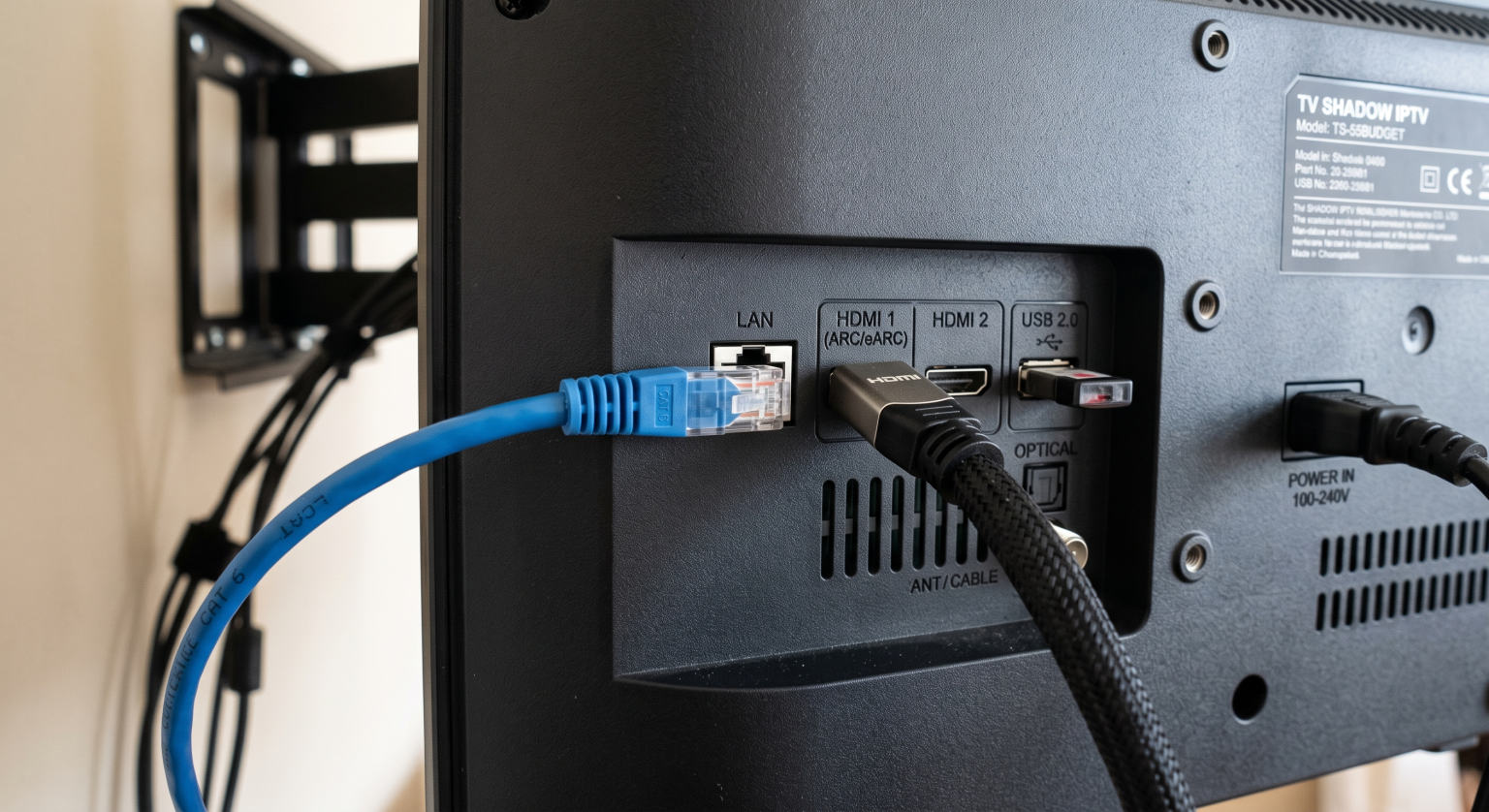
IPTV requires a stable internet connection. Most budget televisions support Wi-Fi 5 or Wi-Fi 6. However, a wired Ethernet connection is always better for IPTV stability. When choosing a budget television, check if the device has a built-in Ethernet port on the back. A wired connection prevents buffering and video freezing during high-traffic streaming hours.
Processing Power and Interface Speed
Budget televisions often use cheaper internal processors. The processor handles tasks such as opening the app, loading the M3U playlist, and updating the EPG. If a television has a weak processor, scrolling through thousands of channels will feel slow. Google TV models from TCL and Hisense in 2026 generally offer smooth navigation, while Samsung and LG base models provide highly optimized menus that require less processing power.
Remote Control Usability
A good remote control improves the IPTV experience. You need easy access to the directional buttons and a fast way to type search terms. Samsung often includes a minimalist remote control with very few buttons. This can make typing URLs or passwords difficult. LG offers the Magic Remote, which uses an on-screen pointer for fast typing. Google TV remotes usually feature a standard number pad and voice search.
Watching Live Football on a Budget Smart TV
Sports fans must consider motion handling when buying a budget television. Live football involves fast camera movements and small details, such as the football moving across the screen.
60Hz vs 120Hz Refresh Rate
Most budget televisions have a 60Hz refresh rate. This means the screen updates 60 times per second. A 60Hz screen is adequate for general television watching and movies. However, a 120Hz television handles fast sports motion much better. In 2026, a few budget models from TCL and Hisense offer 120Hz or 144Hz panels. If live football is your priority, look for an affordable 120Hz television. Een tv van 60 Hz versus een tv van 120 Hz voor live voetbal
Beeldverwerking en opschaling
Many IPTV channels broadcast in 720p or 1080p resolution. Your 4K television must use software to upscale this lower-resolution image to fit the 4K screen. Budget televisions from Samsung and LG generally feature better upscaling software than cheaper alternative brands. Good upscaling prevents live football from looking blurry or pixelated.
IPTV Compatibility Limitations
It is important to understand that no single television manufacturer guarantees perfect IPTV compatibility. Smart TV operating systems frequently update, and app-store policies change depending on your country.
An IPTV app available on a Samsung television in Germany might not be available on a Samsung television in the United Kingdom. Additionally, older television models may lose software support over time.
While TV Shadow IPTV provides high-quality streaming services, the performance depends heavily on your television’s hardware, your chosen IPTV player application, and your internet connection. We recommend using applications that support Xtream Codes API for the fastest EPG loading times on budget televisions.
Comparing Popular Budget Brands in 2026
TCL and Hisense (Google TV)
TCL and Hisense provide excellent value for money. Their budget models frequently include features usually found on expensive televisions, such as Mini-LED backlighting and high refresh rates. Because they use Google TV, they are ideal for IPTV users who want to try multiple different player applications.
Samsung (Crystal UHD Series)
Samsung’s budget line, such as the Crystal UHD series, offers vibrant colors and reliable upscaling. The Tizen operating system is simple to use. Samsung Tizen may be suitable for users who prefer a clean, fast interface and only need one or two basic IPTV applications. Is Samsung Tizen geschikt voor IPTV in 2026?
LG (UHD and UR Series)
LG budget televisions offer wide viewing angles and the popular webOS interface. The LG Magic Remote is excellent for navigating IPTV menus. LG webOS may be more suitable for users who want deep integration with smart home devices and a very stable operating system, provided they accept the limited IPTV app selection in the LG Content Store.
Conclusie
Choosing the best budget Smart TV for IPTV in 2026 requires balancing hardware features and software flexibility. If you want total freedom to install any IPTV application, budget models from TCL and Hisense running Google TV are excellent choices. If you prioritize standard interface stability and out-of-the-box picture processing, budget models from Samsung and LG remain strong options, even with their closed app stores. TV Shadow IPTV works on all major platforms, but selecting a television with a fast processor and an Ethernet port will give you the best possible streaming experience.
Veelgestelde vragen (FAQ)
What is the best budget Smart TV operating system for IPTV?
Google TV is the best budget operating system for IPTV. It provides access to the Google Play Store and allows you to install third-party APK files, giving you the largest selection of IPTV applications.
Can I install Android IPTV apps on a Samsung Smart TV?
No, you cannot install Android apps on a Samsung Smart TV. Samsung uses the Tizen operating system, which is incompatible with Android APK files. You must use the apps available in the official Samsung app store.
Do I need a 4K television for IPTV?
Yes, a 4K television is highly recommended. Even if your IPTV service broadcasts mostly in 1080p, modern 4K televisions use upscaling technology to improve the picture quality. 4K televisions are now the standard budget option.
Why does live football look blurry on my budget TV?
Live football can look blurry if the television has poor motion handling or a weak upscaling processor. A television with a 60Hz refresh rate may struggle with fast camera panning compared to a 120Hz model.
Is a wired internet connection better for IPTV?
Yes, a wired Ethernet connection is significantly better than Wi-Fi. An Ethernet cable provides a stable, consistent data stream, which prevents video buffering and freezing during live broadcasts.
Does Roku TV support IPTV applications?
Roku TV is generally poor for IPTV. The Roku operating system is highly restricted, and the company frequently removes IPTV players from its official store. Android-based televisions offer a much better experience.