
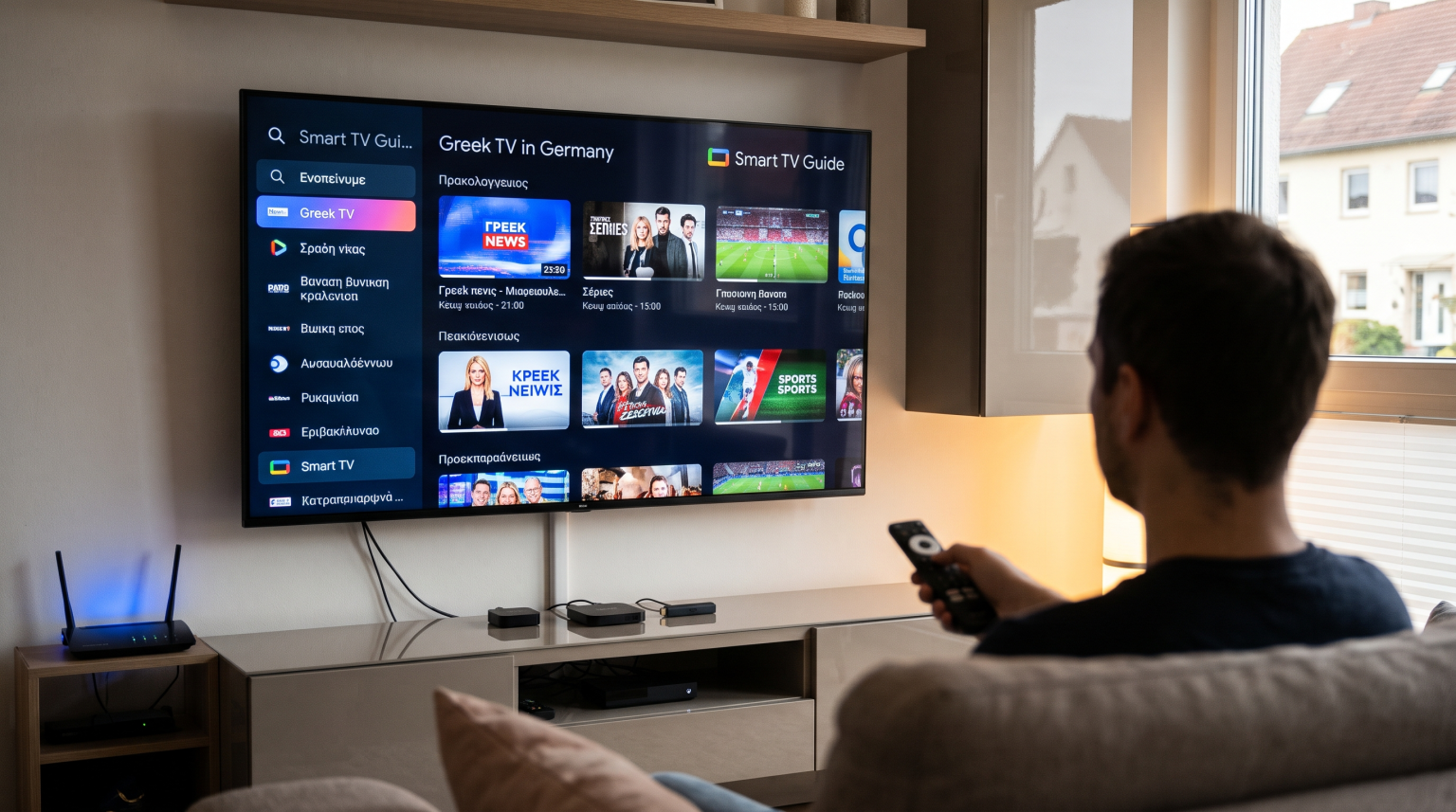
Watching Greek TV in Germany is possible on most modern Smart TVs and streaming devices. Many viewers in Germany want to watch Greek news, series, films, and live sports on a large television screen. However, watching Greek television outside Greece comes with technical and regional challenges. Some Greek streaming applications are restricted to viewers inside Greece. Other applications are not available in German Smart TV app stores.
This guide explains how to watch Greek TV in Germany in 2026. You will learn about official Greek streaming platforms, Smart TV operating systems, and Internet Protocol Television (IPTV) compatibility. You will also learn how to set up your home network for stable high-definition (HD) and 4K streaming.
Snel antwoord
To watch Greek TV in Germany, viewers have three main options: official Greek streaming apps, external streaming devices, or IPTV player applications. Official platforms such as ERTFLIX and ANT1+ work well for viewers who want legal public or private Greek broadcasts, though some content has geographical restrictions. Smart TVs with Google TV offer the widest selection of streaming and IPTV apps. Samsung Tizen and LG webOS Smart TVs are also suitable, but app availability depends on the country, TV model, and operating-system version.
Official Greek Streaming Platforms Available in Germany
Several Greek broadcasters offer official streaming platforms for television and mobile devices. Availability in Germany depends on broadcasting rights and geographical restrictions.
ERTFLIX and ERT World
ERTFLIX is the official digital streaming platform of the Hellenic Broadcasting Corporation (ERT). ERTFLIX provides live streams of Greek public channels, including ERT1, ERT2, and ERT3, as well as on-demand movies, series, and documentaries. ERTFLIX is free to use. However, ERTFLIX applies geographical restrictions to certain international films, series, and live sports events when accessed from Germany. ERT World is the international channel of ERT and is designed specifically for Greek viewers living abroad.
ANT1+ and Private Greek Channels
ANT1+ is the streaming service of the Greek television network Antenna TV. ANT1+ offers Greek series, entertainment shows, and live programming. ANT1+ provides subscription plans for both Greece and international viewers. Other private Greek broadcasters, such as MEGA TV and SKAI, also offer live news and classic archives through their websites or official YouTube channels. Many live entertainment programs and sports broadcasts on private channels remain restricted to viewers inside Greece.
App Store Region Limitations in Germany
When you buy a Smart TV in Germany, the television is usually configured for the German app store. Many official Greek television apps do not appear in the German app store on Samsung, LG, or Sony televisions. App availability depends on the country, TV model, model year, operating-system version, and app-store policy. If an official Greek app is missing from your Smart TV, an external streaming device often provides a practical alternative.
Smart TV Operating Systems for Greek TV in Germany
The operating system of your Smart TV determines which apps you can install and how easily you can navigate Greek channels. The three most common Smart TV operating systems in Germany are Samsung Tizen, LG webOS, and Google TV.
Samsung Tizen
Samsung Smart TVs use the Tizen operating system. Samsung Tizen has a fast interface and a simple menu bar at the bottom of the screen. Samsung Tizen does not support Android applications from the Google Play Store. Instead, users install apps from the Samsung App Store. Official international apps like YouTube and local German services such as Zattoo are available on Samsung Tizen. Several IPTV player apps are also available on Samsung Tizen, although the exact selection depends on the TV model year and country.
LG webOS
LG Smart TVs use the webOS operating system. LG webOS is known for its clean layout and the LG Magic Remote, which allows point-and-click navigation on the screen. Like Samsung Tizen, LG webOS does not support Android apps from Google Play. Users download applications from the LG Content Store. App availability for Greek channels and IPTV players on LG webOS depends on the region settings and the webOS version.
Google TV en Android TV
Televisions from Sony BRAVIA, TCL, Philips, and Hisense often use Google TV or Android TV. Google TV uses the Google Play Store. Because Google Play has a large library of television applications, Google TV generally offers more options for Greek streaming apps and IPTV players than Samsung Tizen or LG webOS. Google TV also makes it easier to use built-in Google Cast to send video from a smartphone or laptop directly to the television.
If you are deciding between television platforms, our comparison of Het beste besturingssysteem voor smart-tv’s voor IPTV in 2026: Tizen vs Google TV vs webOS explains the technical differences between Tizen, Google TV, and webOS.
Comparison of Smart TV Operating Systems
| Functie | Samsung Tizen | LG webOS | Google TV |
| Besturingssysteem | Tizen | webOS | Google TV |
| App Store | Samsung App Store | LG Content Store | Google Play Store |
| Ondersteuning voor Android-apps | Geen ingebouwde ondersteuning voor Google Play | Geen ingebouwde ondersteuning voor Google Play | Native Google Play TV apps |
| Greek TV app availability | Afhankelijk van het model en het land | Afhankelijk van het model en het land | Depends on app and country |
| IPTV player availability | Limited to approved store apps | Limited to approved store apps | Wide selection of TV player apps |
| Remote navigation | Standard directional remote | Standard or Magic Remote pointer | Standard directional remote |
Samsung Tizen may be suitable for users who prefer Samsung’s Smart TV interface and want a simple setup. LG webOS may be suitable for users who prefer pointer-based remote navigation. Google TV may be more suitable for users who want access to a wider range of streaming and IPTV applications.
Using External Streaming Devices
If your Smart TV is older or does not have the Greek apps you need, you can connect an external streaming device via a High-Definition Multimedia Interface (HDMI) cable. Popular external devices in Germany include Google TV streamers, Android TV boxes, Amazon Fire TV Stick devices, and Apple TV. External streaming devices often receive software updates longer than older Smart TVs and provide faster app performance.
IPTV Compatibility for Greek TV Channels
Many viewers in Germany use IPTV player applications to organize and watch television streams on their Smart TV. IPTV stands for Internet Protocol Television, which means television content is delivered over an internet connection rather than through a satellite dish or cable network.
IPTV Players, M3U, and Xtream Codes
To watch IPTV on a Smart TV, you need an IPTV player application installed on the television or streaming box. Common IPTV players support two standard playlist formats:
M3U Playlists: An M3U file or web link contains a list of channel stream addresses.
Xtream Codes Application Programming Interface (API): Xtream Codes uses a server address, username, and password to load live channels, movies, and series automatically.
Services such as TV Shadow IPTV use standard formats like M3U and Xtream Codes so users can connect through compatible IPTV player apps. TV Shadow IPTV has no official relationship or partnership with Samsung, Sony, LG, Google, or any other television manufacturer.
Electronic Program Guide (EPG) and Remote Control Usability
An Electronic Program Guide (EPG) displays current and upcoming television programs in a grid format. EPG support is important when watching Greek TV in Germany because Greece is in the Eastern European Time (EET) zone, which is one hour ahead of Central European Time (CET) in Germany. Good IPTV player apps allow you to adjust the EPG time offset by one hour so program schedules match German local time.
Remote control usability also matters for daily viewing. On a Smart TV, a good IPTV player should let you switch Greek channels using the up and down arrow keys, open the EPG with one button, and create a favorites list for your most-watched channels.
Beperkingen van het besturingssysteem van smart-tv’s
Not every IPTV app works on every Smart TV. Samsung Tizen and LG webOS occasionally remove third-party IPTV apps from their official app stores due to policy changes. In addition, older Smart TVs may have limited internal memory, which can cause large channel playlists to load slowly. If your Smart TV struggles with large playlists or lacks your preferred IPTV player, using a dedicated Android TV or Google TV box is usually the most reliable solution.
Live Football and Sports Viewing on Smart TVs
Watching live Greek football or European sports matches in Germany puts higher demands on your television and internet connection than watching standard news or talk shows. Fast camera movement requires good motion processing and a stable video signal.
Refresh Rate and Motion Handling
A television’s refresh rate is measured in Hertz (Hz) and shows how many times the image updates per second. Most entry-level Smart TVs use a 60Hz panel, while mid-range and premium models often use a 120Hz panel. A 120Hz television with strong motion handling can reduce motion blur when the football moves quickly across the pitch. For a detailed look at how panel speed affects sports broadcasts, read our guide on Een tv van 60 Hz versus een tv van 120 Hz voor live voetbal.
Picture Processing and 4K Upscaling
Many live Greek television broadcasts are streamed in 720p or 1080p HD resolution rather than native 4K resolution. When you watch a 720p or 1080p broadcast on a modern 4K television, the TV’s processor must enlarge the image to fill the 4K screen. This process is called upscaling. Better picture processing produces sharper text, cleaner player outlines, and fewer compression artifacts during live sports. You can learn more in our article on Wat is tv-upscaling en helpt het bij IPTV?.
Picture Settings for Live Sports
Most Smart TVs include a “Sports” picture mode, but this mode often makes colors look unnatural and adds excessive artificial sharpening. For live football, use “Standard” or “Cinema” mode as a starting point. Keep motion smoothing settings on low or medium to avoid visual distortion around the moving ball. High Dynamic Range (HDR) formats such as HDR10, HDR10+, and Dolby Vision improve contrast and brightness, but only when the incoming broadcast signal actually contains HDR data.
Note: Always use legal and authorized broadcasting services for live sports. TV Shadow IPTV does not own broadcasting rights for the UEFA Champions League, the Greek Super League, or any other sports competition.
Internet Speed and Network Setup in Germany
A stable internet connection is essential for watching Greek TV in Germany without buffering or freezing.
Recommended Internet Speeds
Standard Definition (SD) and HD (720p/1080p): At least 20 Megabits per second (Mbps) of stable download speed is recommended for smooth HD streaming.
4K Ultra High Definition (UHD): At least 25 to 35 Mbps of stable download speed is recommended for 4K streaming.
If multiple people in your German household stream video or download files at the same time, you will need higher total bandwidth from your internet service provider.
Ethernet vs Wi-Fi
Whenever possible, connect your Smart TV or streaming box to your router using an Ethernet cable. An Ethernet connection provides a constant signal and avoids wireless interference from neighboring apartments or thick walls. If you must use Wi-Fi, connect your television to the 5 GHz Wi-Fi band instead of the 2.4 GHz band. The 5 GHz band offers faster speeds and lower latency, provided your router is located reasonably close to the television.
Conclusie
Watching Greek TV in Germany is straightforward when you match your viewing habits with the right hardware and software. Official platforms like ERTFLIX, ERT World, and ANT1+ provide direct access to Greek news and entertainment, though geographical restrictions apply to some programs. For viewers who use IPTV players with services such as TV Shadow IPTV, Google TV and external Android TV devices offer the broadest app compatibility, while Samsung Tizen and LG webOS remain practical choices if your preferred player is available in their app stores. Combining a capable Smart TV with a wired Ethernet connection ensures reliable playback for daily Greek television and live sports.
Veelgestelde vragen (FAQ)
Can I watch ERTFLIX in Germany?
Yes, you can access ERTFLIX in Germany, but some content is geographically restricted. ERTFLIX offers live Greek public channels and on-demand programs, while ERT World is specifically available for viewers outside Greece. Certain movies, series, and live sports events on ERTFLIX may only be available inside Greece due to licensing agreements.
Why are Greek TV apps missing from my Smart TV in Germany?
Greek TV apps are often missing because your Smart TV is set to the German app store. App availability depends on the country, TV model, model year, and operating-system policy. Using an external streaming device such as a Google TV streamer or Fire TV Stick can give you access to more applications.
Which Smart TV operating system is best for Greek IPTV apps?
Google TV generally offers the widest selection of IPTV player applications because it uses the Google Play Store. Samsung Tizen and LG webOS also support selected IPTV players, but their app stores have stricter limits and fewer options.