
A modern Smart TV usually includes popular video applications directly out of the box. You can watch Netflix, YouTube, and local television services without extra equipment. However, many people still buy a separate streaming stick like an Amazon Fire TV Stick, Google Chromecast, or Roku.
You might wonder why someone would buy a separate device when the television already connects to the internet. The answer depends on the television’s age, the television’s operating system, and the specific applications you want to use. This guide explains the differences between built-in Smart TV software and external streaming sticks.
Snel antwoord
Do I need a streaming stick with a Smart TV? No, you do not strictly need one if your Smart TV is new and supports the applications you want. A modern Smart TV from Samsung, Sony, or LG handles most standard streaming tasks well.
However, you should buy a streaming stick if your television is older, if the television software is very slow, or if the built-in app store does not offer your preferred IPTV player. A streaming stick provides a fast interface and frequent software updates for an older television.
Understanding Smart TV Operating Systems
Every Smart TV uses an operating system. This software controls the menus, settings, and the app store. Samsung televisions use Tizen. LG televisions use webOS. Sony televisions use Google TV.
These operating systems work well when the television is new. Manufacturers update the software regularly during the first few years. After a few years, some manufacturers stop releasing software updates. When updates stop, the television might become slow. Some new applications might not install on the older television software.
How a Streaming Stick Helps
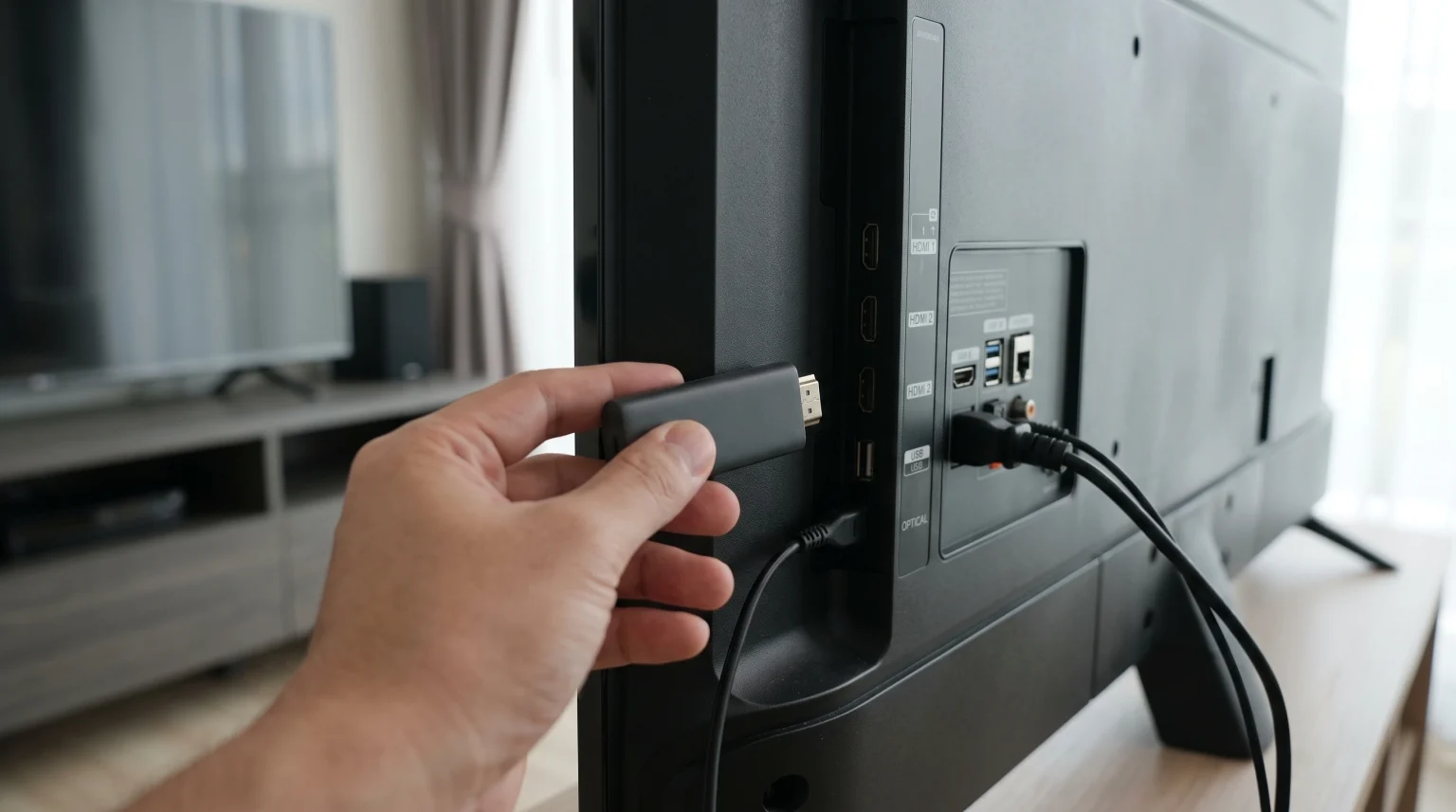
A streaming stick has its own processor, memory, and operating system. You plug the stick into the HDMI port on your television. The television then acts only as a monitor. The streaming stick does all the computing work. Companies like Google, Amazon, and Apple usually update their streaming devices for many years.
Smart TV vs. Streaming Stick: Comparison
| Functie | Built-in Smart TV | Externe streamingstick |
| Hardware cost | Included with television | Extra purchase required |
| Installatie | None required | Plugs into HDMI port |
| Afstandsbediening | One television remote | Separate remote (usually) |
| Software-updates | Often stops after 2-3 years | Updates continue for many years |
| App selection | Depends on TV brand | Usually very large |
| Processing speed | Fast on expensive TVs | Fast on most modern sticks |
App Availability and IPTV Support
If you use IPTV services, app availability is very important. Not all Smart TV brands support all IPTV players.
Samsung Tizen and LG webOS have closed app stores. They offer popular IPTV players like IBO Player, Smarters Pro, or SET IPTV. However, you cannot install Android applications directly on Tizen or webOS.
If you need a specific Android application, you might need a streaming stick. An Android TV stick or an Amazon Fire TV Stick allows you to install many different IPTV applications. If you are choosing a television specifically for IPTV, our guide to Het beste besturingssysteem voor smart-tv's voor IPTV in 2026 explains the differences between Tizen, Google TV, and webOS.
Performance and Processing Speed
A premium Smart TV usually has a fast processor. Navigating menus is quick. Applications open immediately. If you have a high-end Samsung or Sony television, you probably do not need a streaming stick for speed.
However, a budget Smart TV often uses a weak processor. The menus might freeze. The remote control might respond slowly. In this situation, connecting an external streaming stick will make the television feel much faster.
Watching Live Football and Sports
Many people ask: “do I need streaming stick with Smart TV to watch live football?” The device you use affects the sports viewing experience.
Live football requires good motion handling and a stable internet connection. Both a Smart TV and a high-quality streaming stick can display smooth motion if the source video is good.
For the best stability during a live match, use an Ethernet cable instead of Wi-Fi. Many Smart TVs have a built-in Ethernet port. Many small streaming sticks only use Wi-Fi. If your Wi-Fi is weak, using the television’s wired Ethernet port might provide a better live football stream. Also, the television’s screen technology matters more than the streaming stick for fast motion. If you want to learn more about screen types, read our comparison of OLED versus Mini-LED voor live voetbal.
Audio and Video Formats
Modern streaming sticks and Smart TVs support 4K resolution, HDR, and Dolby Vision. Before you buy a streaming stick, check your television’s hardware specifications. If your television only supports 1080p HD, a 4K streaming stick will not make the picture 4K. The physical screen limits the maximum resolution.
Conclusie
You do not automatically need a streaming stick if your Smart TV already has apps. A new television from a major brand will run Netflix, YouTube, and many IPTV players perfectly well. You should try your built-in Smart TV applications first.
You should buy a streaming stick if your television is old, if the menus are slow, or if the built-in app store lacks your favorite applications. A streaming stick is an inexpensive way to upgrade an old television. For users of TV Shadow IPTV, both a high-quality Smart TV and a fast streaming stick will provide a good viewing experience, provided you have a strong internet connection.
Veelgestelde vragen
Can I use a streaming stick on any Smart TV?
Yes. You can use a streaming stick on any television that has an available HDMI port. You plug the stick in and switch the television to that HDMI input.
Does a streaming stick bypass the Smart TV interface?
Yes. When you select the HDMI port for the streaming stick, you will only see the stick’s interface. You do not need to use the television’s built-in software.
Will a streaming stick improve my picture quality?
No, usually not. The physical television screen controls the maximum picture quality. A streaming stick cannot make a bad television screen look perfect. However, if your TV has poor upscaling, read Wat is tv-upscaling en helpt het bij IPTV? to understand how the processor affects the image.
Can I use my television remote to control the streaming stick?
Yes, in many cases. If your television and the streaming stick both support HDMI-CEC, your main television remote can often control the basic functions of the streaming stick.
Is an Amazon Fire Stick better than Samsung Tizen?
It depends on your needs. Tizen is excellent for standard streaming and includes good IPTV options. A Fire Stick is better if you want to install specific Android applications that Tizen does not allow.