
Many households in the Netherlands watch Turkish television for daily news, drama series, documentaries, and live sports. Traditional satellite dishes require exterior mounting, landlord permission, and regular alignment during bad weather. Internet Protocol Television (IPTV) delivers television channels over a standard home internet connection instead of a satellite dish.
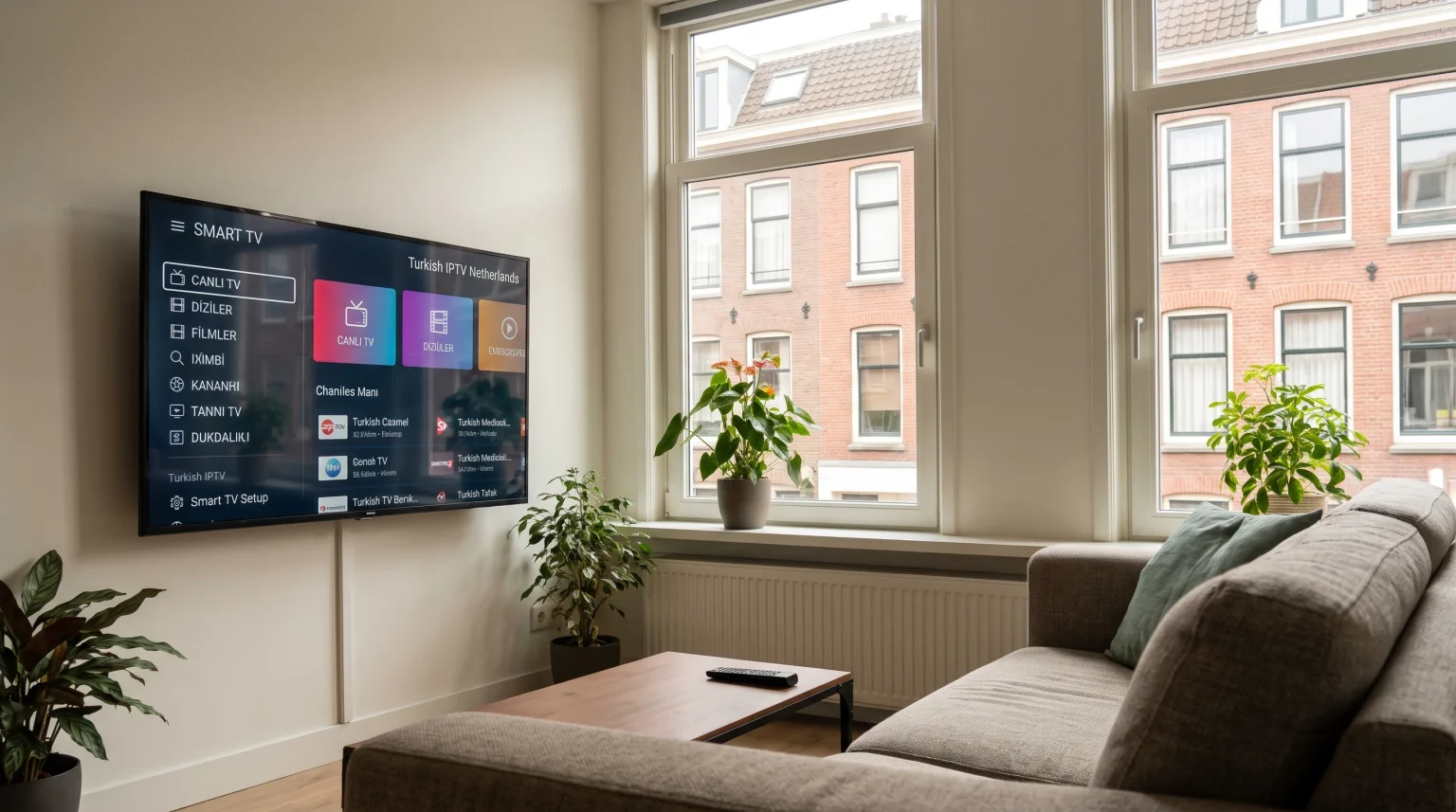
This guide explains how Turkish IPTV Netherlands viewers can access Turkish channels on modern televisions. You will learn which channel categories are commonly available, how Samsung Tizen, LG webOS, and Google TV compare for IPTV apps, and how to configure your Smart TV for stable playback.
Snel antwoord
Watching Turkish IPTV in the Netherlands requires a stable internet connection, a compatible Smart TV or streaming device, and either a licensed Turkish streaming service or an IPTV player application. Google TV and Android TV offer the widest selection of IPTV player apps through Google Play. Samsung Tizen and LG webOS work well with native television apps, though app availability depends on your country, television model, and operating-system version.
How Turkish Television Streaming Works in the Netherlands
Viewers in the Netherlands generally use two methods to watch Turkish television over the internet.
The first method is using official, licensed Turkish streaming platforms. Services such as TRT İzle, Digiturk Play, TV+, Tivibu GO, and Exxen offer official applications for Smart TVs, smartphones, and web browsers. Some of these services offer international packages designed specifically for viewers living in Europe.
The second method is using a dedicated IPTV player application on a Smart TV. An IPTV player is a software application that organizes and plays video streams. The IPTV player does not include television channels by itself. Instead, the user loads an authorized playlist or account login into the player.
Popular Turkish Channel Categories in the Netherlands
Households searching for Turkish IPTV Netherlands options usually want a mix of Turkish and Dutch programming. Most viewers organize their channel lists into five main categories:
National and Entertainment Channels: General Turkish broadcast channels that show daily talk shows, game shows, and evening drama series (dizi).
News Channels: 24-hour Turkish news broadcasts covering politics, economy, and international events.
Sports Channels: Live Turkish football, basketball, and sports analysis programs.
Children and Family Channels: Turkish-language cartoons and educational programs for younger family members.
Video on Demand (VOD): Recorded Turkish television series and Turkish films that viewers can watch at any time.
Many Turkish-Dutch families also keep Dutch public and commercial channels on the same television. Using a Smart TV with a clear Electronic Program Guide (EPG) helps family members switch between Turkish and Dutch content easily.
Comparing Smart TV Operating Systems for Turkish IPTV
The Smart TV operating system (OS) determines which IPTV apps you can install directly from the television app store. The three most common Smart TV platforms in the Netherlands are Samsung Tizen, LG webOS, and Google TV (used on Sony BRAVIA, TCL, and several Philips models).
| Functie | Samsung Tizen | LG webOS | Google TV / Android TV |
| Besturingssysteem | Tizen | webOS | Google TV / Android TV |
| Official app store | Samsung Apps (Smart Hub) | LG Content Store / Apps | Google Play Store |
| Ondersteuning voor Android-apps | Geen ingebouwde ondersteuning voor Google Play | Geen ingebouwde ondersteuning voor Google Play | Full Google TV app ecosystem |
| Beschikbaarheid van IPTV-apps | Depends on model, year, and country | Depends on model, year, and country | Broad selection; depends on country |
| Remote navigation | Standard Samsung remote | LG Magic Remote or standard remote | Standard Google TV remote |
Samsung Tizen may be suitable for users who already own a Samsung television and prefer a simple Smart Hub menu. LG webOS may be suitable for users who like the LG pointer remote and native webOS applications. Google TV may be more suitable for users who want access to the largest selection of IPTV player applications from Google Play.
If you are comparing television platforms before buying a new screen, our guide to Het beste besturingssysteem voor smart-tv’s voor IPTV in 2026: Tizen vs Google TV vs webOS explains the technical differences in detail.
Smart TV Setup for Turkish IPTV in the Netherlands
Setting up an IPTV player on a Smart TV follows a similar process across most brands. However, menu names and available applications depend on your country setting, television model, model year, operating-system version, and app-store policy.
Setup on Samsung Smart TV (Tizen)
Samsung Smart TVs from 2016 and later run the Tizen operating system. Samsung Tizen does not support Android applications from Google Play. You must install applications directly from Samsung Apps.
Druk op de Home button on your Samsung remote control.
Open de Apps section in the Smart Hub.
Select the search icon and enter the name of your chosen IPTV player.
Select the application and choose Installeer.
Open the application after installation finishes.
Enter your playlist details, such as an M3U playlist link or Xtream Codes login credentials.
If an application does not appear in Samsung Apps, check that your television software is updated and that your Samsung Account is set to the Netherlands. For a closer look at Samsung televisions, read our article on Is Samsung Tizen geschikt voor IPTV in 2026?.
Setup on LG Smart TV (webOS)
LG Smart TVs run the webOS operating system. Like Samsung Tizen, LG webOS uses its own application format and does not install Android APK files.
Druk op de Home button on your LG remote control.
Open Apps (on newer webOS versions) or LG Content Store (on older webOS versions).
Select the search icon and type the name of your IPTV player.
Selecteer Installeer and wait for the download to complete.
Launch the application and add your M3U playlist or Xtream Codes credentials.
Some LG webOS IPTV players display a device identifier, such as a Media Access Control (MAC) address, on the television screen. In that case, you upload your playlist through the player developer’s official web portal using a smartphone or computer, then restart the app on the LG television.
Setup on Sony BRAVIA and Google TV
Sony BRAVIA televisions and many TCL models run Google TV. Google TV connects to the Google Play Store, which provides a wide range of IPTV players.
Druk op de Home button on your Google TV remote control.
Ga naar de Apps tab at the top of the screen.
Use the search bar to find your preferred IPTV player in the Google Play Store.
Selecteer Installeer and then select Open.
Enter your M3U URL, Xtream Codes credentials, or Electronic Program Guide (EPG) URL.
If you are deciding between a Samsung television and a Sony television for your living room, our comparison of Samsung Tizen versus Sony BRAVIA Google TV: welke is in 2026 beter voor IPTV? covers interface speed and app support.
IPTV-compatibiliteit en TV Shadow IPTV
When configuring a television for Turkish IPTV Netherlands viewing, compatibility depends on both the IPTV player and the television hardware. TV Shadow IPTV is an independent IPTV informational and service brand. TV Shadow IPTV does not have an official partnership or affiliation with Samsung, Sony, LG, or Google.
Not every IPTV player works on every television model. Before choosing a player, check the following technical features:
M3U Compatibility: M3U is a standard multimedia playlist format that lists channel URLs. Most Smart TV IPTV players support M3U links.
Xtream Codes Compatibility: Xtream Codes is a login method that uses a server URL, a username, and a password. This method is often easier to type with a television remote than a long M3U link.
Electronic Program Guide (EPG) Support: An EPG displays current and upcoming program schedules. Check that the IPTV player supports XMLTV EPG links and Turkish character sets (such as ş, ğ, ü, ö, ç, and ı) so channel titles display correctly.
Remote-Control Usability: Good Smart TV players allow you to switch channels, open favorites, and adjust subtitles using only the standard television remote.
Operating-System Limitations: Older Smart TVs may have slower processors and limited memory. If a Smart TV feels slow when loading large Turkish and Dutch channel lists, an external Google TV streaming device connected via High-Definition Multimedia Interface (HDMI) can provide faster navigation.
Watching Live Turkish Football in the Netherlands
Many viewers in the Netherlands watch live Turkish football matches on their Smart TVs. Live sports are more demanding on a television than news or drama series because the camera pans quickly across the pitch.
TV Shadow IPTV does not own broadcasting rights for the Süper Lig, the UEFA Champions League, or any other sports competition. Viewers should always use licensed and authorized sports broadcasting services available in their region.
To get the clearest picture during live football broadcasts, pay attention to these television and network factors:
Refresh Rate and Motion Handling: A television with a 120 Hertz (Hz) panel can handle fast camera movement more smoothly than a 60Hz panel, provided the television’s motion processing is configured properly.
Picture Settings: Disable excessive noise reduction and heavy motion smoothing (“soap opera effect”) if the football appears to leave a trail on the screen. Many modern televisions include a dedicated Sports or Cinema mode that improves clarity.
4K Upscaling: Many live television channels broadcast in High Definition (HD, 720p or 1080p) rather than native 4K Ultra High Definition. A television with strong upscaling software sharpens HD broadcasts so they look cleaner on a large 4K screen. To learn more about this feature, read our guide on Wat is tv-upscaling en helpt het bij IPTV?.
Streaming Stability: Live sports streams use higher bitrates than standard channels. A sudden drop in Wi-Fi signal can cause buffering during a match.
Internet Speed and Network Tips in the Netherlands
The Netherlands has widespread fiber-optic (glasvezel) and cable internet infrastructure. Even with a fast home internet plan, local Wi-Fi interference inside an apartment or house can interrupt live television streams.
Minimum Speed: A stable internet connection of at least 8 Megabits per second (Mbps) is recommended for smooth HD streaming. For 4K Ultra High Definition streams or households with multiple devices streaming at the same time, a connection of 25 Mbps or higher provides more stability.
Ethernet vs. Wi-Fi: Connecting your Smart TV directly to your router with an Ethernet cable is more reliable than using Wi-Fi. An Ethernet cable eliminates wireless interference from neighboring routers and thick walls.
Plaatsing van de router: If you must use Wi-Fi, connect your Smart TV to the 5 GHz Wi-Fi band rather than the 2.4 GHz band, provided the router is in the same room. The 5 GHz band offers faster speeds and less congestion.
Conclusie
Watching Turkish IPTV Netherlands channels on a Smart TV eliminates the need for an outdoor satellite dish and gives households flexible access to news, drama series, and live sports. Samsung Tizen and LG webOS provide clean native interfaces for supported apps, while Google TV offers the broadest application ecosystem through Google Play.
For the best viewing experience, verify that your preferred IPTV player is available in your Smart TV app store, connect your television with an Ethernet cable when possible, and ensure your player supports M3U, Xtream Codes, and Turkish EPG text. For more Smart TV setup guides and IPTV compatibility comparisons, explore the other technical resources on TV Shadow IPTV.
Veelgestelde vragen (FAQ)
Can I watch Turkish TV channels in the Netherlands without a satellite dish?
Yes, you can watch Turkish TV channels in the Netherlands over your home internet connection. You can use licensed international Turkish streaming platforms or a compatible IPTV player on your Smart TV.
Which Smart TV brand is best for Turkish IPTV in the Netherlands?
No single television brand is best for every user. Google TV models (such as Sony BRAVIA and TCL) offer the widest selection of IPTV player apps through the Google Play Store. Samsung Tizen and LG webOS are reliable options if your preferred IPTV player is available in the Dutch Samsung Apps or LG Content Store.
Do all IPTV apps work on Samsung and LG Smart TVs?
No, not all IPTV apps work on Samsung and LG Smart TVs. Samsung Tizen and LG webOS do not run Android applications. App availability depends on the television model, model year, software version, and country setting.