
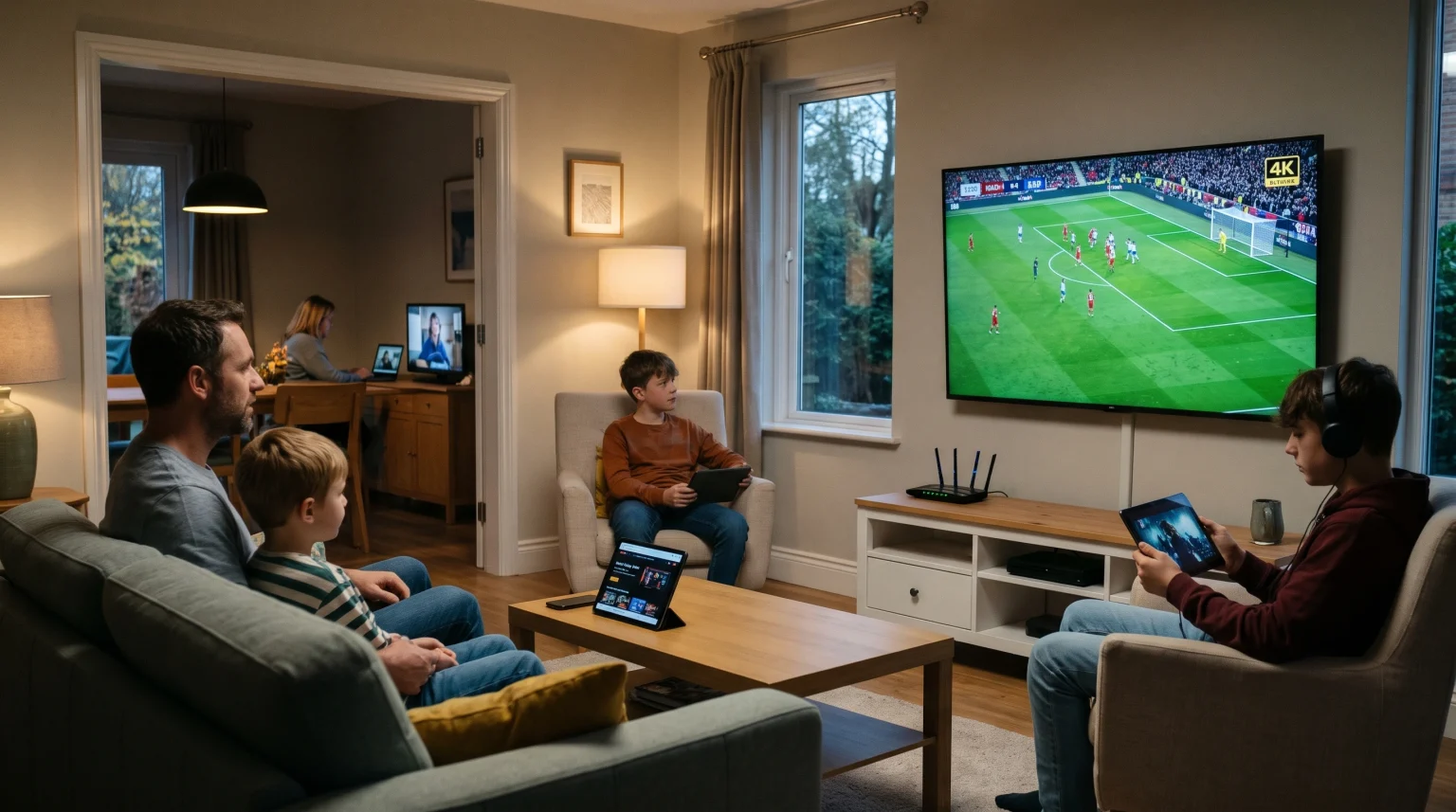
Black Friday offers some of the lowest prices of the year for streaming subscriptions. Many households look for an IPTV Black Friday multiple connections plan to watch television on several screens at the same time. A multi-room setup allows one family member to watch live football in the living room while another person watches an on-demand movie in the bedroom.
However, multi-connection deals vary significantly between providers. Some multi-connection plans share a single stream limit, while other plans provide separate login credentials for every device. Hardware differences, home network bandwidth, and Smart TV operating systems also affect daily performance.
Before you buy a multi-device subscription during the holiday sales, you must understand the technical terms and limitations. This guide outlines the essential questions to ask so you can choose the right multi-screen setup for your home.
Kort svar
An IPTV Black Friday multiple connections deal allows two or more devices to stream content simultaneously under one subscription account. A multi-connection plan is best for families and shared households that need simultaneous access across Smart TVs, streaming boxes, and mobile devices without paying for multiple separate subscriptions.
A single-connection plan is better for an individual viewer who only watches television on one screen at a time. Before you purchase an IPTV Black Friday deal, confirm whether the provider locks the subscription to a single IP (Internet Protocol) address, whether the package includes separate login credentials, and whether your home internet bandwidth can support several simultaneous high-definition streams.
What Does an IPTV Multiple Connections Plan Mean?
An IPTV connection represents an active stream from a server to a client device. When you buy a standard plan, the service provider permits exactly one active stream at any given moment. If you start a second stream on another television, the first stream stops, or the IPTV player displays an error message.
A multiple connections plan allows two, three, four, or more devices to stream content at the same time. For example, a three-connection plan allows three different televisions in your house to play different live channels simultaneously.
There are two primary ways providers configure multi-connection subscriptions:
Shared Credential Setup: You receive one M3U playlist link or one Xtream Codes login. You enter the same login details into every device. The server monitors active connections and allows streaming up to your purchased limit.
Independent Account Setup: The provider generates distinct login details for each connection. This setup is useful if family members prefer separate favorites lists, independent parental controls, and separate watch histories.
7 Essential Questions to Ask Before Buying an IPTV Multi-Connection Deal
To avoid service interruptions and account blocks, review these seven questions before completing your Black Friday purchase.
1. Does the Provider Enforce an IP Address Lock?
An IP (Internet Protocol) address identifies your home network on the internet. Many IPTV providers enforce an IP lock on multi-connection packages.
Same-IP Plans: All devices must connect to the same local internet network (the same home router). You can watch on multiple Smart TVs inside the house. However, you cannot stream from mobile data or from a secondary holiday home at the same time.
Open-IP Plans: You can use your active connections on different internet networks simultaneously. One person can watch at home while another person watches on a mobile network outside.
Always ask the provider about IP restrictions. If you use a same-IP subscription across two different internet connections, the server may automatically flag or ban your account.
2. How Does the Service Handle Xtream Codes and M3U Playlists?
IPTV applications connect to streaming servers using either M3U playlist URLs or the Xtream Codes API.
M3U Playlists: An M3U playlist is a text-based file link that contains channel names, categories, and stream addresses.
Xtream Codes API: This method uses a server address, a username, and a password. It is generally faster to enter into television apps with a remote control, and it organizes live channels, video-on-demand (VOD), and series into structured categories.
Check whether the Black Friday deal gives you an M3U link, an Xtream Codes login, or both for each connection. Having Xtream Codes access makes setting up multiple Smart TVs much simpler.
3. Is an Electronic Program Guide (EPG) Included for All Connections?
An Electronic Program Guide (EPG) shows program schedules, show descriptions, and channel timetables. An accurate EPG makes navigating hundreds of live channels easy.
Some budget providers limit EPG server requests to save bandwidth. In a multi-room house, multiple devices request EPG data simultaneously. Verify that your EPG source updates automatically across all active connections without slowing down your IPTV player.
4. What Are the True Home Bandwidth Requirements?
Streaming television requires consistent internet download speed. When you run multiple connections simultaneously, your internet consumption multiplies.
Review these minimum speed guidelines per active stream:
Standardoppløsning (SD): 5 Mbps per stream.
High Definition (HD / 1080p): 10 Mbps to 15 Mbps per stream.
4K Ultra HD (UHD): 25 Mbps to 40 Mbps per stream.
If you purchase a three-connection plan and stream two 4K sports channels and one 1080p channel at the same time, your home network needs at least 70 Mbps to 95 Mbps of dedicated download speed. Ensure that your home broadband plan can support your total simultaneous viewing needs.
5. Can You Use Third-Party IPTV Player Applications?
A reliable IPTV service should give you the freedom to choose your own player application. Common third-party IPTV players include TiviMate, IPTV Smarters Pro, Smart IPTV, and XCIPTV.
Avoid services that force you to use only an obscure proprietary application, unless that application is well-supported on your hardware. Using standard IPTV players allows you to customize stream buffers, record programs, manage audio tracks, and organize your favorite channel lists.
6. Which Smart TV Operating Systems Are Compatible?
Different television brands run different operating systems. App availability depends on the operating system, the TV model year, and regional app-store policies:
Google TV and Android TV (Sony, TCL, Philips, Chromecast): These devices access the Google Play Store. The Google Play Store offers the widest selection of dedicated IPTV applications.
Samsung Tizen OS: Samsung televisions run Tizen OS. Tizen does not support native Android APK files or the Google Play Store. You must install player apps available directly in the Samsung App Store. If you are setting up screens across your home, read our guide on Er Samsung Tizen et godt valg for IPTV i 2026? to understand platform limitations.
LG webOS: LG televisions use webOS. Like Tizen, webOS has a separate app store and does not run Android software. Dedicated players are available, but the selection is smaller than on Google TV.
If you have different TV brands in your living room and bedroom, ensure that your IPTV subscription details work across each respective app ecosystem.
7. What Is the Policy on Customer Support During Peak Events?
Black Friday brings thousands of new users onto streaming platforms. High traffic can put heavy loads on streaming servers, especially during major live events.
Check what customer support channels the provider maintains. Reliable providers offer ticket systems or support desks to resolve stream issues, renewal questions, and playlist updates quickly.
Single Connection vs. Multiple Connections Comparison
The following table compares single-stream subscriptions with multi-connection packages:
| Funksjon | Single Connection Plan | Multiple Connections Plan |
| Samtidige strømmer | Exactly 1 stream | 2 to 5 concurrent streams |
| Ideell brukerprofil | Individual viewer or single-TV home | Families and shared households |
| IP Restriction | Usually locked to 1 active IP | Same-IP or Multi-IP (depends on provider) |
| Bandwidth Demand | Moderate (15–30 Mbps recommended) | High (50–120+ Mbps recommended) |
| Kostnadseffektivitet | Standard retail pricing | Lower cost per screen than multiple single plans |
| Account Management | 1 login credential | 1 shared login or separate user credentials |
| Hardware Flexibility | Switch between devices (one at a time) | Watch on Smart TV and tablet at the same time |
Live Sports and Football on Multiple Screens
Live football is one of the most demanding types of content for any IPTV stream. Live sports broadcasts use high frame rates typically 50 frames per second (fps) or 60 fps to keep fast ball movement sharp.
When multiple screens in a household stream live football matches simultaneously, stream stability becomes critical:
[Home Router]
     │
     ├── (Ethernet) ────> Living Room TV: 4K Football Stream (High Bandwidth / 60 fps)
     │
     └── (5 GHz Wi-Fi) ─> Bedroom TV: 1080p Sports Stream (Buffer-Protected)
Bevegelseshåndtering og oppdateringsfrekvenser
If you watch live sports on a modern television, display processing matters. A 120Hz television panel refreshes an image twice as fast as a standard 60Hz panel. This reduces motion blur during fast camera pans across a football pitch. To learn more about hardware performance for sports, read our complete analysis of 60 Hz- og 120 Hz-TV-er til direktesendt fotball.
Network Stability: Ethernet vs. Wi-Fi
Wi-Fi signals can suffer from interference, wall attenuation, and latency spikes. A latency spike causes buffering, which is particularly frustrating during a live penalty kick or goal.
Use Ethernet for the Primary TV: Connect your main living room television or streaming box directly to your router with a Cat6 Ethernet cable. An Ethernet cable guarantees consistent data throughput and eliminates wireless interference.
Optimize Wi-Fi for Secondary Rooms: If running a cable to a secondary television is not practical, connect that television to the 5 GHz Wi-Fi band instead of the 2.4 GHz band. The 5 GHz frequency band provides higher data speeds and lower latency over shorter distances.
IPTV Player Compatibility: M3U, Xtream Codes, and EPG
To run a multi-room setup smoothly, your IPTV service must integrate cleanly with your chosen playback software.
M3U Playlists
An M3U file is a structured playlist format. The provider gives you an HTTP web link. You paste this link into your IPTV player. The player downloads the list of channels and categories.
While M3U playlists are universal, very large playlists with tens of thousands of channels can cause older Smart TVs to run out of memory. If your TV has limited system memory, ask your provider if you can hide unwanted country bouquets or channel groups.
Xtream Codes API
The Xtream Codes API architecture breaks your subscription into three distinct parts:
Live TV Channels
Video on Demand (VOD) Movies
TV Series
Because the Xtream Codes API queries data in structured database tables, IPTV player apps load channel categories and search results much faster than they do with raw text files. For a multi-connection environment, using Xtream Codes credentials is the most reliable option.
Software and Player Limitations
Smart TV operating systems do not all process video streams in the same way. When setting up multiple screens, you may encounter different software interfaces across your devices.
If you want to compare how different television platforms handle app installation and stream processing, check our detailed comparison of Tizen vs. Google TV for IPTV-apper: Hva er forskjellen?.
Common Mistakes to Avoid with Multi-Connection Deals
Buying Long Subscriptions from Untested Providers: Black Friday discounts often promote 12-month or 24-month commitments. Before you purchase a long-term multi-connection plan, test a short trial or a one-month package to confirm stream stability and server uptime.
Ignoring Household Bandwidth Limits: A fast subscription cannot overcome a congested home network. Ensure your internet service provider (ISP) does not throttle streaming traffic during evening peak hours.
Sharing a Same-IP Account with Friends: A multi-connection deal does not automatically mean you can share your account with friends living in other houses. If the provider enforces an internal home IP rule, simultaneous access from different locations will cause account suspension.
Using Weak Wi-Fi in Distant Rooms: Streaming multiple high-bitrate video feeds across weak Wi-Fi signals creates buffering. Use mesh Wi-Fi nodes or powerline adapters for distant rooms.
Konklusjon
An IPTV Black Friday multiple connections subscription offers an economical way to deliver television entertainment to every room in your home. Instead of paying for several individual accounts, a multi-screen package covers your entire family on Smart TVs, streaming sticks, and mobile devices.
Before you commit to a holiday promotional deal, confirm the provider’s IP address rules, test your home network download speed, and verify app compatibility for your television operating systems. By asking the right technical questions before buying, you can secure reliable, high-performance streaming for your household throughout 2026.
Ofte stilte spørsmål
What is an IPTV Black Friday multiple connections deal?
An IPTV Black Friday multiple connections deal is a discounted subscription package that permits two or more devices to stream live television and video-on-demand content at the same time. This setup allows households to watch different channels on multiple screens without purchasing separate subscriptions.
Can I use a multi-connection IPTV plan on different internet networks?
It depends entirely on the provider’s IP policy. Some providers require all active connections to connect through the same home internet router (same IP address). Other providers allow connections across different locations, such as home broadband and mobile cellular networks. Always verify this policy before you buy.
How much internet speed do I need for 3 simultaneous IPTV connections?
You need an internet download speed of at least 50 Mbps to 75 Mbps for three simultaneous HD streams. If you stream live sports in 4K resolution on multiple screens, you should have a reliable connection of 100 Mbps or higher to prevent buffering.