
You purchase a new Smart TV. The television includes a built-in operating system like Samsung Tizen, LG webOS, or Google TV. The television already connects to the internet and downloads applications. So, why do many people still buy a separate device like an Amazon Fire TV Stick, Google Chromecast, or Apple TV 4K?
The answer depends on the speed of your television, the operating system, and the specific applications you want to use. Manufacturers build Smart TVs with different processors and different software policies. While a new television runs applications smoothly today, the internal hardware may become slow after a few years.
This guide explains the differences between built-in Smart TV applications and external streaming sticks.
Krótka odpowiedź
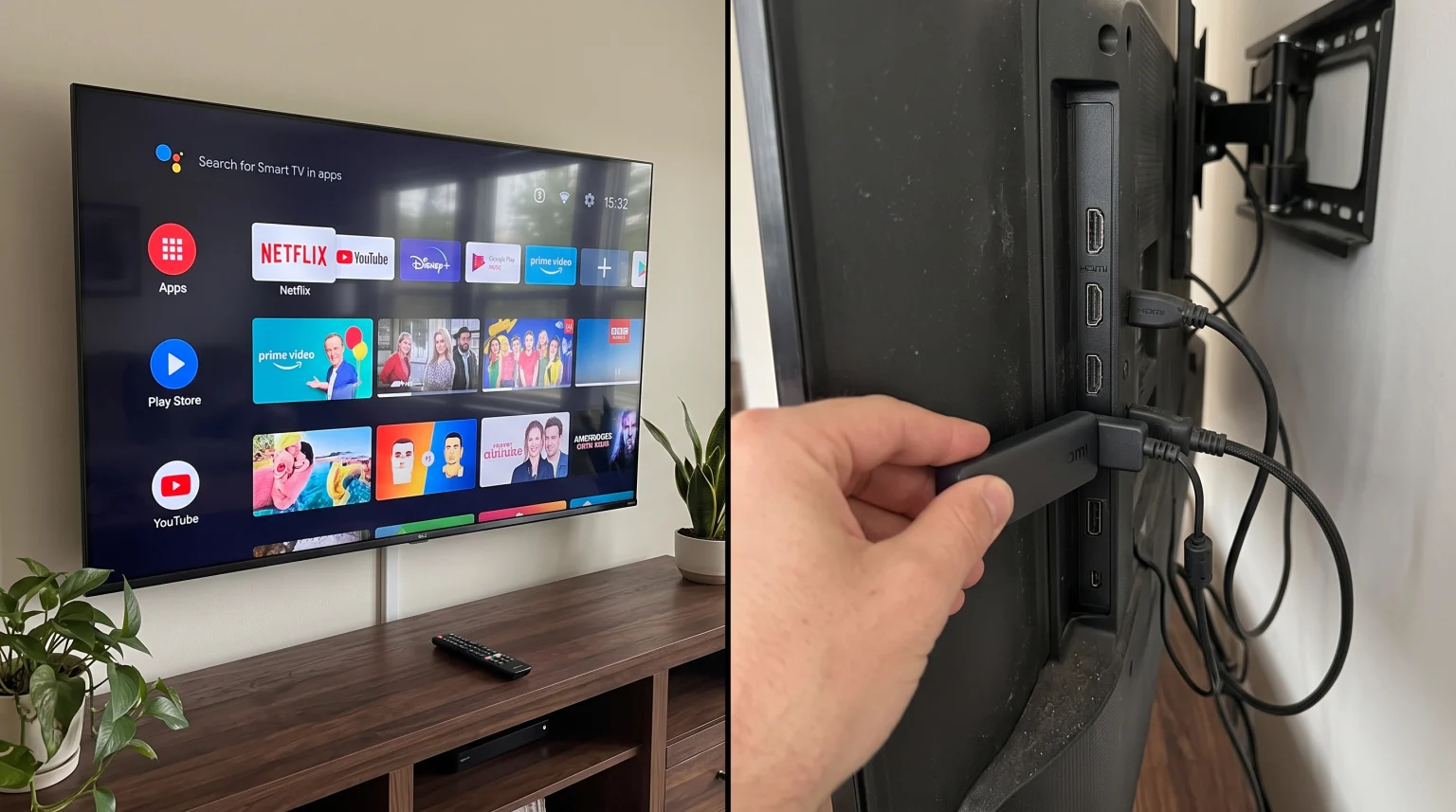
To answer the question “do I need streaming stick with Smart TV”, you must check the age and operating system of your television. You do not need a streaming stick if you have a new Smart TV that runs quickly, receives regular software updates, and supports all your favorite applications.
However, you need a streaming stick if your Smart TV operates slowly, lacks necessary applications, or no longer receives software updates. A streaming stick provides a fast, updated operating system for an older screen. It is also an inexpensive way to add the Google TV or Android TV app ecosystem to a television that uses different software.
Understanding Smart TV Operating Systems
Every Smart TV uses an operating system to run applications and display menus. The operating system determines which applications you can download.
The three most common Smart TV operating systems in 2026 are:
Samsung Tizen: Found exclusively on Samsung televisions.
LG webOS: Found primarily on LG televisions.
Google TV (Android TV): Found on Sony BRAVIA, TCL, Hisense, and Philips televisions.
If you buy a Sony television, you receive Google TV. You have access to the Google Play Store. If you buy a Samsung television, you receive Samsung Tizen. You only have access to the Samsung application store.
Because application developers must build different versions of their software for Tizen, webOS, and Google TV, some applications are not available on all televisions.
When You Should Use Built-In Smart TV Apps
You do not always need an external device. Using the built-in operating system of your television has several advantages.
1. Convenience and Simple Controls
When you use the built-in Smart TV applications, you only need one remote control. You press the power button, the television turns on, and the application menu appears immediately. You do not need to switch HDMI inputs.
2. Native Picture Processing
Modern televisions use internal processors to optimize picture quality. When you use an internal application, the television processor perfectly controls the 4K resolution, HDR (High Dynamic Range), and contrast settings.
3. Sufficient Performance on New Models
Premium televisions manufactured in recent years include fast processors. If you own a high-end Samsung Neo QLED or LG OLED television from 2024, 2025, or 2026, the menus will react quickly. A streaming stick will not provide a noticeable speed improvement on a brand-new, premium television.
When You Need to Buy a Streaming Stick
Despite the convenience of built-in software, many users prefer a separate streaming device. You should consider buying a streaming stick in the following situations.
1. Your Smart TV Is Slow
Manufacturers often put cheap, slow processors inside budget televisions. The display panel might look beautiful, but the menus react slowly when you press a button. A streaming stick contains its own processor. When you connect a streaming stick, you bypass the slow television processor. The streaming stick handles all the application processing, resulting in a much faster experience.
2. Missing Applications
This is the most common reason to buy a streaming stick. Your Samsung or LG television might lack a specific application that you want to use. Because Android is the most popular operating system in the world, developers usually build Android applications first. If you connect an Android-based streaming stick to your Samsung television, you immediately gain access to thousands of Android applications.
3. Lack of Software Updates
Technology companies stop updating television software after a few years. When a television no longer receives updates, new applications will not install. A streaming stick is an inexpensive replacement. Instead of buying a new television for $1,000, you can buy a new streaming stick for $50 to get the latest software.
Comparison: Smart TV vs Streaming Stick
This table compares the general features of a built-in Smart TV operating system and an external streaming stick.
| Funkcja | Built-In Smart TV Apps | Zewnętrzny moduł strumieniowania |
| Installation required | No installation needed | Must connect to HDMI port and power |
| Processor speed | Varies depending on television price | Usually fast and consistent |
| Hardware upgrades | Impossible without buying a new TV | Very easy and inexpensive to replace |
| App Store | Limited by the television brand | Depends on the stick (Google Play, Amazon, Apple) |
| Device portability | Cannot easily move the television | Can unplug and use on different televisions |
| Pilot zdalnego sterowania | Uses the main television remote | Usually requires a second remote control |
Streaming Sticks and IPTV Compatibility
Many users rely on IPTV services like TV Shadow IPTV for daily entertainment. If you want to use IPTV, the operating system of your device is very important.
To use an IPTV service, you must install an IPTV player application. This application reads your M3U playlist or Xtream Codes login information and displays the live channels and Electronic Program Guide (EPG).
If you are comparing different devices, our guide to Najlepszy system operacyjny dla telewizorów Smart TV do obsługi IPTV w 2026 roku explains the specific differences between Tizen, Google TV, and webOS for IPTV users.
IPTV on Samsung and LG Televisions
Samsung and LG have strict rules for their official application stores. They frequently remove IPTV player applications from the Tizen and webOS stores. While some good IPTV players exist on Samsung and LG televisions, the selection is limited. Furthermore, you cannot easily install unapproved applications on a Samsung or LG television.
IPTV on Streaming Sticks
If your television lacks good IPTV players, a streaming stick solves the problem. Streaming sticks based on the Android operating system (such as Chromecast with Google TV or Amazon Fire TV Stick) are excellent for IPTV.
The Google Play Store contains hundreds of IPTV players. If an application is not in the official store, the Android operating system allows you to manually install the application using an APK file. This process is called “sideloading.” This flexibility makes Android-based streaming sticks very popular for IPTV users.
Watching Live Football: Performance Factors
When you watch live football or other fast sports, you want a smooth, clear picture. Both Smart TVs and streaming sticks can display high-quality live sports, but you must consider several technical factors.
Processing Power and Motion Handling
Live football requires fast video processing. The ball moves quickly across the screen. If the processor is slow, the football will look blurry. A high-quality streaming stick processes the video signal quickly and sends a clean image to the television. However, the television screen is still responsible for displaying the final image.
If you want to understand how television hardware affects sports, read our guide explaining whether you need Telewizory 60 Hz a 120 Hz do oglądania meczów piłki nożnej na żywo.
Wi-Fi vs Ethernet Connection
Live sports streaming requires a stable internet connection. If your Wi-Fi signal drops, the football match will pause and buffer.
Most Smart TVs have a built-in Ethernet port. This allows you to connect a network cable directly from your internet router to the television. This wired connection provides maximum stability.
Many small streaming sticks do not have an Ethernet port. They only use Wi-Fi. If your Wi-Fi router is far away from your television, a streaming stick might experience buffering during a live football match. If you buy a streaming stick, check if the manufacturer sells an optional Ethernet adapter.
Wnioski
You do not automatically need a streaming stick when you buy a new Smart TV. If your television is new, responds quickly to the remote control, and includes the applications you want, the built-in software is perfectly adequate.
However, technology ages quickly. If your television menus are slow, or if your television manufacturer does not offer the IPTV applications you require for your TV Shadow IPTV service, a streaming stick is the best solution.
By purchasing a separate streaming device, you upgrade the software and processing power of your television without buying a completely new screen. For users who need maximum flexibility to download applications, an Android-based streaming stick is an excellent addition to any Smart TV.
Najczęściej zadawane pytania (FAQ)
Does a streaming stick improve picture quality?
Usually, no. The physical television screen determines the maximum picture quality, color, and brightness. However, a modern streaming stick can process 4K video files faster than an old television. This fast processing prevents stuttering and makes the video play smoothly.
Can I use a streaming stick on any Smart TV?
Yes. You can use a streaming stick on any television that has a working HDMI port. The streaming stick completely bypasses the Smart TV software. You only use the television as a display monitor.
Will a streaming stick make my slow television faster?
Yes. When you use a streaming stick, you do not use the slow internal processor of your television. You navigate menus and launch applications using the fast processor inside the streaming stick.
Do streaming sticks support 4K resolution?
Yes, but you must buy the correct model. Most manufacturers sell a cheaper 1080p (HD) version and a slightly more expensive 4K version. Your television must also be a 4K television to display the 4K image from the streaming stick.
Are IPTV applications available on all streaming sticks?
No. Streaming devices use different app stores. Android-based devices (like Google TV devices) and Amazon Fire TV devices offer the most IPTV applications. Apple TV has a smaller selection. Roku devices are very restrictive and do not support most standard IPTV players.
Does a streaming stick require external power?
Yes. Most streaming sticks connect to the television via an HDMI port, but they also require power. You must connect the stick to a wall electrical outlet using the included power adapter. Some sticks can receive power directly from a USB port on the television, but a wall outlet provides more reliable power.