
Sony BRAVIA televisions use the Google TV operating system. This operating system provides direct access to the Google Play Store. Because of this, Sony BRAVIA televisions support almost all Android-based IPTV applications. Users can install popular IPTV players directly from the official app store without modifying the television.
Unlike Samsung Tizen or LG webOS, Google TV does not restrict most IPTV player applications. You do not need complicated workarounds to watch your IPTV playlists. If an IPTV app is missing from the Google Play Store, the Android system allows users to install applications manually using the Downloader app. This flexibility makes Sony BRAVIA an excellent television choice for IPTV users in 2026.
Krótka odpowiedź
Almost all Android IPTV apps work on Sony BRAVIA Google TV. You can download popular apps such as TiviMate, IPTV Smarters Pro, XCIPTV, and Televizo directly from the Google Play Store. These applications support standard M3U playlists and Xtream Codes. Sony BRAVIA is generally a better choice than Samsung or LG for users who want the maximum number of IPTV app options. You can also install third-party Android apps manually if they are not available in the official store.
The Google TV Ecosystem on Sony BRAVIA
Modern Sony BRAVIA televisions operate on Google TV. This platform replaces the older Android TV interface, but the underlying technology remains the same.
Google TV gives Sony users full access to the Android app ecosystem. If you are comparing television operating systems, our guide to Najlepszy system operacyjny dla telewizorów Smart TV do obsługi IPTV w 2026 r.: Tizen kontra Google TV kontra webOS explains the differences between Tizen, Google TV and webOS.
Because Google TV allows open app development, hundreds of IPTV video players are available. These applications do not provide video content. They only act as media players for your own IPTV subscription.
Popular IPTV Apps for Sony BRAVIA
Several reliable IPTV applications work perfectly on Sony BRAVIA Google TV.
Odtwarzacz IPTV TiviMate
TiviMate is highly optimized for television screens. It offers a premium user interface and fast navigation. TiviMate supports multiple playlists, Catch-up TV, and recording features. It handles large Electronic Program Guides (EPG) quickly. Many users consider TiviMate the best IPTV app for Google TV.
IPTV Smarters Pro
IPTV Smarters Pro is a very popular and simple application. It allows users to log in using Xtream Codes API or an M3U URL. The interface separates Live TV, Movies, and Series into clear categories. It works smoothly with the standard Sony remote control.
Televizo
Televizo is a lightweight IPTV player. It loads channels quickly and offers excellent EPG support. Televizo is useful for older Sony BRAVIA models because it requires very little processing power.
Odtwarzacz XCIPTV
XCIPTV is another reliable option with a dark, modern interface. It includes built-in media players to ensure smooth video playback.
App Compatibility Comparison
| IPTV App | Obsługiwane formaty | Official Google Play Store | Najlepsza funkcja |
| TiviMate | M3U, kody Xtream | Tak | Advanced TV interface |
| IPTV Smarters Pro | M3U, kody Xtream | Tak | Simple category layout |
| Televizo | M3U, kody Xtream | Tak | Lightweight performance |
| XCIPTV | M3U, kody Xtream | Tak | Built-in video players |
How to Install IPTV Apps on Sony Google TV
You can install IPTV applications on a Sony BRAVIA television in two ways.
Method 1: Google Play Store
The easiest method is using the official store.
Press the “Home” button on your Sony remote control.
Navigate to the “Apps” tab.
Select the “Search for apps” field.
Type the name of the IPTV app (for example, “TiviMate”).
Select the app and press “Install”.
Method 2: Manual Installation (Sideloading)
Some apps are not available in every country due to regional store policies. You can install these apps manually.
Install the “Downloader” app from the Google Play Store.
Go to the television Settings.
Select “System”, then “Security & Restrictions”.
Allow the Downloader app to install unknown apps.
Open Downloader and enter the download URL for your chosen IPTV app.
Using TV Shadow IPTV on Sony BRAVIA
TV Shadow IPTV works flawlessly on Sony BRAVIA Google TV. Because Google TV supports standard IPTV formats, you can choose whichever media player you prefer.
When you configure your IPTV app on a Sony television, you can use either the M3U playlist link or the Xtream Codes login details provided by TV Shadow IPTV. The Xtream Codes method is generally faster to set up.
The Sony remote control integrates well with most Android IPTV apps. The directional buttons and the “Back” button allow easy navigation through the TV Shadow IPTV channel list and the Electronic Program Guide.
Watching Live Football on Sony BRAVIA
Sony BRAVIA televisions are excellent for watching live football and other fast-moving sports.
Motion Handling
Sony televisions feature advanced picture processing. High-end models use the Sony Cognitive Processor XR. This processor handles fast camera movements smoothly. It reduces motion blur when the football moves quickly across the screen. If you watch sports regularly, this processing advantage is important.
For more details on display technology, read our guide on Telewizory 60 Hz a 120 Hz do oglądania meczów piłki nożnej na żywo.
Network Connection
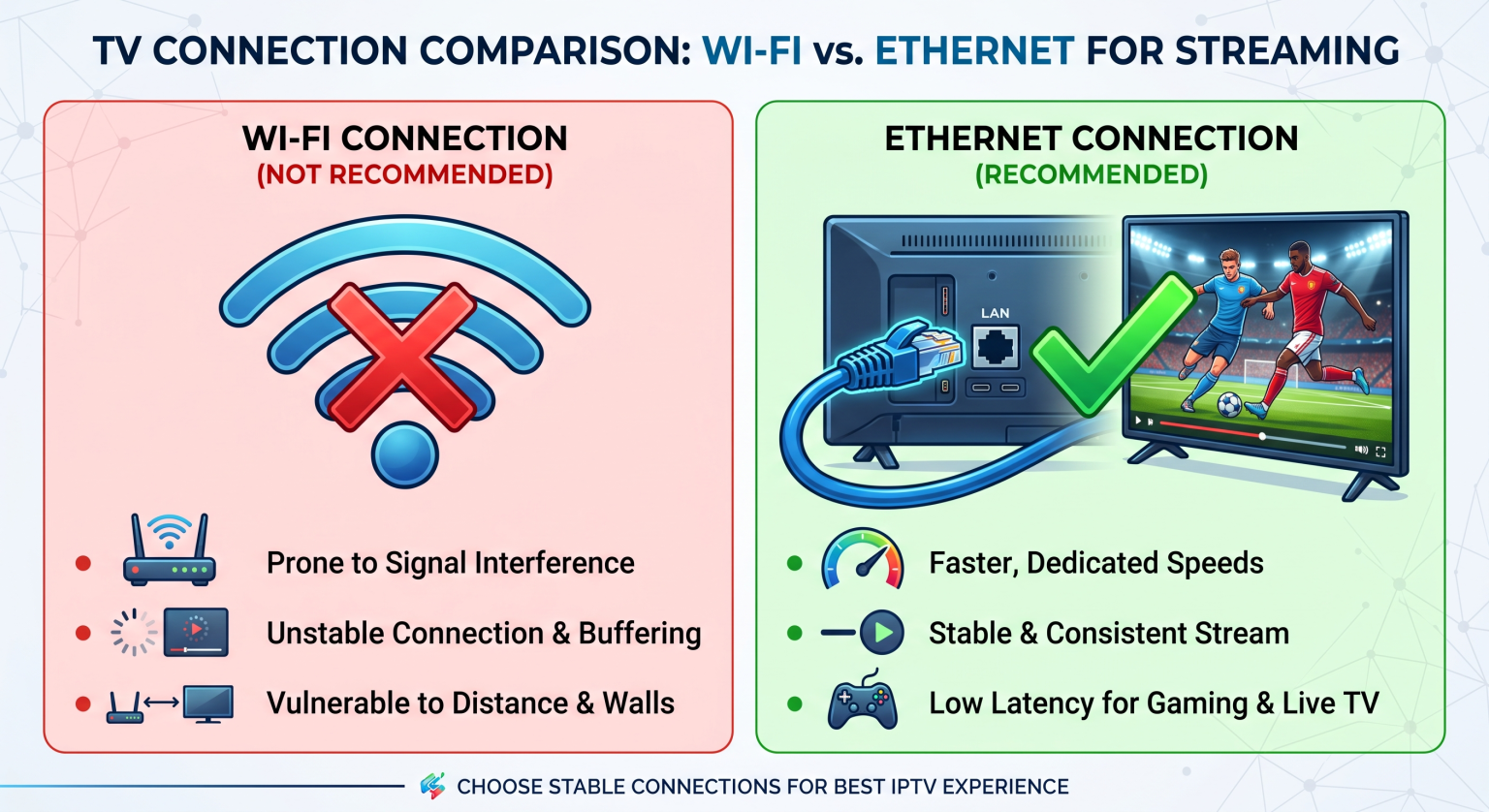
Live football requires a stable internet connection. IPTV streams, especially in 4K resolution, use large amounts of data. Sony BRAVIA televisions include both Wi-Fi and an Ethernet port.
For the most stable IPTV experience, connect your Sony television directly to your internet router using an Ethernet cable. A wired connection prevents the video buffering that can happen over a weak Wi-Fi signal.
Picture Upscaling
Many live sports broadcasts are transmitted in 1080p resolution. Sony televisions use excellent upscaling technology to display this 1080p image clearly on a 4K screen. If you are wondering about image sharpness, see our explanation of Dlaczego obraz z IPTV jest rozmyty na nowym telewizorze 4K?.
Wnioski
Sony BRAVIA Google TV is one of the most flexible platforms for IPTV users. Because it includes the Google Play Store, users can choose from hundreds of different IPTV player applications. TiviMate and IPTV Smarters Pro remain the top choices for stability and features.
Dla użytkowników TV Shadow IPTV, a Sony BRAVIA television provides a very smooth experience. The television’s excellent motion processing makes it a superior choice for watching live football. By using a wired internet connection and a premium app, you can create a highly reliable home entertainment system.