
Are you settling in to watch your favorite show, only to be stopped dead in your tracks by a frustrating IPTV error 401? You are not alone. Whether you are streaming locally or traveling worldwide, these connection codes can completely ruin your entertainment experience. Fortunately, fixing them is usually easier than you think.
When your Aplikacja IPTV throws a numerical code on the screen, it is actually the server trying to tell you exactly what went wrong. By understanding these common streaming issues, you can troubleshoot your setup in minutes.
Let’s break down exactly what these codes mean and how you can get your service back up and running.
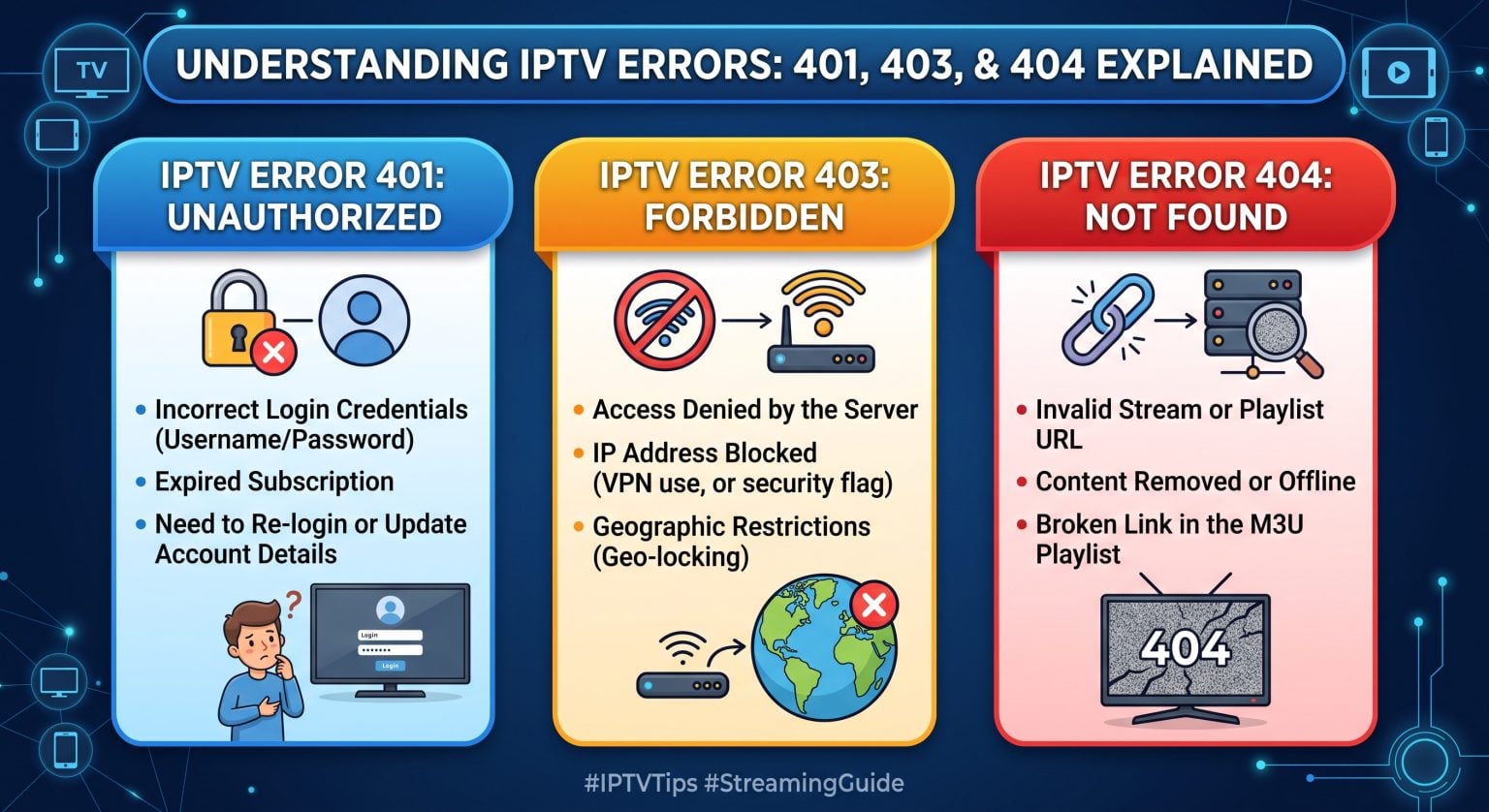
Why You Are Seeing IPTV Error 401 and How to Fix It
An IPTV error 401 stands for “Unauthorized.” Simply put, the server does not recognize your login credentials, or your subscription has expired. This is basically a digital bouncer telling you that you aren’t on the guest list.
Most of the time, an IPTV error 401 is caused by a simple typo in your username, password, or playlist URL. It can also trigger if your IPTV provider has suspended your account due to a missed payment.
To fix this auth failure, follow these quick steps:
Double-check your login info: Ensure there are no typos or unwanted spaces in your Xtream Codes or M3U playlist details.
Check your subscription status: Log into your provider’s portal to confirm your account is still active and fully paid.
Refresh your playlist: Sometimes, manually updating the playlist within your app will clear out the outdated authentication token.
Decoding the 403 Forbidden Message
If you see a 403 error, it means “Forbidden.” Unlike a 401 code, the server actually recognizes your credentials, but it is actively refusing to let you in.
This usually points to a block at the network level. Providers often trigger a 403 error if you exceed your maximum allowed simultaneous connections. It can also happen if your provider has blocked your specific IP address, geographic location, or the VPN you are currently using.
To resolve a 403 Forbidden code:
Turn off your VPN: Try disconnecting your VPN to see if the provider is blocking its data center IP.
Limit your screens: Ensure you aren’t watching on more devices than your subscription allows.
Contact support: If you are blocked worldwide or regionally, ask your provider if your account has been flagged or IP-banned.
Solving 404 Not Found Codes
A 404 error is universally known as “Not Found.” In the context of IPTV, it means the specific channel, movie, or series you are trying to load no longer exists at that address.
This is rarely a problem with your internet or app. Instead, a 404 indicates a provider server problem, such as a changed stream URL or a removed VOD plik.
To get around a 404 error:
Update your EPG and Playlist: Force an update in your app’s settings to pull the latest working links from the server.
Try another channel: If only one stream is showing a 404, it is likely a dead link on the provider’s end.
Comparison: IPTV Error 401 vs 403 vs 404
Use this quick reference table to diagnose your specific streaming issues at a glance:
| Error Code | What It Means | Common Cause | Quick Fix |
| IPTV Error 401 | Unauthorized | Invalid credentials or expired subscription. | Re-enter your login details or renew your plan. |
| Error 403 | Forbidden | IP block, VPN use, or too many active screens. | Disable VPN and check your connection limits. |
| Error 404 | Not Found | Dead link or changed streaming URL. | Force a playlist update in your app settin |
Keeping Your Streams Flawless Worldwide
Zrozumienie różnicy między… a IPTV error 401, 403, and 404 saves you hours of frustrating troubleshooting. While a 401 usually requires you to fix your login, 403s and 404s often relate to network blocks and dead links. No matter where you are worldwide, applying these fixes will drastically improve your viewing experience.
Tired of constantly dealing with buffering and confusing error codes?
Stop fighting with unreliable servers. [Click here to check out our premium, error-free IPTV subscription plans] and enjoy seamless streaming today!
Często zadawane pytania (FAQ)
Can my internet connection cause an IPTV error 401?
Generally, no. An IPTV error 401 is specifically an authentication issue. If your internet was completely down, your app would simply time out rather than display an unauthorized code.
Why am I getting a 403 error only on certain channels?
Some providers restrict high-value content (like premium sports or regional PPV events) based on your package tier or geo-location. If you don’t have access rights to that specific channel, the server will forbid entry.
Do I need to reinstall my app to fix a 404 error?
Reinstalling the app is usually unnecessary. A 404 simply means the link to the stream is dead. Refreshing your playlist or contacting your provider to report the broken channel is the best approach.