
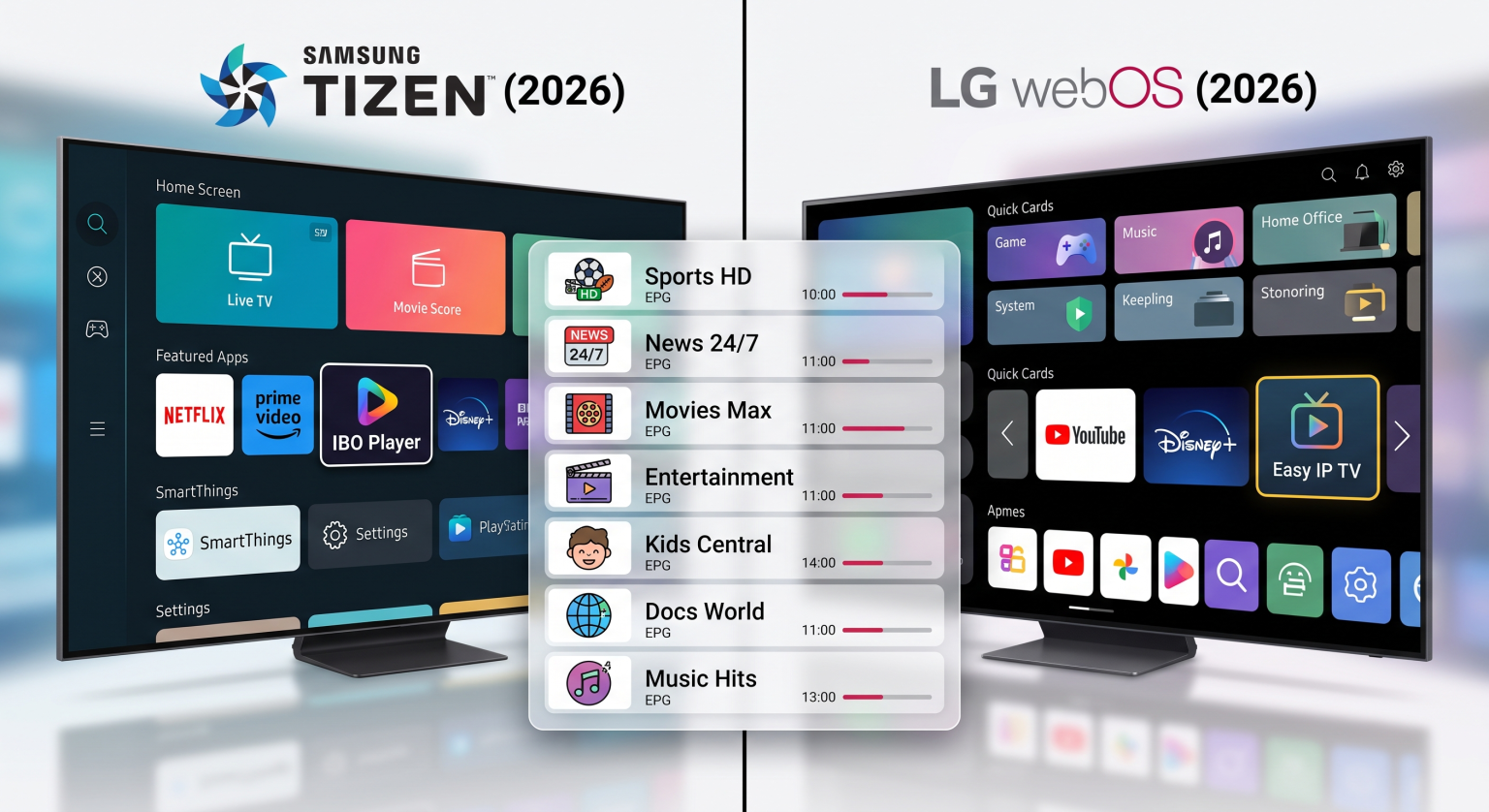
When you choose a television for IPTV streaming, the operating system is very important. Samsung televisions use the Tizen operating system. LG televisions use the webOS operating system. These two systems determine which IPTV applications you can install and how you control your live television channels.
Samsung and LG are the most popular television brands in 2026. However, their smart systems work differently. Tizen and webOS do not use the Google Play Store. This means you cannot install Android IPTV applications like TiviMate on Samsung or LG televisions. Instead, you must use the official Samsung App Store or the LG Content Store.
This article compares Samsung Tizen and LG webOS for IPTV users. We explain the differences in application availability, picture quality, live football streaming, and ease of use. This guide will help you decide which television system is the best choice for your TV Shadow IPTV service.
Krótka odpowiedź
Samsung Tizen and LG webOS are both excellent smart television systems for IPTV in 2026.
LG webOS is better for users who want easy navigation. The LG Magic Remote uses an on-screen pointer that makes typing passwords and scrolling through large IPTV channel lists very fast. LG also supports Dolby Vision.
Samsung Tizen is better for users who want deep integration with Samsung phones and long software update policies. Samsung Tizen offers up to seven years of updates.
Both systems support popular IPTV players like IBO Player and Smart IPTV. Your choice depends on your remote control preference and your required television features.
Tizen vs webOS: Operating System Differences
Samsung and LG design their own operating systems. These systems have different interfaces and features.
Samsung Tizen in 2026
Samsung Tizen uses a full-screen menu design. You can customize the home screen to show your favorite applications. Tizen is fast and works perfectly with Samsung SmartThings devices. Samsung televisions do not support Dolby Vision. Instead, Samsung televisions support HDR10+. The Tizen app store has a closed system, so application availability depends on your country and television model year.
LG webOS in 2026
LG webOS uses a card-based layout on the home screen. LG calls these “Quick Cards”. You can organize applications by category. The webOS interface is very smooth. It feels faster to navigate than Tizen for many users. The webOS system works seamlessly with the LG Magic Remote. This remote control works like a computer mouse.
Najlepszy system operacyjny dla telewizorów Smart TV do obsługi IPTV w 2026 roku
IPTV App Availability on Samsung and LG
The biggest limitation of Samsung Tizen and LG webOS is the application store. Neither system supports Android applications from Google Play.
Because the systems use different software, IPTV application developers must create specific versions for Samsung and LG. Application availability often changes. Some applications are available in Europe but not in North America. Some applications work on 2026 television models but not on older models.
Popular IPTV Players for Tizen and webOS
If you use TV Shadow IPTV, you need a good media player application. Here are the most common options for Samsung and LG:
Gracz IBO: This application is available on both Tizen and webOS. It is a stable player that supports M3U playlists and the Xtream Codes API.
Smart IPTV (SIPTV): This is a classic IPTV application. It is available on many Samsung and LG televisions. You must activate Smart IPTV using the television’s MAC address.
Easy IP TV: This application is very popular for LG webOS. It uses server-side processing to load large channel playlists quickly without freezing.
SmartOne IPTV: This player is available on both brands. It organizes movies and series very well.
IPTV Smarters Pro: This application is sometimes available in the official stores, but availability is inconsistent.
Do not assume every IPTV application works on every television. Always check your television’s application store before you buy a premium player license. TV Shadow IPTV does not have an official relationship with Samsung, LG, or these application developers.
Samsung Tizen kontra Sony BRAVIA Google TV: Który z nich jest lepszy do IPTV w 2026 roku?
App Installation and Setup
Installing an IPTV application on Samsung Tizen or LG webOS is different from installing a smartphone application.
Open the Samsung App Store or the LG Content Store.
Search for the IPTV player (for example, “IBO Player”).
Download and install the application.
Uruchom aplikację. The application will show a Device ID or a MAC address on the television screen.
Go to the application developer’s website on your computer or smartphone.
Enter the Device ID.
Enter the M3U playlist URL or Xtream Codes details provided by TV Shadow IPTV.
Restart the application on your television.
You cannot type the long M3U playlist directly into the television. You must always use the developer’s external website.
Picture Quality and Live Football
Many users buy a new smart television specifically to watch live football and sports through IPTV. Both Samsung and LG manufacture excellent 4K televisions. However, the hardware is more important than the software for sports streaming.
Refresh Rate and Motion Handling
Live football requires excellent motion handling. When the football moves quickly across the screen, a low-quality television will create a blurry picture.
To watch sports, choose a television with a 120Hz refresh rate. A 120Hz panel updates the picture 120 times per second. This makes fast motion look smooth. Both Samsung and LG sell 120Hz televisions in their premium categories, such as Samsung Neo QLED and LG OLED. Cheaper televisions usually have 60Hz panels. A 60Hz panel is acceptable for movies, but a 120Hz panel is much better for live football.
Telewizory 60 Hz a 120 Hz do oglądania meczów piłki nożnej na żywo
HDR Differences: Dolby Vision vs HDR10+
High Dynamic Range (HDR) improves the colors and contrast of the picture. Some IPTV services offer 4K channels with HDR.
LG televisions support Dolby Vision. Dolby Vision is the most popular HDR format in the movie industry. Samsung televisions do not support Dolby Vision. Samsung televisions use a different format called HDR10+. If your IPTV provider streams video in Dolby Vision, an LG television will display the colors perfectly. A Samsung television will show standard HDR10 instead.
Wi-Fi vs Ethernet for Streaming
IPTV streams require a stable internet connection. Live video cannot buffer in advance. If your Wi-Fi signal drops for one second, the live football match will pause.
Both Samsung and LG televisions have built-in Wi-Fi and an Ethernet port. For the best TV Shadow IPTV experience, you must connect the television to your router using an Ethernet cable. An Ethernet cable provides a stable, uninterrupted connection. This eliminates buffering caused by weak Wi-Fi signals.
Smart TV Comparison Table
Here is a direct comparison between the two operating systems.
| Funkcja | Samsung Tizen | LG webOS |
| System operacyjny | Tizen | webOS |
| Ekosystem aplikacji | Samsung Apps | Sklep z treściami LG |
| Obsługa aplikacji na Androida | Brak wbudowanej obsługi Google Play | Brak wbudowanej obsługi Google Play |
| Dostępność aplikacji IPTV | Zależy od modelu i kraju | Zależy od modelu i kraju |
| Remote control | Standard or SolarCell remote | Magic Remote with screen pointer |
| Premium HDR format | HDR10+ | Dolby Vision |
| Navigation style | Full-screen menus | Quick Cards layout |
| Software update policy | Up to 7 years (new models) | 4 major upgrades over 5 years |
Remote Controls and Navigation
The remote control significantly changes how you use IPTV.
LG includes the Magic Remote with most smart televisions. The Magic Remote projects a digital pointer on the television screen. You point the remote control at the screen and click buttons like a computer mouse. This feature makes it very fast to type passwords, search for movies, and scroll through the Electronic Program Guide (EPG).
Samsung includes the SolarCell remote with newer televisions. This remote control does not need disposable batteries. It charges using indoor light. However, the Samsung remote uses standard directional buttons. Scrolling through a list of 10,000 IPTV channels with directional buttons takes more time than using the LG Magic Remote pointer.
Software Updates in 2026
Smart televisions need software updates to remain secure and compatible with new applications. In 2026, both companies offer strong update policies.
Samsung guarantees up to seven years of Tizen operating system updates for new premium televisions. This ensures your television will support the latest streaming applications for a long time.
LG offers the webOS Re:New program. This program guarantees four major webOS system upgrades over a period of five years.
Before you buy a television, check the exact update policy for that specific model. Cheaper entry-level televisions do not always receive the same software updates as expensive flagship televisions.
Wnioski
Samsung Tizen and LG webOS are both highly capable smart television platforms in 2026. Neither system is definitively better than the other, but they suit different users.
If you value fast navigation, a computer-mouse style remote control, and Dolby Vision support, an LG smart television with webOS is the better choice. The LG Magic Remote makes browsing the TV Shadow IPTV channel guide very efficient.
If you want a television with a very long software update policy, seamless smart home integration, and a battery-free remote control, a Samsung smart television with Tizen is a superb choice.
Both platforms require you to use independent media players like IBO Player or Smart IPTV. Because neither system supports Google Play applications, you must verify that your preferred IPTV player is available in your country’s app store before purchasing the television.
Wpisz tutaj tekst nagłówka
Can I install Android apps on Samsung Tizen or LG webOS?
Nie. Samsung Tizen and LG webOS are independent operating systems. They do not support Android applications. You can only install applications available in the Samsung App Store or the LG Content Store.
Which IPTV player is the best for LG webOS?
Easy IP TV and IBO Player are excellent choices for LG webOS. Easy IP TV processes playlists on an external server, which prevents the television from freezing when loading large channel lists.
Does TiviMate work on Samsung or LG?
No. TiviMate is an Android application. It requires an Android TV device, a Google TV device, or an Amazon Fire TV Stick. You cannot install TiviMate directly on a Samsung or LG television.
Why is my favorite IPTV app missing from the Samsung App Store?
Samsung regularly changes the available applications. Application availability depends on your country and your television’s manufacturing year. If an application is missing, you must choose an alternative application from the store.
Does TV Shadow IPTV provide live football channels?
Your access to sports depends entirely on your specific subscription package. TV Shadow IPTV provides the technical connection, but TV Shadow IPTV does not own official broadcasting rights for UEFA or other sports organizations.
Is a 60Hz or 120Hz television better for IPTV?
A 120Hz television is much better for live sports. The higher refresh rate creates a smoother picture when objects move quickly across the screen.
Can I use a Fire TV Stick on a Samsung or LG television?
Yes. If you do not like Tizen or webOS, you can plug an Amazon Fire TV Stick or a Google Chromecast into the HDMI port. You can then use the Android applications from the stick instead of the television’s internal applications.