
TiviMate is a popular IPTV player for Android TV devices. Users often choose TiviMate because it has a clean interface and fast channel navigation. However, you may sometimes see a message saying “TiviMate error 458” on your screen. This happens when the TiviMate application tries to connect to your IPTV provider but the connection fails.
Error 458 is an HTTP status code. In the context of IPTV, it usually means that a server block or a network issue is preventing the video stream from loading. The problem can originate from your internet service provider, your Virtual Private Network (VPN), or a typing mistake in your playlist details. This guide explains exactly what causes this specific connection error and provides literal, step-by-step instructions to fix the problem on your device.
Krótka odpowiedź
TiviMate error 458 means the IPTV server has rejected the connection from your device. This happens most often when your IPTV provider blocks your current IP address, or when your Internet Service Provider (ISP) blocks the IPTV server.
To fix the error quickly:
Turn off your VPN and reload the playlist.
If you do not use a VPN, turn a VPN on to bypass ISP blocking.
Check your Xtream Codes or M3U URL for typing errors.
Contact your IPTV provider to confirm your subscription is active.
Common Causes of Error 458
When you experience TiviMate error 458, the application cannot download the channel data. Several different issues can cause this block.
1. VPN IP Address Blocking
Many IPTV providers use security systems to stop multiple users from sharing one account. If you use a VPN, you share an IP address with many other VPN users. The IPTV server may recognize this shared IP address and block it automatically. When the server blocks the IP address, TiviMate displays error 458.
2. Internet Service Provider (ISP) Blocking
In many countries, internet service providers block access to known IPTV servers. This often happens during major live sports events. If your internet service provider blocks the connection between your home network and the IPTV server, TiviMate cannot load the stream.
3. Incorrect Login Details
If you type your server URL, username, or password incorrectly, the server will reject your connection. A single missing letter or wrong symbol in an Xtream Codes login will result in an error code.
4. Expired IPTV Subscription
When your IPTV subscription ends, the provider deactivates your account on their server. TiviMate will still try to connect using your old details. The server will reject the request and return an error message.
How to Troubleshoot and Fix TiviMate Error 458
Follow these steps to restore your IPTV connection. Test TiviMate after you complete each step.
Step 1: Toggle Your VPN Connection
Because IP blocking is the most common cause of this error, you must test your network configuration first.
If you are currently using a VPN: Turn the VPN off. Open TiviMate and try to load a channel. If the channel plays, your IPTV provider has blocked the VPN server. You must connect to a different VPN city or use the service without a VPN.
If you are not using a VPN: Turn a VPN on. Choose a server location in your own country. Open TiviMate. If the channel plays, your internet service provider is blocking the IPTV connection. You must continue using the VPN to watch television.
Step 2: Verify Your Playlist Details
Open the TiviMate settings menu. Navigate to your playlist configuration. Carefully check every character in your server URL. Look for these common mistakes:
Using “http://” instead of “https://” (or the reverse).
Typing an incorrect port number at the end of the URL.
Typing the letter “O” instead of the number “0”.
Leaving an empty space at the end of the username or password.
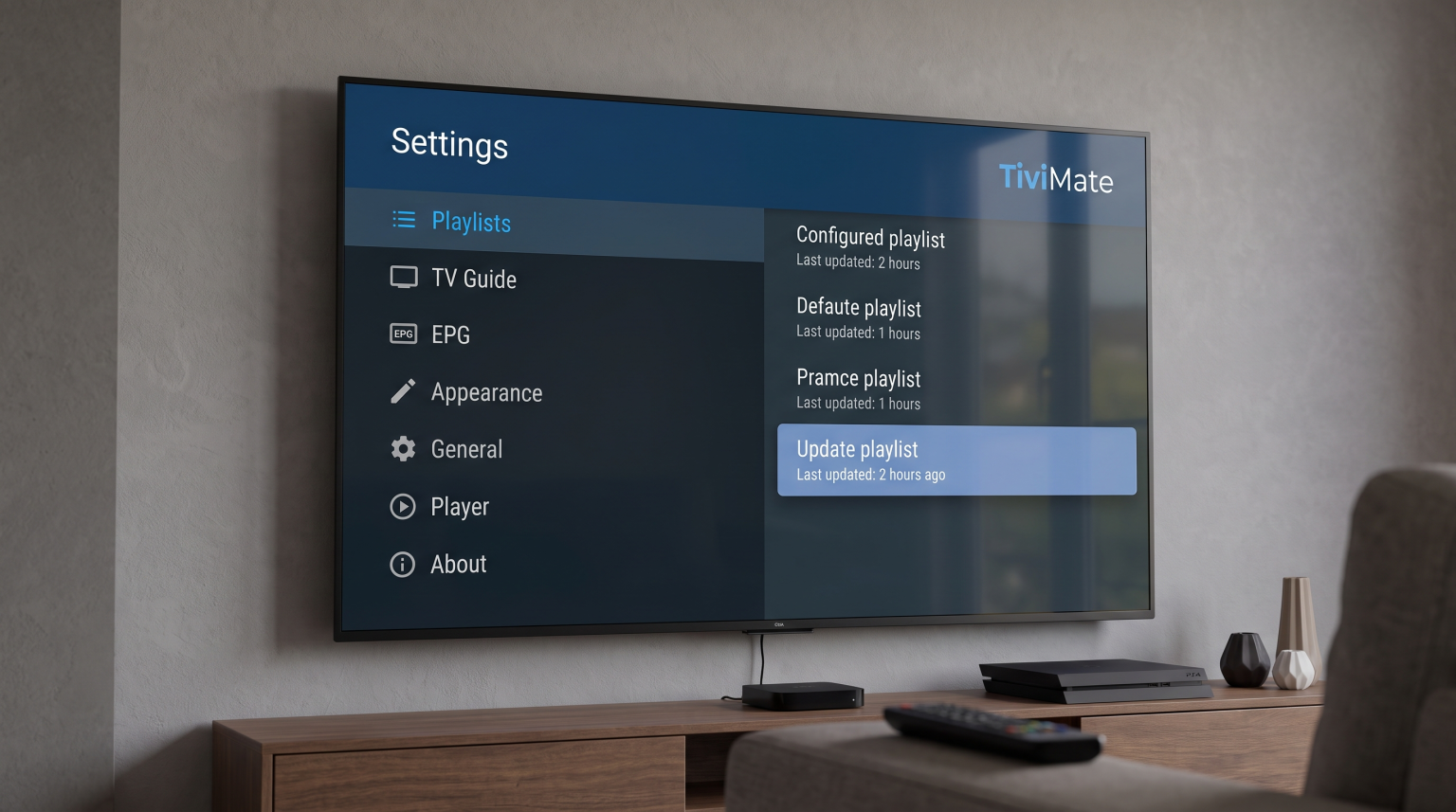
Step 3: Update the Playlist Manually
Sometimes the TiviMate application needs to refresh the channel data from the server.
Open the TiviMate menu.
Wybierz Ustawienia.
Wybierz Playlists.
Select your IPTV playlist.
Wybierz Update playlist.
Wait for the process to finish. If the screen shows a successful update, try to play a channel again.
Step 4: Add a Custom User Agent
Some IPTV servers block default media player connections. You can disguise TiviMate by changing the User Agent string in the settings. This makes the server think you are using a standard web browser.
Go to TiviMate Ustawienia.
Wybierz General.
Wybierz User Agent.
Type
VLClubIPTVSmartersProand save the changes.Update your playlist.
Troubleshooting Comparison
| Problem Cause | How to Identify | Recommended Solution |
| VPN Blocking | Error stops when VPN is turned off | Change VPN server or disable VPN entirely |
| Blokowanie przez dostawców usług internetowych | Error stops when VPN is turned on | Keep VPN active while watching IPTV |
| Incorrect URL | Playlist shows 0 channels added | Re-type the Xtream Codes or M3U details carefully |
| Expired Account | Error continues on all networks | Contact your IPTV provider to renew subscription |
Using TiviMate with TV Shadow IPTV
TiviMate is an excellent application for accessing your Subskrypcja TV Shadow IPTV. The TiviMate interface supports all standard IPTV formats, including M3U playlists and Xtream Codes API. We recommend using the Xtream Codes login method because it updates the Electronic Program Guide (EPG) faster and organizes categories better.
When setting up TV Shadow IPTV in TiviMate, always ensure you enter the exact server URL provided in your welcome email. If you experience TiviMate error 458 while using our service, check your subscription status first. If your account is active, use the VPN troubleshooting steps described above.
If you are buying a new television specifically for IPTV, note that TiviMate is an Android application. It will not install natively on Samsung or LG televisions. Our guide to Najlepszy system operacyjny dla telewizorów Smart TV do obsługi IPTV w 2026 roku explains the software differences in detail.
Live Football and Connection Stability
Live football requires a stable and fast internet connection. Connection errors often occur just before a major football match begins. This happens because internet service providers activate their blocking systems precisely when the match starts.
If you receive an error 458 only during live sports events, your internet service provider is almost certainly blocking the traffic. You must use a reliable VPN to bypass this restriction.
Once your connection is stable, hardware also matters for sports. Fast camera movements in football require good motion handling on your television. If you are upgrading your equipment, you can read our comparison on choosing a Telewizory 60 Hz a 120 Hz do oglądania meczów piłki nożnej na żywo. Furthermore, if your sports streams do not look sharp, review our article on Dlaczego obraz z IPTV jest rozmyty na nowym telewizorze 4K? for picture adjustment tips.
Wnioski
TiviMate error 458 is a communication failure between your application and the IPTV server. It is rarely a hardware problem with your television. By systematically checking your VPN status, verifying your Xtream Codes login details, and testing for internet service provider blocks, you can resolve the issue quickly. Always ensure you type your TV Shadow IPTV server URL exactly as it appears in your subscription details. Keeping your network unrestricted and your login details accurate will ensure a stable television experience.
Najczęściej zadawane pytania (FAQ)
What does error code 458 mean in TiviMate?
Error 458 means the IPTV server actively refused the connection from the TiviMate application. This usually indicates an IP address block or a network restriction.
Will reinstalling TiviMate fix error 458?
Usually, no. Reinstalling the application will not fix a network block or an incorrect password. You should check your VPN status and login details before you reinstall the application.
Why does my IPTV work on my phone but show error 458 on my TV?
Your television and your phone might be using different networks. For example, your phone might be using mobile data, while your television is using home Wi-Fi. If your home Wi-Fi internet provider blocks IPTV, the TV will show an error while the phone works perfectly.
Does TiviMate customer support fix error 458?
No. TiviMate is only a media player application. The developer of TiviMate does not provide the video streams. You must contact your IPTV service provider to resolve server connection issues.
How do I know if my ISP is blocking my IPTV?
Turn on a VPN on your television or streaming device. If the IPTV channels start working immediately after the VPN connects, your internet service provider is actively blocking the IPTV server.