
Amazon uses two different operating systems for Amazon Fire TV streaming devices in 2026. These operating systems are Fire OS 8 and Vega OS 2.0. The choice between Vega OS 2 vs Fire OS 8 completely changes how a user can install Internet Protocol Television (IPTV) applications.
Users must understand the technical differences between these operating systems before buying a new Amazon streaming device. This guide explains how Fire OS 8 and Vega OS 2.0 manage application compatibility, third-party software installation, and live television streaming.
Krótka odpowiedź
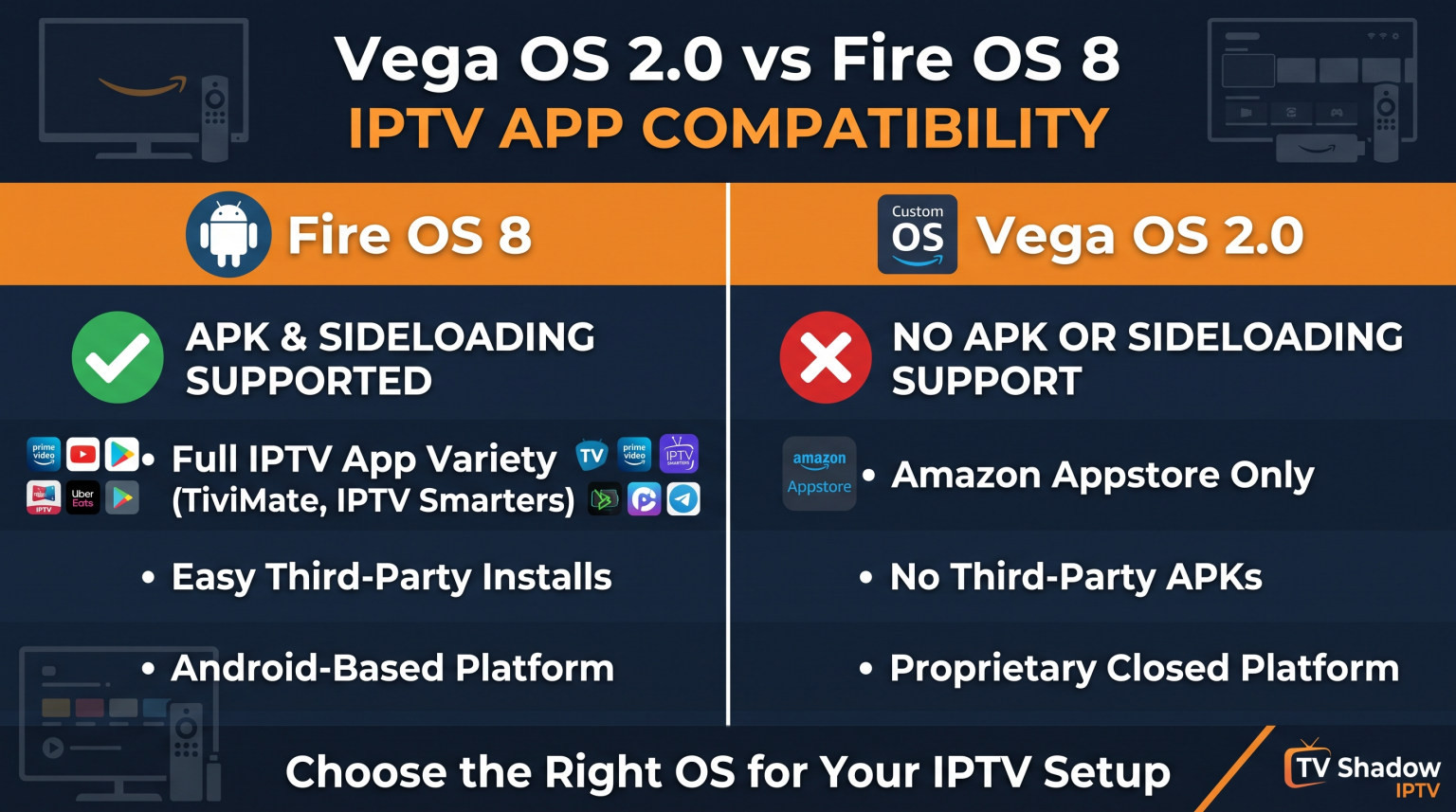
Fire OS 8 is an Android-based operating system. Fire OS 8 allows users to install Android Package Kit (APK) files from unknown sources. This capability makes Fire OS 8 excellent for installing custom IPTV players.
Vega OS 2.0 is Amazon’s proprietary operating system. Vega OS 2.0 does not use Android software. Therefore, Vega OS 2.0 blocks all APK installations. Users who want to install custom IPTV applications should choose a device with Fire OS 8. Users who only need official Amazon Appstore applications will find Vega OS 2.0 suitable.
Understanding Fire OS 8
Fire OS 8 uses the Android operating system architecture. Because Fire OS 8 is based on Android, the operating system understands standard Android applications.
Users can activate a hidden menu called “Developer Options” in the Fire OS 8 system settings. This activation allows users to install software from outside the official Amazon Appstore. The process of installing outside software is called sideloading.
For IPTV users, Fire OS 8 offers maximum flexibility. Users can install popular applications like TiviMate or IPTV Smarters Pro directly from the internet. Fire OS 8 devices usually include higher-performance processors to handle complex Android applications smoothly.
Understanding Vega OS 2.0
Vega OS 2.0 is a new operating system created entirely by Amazon. Amazon designed Vega OS 2.0 for new budget streaming devices and specific smart televisions.
Vega OS 2.0 does not contain Android code. Because the operating system lacks the Android runtime environment, Vega OS 2.0 cannot read or install APK files. The system menu does not contain a “Developer Options” section.
Users cannot sideload applications on Vega OS 2.0. Users can only install applications that Amazon provides in the official Amazon Appstore. This restriction means many popular independent IPTV players are not available on Vega OS 2.0 devices.
Feature Comparison: Vega OS 2 vs Fire OS 8
| Funkcja | Fire OS 8 | Vega OS 2.0 |
| Operating system base | Android | Linux / Web-based |
| Ekosystem aplikacji | Amazon Appstore and APK files | Wyłącznie w sklepie Amazon Appstore |
| APK installation support | Yes (Supported) | No (Blocked) |
| Developer Options menu | Dostępne | Not available |
| Downloader app support | Full installation support | Web browsing only |
| IPTV player availability | Wide variety of Android apps | Limited to official store apps |
IPTV App Compatibility Explained
The differences between Vega OS 2 vs Fire OS 8 require users to use different methods for IPTV streaming.
Installing IPTV Players on Fire OS 8
Fire OS 8 gives users complete control over IPTV software. Users typically install the “Downloader” application from the Amazon Appstore. Users can type a web link into the Downloader application to download an IPTV player APK file.
Because Fire OS 8 supports Android applications, users can install advanced IPTV players. Advanced players offer features such as recording, multi-screen viewing, and fast channel switching. If you are comparing different television systems, you can read our guide about Najlepszy system operacyjny dla telewizorów Smart TV do obsługi IPTV w 2026 r.: Tizen kontra Google TV kontra webOS.
Installing IPTV Players on Vega OS 2.0
Vega OS 2.0 restricts software installation strictly to the Amazon Appstore. Users cannot use the Downloader application to install APK files on Vega OS 2.0.
To watch IPTV on Vega OS 2.0, users must search the Amazon Appstore for approved IPTV players. The selection of approved IPTV players on Vega OS 2.0 is much smaller. Some developers create special versions of their applications for Vega OS 2.0, but these versions often lack advanced features.
Electronic Program Guide (EPG) Support
The Electronic Program Guide (EPG) displays the television schedule. Fire OS 8 handles large EPG files very well because users can install powerful Android applications. Android applications can process heavy XMLTV files quickly.
Vega OS 2.0 devices may struggle with very large EPG files. The approved applications on Vega OS 2.0 are often simpler web-based applications. These simple applications might load the television schedule more slowly than native Android applications.
Korzystanie z TV Shadow IPTV
TV Shadow IPTV provides a flexible streaming service that works with many different applications. TV Shadow IPTV does not have an official affiliation with Amazon. However, users can access TV Shadow IPTV using standard streaming protocols.
TV Shadow IPTV supports M3U playlists and Xtream Codes API connections. On a Fire OS 8 device, users can enter their TV Shadow IPTV details into any advanced Android IPTV player. On a Vega OS 2.0 device, users must find an Amazon-approved application that accepts M3U links or Xtream Codes API, and then enter their TV Shadow IPTV details into that application.
Streaming Live Football and Sports
Live football requires excellent technical performance from the streaming device and the television. Fast camera movements during a football match require a fast processor and a stable internet connection.
Hardware Processing and Motion Handling
Fire OS 8 is usually installed on premium Amazon devices. These premium devices have strong processors. Strong processors decode live video quickly, which prevents the football stream from stuttering.
Vega OS 2.0 is often installed on budget devices. Budget devices have weaker processors. A weaker processor might struggle to decode 4K sports streams smoothly. If you want to learn more about television hardware for sports, read our explanation of Telewizory 60 Hz a 120 Hz do oglądania meczów piłki nożnej na żywo.
Wi-Fi and Ethernet Connections
Live football streams require a very stable internet connection. Fire OS 8 and Vega OS 2.0 both support wireless internet (Wi-Fi). However, Wi-Fi signals can fluctuate, which causes buffering during a live match.
Users should use an Ethernet cable for live sports. Many Fire OS 8 devices support Amazon’s official Ethernet adapter. Users must check if their specific Vega OS 2.0 device supports an Ethernet adapter. A wired Ethernet connection provides a consistent data stream, which is essential for high-quality IPTV services like TV Shadow IPTV.
Wnioski
The difference between Vega OS 2 vs Fire OS 8 is very important for IPTV users. Fire OS 8 provides an open Android environment. This open environment allows users to install any compatible APK file. Fire OS 8 is the better choice for users who want advanced IPTV players and maximum customization.
Vega OS 2.0 is a closed system. Vega OS 2.0 blocks all APK installations and forces users to use the official Amazon Appstore. While Vega OS 2.0 is simple to use, it severely limits which IPTV applications a user can install. Users must verify the operating system of an Amazon device before purchasing it for IPTV streaming. TV Shadow IPTV supports standard M3U and Xtream Codes formats, meaning users can connect their service as long as they can find a compatible media player on their chosen operating system.
Najczęściej zadawane pytania
Can I install APK files on Vega OS 2.0?
No. Vega OS 2.0 does not support APK files. The operating system does not use Android technology, so the system cannot read Android installation files.
Does Fire OS 8 support the Downloader application?
Yes. Fire OS 8 fully supports the Downloader application. Users can use the Downloader application to install third-party software from the internet.
Is TiviMate available on Vega OS 2.0?
No. TiviMate is an Android application. Vega OS 2.0 cannot run Android applications, and TiviMate is not available in the official Amazon Appstore for Vega OS 2.0.
Will TV Shadow IPTV work on Fire OS 8?
Yes. TV Shadow IPTV works on Fire OS 8 devices. Users can connect their TV Shadow IPTV account using any compatible Android IPTV player.
Why did Amazon create Vega OS 2.0?
Amazon created Vega OS 2.0 to control the device software completely. Amazon wants users to download applications exclusively from the Amazon Appstore to improve security and increase corporate revenue.
Do I need a new remote control for Vega OS 2.0?
No. Vega OS 2.0 uses standard Amazon remote controls. The physical buttons work the same way on both operating systems, but the screen interface looks slightly different.