
Vi har alla varit med om det. Det är slutminuterna i en match där det står lika, anfallaren gör sig redo att skjuta, och plötsligt… fryser bilden. Det snurrande buffringshjulet är utan tvekan det mest frustrerande med att inte ha kabel-tv idag.
Om du är ute efter en IPTV-abonnemang, har du säkert sett leverantörer som skryter om sin “Anti-Freeze-teknik”. Men vad är det egentligen? Är det en verklig teknisk funktion, eller bara ett smart marknadsföringsuttryck?
Låt oss gå igenom exakt vad som händer bakom kulisserna för att se till att dina streamar fungerar smidigt, och hur man känner igen en leverantör som faktiskt har den hårdvara som krävs för att leva upp till sina löften.
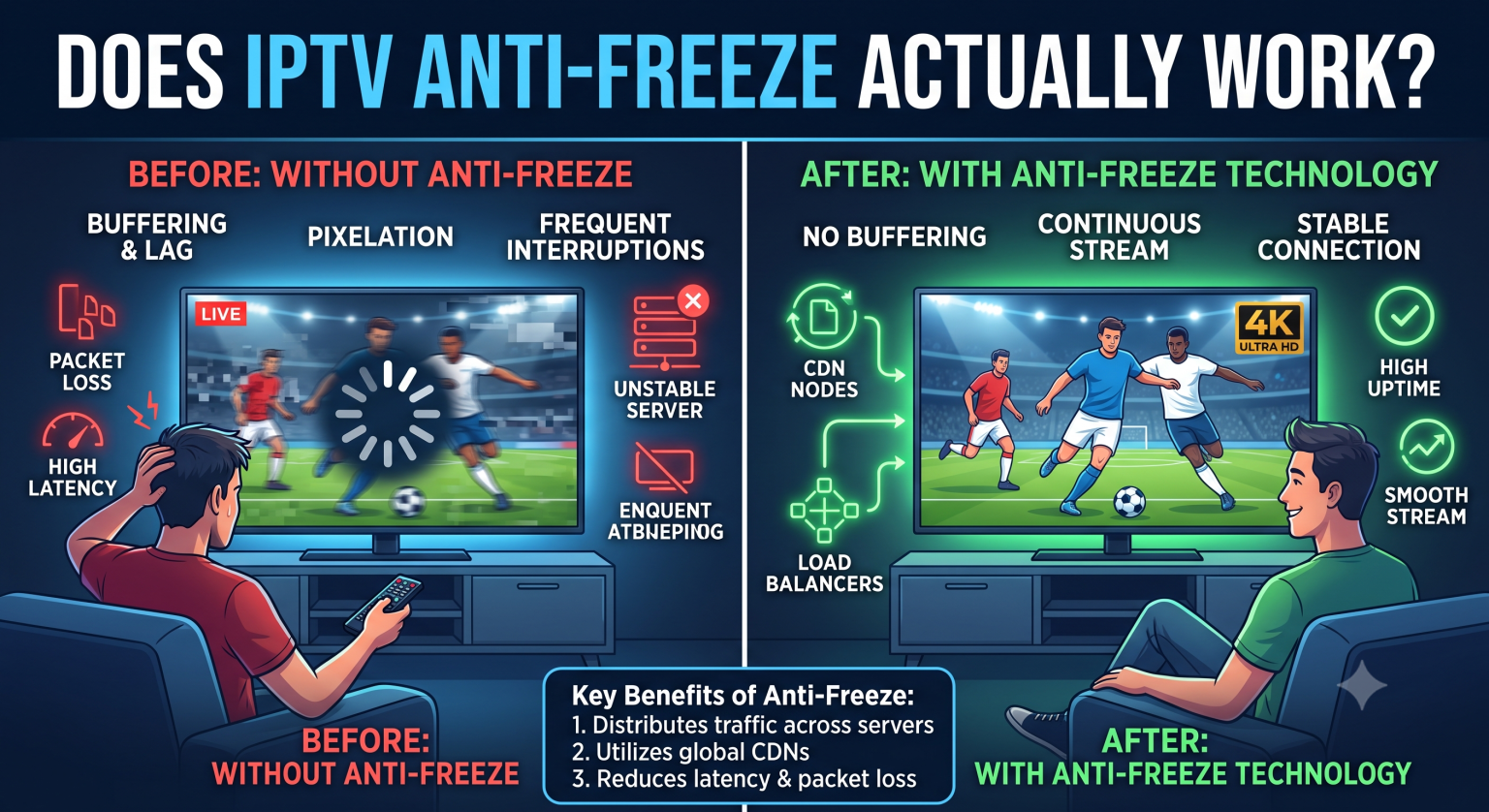
Hur frostskyddsmedel fungerar
När en IPTV-tjänst lovar noll buffring är det inte någon magisk programvara som ligger bakom. Verklig anti-freeze-teknik handlar uteslutande om serverinfrastruktur och smart dataroutning. Den bygger i allmänhet på tre grundpelare:
1. Lastbalansering och serverövergång vid fel
Populära liveevenemang utsätter servrarna för enorm belastning. En premiumtjänst 4K IPTV-tjänst använder lastbalanserare för att fördela trafiken jämnt över flera servrar. Om en server i London börjar bli överbelastad av tusentals tittare som tittar på samma sändning, omdirigerar lastbalanseraren omedelbart nya anslutningar till en reservserver i New York eller Singapore innan någon hinner märka av några avbrott.
2. Nätverk för innehållsleverans (CDN)
Det fysiska avståndet mellan dig och värdservern spelar roll. Premiemtjänster använder globala CDN-nätverk som är strategiskt placerade i större städer. Istället för att hämta videoströmmen från andra sidan jordklotet, kommer din IPTV-enhet (IPTV-boxen) hämtar data från en lokal server som ligger bara några miles bort. Detta minskar fördröjningen avsevärt och förhindrar paketförlust.
3. Strömning med anpassad bithastighet
Ibland beror avbrottet inte på leverantören, utan på att hastigheten på ditt hemnätverk sjunker tillfälligt. Streaming med adaptiv bithastighet övervakar hela tiden din anslutning. Om din Wi-Fi-anslutning plötsligt sjunker från 50 Mbps till 10 Mbps sänker systemet smidigt videoupplösningen (till exempel från 4K till 1080p) för att videon ska kunna fortsätta spelas upp utan att tvingas till en buffringspaus.
Hur man granskar en leverantörs påståenden
Eftersom inträdesbarriären i denna bransch är relativt låg händer det ofta att många mindre aktörer helt enkelt hyr delade serverlinjer samtidigt som de påstår sig ha en egen infrastruktur för att förhindra avbrott.
Det smartaste sättet att skydda sig är att använda en Bästa kostnadsfria provperioden för IPTV innan du lämnar ut dina kreditkortsuppgifter. Under provperioden ska du inte bara zappa mellan kanalerna. Testa tjänsten under rusningstider, till exempel under en boxningsmatch på lördagskvällen eller ett stort sportevenemang på söndagen. Det är då billiga servrar går på knä och riktig ”anti-freeze”-teknik visar sitt värde.
Du bör också testa tjänsten på den hårdvara du föredrar. Oavsett om du använder en dedikerad Android-box, en Smart-TV eller behöver specifika IPTV för Firestick När det gäller kompatibilitet spelar spelapplikationen roll. Appar som IPTV Smarters Pro är mycket populära eftersom deras inbyggda mediemotorer är extremt optimerade för att hantera dynamiska kanalbyten utan att krascha.
Traditionell kabel-TV jämfört med premium-IPTV
Många användare söker efter en IPTV-abonnemang (IPTV-abonnemang) helt enkelt därför att priserna på traditionell kabel-TV har stigit avsevärt under det senaste decenniet, medan kostnaderna för streaming i stort sett har legat kvar på samma nivå. Här ser du hur en modern premiumlösning står sig i jämförelse med den gamla standarden:
| Funktion | Premium-IPTV (Anti-Freeze) | Traditionell kabel-TV |
| Infrastruktur | Internetbaserat via globala CDN-nätverk | Fysiska, lokalt placerade kablar |
| Nödvändig hårdvara | Firestick, smart-TV eller dator | Egenutvecklad, hyrd digitalbox |
| Kanalbibliotek | Internationella kanaler och VOD | Regionlåsta paket |
| Initialkostnad | Vanligtvis lägre, inga avtal | Högre, ofta med dolda avgifter |
Sammanfattning
Tekniken för att förhindra avbrott är inte något som en leverantör bara slår på med en knapp; det handlar om en omfattande ekonomisk investering i privata servrar, lastfördelare och globala CDN-nätverk.
Om du vill ha den bästa möjliga upplevelsen i vardagsrummet bör du prioritera leverantörer som öppet redogör för sin serverupptid (se efter 99,9% eller högre) och erbjuder inbyggda 4K-strömmar med hög bithastighet. Kombinera en pålitlig leverantör med en fast Ethernet-anslutning och en förstklassig spelare som IPTV Smarters Pro, så kan du äntligen säga adjö till buffringshjulet för gott.