
Searching for your favorite live broadcast only to find five identical feeds loading at different speeds ruins the entire cord-cutting experience. When your player indexes tens of thousands of streams across local US network affiliates, multi-resolution backups, and international feeds, search lag and clutter quickly take over your screen.
Here is exactly why IPTV duplicate channels flood your search results and how to strip out the bloat to create a lightning-fast, tailored channel lineup.
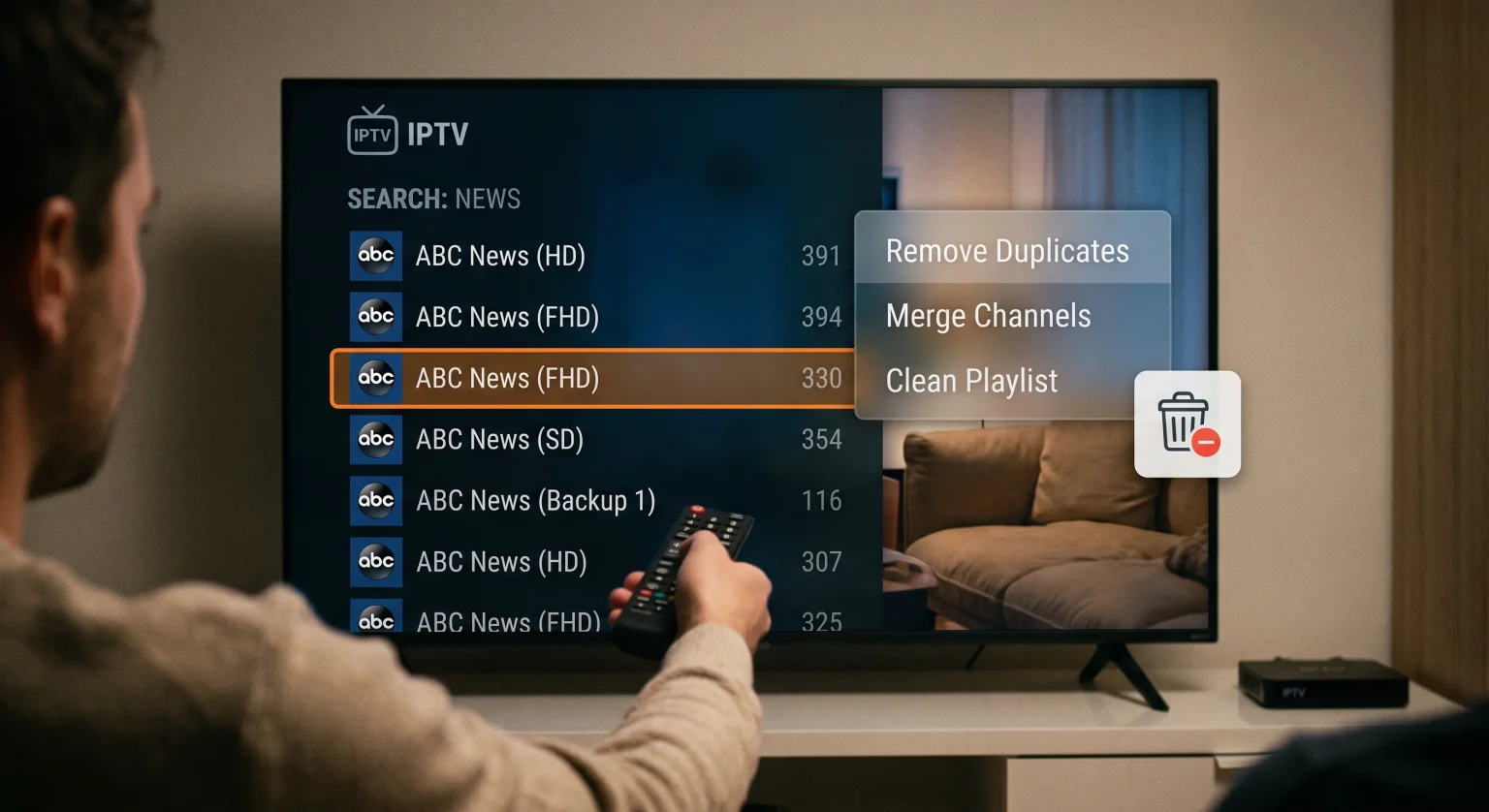
Why IPTV App Search Shows Duplicate Channels
Most IPTV providers supply massive master playlists containing over 20,000 live channels and video-on-demand (VOD) assets. Understanding where the duplicates originate makes filtering them straightforward:
Multiple Resolution Streams (SD, HD, FHD, 4K): Providers bundle standard, high-definition, and 4K variants of the same channel under identical or nearly identical titles.
Regional US Affiliate Feeds: Networks like CBS, FOX, ABC, and NBC often carry separate broadcast feeds for major metropolitan markets (e.g., New York, Chicago, Dallas, Los Angeles).
Backup and Failover Links: Premium services include secondary and tertiary server routes so that if server A buffers, server B remains live.
Overlapping Group Categories: Channels frequently appear simultaneously under dedicated regional groups (like “US Entertainment”) and genre groups (like “Movies” or “24/7 Channels”).
Methods to Clean Up Large Playlists and Remove Duplicate Streams
Cleaning your playlist not only speeds up search indexing inside your player but also reduces memory crashes on streaming devices like the Amazon Firestick, Apple TV, and Android TV boxes.
1. Filter Directly Within Advanced IPTV Players
Modernt player applications such as TiviMate, IPTV Smarters Pro, och OTT Navigator include built-in playlist management tools. Instead of editing raw files, you can filter directly inside the app interface:
Hide Channel Groups: Turn off entire international regions, language packs, or VOD groups that you never watch.
Disable Duplicate Resolutions: Use display settings to prioritize FHD or 4K feeds and hide SD duplicates automatically.
Manage Channel Visibility: Manually toggle off duplicate local feeds while keeping your preferred regional station active.
2. Edit the M3U Playlist Using Cloud-Based Editors
If your player struggles to load a massive link, editing the source M3U file is the most permanent fix. Cloud-based tools allow you to paste your M3U URL, uncheck unwanted categories, run automated duplicate-removal scripts, and export a lean, custom M3U URL.
This process cuts master playlists from 50,000 streams down to a curated list of a few hundred channels, slashing boot and search times down to milliseconds.
3. Switch from M3U to Xtream Codes API Login
Connecting via Xtream Codes API (Username, Password, and Server URL) rather than a static M3U file gives you granular server-side category control. Most compatible apps allow you to choose which Live TV and VOD buckets download to your device during the initial sync.
Playlist Cleanup Solutions Compared
| Feature / Criteria | In-App Player Filtering | Cloud M3U Playlist Editor | Xtream Codes Category Filter |
| Bäst för | Quick tweaks on a single TV | Multi-device sync & full curation | Preventing app crashes on low-RAM devices |
| Svårighetsgrad vid installation | Easy (Remote control) | Moderate (Web browser required) | Easy (Login credentials) |
| Search Speed Boost | Måttlig | Maximalt | Hög |
| Permanent Fix Across Devices | No (Per-device setup) | Yes (One URL serves all devices) | Yes (Select categories on login) |
| Handles Resolution Duplicates | Yes (Manual or auto-sort) | Yes (Automated regex filtering) | Partial (Depends on provider grouping) |
Step-by-Step: Removing IPTV Duplicate Channels in Popular Players
How to Clean Up Playlists in TiviMate
Öppna Inställningar > Playlists and select your active provider.
Välj Manage Groups to uncheck regions and genres outside your viewing preferences.
In the TV Guide guide view, long-press the Välj button on any duplicate stream and choose Hide Channel.
Turn on Group Channels by Name to collapse identical channels into a single menu item with alternative source streams.
How to Clean Up Playlists in IPTV Smarters Pro
Navigate to your playlist settings on the home dashboard.
Tillträde Manage Categories to lock or hide duplicate sports and regional buckets.
Refresh your EPG and Playlist data after updating to clear out orphaned duplicate listings from your device’s cache.
Optimize Your Stream for Local Network Performance
US-based streamers connecting through high-speed broadband providers like Comcast Xfinity, AT&T Fiber, or Spectrum frequently run into search lag caused by playlist indexing rather than bandwidth bottlenecks. Even a gigabit connection will not prevent a streaming stick from freezing if your app has to parse an unedited 80MB M3U file every time you type a letter into the search bar.
Pruning IPTV duplicate channels ensures your player’s internal search index stays lightweight, responsive, and tailored strictly to the channels you actually watch.
Upgrade to a Streamlined, Buffer-Free Viewing Experience
Tired of wrestling with bloated 40,000-channel playlists, dead links, and endless duplicate feeds? Explore our high-performance, pre-organized streaming plans today. Enjoy instant channel search, pristine 4K resolution, 99.9% uptime, and neatly categorized local and international entertainment completely free of duplicate clutter.
Vanliga frågor och svar
Why does my IPTV app keep showing duplicate channels after I hide them?
This usually occurs when the player automatically updates the playlist from your provider’s server and overwrites local hide settings. To stop this, disable “Auto-update playlist on launch” or use a dedicated cloud M3U editor to eliminate duplicates upstream.
Does removing duplicate streams improve channel zapping speed?
Yes. Trimming redundant channels and unused foreign bouquets frees up system RAM on your streaming device, dramatically shortening EPG sync times and channel change intervals.
What is the fastest way to get rid of duplicate channels across all my devices?
Use an online M3U editor (such as m3u4u or IPTVBoss). By editing the master playlist in the cloud, any changes or duplicate deletions apply instantly to every TV, tablet, and streaming box sharing that link.