
Are you ready to relax, only to watch your screen freeze because of an IPTV large playlist crash? It is one of the most frustrating streaming issues you can face. Fortunately, fixing this memory overload issue is easier than you think, no matter where you are tuning in from globally.
When you load a massive channel list, you put immense strain on your streaming hardware. Let’s explore why this happens and how you can instantly resolve the issue.
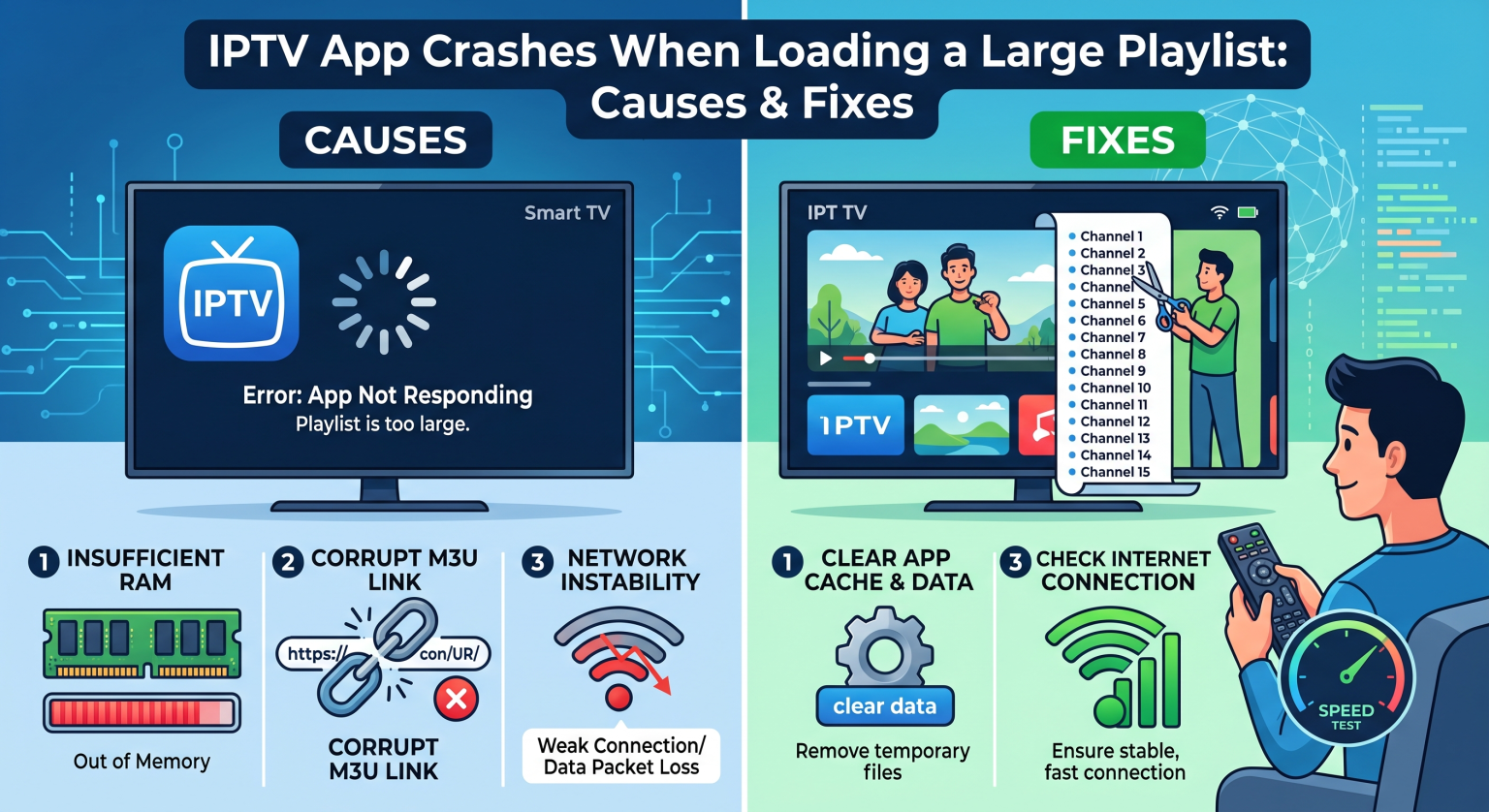
Why Does an IPTV Large Playlist Crash Happen?
Most modern IPTV subscriptions come with tens of thousands of live channels, movies, and TV series. While having endless options is great, it can overwhelm your device.
Device Memory Overload
The most common culprit for a streaming app freezing is insufficient RAM. Smart TVs, older Firesticks, and budget Android boxes simply lack the processing power to handle a massive M3U file size limit. When the device tries to load 100,000+ lines of text at once, the system runs out of memory and shuts down the app.
Unoptimized Player Apps
Not all IPTV players are coded equally. Many free apps try to load the entire VOD playlist formatting and live channel EPG (Electronic Program Guide) into the active memory simultaneously. This inefficient data handling guarantees a crash on lower-end devices.
Top Solutions to Fix Your IPTV Large Playlist Crash
You do not necessarily need to buy an expensive new streaming box to fix this problem. A few software tweaks can dramatically improve your device’s performance.
1. Reduce Your IPTV Channel List
The easiest fix is to make your playlist smaller. You can use online M3U editor tools to delete countries, categories, and VOD sections you never watch.
Remove unused regions: Delete channels from countries you don’t speak the language of.
Separate VOD and Live TV: Ask your provider if they can split movies and live channels into two separate lists.
Disable the EPG: If your device is struggling, turning off the TV guide data can save massive amounts of RAM.
2. Switch to a Premium IPTV Player
Upgrading your software is highly effective for preventing an IPTV-spelare memory overload. Premium apps use background caching, meaning they only load the channel data you are actively scrolling through.
IPTV Player Comparison: Handling Massive Playlists
To help you choose the right software, here is a breakdown of how the most popular apps handle massive channel lists:
| IPTV-spelare | Large Playlist Handling | RAM Efficiency | Bästa funktion |
| TiviMate (Premium) | Excellent (Loads in background) | Hög | Automatic EPG syncing |
| IPTV Smarters Pro | Moderate (Loads chunks at a time) | Medium | Visning på flera skärmar |
| GSE Smart IPTV | Poor (Prone to frequent crashes) | Låg | Broad device compatibility |
Prevent App Crashing: Best Practices for Global Viewers
Whether you are streaming locally or traveling globally, network latency can make playlist loading times even worse. An unstable internet connection forces the app to repeatedly attempt to download the M3U file.
Always connect your streaming device directly to your router via an Ethernet cable. If you must use Wi-Fi, ensure you are on a 5GHz network to prevent IPTV app buffering and timeout crashes.
Get the Ultimate, Crash-Free Streaming Experience
Don’t let a frustrating IPTV large playlist crash ruin your weekend movie night. By managing your M3U file size and upgrading to a well-optimized player like TiviMate, you can enjoy seamless, buffer-free entertainment.
Ready to upgrade your streaming setup? [Click here to explore our top-rated IPTV premium plans today] and enjoy flawlessly curated, lightweight playlists designed for maximum performance!
Vanliga frågor (PAA)
Why does my IPTV player keep closing automatically?
Your app is likely crashing because your streaming device has run out of RAM. This usually happens when the app tries to load a playlist containing too many channels or massive VOD libraries all at once.
How do I reduce the size of my M3U playlist?
You can use online playlist managers (like m3u4u) to edit your link. These tools allow you to hide unwanted channel groups and delete massive VOD categories before importing the list into your streaming app.
Does upgrading my streaming device stop playlist crashes?
Yes. Upgrading to a premium device with at least 3GB to 4GB of RAM (like an NVIDIA Shield or Apple TV 4K) gives the player enough memory to process massive playlists without crashing.