
A 55-inch television offers the ideal size for most living rooms. When you watch IPTV, the television hardware and the operating system are both very important. You need a fast processor to handle live sports and a good application store to install your favorite IPTV players. In 2026, the best 55 inch TV for IPTV depends heavily on which operating system you prefer.
Google TV provides the largest selection of IPTV applications. Samsung Tizen and LG webOS provide a smoother interface, but these systems have fewer applications available. This guide compares the best 55-inch models from Samsung, Sony, LG, and TCL. We will examine picture quality, operating systems, and overall performance so you can make the right choice for your IPTV-abonnement.
Snel antwoord
The best 55 inch TV for IPTV depends on your technical needs. For the widest choice of IPTV applications, a television with Google TV, such as the Sony BRAVIA 8 or TCL QM8, is the best option. If you prefer perfect contrast and a very fast interface, the LG C4 or LG C5 with webOS is an excellent choice. The Samsung S90D offers extremely bright colors, but the Samsung Tizen operating system does not support Android applications. You will need a separate streaming device if your favorite IPTV application is not available in the Samsung store.
Smart TV Operating Systems for IPTV
The operating system controls which applications you can install. The operating system is the most important factor when you choose a television for IPTV.
Google TV (Sony and TCL)
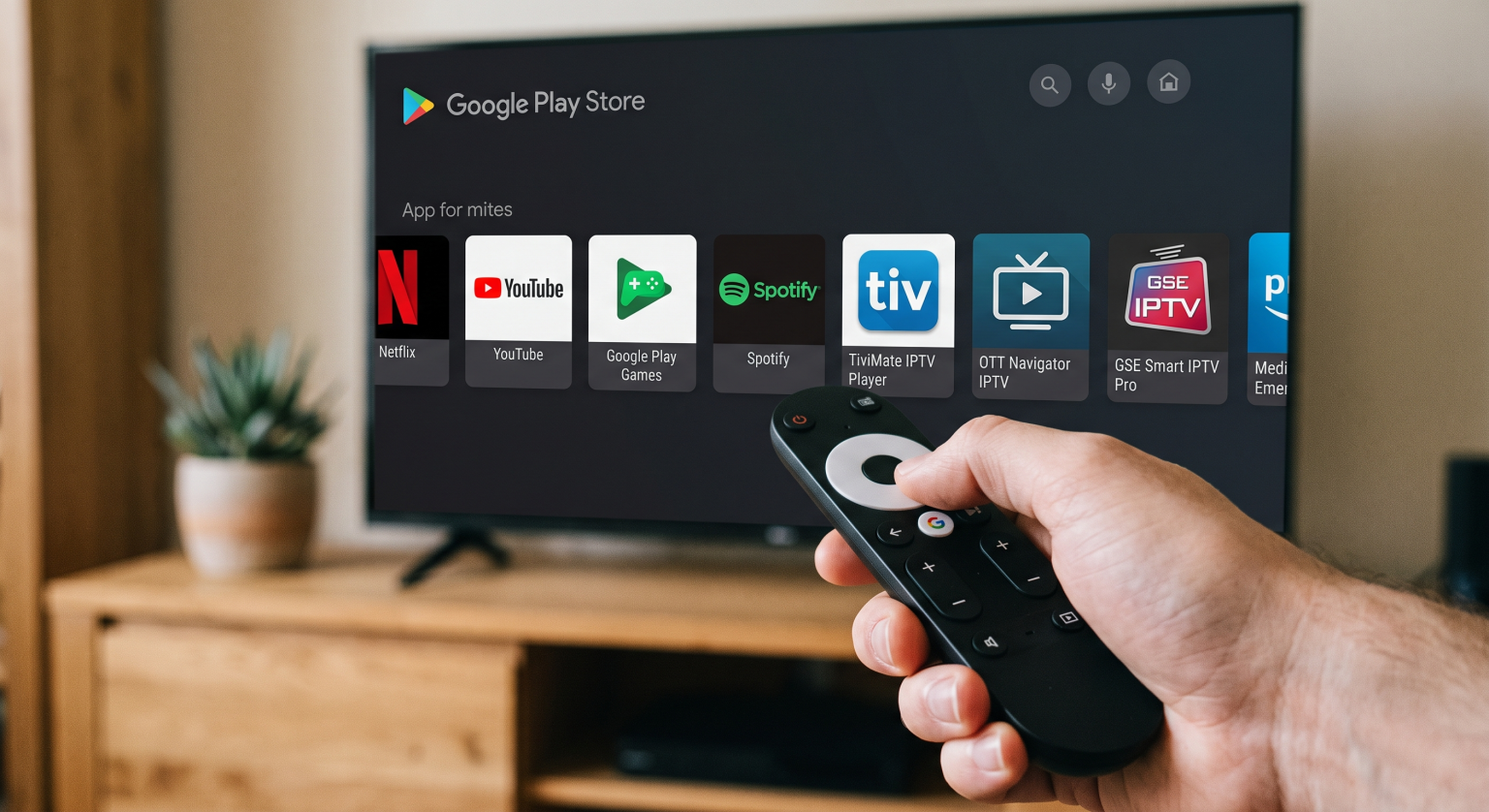
Sony BRAVIA televisions and TCL televisions use the Google TV operating system. This system includes the Google Play Store. The Google Play Store offers hundreds of IPTV players, including Tivimate, Smarters Pro, and XCIPTV. You can also easily install Android application files (APK files) from a USB drive. If you want maximum freedom for IPTV applications, Google TV is the best choice.
LG webOS
LG televisions, such as the LG C4 and LG C5, use the webOS system. LG webOS is very fast and easy to use. The LG Content Store includes many popular IPTV applications, such as IBO Player and Nanomid. However, webOS does not support Android applications. You cannot install Android APK files on an LG television.
Samsung Tizen
Samsung televisions, such as the Samsung S90D, use the Tizen operating system. Tizen is fast and looks modern. However, the Samsung application store has strict rules. Sometimes, Samsung removes popular IPTV applications from the store. Like LG, Samsung does not support Android applications. If you buy a Samsung television, you might need an external Android TV box in the future.
Comparison: Samsung, Sony, LG, and TCL
Here is a factual comparison of the main television brands in 2026.
| Functie | Sony BRAVIA 8 | LG C5 / C4 | Samsung S90D | TCL QM8 |
| Besturingssysteem | Google TV | webOS | Tizen | Google TV |
| Screen technology | OLED | OLED | QD-OLED | Mini-LED |
| App Store | Google Play | LG Content Store | Samsung Apps | Google Play |
| Ondersteuning voor Android-apps | Ja | Nee | Nee | Ja |
| Sideloading (APK) | Ja | Nee | Nee | Ja |
Important Television Features for IPTV
When you buy the best 55 inch TV for IPTV, you must check the hardware features.
Internetverbinding
IPTV requires a stable internet connection. All modern 55-inch televisions include Wi-Fi. However, a wireless connection can lose signal strength. For the best IPTV experience, connect your television directly to your internet router with an Ethernet cable. A direct cable connection prevents video buffering during live streams.
Processing Power and Upscaling
Many IPTV channels broadcast in 1080p resolution or 720p resolution. A modern 55-inch television has a large 4K screen. The television processor must stretch the small 1080p image to fit the 4K screen. This stretching process is called upscaling. Sony BRAVIA televisions are famous for excellent upscaling. The Sony processor makes standard IPTV channels look sharper and cleaner.
Elektronische programmagids (EPG)
When you watch TV Shadow IPTV, you will use an Electronic Program Guide (EPG). The EPG shows the schedule of television programs. A fast television processor is necessary to load a large EPG quickly. Televisions from Sony, LG, Samsung, and TCL in 2026 all have fast processors. These processors ensure that your EPG menu scrolls smoothly without delays.
Remote Control Usability
You will use your television remote control every day to change channels. LG televisions include the Magic Remote. The Magic Remote uses a motion sensor to move a pointer on the screen. The screen pointer makes typing passwords very fast. Sony and TCL remote controls have standard directional buttons. Samsung provides a very small remote control with solar charging. All of these remote controls work well with IPTV applications.
Live voetbal kijken via IPTV
Live football requires specific television features. The football moves very quickly across the screen.
Motion Handling and Refresh Rate
To watch live sports clearly, you need a television with good motion handling. Look for a television with a 120Hz or 144Hz refresh rate. A 120Hz screen updates the image 120 times every second. A fast refresh rate keeps the football looking sharp when the ball moves. The LG C4, Samsung S90D, Sony BRAVIA 8, and TCL QM8 all feature 120Hz or 144Hz screens.
Een tv van 60 Hz versus een tv van 120 Hz voor live voetbal
OLED vs Mini-LED for Sports
OLED televisions (like the LG C4 and Sony BRAVIA 8) control the light of every single pixel. The OLED technology provides perfect contrast. Mini-LED televisions (like the TCL QM8) can become much brighter than OLED televisions. If you watch live football in a very sunny room, a Mini-LED television is an excellent choice. If you watch sports in a dark room, an OLED television is better.
TV Shadow IPTV Compatibility
TV Shadow IPTV works with many different applications. You can use M3U links or Xtream Codes to connect to the service.
Because TV Shadow IPTV supports Xtream Codes, you can use almost any modern IPTV application.
If you choose a Sony or TCL television (Google TV), you can download Tivimate or Smarters Pro.
If you choose an LG television (webOS), you can download IBO Player or Flix IPTV.
If you choose a Samsung television (Tizen), you can download DuplexPlay or Set IPTV.
Remember that application availability can change depending on your country. TV Shadow IPTV does not have an official partnership with any television manufacturer. TV Shadow IPTV works strictly as a service provider, and you must provide the player application.
Best Smart TV OS for IPTV in 2026: Tizen vs Google TV vs webOS.
Which 55-Inch TV Should You Buy?
No single television is perfect for everyone. You must choose based on your priorities.
Choose the Sony BRAVIA 8 (Google TV) if you want perfect picture quality, great upscaling for 1080p channels, and total freedom to install Android applications.
Choose the LG C5 or LG C4 (webOS) if you want a perfect OLED picture, a very fast remote control, and a simple menu system.
Choose the Samsung S90D (Tizen) if you want very bright colors and a beautiful design, and you do not mind a restricted application store.
Choose the TCL QM8 (Google TV) if you want a very bright Mini-LED screen for a sunny room, combined with the large Google Play application store.
Conclusie
Finding the best 55 inch TV for IPTV requires balancing picture quality with software freedom. In 2026, 55-inch televisions from LG, Samsung, Sony, and TCL all offer excellent screens with 120Hz refresh rates. These fast screens are perfect for watching live football and movies. However, the operating system creates the biggest difference for IPTV users. Google TV provides the best application support, while webOS and Tizen offer clean, fast menus with a smaller selection of applications. Choose the television that fits your viewing room and your software needs, and connect the television with an Ethernet cable to enjoy TV Shadow IPTV without buffering.
Veelgestelde vragen
What is the best 55 inch TV for IPTV?
The best 55 inch TV for IPTV depends on your preferred operating system. A television with Google TV, such as the Sony BRAVIA 8 or TCL QM8, is usually the best choice because you can install any Android IPTV application.
Can I install Android apps on a Samsung Smart TV?
No, you cannot install Android apps on a Samsung Smart TV. Samsung uses the Tizen operating system. The Tizen system does not support Android APK files or the Google Play Store.
Does LG webOS have IPTV apps?
Yes, LG webOS has several good IPTV apps in the LG Content Store. You can find apps like IBO Player, Nanomid, and SET IPTV. However, you cannot install Android apps like Tivimate on an LG television.
Why does my IPTV stream look blurry on a new 4K TV?
Your IPTV stream might look blurry because the channel broadcasts in a low resolution, such as 720p. The television must stretch this small picture to fit the large 4K screen. A television with a good upscaling processor, like a Sony BRAVIA, will make the picture look better.
Is a Wi-Fi connection good enough for IPTV?
Wi-Fi is often fast enough, but a wireless connection is not perfectly stable. For the best result, you should connect your television to your router with an Ethernet cable. An Ethernet cable stops the video from pausing or buffering during a live football match.