
TiVo OS is an independent operating system for Smart TVs developed by Xperi. In 2026, television manufacturers such as Panasonic, Sharp, and Vestel use TiVo OS on specific television models. This operating system focuses on universal content discovery across multiple streaming services. However, users who want to stream live television or use specific applications must understand the specific features and limitations of this platform. This article explains how a TiVo OS Smart TV works, which streaming applications are available, and how the operating system handles IPTV services and live sports.
Snel antwoord
A TiVo OS Smart TV provides excellent content recommendations and aggregates movies from major platforms like Netflix and Amazon Prime Video. However, the TiVo app store is smaller than Google TV or webOS. For general movie streaming, TiVo OS is fast and very easy to use. For IPTV users, TiVo OS has fewer dedicated IPTV players. Users may need an external streaming device if their preferred IPTV application is not available in the regional TiVo app store.
Understanding TiVo OS in 2026
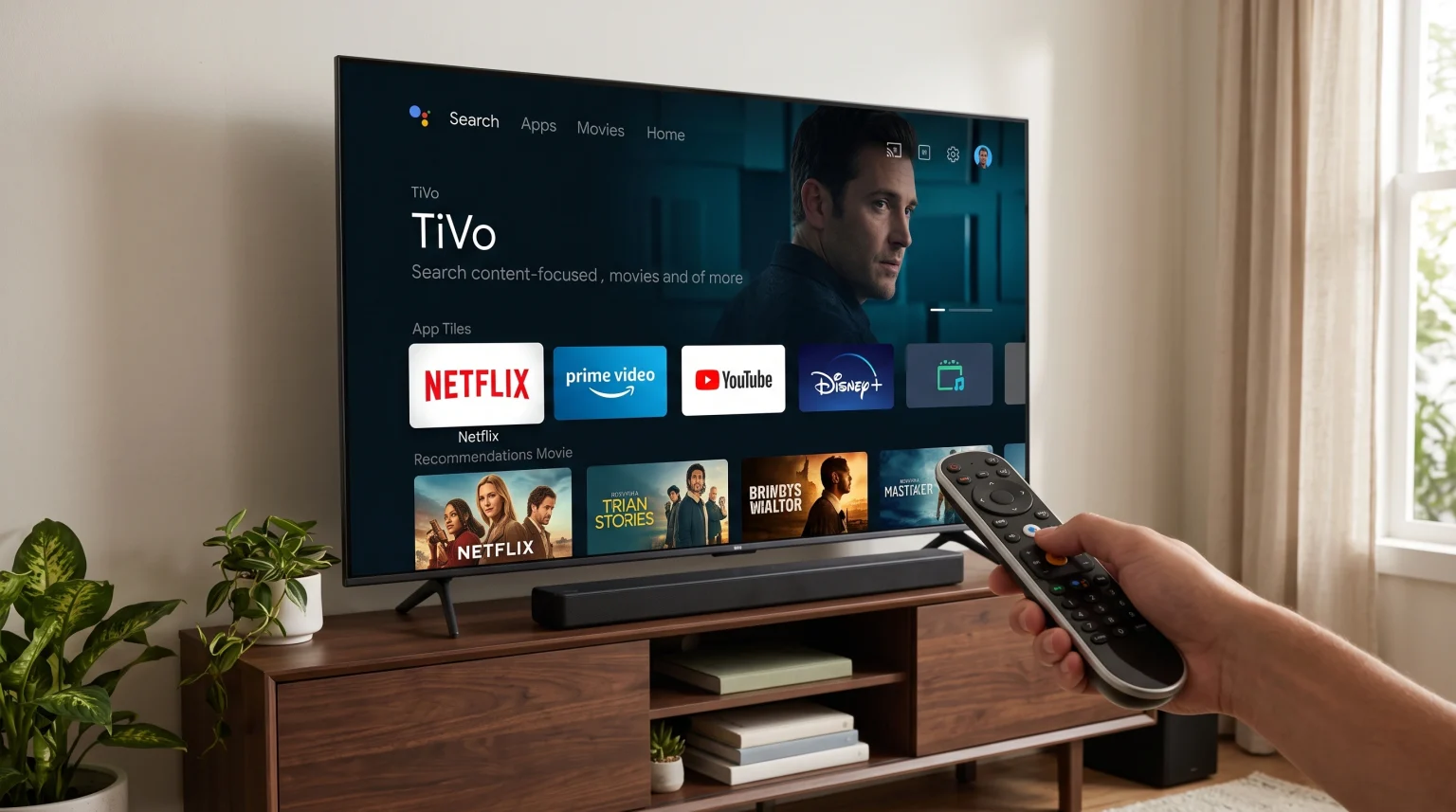
TiVo OS operates differently from traditional Smart TV platforms. Instead of forcing users to open individual applications to find content, TiVo OS displays movies and shows directly on the home screen.
The main interface focuses on search functionality. A user can search for a specific movie, and the TiVo OS Smart TV will show which streaming services offer that movie. This feature reduces the time users spend searching through different menus.
TiVo OS does not require a user account to operate the basic television functions. However, creating a free TiVo account enables personalized content recommendations.
App Availability and Limitations
The application ecosystem is the most important factor when choosing a Smart TV. TiVo OS includes major global streaming applications. Users can easily access YouTube, Netflix, Disney+, and Amazon Prime Video.
However, the TiVo OS app store has limitations. TiVo OS is a closed system based on Linux. This means the operating system does not support Android applications. Users cannot access the Google Play store. If you want to understand how different operating systems compare, our guide to Het beste besturingssysteem voor smart-tv's voor IPTV in 2026] explains the differences between major platforms.
Application availability on a TiVo OS Smart TV also depends on the user’s country. Local streaming services and regional television applications may not be available on TiVo OS in every European country.
TiVo OS vs Google TV
This table compares TiVo OS with Google TV to highlight the main functional differences.
| Functie | TiVo OS Smart TV | Google TV |
| Besturingssysteem | Linux-based TiVo OS | Android-based Google TV |
| App-ecosysteem | TiVo App Store | Google Play Store |
| Ondersteuning voor Android-apps | Geen ingebouwde ondersteuning voor Android | Full Android support |
| Interface focus | Universal content discovery | App and content discovery |
| Third-party sideloading | Not supported | Supported via APK files |
Google TV may be more suitable for users who want to install many different applications. TiVo OS may be more suitable for users who want a simple interface that organizes movies from standard streaming services.
Using IPTV on a TiVo OS Smart TV
Using IPTV services requires a compatible IPTV player application. An IPTV player application reads M3U playlists or connects via Xtream Codes.
Because TiVo OS has a smaller app store, the selection of dedicated IPTV players is limited compared to Android TV or Samsung Tizen. Some basic IPTV applications are available, but premium IPTV players with advanced features may be missing from the TiVo OS store.
The availability of IPTV applications also changes frequently based on app store policies. If a TiVo OS Smart TV does not offer a suitable IPTV player, users have an easy alternative. Users can connect an external Android TV streaming stick to the television’s HDMI port. This allows the user to access Android IPTV apps while still enjoying the television’s picture quality.
For more information about television options, read our guide comparing the De beste smart-tv's voor IPTV in 2026: Samsung, Sony, LG en TCL vergeleken.
Note: TV Shadow IPTV does not have an official relationship with TiVo, Panasonic, Sharp, or any television manufacturer. App availability is controlled entirely by the hardware manufacturers.
Watching Live Football on a TiVo OS TV
Watching live football requires a fast internet connection and a television capable of clear motion handling.
The operating system handles the internet connection. A TiVo OS Smart TV generally supports both Wi-Fi and Ethernet connections. For live football and IPTV streaming, an Ethernet cable provides a more stable connection than Wi-Fi. This stability prevents the live stream from pausing during important sports moments.
The picture quality and motion handling depend on the television hardware, not the TiVo operating system. For example, a premium Panasonic TiVo OS Smart TV will display football differently than a budget Vestel TiVo OS Smart TV.
When watching sports, the refresh rate of the television panel is very important. To understand this hardware feature, read our guide explaining a Een tv van 60 Hz versus een tv van 120 Hz voor live voetbal]. Televisions with a 120Hz panel usually display fast-moving footballs with less blur.
Conclusie
A TiVo OS Smart TV provides a very simple and efficient way to search for movies across multiple standard streaming platforms. The interface is clean, and the universal search feature saves time. However, the operating system has clear limitations regarding application availability. Because TiVo OS does not support Android applications, users have fewer choices for specialized software like custom IPTV players. Users who want maximum application flexibility should consider Google TV, or they can simply attach an external streaming device to a TiVo OS television.
FAQ
Does TiVo OS support Google Play applications?
No. TiVo OS uses its own dedicated app store. It cannot run Android applications from Google Play.
Can I install third-party APK files on a TiVo OS Smart TV?
No. TiVo OS is a closed operating system. Users cannot sideload or install external APK files.
Do Panasonic televisions use TiVo OS?
Yes. Starting in 2024 and continuing into 2026, Panasonic uses TiVo OS on select entry-level and mid-range Smart TV models in Europe.
Is TiVo OS good for watching live television?
Yes, for standard antenna television. TiVo OS has an excellent Electronic Program Guide (EPG) for traditional broadcasts. However, for internet-based live television, it depends entirely on the specific streaming applications available in the regional TiVo app store.
How do I update the applications on a TiVo OS Smart TV?
The operating system normally updates applications automatically. Users can also check for system software updates in the main settings menu to ensure all applications have the latest security features.