
Amazon recently replaced its traditional television software with a new system called Vega OS. This new operating system powers the latest Amazon streaming devices. The change to Vega OS completely alters how applications work on your television. Many users want to know which streaming applications are available in the Vega OS App Store. This article explains the new application ecosystem. We will discuss major streaming platforms, sideloading restrictions, and IPTV compatibility.
Snel antwoord
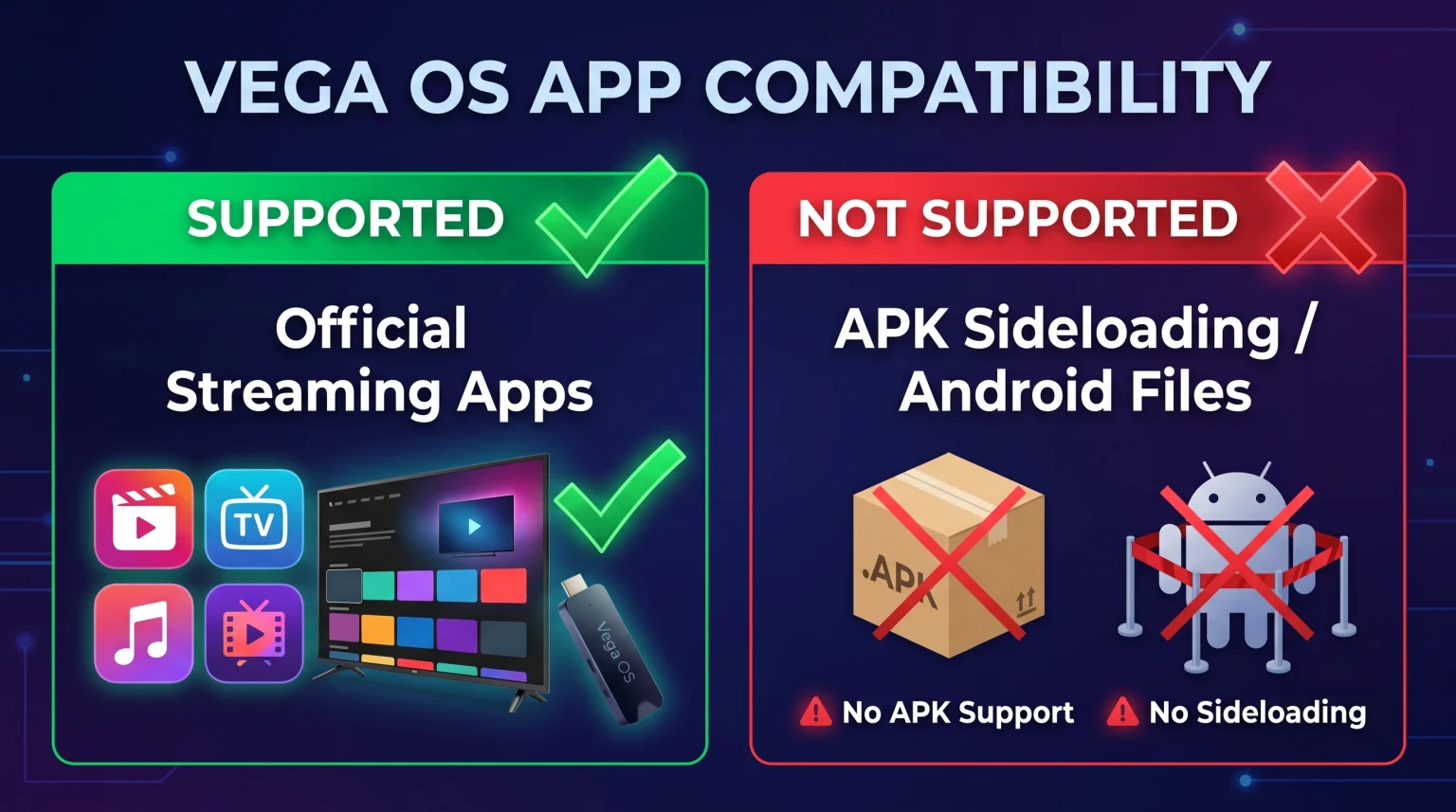
The Vega OS App Store includes major streaming applications such as Netflix, Prime Video, YouTube, Disney+, and Hulu. However, Vega OS does not support Android applications. You cannot install Android Package Kit (APK) files. This restriction means you cannot sideload custom applications such as Kodi, TiviMate, or Downloader. If you watch standard commercial streaming services, a Vega OS device works perfectly. If you want to use custom IPTV applications or third-party APK files, you should choose a Google TV device or an older Fire OS device instead.
What Is Vega OS?
To understand the Vega OS App Store, you must understand the new operating system. For many years, Amazon televisions and streaming sticks used Fire OS. Fire OS was based on the Android operating system. Because Fire OS was based on Android, Fire OS devices could run Android applications.
Vega OS is completely different. Amazon built Vega OS using a Linux foundation and modern web technologies. Vega OS is not based on Android. Therefore, Vega OS cannot read Android files. Every application must be programmed specifically for the Vega OS system. Developers must submit their new Vega OS applications directly to the official Amazon Appstore.
Which Major Streaming Apps Are Available?
When Amazon announced Vega OS, some users worried about application availability. Users feared that major streaming companies would not build new applications quickly.
Fortunately, the Vega OS App Store currently offers almost all major streaming platforms. You can download and watch:
Netflix
Amazon Prime Video
YouTube
Disney+
Hulu
HBO Max
Peacock
Spotify
Pluto TV
You will not lose access to your favorite commercial movies and television shows.
The Amazon Cloud App Program
You might wonder how Amazon secured all these applications so quickly. Amazon solved the application problem by creating the Amazon Cloud App Program.
If a developer has not finished a native Vega OS application, Amazon uses cloud technology. When you click the application icon on your television screen, your device connects to an Amazon server. The Amazon server runs the older Android version of the application. The server then sends the video and the application menus over the internet to your television screen.
The user experience is seamless. You interact with the application normally using your remote control. This cloud technology ensures that the Vega OS App Store remains full of popular streaming services.
Sideloading and APK Support on Vega OS
Sideloading is the process of installing an application from outside the official application store. On older Fire OS devices, sideloading was very popular. Users could open a hidden menu and enable a setting called “Apps from Unknown Sources”. This setting allowed users to install Android Package Kit (APK) files directly from the internet.
Vega OS completely blocks all sideloading.
The Vega OS software does not have a Developer Options menu. The system does not have an “Unknown Sources” setting. You cannot install the popular Downloader application on a Vega OS device. Furthermore, you cannot use an Android Debug Bridge (ADB) connection to force an application onto the device.
Because Vega OS is not an Android operating system, the system lacks the software code needed to execute an APK file. You can only install applications that Amazon approves and publishes in the official Amazon Appstore.
Comparison: Vega OS vs. Fire OS
This table shows the main differences between the new Vega OS and the older Fire OS.
| Functie | Vega OS Devices | Fire OS Devices |
| Operating system base | Linux and web technologies | Android operating system |
| Official Amazon Appstore | Ja | Ja |
| Sideloading APK files | No sideloading possible | Sideloading is fully supported |
| Install unknown apps setting | No setting exists | Setting is available in menus |
| Android application support | No Android support | Runs Android APK files |
| Popular IPTV player support | Very limited native applications | Supports TiviMate and Smarters |
Which Devices Use Vega OS?
You must identify which operating system a device uses before you buy the device. Amazon started releasing Vega OS devices in late 2025 and 2026.
The first streaming stick to use the new software was the Fire TV Stick 4K Select. Amazon also uses Vega OS on the standard 2026 Fire TV Stick 4K.
However, Amazon still sells some older models that use Fire OS. For example, the Fire TV Stick 4K Max and the Fire TV Stick 4K Plus currently use the older Android-based Fire OS. If you want to read more about choosing the right television or device, read our guide on the De beste smart-tv's voor IPTV in 2026: Samsung, Sony, LG en TCL vergeleken.
Always check the product specifications carefully. If the product description mentions Vega OS, you cannot install Android applications on that device.
IPTV Apps on Vega OS
TV Shadow IPTV provides high-quality streaming television content. To watch TV Shadow IPTV, you need an IPTV player application. The player application connects to our servers, downloads the channel list, and displays the Electronic Program Guide (EPG). The player application also manages video playback.
The change to Vega OS creates a significant problem for IPTV users. Most high-quality IPTV player applications are programmed exclusively for the Android operating system. Famous IPTV applications like TiviMate, IPTV Smarters Pro, and SmartTube are distributed as Android APK files.
Because Vega OS cannot run Android APK files, you cannot install TiviMate or IPTV Smarters Pro on a Vega OS device. You cannot sideload these popular applications.
Currently, the official Vega OS App Store has very few native IPTV player applications. To use TV Shadow IPTV on a Vega OS device, you must search the official Amazon Appstore for a compatible player. You must ensure the player application supports standard M3U playlists or Xtream Codes login methods.
We generally advise against buying a Vega OS device for IPTV usage. The application restrictions are too severe. Instead, we recommend purchasing a Google TV device or an older Fire OS device. Google TV and Fire OS offer a massive selection of excellent IPTV player applications. If you want to understand the differences between television operating systems, read our comprehensive guide regarding the Best Smart TV OS for IPTV in 2026: Tizen vs Google TV vs webOS.
Watching Live Football on Vega OS
Many people buy streaming devices specifically to watch live football matches. Vega OS devices offer excellent performance for live sports.
Because Vega OS is a lightweight operating system, the system menus are very fast. The device processor can focus entirely on decoding the video signal. If you watch live football through an official streaming application like Peacock, the video playback is very smooth. Vega OS supports 4K resolution and High Dynamic Range (HDR) formats, which makes the football pitch look vibrant and clear.
However, your internet connection is crucial for live sports. Live football streams require constant, uninterrupted data transfer. Wireless Wi-Fi connections often experience interference from walls, furniture, or other electronic devices. Wireless interference causes the live football stream to pause, buffer, or drop to a lower resolution.
To achieve the best streaming stability, we recommend purchasing an official Ethernet adapter for your Vega OS device. The Ethernet adapter allows you to connect the streaming stick directly to your internet router using a physical cable. A physical cable provides a much faster and more reliable connection than a wireless Wi-Fi connection.
The Future of the Vega OS App Store
Amazon provides software developers with excellent programming tools. These programming tools use React Native, which is a very popular programming language. Because React Native is common, developers can adapt their existing applications for Vega OS relatively easily.
As Amazon sells more Vega OS devices, more developers will create native applications. In the future, the Vega OS App Store will contain thousands of specialized applications. Independent IPTV developers may eventually release native Vega OS versions of their popular IPTV players. Until that happens, the Vega OS application ecosystem remains restricted compared to the open Android ecosystem.
Conclusie
The Vega OS App Store provides excellent support for major commercial streaming services. You can easily watch Netflix, Prime Video, YouTube, and Disney+ on any Vega OS device. Amazon ensures these applications run smoothly through native programming or cloud streaming technology.
However, the shift to a Linux-based operating system completely eliminates Android application support. You cannot sideload APK files, and you cannot install popular custom applications like TiviMate or Downloader. If you rely on TV Shadow IPTV and need advanced IPTV player applications, a Vega OS device is not the best choice. For maximum application freedom, we recommend choosing a device that uses Google TV, Android TV, or the older Fire OS.
Veelgestelde vragen
Can I install TiviMate on Vega OS?
No, you cannot install TiviMate on a Vega OS device. TiviMate is exclusively an Android application. Vega OS cannot run Android applications, and the Amazon Appstore does not offer a native Vega OS version of TiviMate.
Does Vega OS support Google Play?
No, Vega OS does not support the Google Play Store. Vega OS is an independent operating system owned by Amazon. You can only download applications from the official Amazon Appstore.
Kan ik de Downloader-app gebruiken op Vega OS?
No, you cannot use the Downloader application on Vega OS. The Downloader application is designed to install Android APK files. Because Vega OS cannot execute APK files, the Downloader application is incompatible with the new operating system.
Will my older Fire TV update to Vega OS?
No, your older Fire OS device will not update to Vega OS. The two operating systems use completely different core technologies. Older devices will continue to use the Android-based Fire OS.
How do I know if my device uses Vega OS?
You must check the technical specifications on the Amazon website or the product box. Currently, the Fire TV Stick 4K Select and the new 2026 Fire TV Stick 4K use Vega OS. Older models like the Fire TV Stick 4K Max still use Fire OS.
Is Vega OS better than Fire OS?
Vega OS is faster and uses system resources more efficiently than Fire OS. However, Fire OS is better for users who want to install custom applications, because Fire OS supports Android APK files.