
If you’ve recently upgraded your living room setup with a gorgeous OLED, you’re probably wondering how to get the most out of it without juggling external Android boxes or streaming sticks. The good news? LG’s webOS has grown into a powerhouse for streaming. But finding the right IPTV player LG TV users actually enjoy using can feel like searching for a needle in a digital haystack.
Let’s face it: nobody wants to deal with constant buffering, clunky menus, or apps that crash right in the middle of a live match. Because the LG Content Store frequently updates its catalog removing some apps and adding others what worked perfectly last year might be completely obsolete today.
After testing dozens of options available natively on webOS, I’ve put together this comprehensive guide to the best IPTV players for LG Smart TVs in 2026. Whether you need flawless EPG (Electronic Program Guide) support, multi-playlist management, or just a simple, no-nonsense interface, we have you covered.
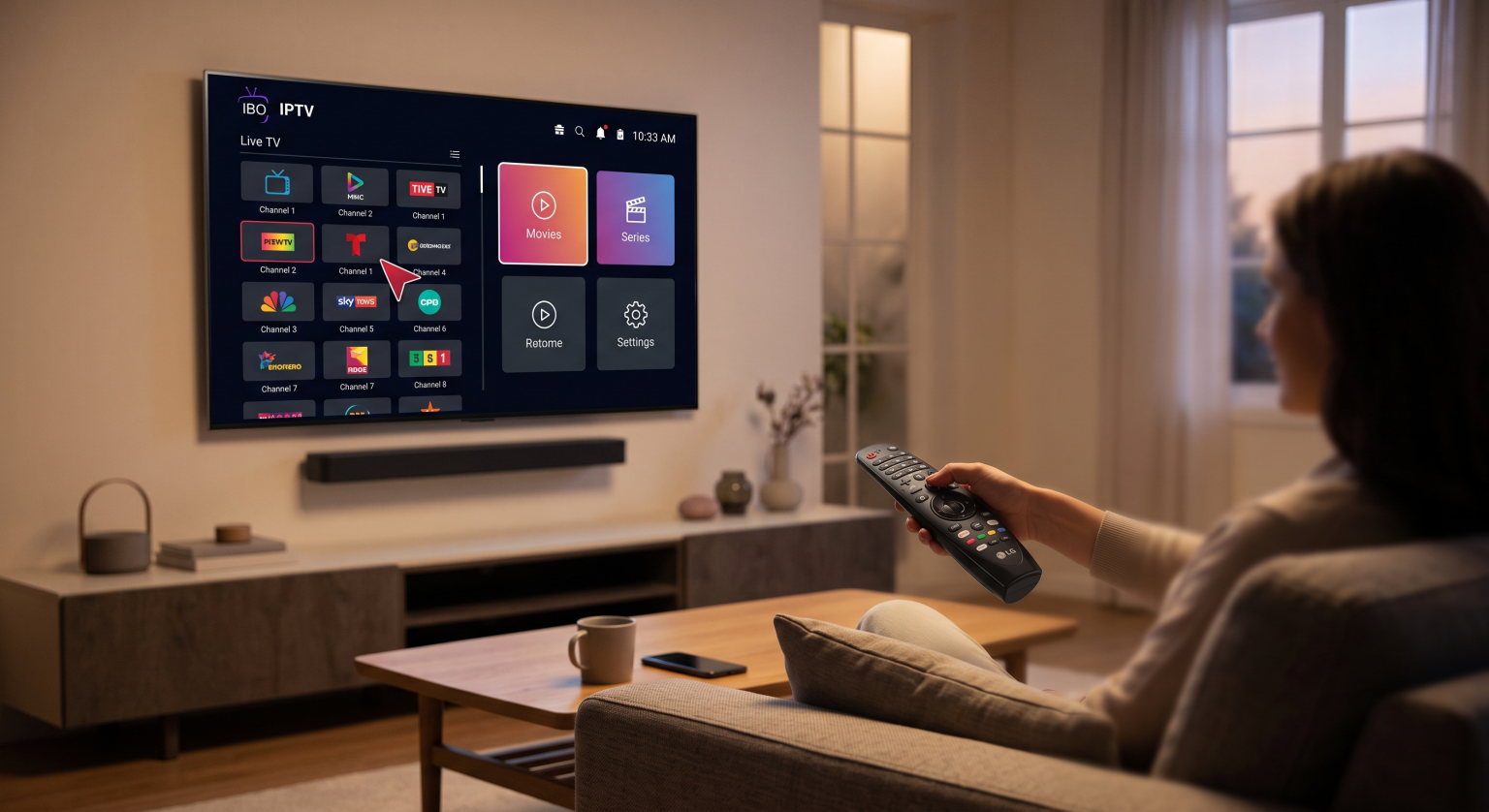
Why Native webOS IPTV Players Matter
Unlike Android TVs where you can sideload virtually anything via an APK file, LG operates on a closed ecosystem. This means you are limited to what is officially approved in the LG Content Store. However, using a native app has massive advantages:
Hardware Acceleration: Native apps are optimized for LG’s internal processors, meaning faster channel zapping and smoother 4K playback.
Magic Remote Integration: Scrolling, pointing, and clicking through your channel list feels incredibly intuitive.
Zero Clutter: No messy HDMI cables or extra remotes required.
Let’s dive into the top performers of 2026.
1. IBO Player – The Overall Best IPTV Player for LG Smart TV
If there is one app that has consistently dominated the webOS charts this year, it’s IBO Player. It doesn’t come with any pre-loaded content (as is standard with legitimate players), but it handles massive M3U playlists and Xtream Codes with absolute ease.
Why it stands out: The interface is sleek and modern, heavily optimized for the LG Magic Remote. What I really appreciate is how it handles heavy VOD (Video on Demand) libraries. Instead of lagging while loading movie posters, IBO Player caches data efficiently, making navigation buttery smooth.
Price: 7-day free trial, then a small one-time lifetime fee.
Best for: Users with massive channel lists who want zero lag.
2. SmartOne IPTV – The Multi-Account Master
SmartOne IPTV has quietly become a favorite in 2026, especially for households that share a single television. It supports both modern webOS and older Netcast models, making it incredibly versatile.
Why it stands out: The multi-account feature is a game-changer. You can set up different profiles with distinct playlists—perfect if you want a dedicated sports profile and a separate one for family-friendly movies. It also features a built-in parental lock and fast channel zapping.
Price: 14-day free trial, followed by a yearly or lifetime activation.
Best for: Families and users managing multiple IPTV subscriptions.
3. IPTV Smarters Pro (Smarters Player Lite) – The Reliable Classic
Depending on your region, you will find this listed as either Smarters Pro or Smarters Player Lite in the LG Content Store. It remains one of the most downloaded IPTV apps globally for a very good reason.
Why it stands out: Familiarity. If you have ever used IPTV on your phone or tablet, you know this layout. The four-square dashboard (Live TV, Movies, Series, Catch Up) is foolproof. It seamlessly integrates Xtream Codes API, meaning you just need a username, password, and server URL to get started right away.
Price: Free (with a premium version available for extra features).
Best for: Beginners who want a simple, familiar setup process.
4. Flix IPTV – The Customization King
If you get bored of looking at the same dark-mode menus every day, Flix IPTV allows you to change themes and customize the visual layout of your streaming experience.
Why it stands out: Beyond the aesthetics, Flix IPTV has one of the most reliable EPG fetching systems. If your provider’s TV guide tends to go missing on other apps, Flix usually manages to pull the data and display it clearly. It also handles subtitle synchronization beautifully, which is an absolute lifesaver for foreign films.
Price: 7-day free trial, one-time activation fee (~€7.99).
Best for: EPG heavy users and interface customization.
5. SS IPTV – The Best Free Option
SS IPTV has been around for years, and while the interface might look a bit dated compared to IBO or SmartOne, it still holds its ground in 2026 as the most reliable completely free option.
Why it stands out: You don’t have to worry about trial periods expiring. It allows you to upload playlists directly through their website using a pairing code generated on your TV. It’s lightweight, rarely crashes, and gets the job done.
Price: 100% Free.
Best for: Users on a strict budget who don’t want to pay activation fees.
Quick Comparison: Top LG TV IPTV Players (2026)
Here is a side-by-side breakdown to help you make your final choice quickly.
| Player Name | Pricing Model | EPG Support | Magic Remote Optimized | Best Feature |
| IBO Player | One-time fee (~€8) | Excellent | Yes | Blazing fast VOD loading |
| SmartOne IPTV | Yearly / Lifetime | Very Good | Yes | Multi-account profiles |
| IPTV Smarters | Free / Premium | Good | Yes | Classic, easy 4-square UI |
| Flix IPTV | One-time fee (~€8) | Excellent | Yes | Custom themes & Subtitles |
| SS IPTV | 100% Free | Basic | Yes | Completely free forever |
How to Install an IPTV Player on LG TV
Because LG uses a closed ecosystem, installation is refreshingly simple. You don’t need downloader apps or USB sticks.
Press the Home button on your LG Magic Remote.
Navigate to the Apps icon (formerly the LG Content Store).
Click the Search (Magnifying Glass) icon in the top right corner.
Type in the name of the app (e.g., “IBO Player” or “SmartOne”).
Click Install and launch the application.
Pro Tip: Note down the MAC address or Device ID displayed on the screen when you first open the app you will need this to upload your M3U playlist via the app’s official developer website.
Conclusion
Choosing the right IPTV player LG TV app ultimately comes down to your personal viewing habits. If you want a premium, high-speed experience to handle an extensive VOD library, IBO Player is easily the top investment for 2026. If you are sharing the TV with family members and need multiple profiles, SmartOne IPTV is the way to go. And if you simply refuse to pay for a player, SS IPTV remains a trusty, cost-free companion.
Remember, none of these apps come with pre-loaded live TV channels or movies. You will need to bring your own M3U playlist or Xtream Codes subscription. Once you find a reliable provider, pairing it with one of these webOS apps will turn your LG Smart TV into the ultimate entertainment hub.