
Als je een nieuw streamingsysteem voor thuis aan het opzetten bent, kom je onvermijdelijk voor het grote hardware-dilemma te staan: kies je voor een speciale MAG doos of een Amazon Firestick aanschaffen?
Beide apparaten zorgen ervoor dat je livezenders op je tv-scherm kunt bekijken, maar ze pakken dat op totaal verschillende manieren aan. Het ene is een doelgericht, gespecialiseerd apparaat dat uitsluitend is ontworpen voor live-televisieprotocollen, terwijl het andere een entertainmenthub voor de massamarkt is.
Of je nu je woonkamer wilt upgraden of gewoon geen last meer wilt hebben van buffering tijdens live sportuitzendingen: als je het verkeerde apparaat kiest, kan dat de ervaring verpesten. Laten we eens kijken naar de prestaties in de praktijk, de installatieprocedures en de technische mogelijkheden van de MAG Box in vergelijking met de Firestick om te zien welke je geld waard is.
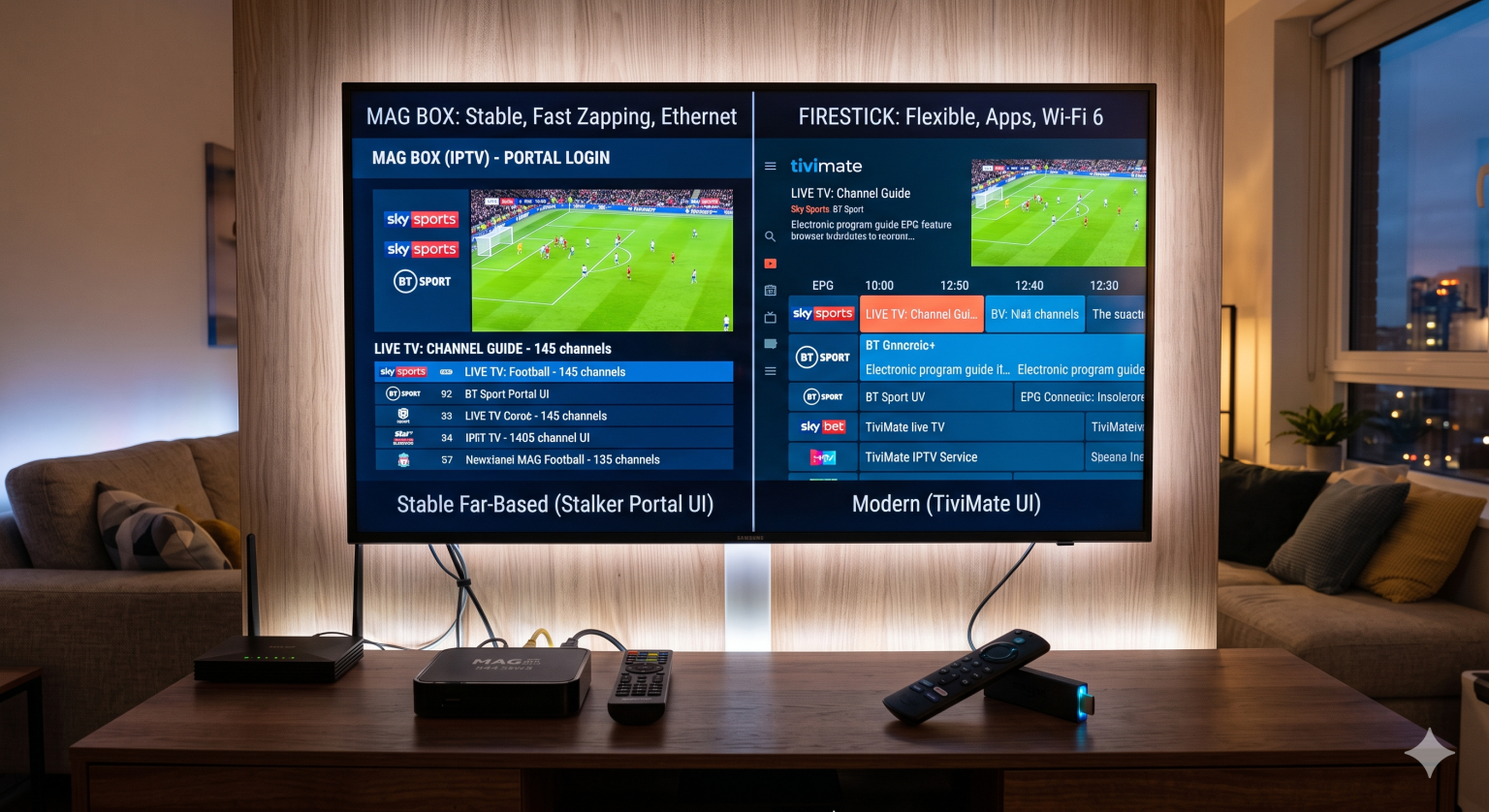
Het belangrijkste verschil: doelgerichtheid versus flexibiliteit
De eenvoudigste manier om deze vergelijking te begrijpen, is door te kijken naar waarvoor deze apparaten eigenlijk zijn ontworpen.
De Amazon Firestick: Dit is een universele streaming-dongle. Het draait op Fire OS en is ontworpen om commerciële apps zoals Netflix, YouTube en Amazon Prime te ondersteunen. Om het voor live-televisie te gebruiken, moet je apps van derden downloaden, zoals TiviMate of IPTV Smarters Pro vaak door ze via de Downloader-app te sideloaden.
De MAG Box: Een traditionele MAG-box (zoals de 540w3 of 544w3), geproduceerd door Infomir, is een speciale settopbox die op Linux draait. Het heeft geen app store vol met streaminggiganten. Het apparaat is daarentegen speciaal ontworpen voor één specifieke taak: verbinding maken met Stalker-portals en live-tv streamen met maximale efficiëntie. Je sluit het aan, voert de URL van een portal en je MAC-adres in, en het werkt precies zoals een traditionele kabeldecoder.
Omgang met hardware en codecs
Als het gaat om het streamen van 4K-content met een hoge bitsnelheid, zijn rekenkracht en videodecodering van cruciaal belang.
De moderne Firesticks, met name de 4K Max-modellen, beschikken over indrukwekkende hardware voor hun formaat. Ze verwerken HEVC (H.265) en de nieuwere AV1-codecs moeiteloos, wat van cruciaal belang is aangezien veel premium-aanbieders deze codecs gebruiken om beeldmateriaal van topkwaliteit te leveren 4K video kijken zonder al je bandbreedte op te slokken. De ingebouwde ondersteuning voor Wi-Fi 6E is fantastisch, mits je een compatibele router hebt. Ze beschikken echter niet over een ingebouwde ethernetpoort, waardoor je een externe adapter nodig hebt als je een bekabelde verbinding wilt.
MAG-boxen geven voorrang aan stabiliteit boven pure grafische kracht. Apparaten met Amlogic-chipsets zijn specifiek geoptimaliseerd voor het continu decoderen van video. Wat nog belangrijker is: de meeste MAG-boxen zijn voorzien van een ingebouwde ethernetpoort. Als het gaat om live-uitzendingen, waarbij een verloren pakketje leidt tot een haperend beeld, presteert een bekabelde ethernetverbinding bijna altijd beter dan wifi.
Zappen en interface
“Bij de ”zapping’-snelheid – de tijd die nodig is om van het ene kanaal naar het andere over te schakelen – worden de verschillen pas echt overduidelijk.
Omdat een op Linux gebaseerde MAG-box niet wordt vertraagd door achtergrondprocessen, meldingen of een zwaar besturingssysteem, verloopt het wisselen van kanaal vrijwel onmiddellijk. De interface is strak, functioneel en voelt meteen vertrouwd aan voor iedereen die ooit de afstandsbediening van een gewone kabelaanbieder heeft gebruikt. Het werkt gewoon.
De Firestick is volledig afhankelijk van de software die je installeert. Een app zoals TiviMate biedt een prachtige, aanpasbare elektronische programmagids (EPG) die er visueel beter uitziet dan de standaard MAG-interface. Het wisselen van kanaal op een Firestick kan echter soms een seconde of twee langer duren, omdat de software de nieuwe stream moet bufferen terwijl het het onderliggende besturingssysteem aanstuurt.
Het installatieproces
Als je op zoek bent naar een plug-and-play-oplossing, is de MAG-box de beste keuze. De installatie bestaat meestal uit het doorgeven van het unieke MAC-adres van je apparaat aan je provider en het invoeren van een portaal-URL. Zodra dat is gebeurd, start de box elke keer dat je hem aanzet direct op met je zenderlijst.
Voor de Firestick moet je enigszins technisch onderlegd zijn. Je moet het volgende doen:
Schakel de ontwikkelaarsopties in de systeeminstellingen in.
Installeer de Downloader-app.
Installeer je favoriete speler via sideloading.
Voer een M3U-link of inloggen via de Xtream Codes API.
Het is niet ontzettend moeilijk, maar het is wel een extra hindernis als je dit voor een familielid instelt dat niet zo technisch onderlegd is.
Eindoordeel: welke moet je kopen?
Er is niet één “beste” apparaat; het hangt volledig af van hoe je media consumeert.
Koop de Amazon Firestick als:
Je wilt één apparaat voor je livekanalen, Netflix en Prime Video.
Je geeft de voorkeur aan moderne, zeer aanpasbare interfaces en EPG's.
Je hebt een beperkt budget en bent op zoek naar een draagbaar apparaat dat je gemakkelijk mee kunt nemen op reis.
Koop een MAG Box als:
Je stelt een apart scherm in dat uitsluitend bedoeld is voor live-televisie en sport.
Je wilt zo snel mogelijk van zender wisselen, zonder vertraging in de gebruikersinterface.
Je geeft de voorkeur aan een bekabelde, uiterst stabiele verbinding boven een wifi-dongle.
Je wilt een eenvoudige, kabelachtige ervaring voor jezelf of voor oudere familieleden.
Ultimately, both will serve up your favorite content. If flexibility is your priority, grab the Firestick. If raw, uninterrupted live streaming performance is what you need, the MAG doos remains the undisputed champion of the living room.