
Are you trying to sideload a third-party app, only to find your Fire TV Install Unknown Apps empty? You aren’t alone. This frustrating blank screen recently hit millions of streamers across the United States.
Whether it is due to a hidden settings menu, a missing prerequisite app, or a recent system bug, this issue stops you from unlocking your device’s full potential. Fortunately, getting your apps back on screen is incredibly simple once you know what is blocking them.
Keep reading to discover why your developer menu is blank and the exact steps to restore your sideloading permissions today.
Why Is Your Fire TV Install Unknown Apps Empty in the United States?
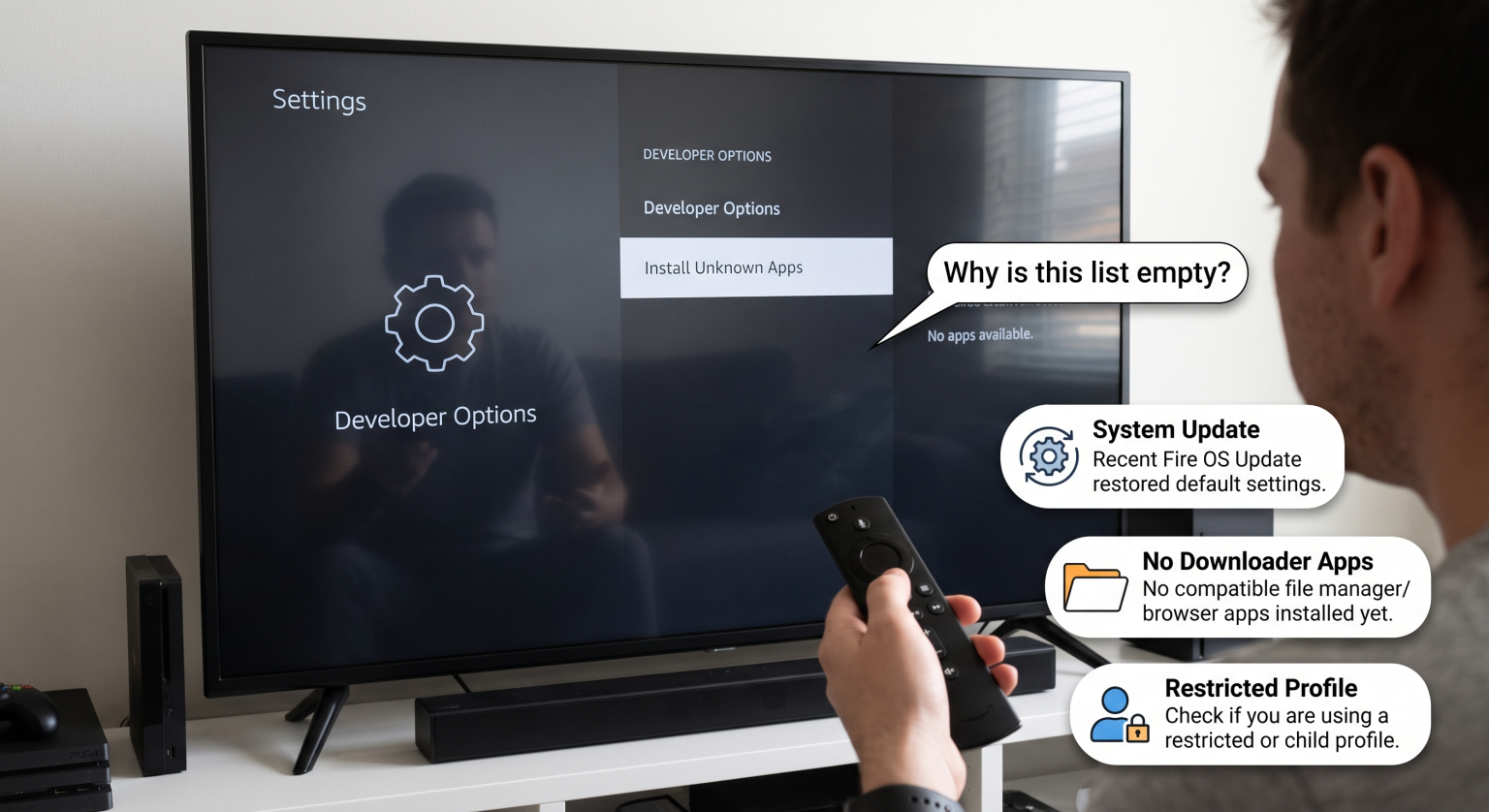
If your “Install Unknown Apps” screen is completely blank, your device is actively blocking permission requests. For most US-based Firestick users, this happens for three specific reasons.
First, you might not have a downloader application installed. The “Install Unknown Apps” menu isn’t a master switch anymore; it operates on a per-app basis. If you haven’t downloaded a file manager tool from the official Amazon Appstore, the list has nothing to display.
Second, Amazon recently deployed a bug. In September 2026, an unintended glitch in a Fire OS settings update caused the Fire TV Install Unknown Apps empty error for thousands of users. This bug made popular sideloading services like the Downloader app completely vanish from the permissions list.
Finally, your developer mode might be deactivated. Amazon now hides these advanced menus by default to protect casual users from malware. If your Firestick developer options missing error is occurring, you cannot even reach the unknown sources menu.
Sideloading Features Compared by Operating System
If you are a streaming enthusiast in the US, your ability to sideload heavily depends on your specific device’s operating system. Not all Fire devices treat developer permissions the same way.
| Fire TV OS Version | Operating System Base | Sideloading Supported? | Common Devices (US Market) |
| Fire OS 7 | Android 9 | Yes (Requires manual toggle) | Fire TV Stick 4K, Fire TV Cube (2nd Gen) |
| Fire OS 8 | Android 10/11 | Yes (Per-App Permission Required) | Fire TV Stick 4K Max, Fire TV Stick 4K (2nd Gen) |
| Vega OS | Linux (Non-Android) | No (Sideloading blocked) | Fire TV Stick 4K Select, Fire TV Stick HD |
How to Fix the Fire TV Install Unknown Apps Empty Issue
Ready to fix your device? Follow these highly effective troubleshooting steps to get your permissions back online.
1. Unhide Your Developer Options
To sideload apps on Firestick, you must first reveal the hidden developer menu. Navigate to Settings > My Fire TV > About.
Highlight your device’s name and click the center “Select” button on your remote exactly seven times. You will see a small message confirming that you are now a developer, which will bring the menu back to your settings tab.
2. Download a File Manager App
If your menu is visible but the Fire TV Install Unknown Apps empty screen persists, you lack a compatible app. You need an application capable of requesting the Fire OS unknown sources toggle.
Open the Amazon Appstore and install the Downloader app. Once installed, open Downloader once so it can trigger the permission prompt. When you return to your developer settings, Downloader will now appear on the list, ready to be toggled “ON”.
3. Force a System Settings Update
If you already have Downloader but it suddenly disappeared, you are a victim of the September 2026 software bug. Amazon has officially rolled out a patch to fix this Downloader app permissions Fire TV issue.
Go to Settings > My Fire TV > About > Check for Updates. Let your device install the latest component update and restart. Your populated app list will immediately return.
4. Check for Vega OS Limitations
If you recently bought the newest Fire TV Stick HD or 4K Select, no amount of troubleshooting will work. Amazon is transitioning away from Android toward their new in-house “Vega OS”.
Because Vega OS is not based on Android, it does not use APK files. If you have a Vega-powered device, the ability to enable unknown sources Fire OS simply does not exist.
Keep Your US Streaming Setup Secure
Running into the Fire TV Install Unknown Apps empty error is a temporary roadblock for most Android-based Fire devices in the United States. By unhiding your developer settings, installing the right file manager, and keeping your software patched, you can easily maintain full control over your streaming hardware.
However, sideloading third-party applications always carries severe privacy risks. Unverified apps can expose your IP address and personal data to malicious actors online.
Don’t risk your digital privacy while streaming. Protect your home network today by grabbing a premium VPN. [Click here to secure your Fire TV with an exclusive 70% discount on the top-rated VPN for sideloaders!]
People Also Ask (PAA)
Why are my Firestick apps not showing in developer options?
Your apps will not show up until you install a dedicated file management application like Downloader. Furthermore, you must open the app at least once to trigger the initial permission request within Fire OS.
Did Amazon ban sideloading on Fire TV?
Amazon has not banned sideloading on older Android-based models running Fire OS 7 and 8. However, their newest devices running the proprietary Vega OS (like the new Fire TV Stick HD) completely block third-party Android APK installations.
How do I get the Downloader app back on my unknown apps list?
If Downloader vanished due to the recent system glitch, navigate to Settings > My Fire TV > About > Check for Updates. Downloading the latest background patch provided by Amazon will instantly restore Downloader to your permissions list.